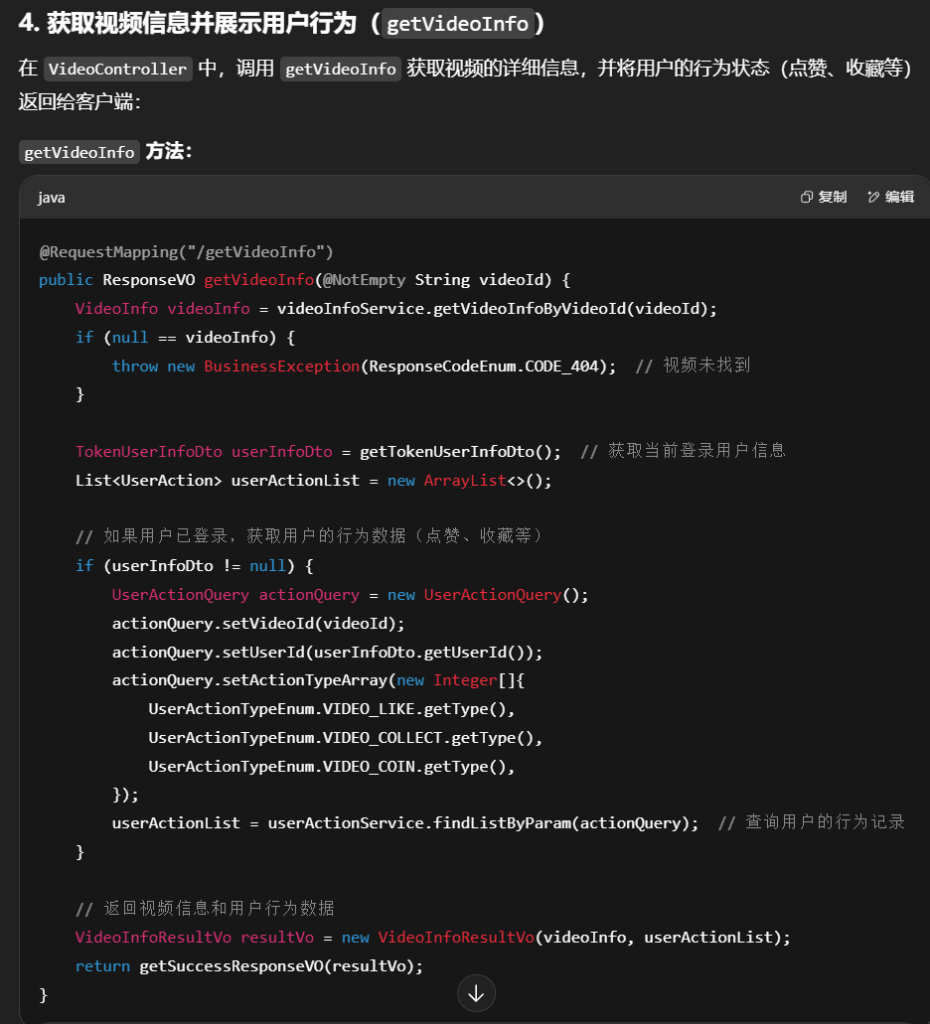
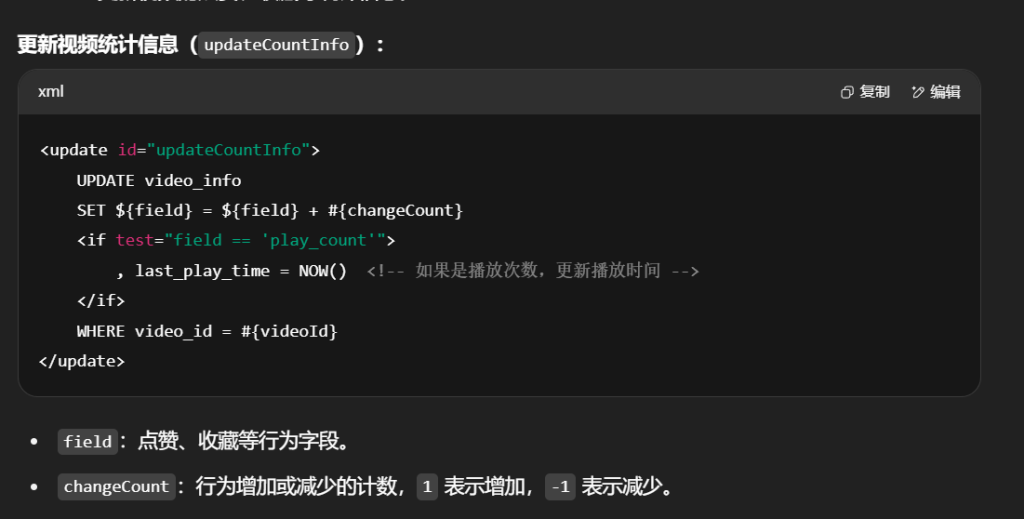
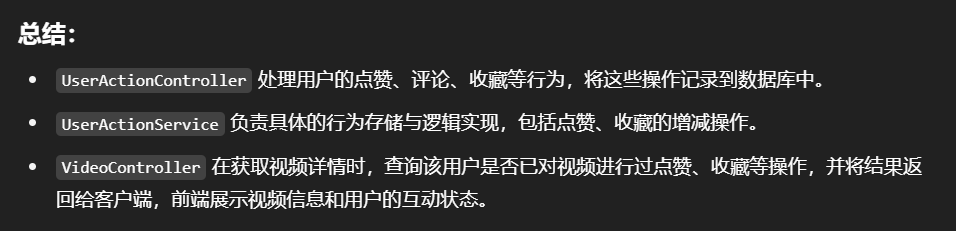
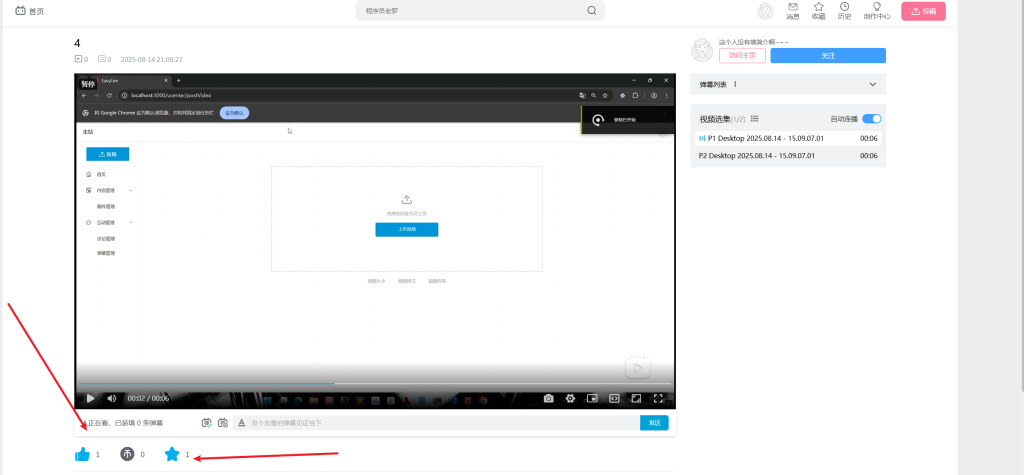
1.环境准备
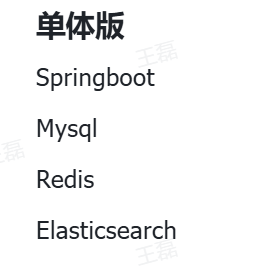
1.1技术栈
1.2接口文档
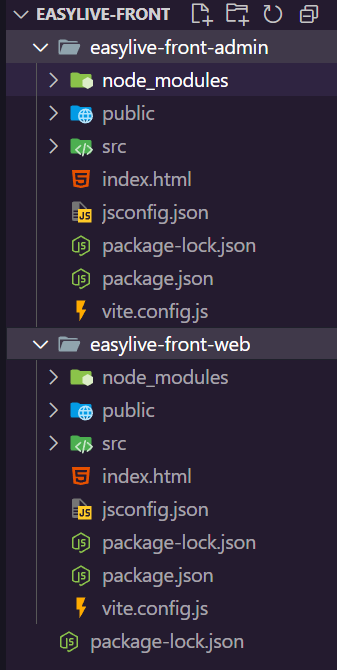
接口文档:Apipost-基于协作, 不止于API文档、调试、Mock、自动化测试
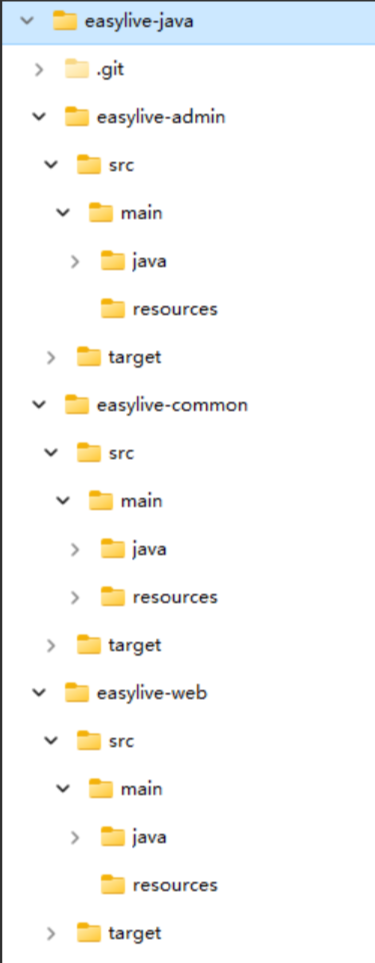
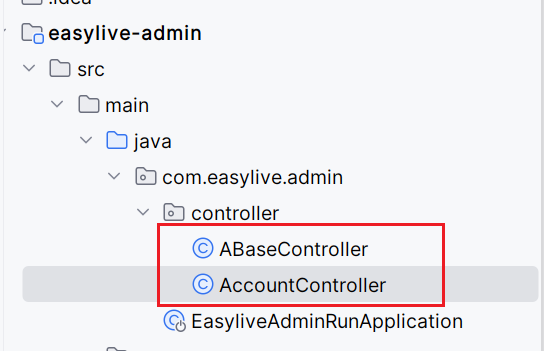
1.3项目目录结构
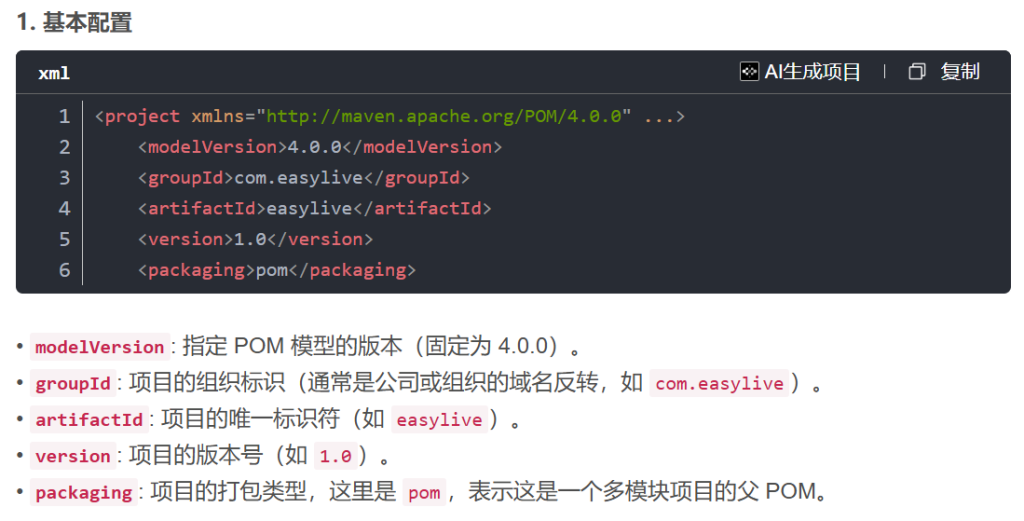
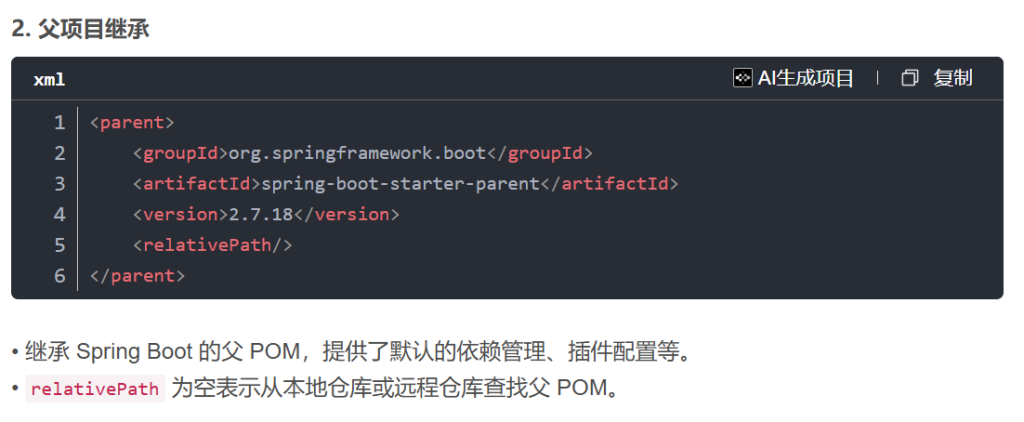
1.4pom配置文件
根pom.xml
1
2
3
4
5
6
7
8
9
10
11
12
13
14
15
16
17
18
19
20
21
22
23
24
25
26
27
28
29
30
31
32
33
34
35
36
37
38
39
40
41
42
43
44
45
46
47
48
49
50
51
52
53
54
55
56
57
58
59
60
61
62
63
64
65
66
67
68
69
70
71
72
73
74
75
76
77
78
79
80
81
82
83
84
85
86
87
88
89
90
91
92
93
94
95
96
97
98
99
100
101
102
103
104
105
106
107
108
109
110
111
112
113
114
115
116
117
118
119
120
121
122
123
124
125
126
127
128
129
130
131
132
133
134
135
136
137
138
139
140
<?xml version="1.0" encoding="UTF-8" ?> <project xmlns ="http://maven.apache.org/POM/4.0.0" xmlns:xsi ="http://www.w3.org/2001/XMLSchema-instance" xsi:schemaLocation ="http://maven.apache.org/POM/4.0.0 http://maven.apache.org/xsd/maven-4.0.0.xsd" > <modelVersion > 4.0.0</modelVersion > <parent > <groupId > org.springframework.boot</groupId > <artifactId > spring-boot-starter-parent</artifactId > <version > 2.7.18</version > <relativePath /> </parent > <groupId > com.easylive</groupId > <artifactId > easylive</artifactId > <version > 1.0</version > <packaging > pom</packaging > <modules > <module > easylive-common</module > <module > easylive-admin</module > <module > easylive-web</module > </modules > <properties > <project.build.sourceEncoding > UTF-8</project.build.sourceEncoding > <maven.compiler.source > 1.8</maven.compiler.source > <maven.compiler.target > 1.8</maven.compiler.target > <skipTests > true</skipTests > <springboot.version > 2.7.18</springboot.version > <mybatis.version > 1.3.2</mybatis.version > <logback.version > 1.2.10</logback.version > <mysql.version > 8.0.23</mysql.version > <aspectjweaver.version > 1.9.3</aspectjweaver.version > <fastjson.version > 1.2.83</fastjson.version > <commons.lang3.version > 3.4</commons.lang3.version > <commons.csv.version > 1.2</commons.csv.version > <commons.codec.version > 1.9</commons.codec.version > <commons.io.version > 2.5</commons.io.version > <lombok.version > 1.18.22</lombok.version > <captcha.verion > 1.6.2</captcha.verion > <es.version > 3.3.2</es.version > </properties > <dependencyManagement > <dependencies > <dependency > <groupId > org.springframework.boot</groupId > <artifactId > spring-boot-starter-web</artifactId > <version > $ {springboot.version} </version > <exclusions > <exclusion > <groupId > ch.qos.logback</groupId > <artifactId > logback-classic</artifactId > </exclusion > <exclusion > <groupId > ch.qos.logback</groupId > <artifactId > logback-core</artifactId > </exclusion > </exclusions > </dependency > <dependency > <groupId > org.mybatis.spring.boot</groupId > <artifactId > mybatis-spring-boot-starter</artifactId > <version > $ {mybatis.version} </version > </dependency > <dependency > <groupId > mysql</groupId > <artifactId > mysql-connector-java</artifactId > <version > $ {mysql.version} </version > </dependency > <dependency > <groupId > ch.qos.logback</groupId > <artifactId > logback-classic</artifactId > <version > $ {logback.version} </version > </dependency > <dependency > <groupId > ch.qos.logback</groupId > <artifactId > logback-core</artifactId > <version > $ {logback.version} </version > </dependency > <dependency > <groupId > org.aspectj</groupId > <artifactId > aspectjweaver</artifactId > <version > $ {aspectjweaver.version} </version > </dependency > <dependency > <groupId > com.alibaba</groupId > <artifactId > fastjson</artifactId > <version > $ {fastjson.version} </version > </dependency > <dependency > <groupId > org.apache.commons</groupId > <artifactId > commons-lang3</artifactId > <version > $ {commons.lang3.version} </version > </dependency > <dependency > <groupId > commons-codec</groupId > <artifactId > commons-codec</artifactId > <version > $ {commons.codec.version} </version > </dependency > <dependency > <groupId > commons-io</groupId > <artifactId > commons-io</artifactId > <version > $ {commons.io.version} </version > </dependency > <dependency > <groupId > org.springframework.boot</groupId > <artifactId > spring-boot-starter-data-elasticsearch</artifactId > <version > $ {es.version} </version > </dependency > <dependency > <groupId > org.projectlombok</groupId > <artifactId > lombok</artifactId > <version > $ {lombok.version} </version > </dependency > <dependency > <groupId > com.github.whvcse</groupId > <artifactId > easy-captcha</artifactId > <version > $ {captcha.verion} </version > </dependency > </dependencies > </dependencyManagement > </project >
common模块pom.xml
1
2
3
4
5
6
7
8
9
10
11
12
13
14
15
16
17
18
19
20
21
22
23
24
25
26
27
28
29
30
31
32
33
34
35
36
37
38
39
40
41
42
43
44
45
46
47
48
49
50
51
52
53
54
55
56
57
58
59
60
61
62
63
64
65
66
67
68
69
70
71
72
73
74
75
76
77
78
79
80
81
82
83
84
85
86
87
88
89
90
91
92
93
94
95
96
97
98
99
100
101
102
103
104
105
<?xml version="1.0" encoding="UTF-8" ?> <project xmlns ="http://maven.apache.org/POM/4.0.0" xmlns:xsi ="http://www.w3.org/2001/XMLSchema-instance" xsi:schemaLocation ="http://maven.apache.org/POM/4.0.0 http://maven.apache.org/xsd/maven-4.0.0.xsd" > <modelVersion > 4.0.0</modelVersion > <parent > <groupId > com.easylive</groupId > <artifactId > easylive</artifactId > <version > 1.0</version > </parent > <groupId > com.easylive</groupId > <artifactId > easylive-common</artifactId > <version > 1.0</version > <packaging > jar</packaging > <properties > <project.build.sourceEncoding > UTF-8</project.build.sourceEncoding > <maven.compiler.source > 1.8</maven.compiler.source > <maven.compiler.target > 1.8</maven.compiler.target > <skipTests > true</skipTests > </properties > <dependencies > <dependency > <groupId > org.springframework.boot</groupId > <artifactId > spring-boot-starter-web</artifactId > </dependency > <dependency > <groupId > org.mybatis.spring.boot</groupId > <artifactId > mybatis-spring-boot-starter</artifactId > </dependency > <dependency > <groupId > mysql</groupId > <artifactId > mysql-connector-java</artifactId > </dependency > <dependency > <groupId > ch.qos.logback</groupId > <artifactId > logback-classic</artifactId > </dependency > <dependency > <groupId > ch.qos.logback</groupId > <artifactId > logback-core</artifactId > </dependency > <dependency > <groupId > org.springframework.boot</groupId > <artifactId > spring-boot-starter-data-redis</artifactId > </dependency > <dependency > <groupId > org.springframework.boot</groupId > <artifactId > spring-boot-starter-data-elasticsearch</artifactId > </dependency > <dependency > <groupId > org.aspectj</groupId > <artifactId > aspectjweaver</artifactId > </dependency > <dependency > <groupId > com.alibaba</groupId > <artifactId > fastjson</artifactId > </dependency > <dependency > <groupId > org.apache.commons</groupId > <artifactId > commons-lang3</artifactId > </dependency > <dependency > <groupId > commons-codec</groupId > <artifactId > commons-codec</artifactId > </dependency > <dependency > <groupId > commons-io</groupId > <artifactId > commons-io</artifactId > </dependency > <dependency > <groupId > org.projectlombok</groupId > <artifactId > lombok</artifactId > </dependency > <dependency > <groupId > org.springframework.boot</groupId > <artifactId > spring-boot-starter-validation</artifactId > </dependency > <dependency > <groupId > com.github.whvcse</groupId > <artifactId > easy-captcha</artifactId > </dependency > </dependencies > </project >
admin模块pom.xml
1
2
3
4
5
6
7
8
9
10
11
12
13
14
15
16
17
18
19
20
21
22
23
24
25
26
27
28
29
30
31
32
33
34
35
36
37
38
39
40
41
42
43
<?xml version="1.0" encoding="UTF-8" ?> <project xmlns ="http://maven.apache.org/POM/4.0.0" xmlns:xsi ="http://www.w3.org/2001/XMLSchema-instance" xsi:schemaLocation ="http://maven.apache.org/POM/4.0.0 http://maven.apache.org/xsd/maven-4.0.0.xsd" > <modelVersion > 4.0.0</modelVersion > <parent > <groupId > com.easylive</groupId > <artifactId > easylive</artifactId > <version > 1.0</version > </parent > <groupId > com.easylive</groupId > <artifactId > easylive-admin</artifactId > <version > 1.0</version > <packaging > jar</packaging > <properties > <project.build.sourceEncoding > UTF-8</project.build.sourceEncoding > <maven.compiler.source > 1.8</maven.compiler.source > <maven.compiler.target > 1.8</maven.compiler.target > <skipTests > true</skipTests > </properties > <dependencies > <dependency > <groupId > com.easylive</groupId > <artifactId > easylive-common</artifactId > <version > 1.0</version > </dependency > </dependencies > <build > <plugins > <plugin > <groupId > org.springframework.boot</groupId > <artifactId > spring-boot-maven-plugin</artifactId > <version > 2.2.6.RELEASE</version > <configuration > <mainClass > com.easylive.admin.EasyliveAdminRunApplication</mainClass > </configuration > </plugin > </plugins > </build > </project >
web模块pom.xml
1
2
3
4
5
6
7
8
9
10
11
12
13
14
15
16
17
18
19
20
21
22
23
24
25
26
27
28
29
30
31
32
33
34
35
36
37
38
39
40
41
42
43
<?xml version="1.0" encoding="UTF-8" ?> <project xmlns ="http://maven.apache.org/POM/4.0.0" xmlns:xsi ="http://www.w3.org/2001/XMLSchema-instance" xsi:schemaLocation ="http://maven.apache.org/POM/4.0.0 http://maven.apache.org/xsd/maven-4.0.0.xsd" > <modelVersion > 4.0.0</modelVersion > <parent > <groupId > com.easylive</groupId > <artifactId > easylive</artifactId > <version > 1.0</version > </parent > <groupId > com.easylive</groupId > <artifactId > easylive-web</artifactId > <version > 1.0</version > <packaging > jar</packaging > <properties > <project.build.sourceEncoding > UTF-8</project.build.sourceEncoding > <maven.compiler.source > 1.8</maven.compiler.source > <maven.compiler.target > 1.8</maven.compiler.target > <skipTests > true</skipTests > </properties > <dependencies > <dependency > <groupId > com.easylive</groupId > <artifactId > easylive-common</artifactId > <version > 1.0</version > </dependency > </dependencies > <build > <plugins > <plugin > <groupId > org.springframework.boot</groupId > <artifactId > spring-boot-maven-plugin</artifactId > <version > 2.2.6.RELEASE</version > <configuration > <mainClass > com.easylive.web.EasyliveWebRunApplication</mainClass > </configuration > </plugin > </plugins > </build > </project >
logback配置文件
1
2
3
4
5
6
7
8
9
10
11
12
13
14
15
16
17
18
19
20
21
22
23
24
25
26
27
28
29
30
31
32
33
34
35
36
37
38
39
40
41
42
43
44
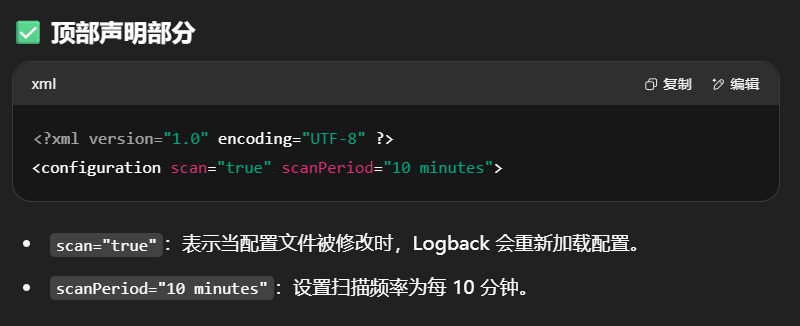
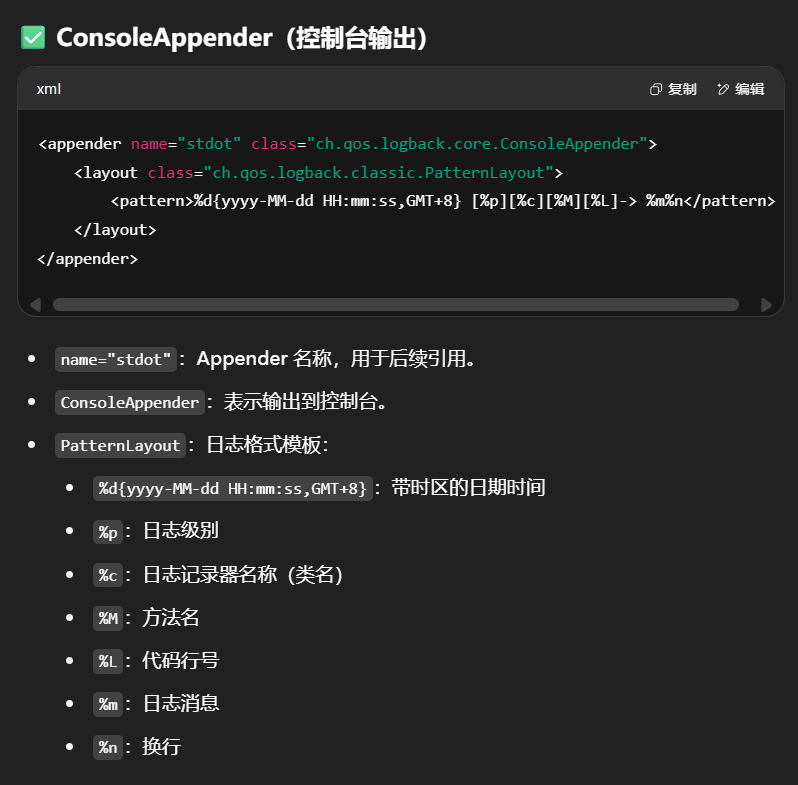
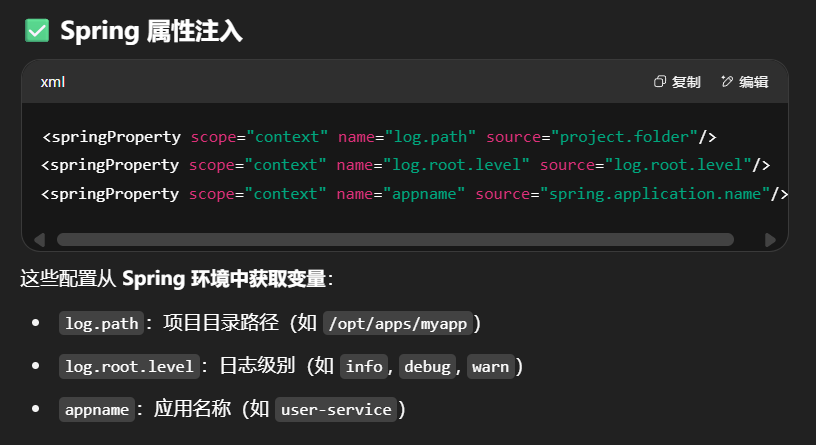
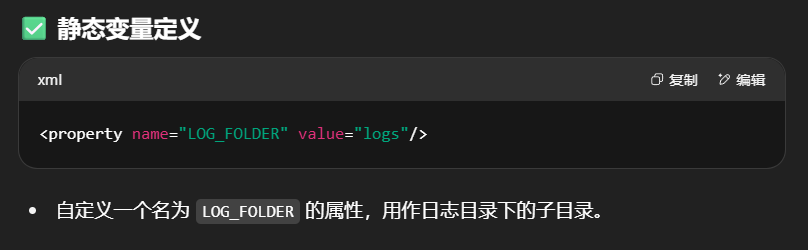
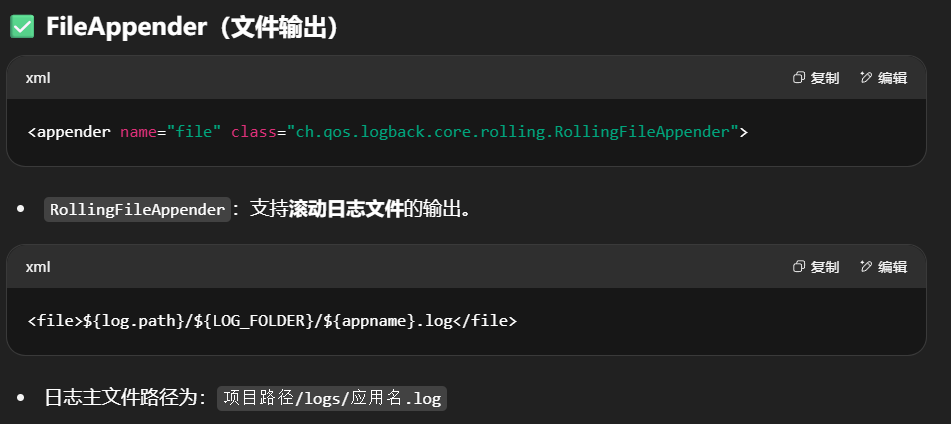
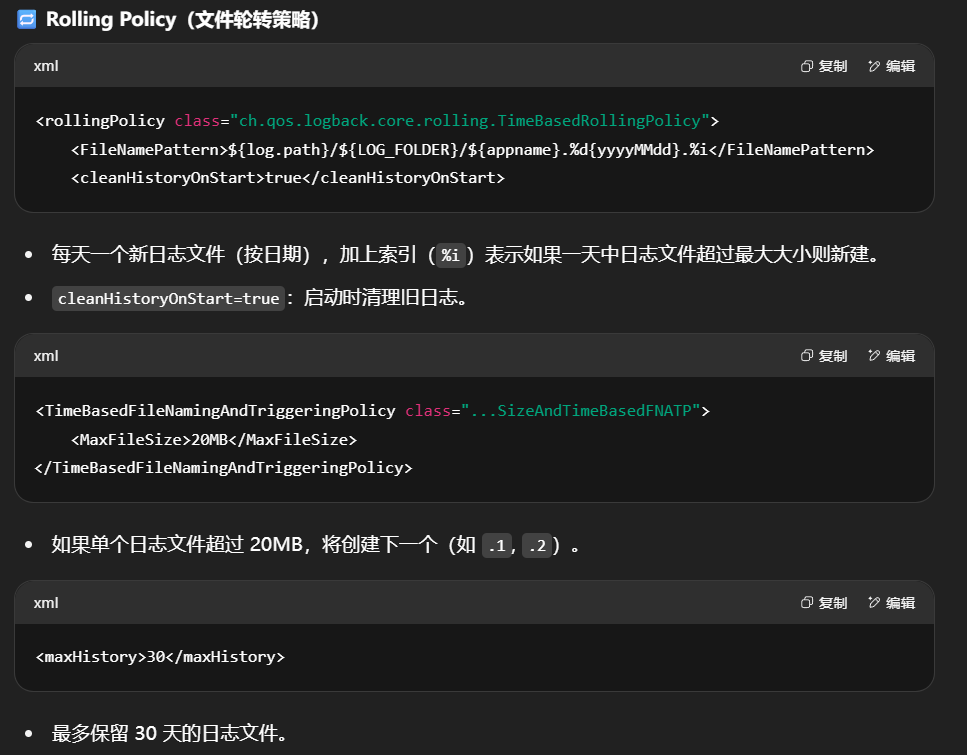
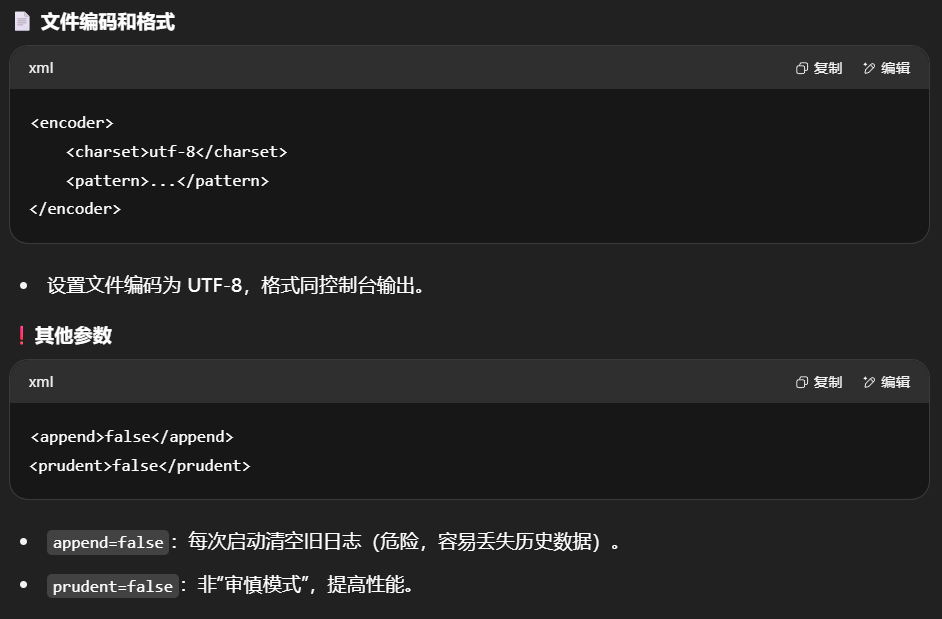
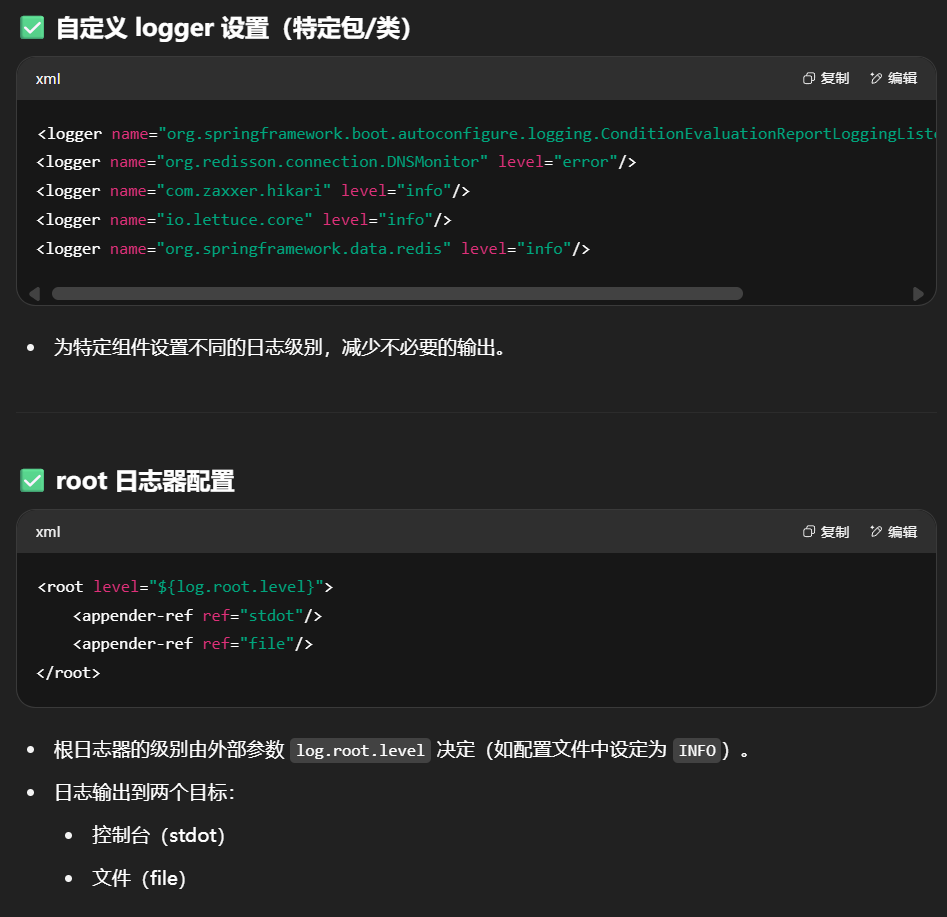
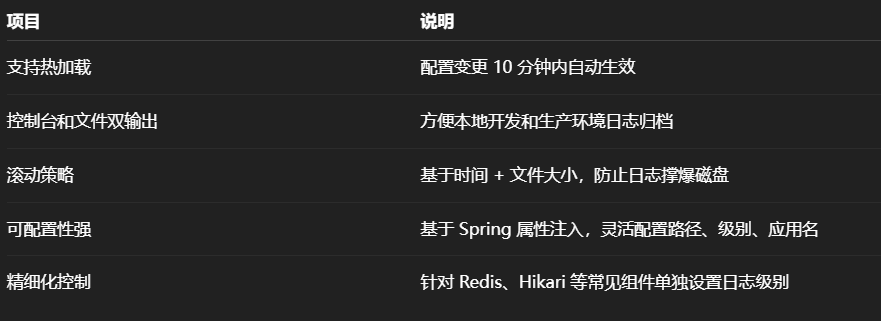
<?xml version="1.0" encoding="UTF-8" ?> <configuration scan ="true" scanPeriod ="10 minutes" > <appender name ="stdot" class ="ch.qos.logback.core.ConsoleAppender" > <layout class ="ch.qos.logback.classic.PatternLayout" > <pattern > %d {yyyy-MM-dd HH:mm:ss,GMT+8} [%p][%c][%M][%L]-> %m%n</pattern > </layout > </appender > <springProperty scope ="context" name ="log.path" source ="project.folder" /> <springProperty scope ="context" name ="log.root.level" source ="log.root.level" /> <springProperty scope ="context" name ="appname" source ="spring.application.name" /> <property name ="LOG_FOLDER" value ="logs" /> <appender name ="file" class ="ch.qos.logback.core.rolling.RollingFileAppender" > <file > $ {log.path} /$ {LOG_FOLDER} /$ {appname} .log</file > <rollingPolicy class ="ch.qos.logback.core.rolling.TimeBasedRollingPolicy" > <FileNamePattern > $ {log.path} /$ {LOG_FOLDER} /$ {appname} .%d {yyyyMMdd} .%i</FileNamePattern > <cleanHistoryOnStart > true</cleanHistoryOnStart > <TimeBasedFileNamingAndTriggeringPolicy class ="ch.qos.logback.core.rolling.SizeAndTimeBasedFNATP" > <MaxFileSize > 20MB</MaxFileSize > </TimeBasedFileNamingAndTriggeringPolicy > <maxHistory > 30</maxHistory > </rollingPolicy > <encoder > <charset > utf-8</charset > <pattern > %d {yyyy-MM-dd HH:mm:ss,GMT+8} [%p][%c][%M][%L]-> %m%n</pattern > </encoder > <append > false</append > <prudent > false</prudent > </appender > <logger name ="org.springframework.boot.autoconfigure.logging.ConditionEvaluationReportLoggingListener" level ="error" > </logger > <logger name ="org.redisson.connection.DNSMonitor" level ="error" > </logger > <logger name ="com.zaxxer.hikari" level ="info" > </logger > <logger name ="io.lettuce.core" level ="info" > </logger > <logger name ="org.springframework.data.redis" level ="info" > </logger > <root level ="$ {log.root.level} " > <appender-ref ref ="stdot" /> <appender-ref ref ="file" /> </root > </configuration >
application.yml配置文件
1
2
3
4
5
6
7
8
9
10
11
12
13
14
15
16
17
18
19
20
21
22
23
24
25
26
27
28
29
30
31
32
33
34
35
36
37
38
39
40
41
42
43
44
45
46
47
48
49
server: port: 7070 servlet: context-path: /admin spring: servlet: multipart: max-file-size: 10 MB max-request-size: 15 MB application: name: easylive-admin datasource: url: jdbc:mysql:// 127.0 .0.1 :3306 / easylive? serverTimezone= GMT%2 B8&useUnicode= true &characterEncoding= utf8&autoReconnect= true &allowMultiQueries= true &useSSL= false username: root password: root driver-class-name: com.mysql.cj.jdbc.Driver hikari: pool-name: HikariCPDatasource minimum-idle: 5 idle-timeout: 180000 maximum-pool-size: 10 auto-commit: true max-lifetime: 1800000 connection-timeout: 30000 connection-test-query: SELECT 1 redis: database: 0 host: 127.0 .0.1 port: 6379 jedis: pool: max-active: 20 max-wait: - 1 max-idle: 10 min-idle: 0 timeout: 2000 mybatis: configuration: map-underscore-to-camel-case: true project: folder: c:/ webser/ easylive/ log: root: level: debug admin: account: admin password: admin123
详解application.xml
1. 服务器配置(server)
1
2
3
4
server: port: 7070 servlet: context-path: /admin
port8080,这里改为 7070)。context-path/admin),所有请求都需要加上这个前缀。
2. 文件上传配置(spring.servlet.multipart)
1
2
3
4
5
spring: servlet: multipart: max-file-size: 10 MB max-request-size: 15 MB
max-file-size10MB)。max-request-size15MB)。
3. 应用名称(spring.application.name)
1
2
3
spring: application: name: easylive-admin # 应用名称(用于服务发现、日志标记等)
4. 数据库配置(spring.datasource)
1
2
3
4
5
6
7
8
9
10
11
12
13
14
spring: datasource: url: jdbc:mysql:// 127.0 .0.1 :3306 / easylive? serverTimezone= GMT%2 B8&useUnicode= true &characterEncoding= utf8&autoReconnect= true &allowMultiQueries= true &useSSL= false username: root password: 123456 driver-class-name: com.mysql.cj.jdbc.Driver hikari: pool-name: HikariCPDatasource minimum-idle: 5 maximum-pool-size: 10 idle-timeout: 180000 max-lifetime: 1800000 connection-timeout: 30000 connection-test-query: SELECT 1
url: MySQL 数据库连接地址,包含:
serverTimezone=GMT%2B8(设置时区为东八区)
useUnicode=true&characterEncoding=utf8(支持 UTF-8 编码)
autoReconnect=true(自动重连)
allowMultiQueries=true(允许执行多条 SQL)
useSSL=false(禁用 SSL)
hikari: HikariCP 是 Spring Boot 默认的高性能数据库连接池,这里配置了连接池参数。
5. Redis 配置(spring.redis)
1
2
3
4
5
6
7
8
9
10
11
12
spring: redis: database: 0 host: 127.0 .0 .1 port: 6379 jedis: pool: max-active: 20 max-wait: -1 max-idle: 10 min-idle: 0 timeout: 2000
配置 Redis 连接信息,使用 Jedis 作为客户端。
6. MyBatis 配置(mybatis)
1
2
3
mybatis: configuration: map-underscore-to-camel-case: true # 数据库字段下划线转驼峰命名(如 `user_name` → `userName`)
map-underscore-to-camel-casesnake_case 字段名映射为 Java 的 camelCase 属性名。
7. 自定义配置(project、log、admin)
1
2
3
4
5
6
7
8
9
10
project: folder: D:/work-webser/ myapps/easylive # 自定义项目文件存储路径 log: root: level: debug # 日志级别(debug、info、warn、error) admin: account: admin # 管理员账号 password: admin123 # 管理员密码
project.folderlog.root.leveldebug 会打印更详细的日志)。admin.account/password
1.5数据库
建表(user_info)语句
1
2
3
4
5
6
7
8
9
10
11
12
13
14
15
16
17
18
19
20
21
22
CREATE TABLE `user_info`( `user_id` varchar (10 ) NOT NULL COMMENT '用户id' , `nick_name` varchar (20 ) NOT NULL COMMENT '昵称' , `email` varchar (150 ) NOT NULL COMMENT '邮箱' , `password ` varchar (50 ) NOT NULL COMMENT '密码' , `sex` tinyint(1 ) DEFAULT NULL COMMENT '0:女 1:男 2:未知' , `birthday` varchar (10 ) DEFAULT NULL COMMENT '出生日期' , `school` varchar (150 ) DEFAULT NULL COMMENT '学校' , `person_introduction` varchar (200 ) DEFAULT NULL COMMENT '个人简介' , `join_time` datetime NOT NULL COMMENT '加入时间' , `last_login_time` datetime DEFAULT NULL COMMENT '最后登录时间' , `last_login_ip` varchar (15 ) DEFAULT NULL COMMENT '最后登录IP' , `status` tinyint(1 ) NOT NULL DEFAULT '1' COMMENT '0:禁用 1:正常' , `notice_info` varchar (300 ) DEFAULT NULL COMMENT '空间公告' , `total_coin_count` int (11 ) NOT NULL COMMENT '硬币总数量' , `current_coin_count` int (11 ) NOT NULL COMMENT '当前硬币数' , `theme` tinyint(1 ) NOT NULL DEFAULT '1' COMMENT '主题' , `avatar` varchar (100 ) NULL DEFAULT NULL COMMENT '头像' , PRIMARY KEY (`user_id`), UNIQUE KEY `idx_key_email` (`email`), UNIQUE KEY `idx_nick_name` (`nick_name`) ) ENGINE = InnoDB CHARACTER SET = utf8mb4 COLLATE = utf8mb4_general_ci COMMENT = '用户信息' ROW_FORMAT = Dynamic;
1.6利用EasyJava代码生成器生成user_info表的Controller、VO、PO、Query、Service、Mapperxml
2.登录与注册
1.验证码
用session
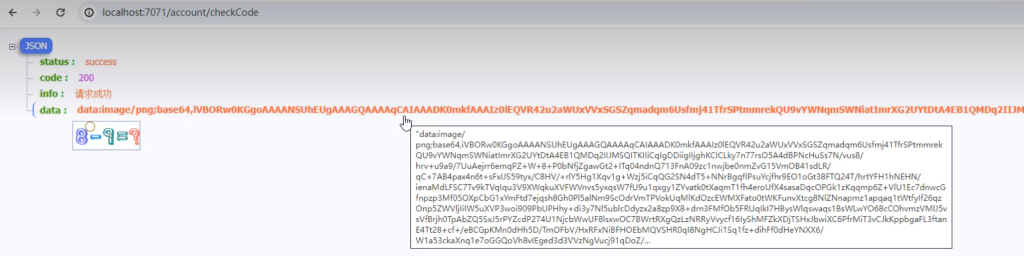
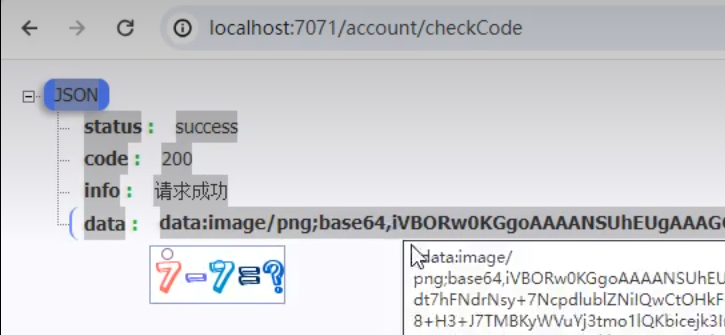
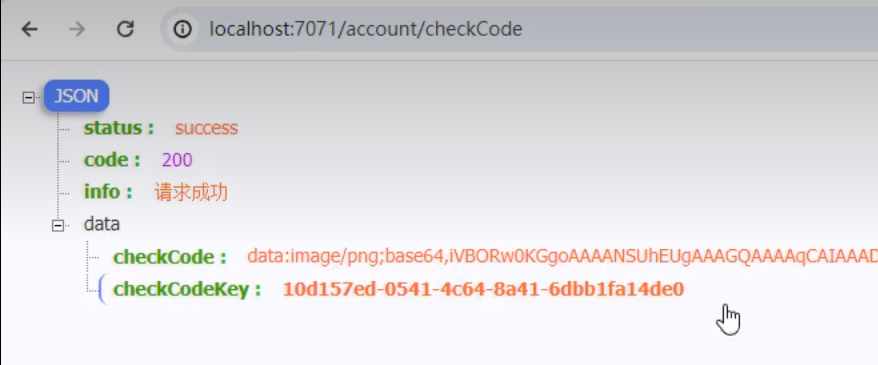
验证码接口http://localhost:7071/account/checkCode
1
2
3
4
5
6
7
8
9
10
11
12
@RequestMapping("/checkCode") public ResponseVO checkCode (HttpSession session) { ArithmeticCaptcha captcha = new ArithmeticCaptcha (100 , 42 ); String code = captcha.text(); session.setAttribute("captcha" , code); String checkCodeBase64 = captcha.toBase64(); return getSucessResponseVo(checkCodeBase64); }
先写一个简易的register方法,用来测试是否拿到验证码
1
2
3
4
5
6
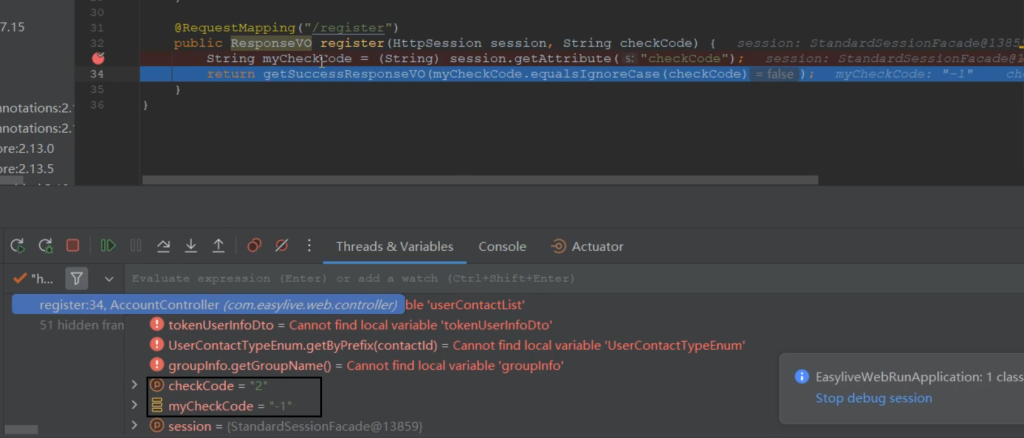
@RequestMapping ("/register" ) public ResponseVO register (HttpSession session,String checkCode String myCheckCode = (String ) session.getAttribute ("checkCode" ); return getSucessResponseVo (myCheckCode.equalsIgnoreCase (checkCode)); }
在 string myCheckCode = (string) session.getAttribute(“checkCode”);这一行打上断点
浏览器输入:
可以看到验证码不一致
改造代码用Redis接收验证码
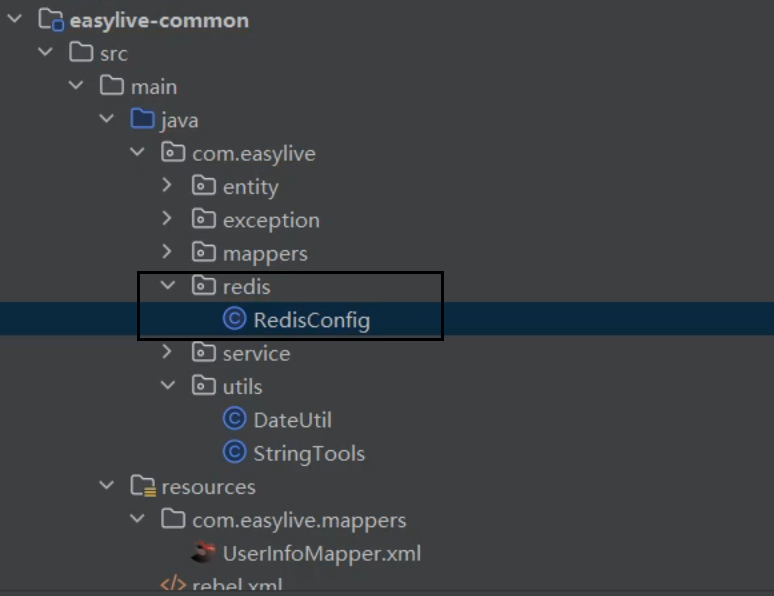
在common模块下创建redis包和RedisConfig
RedisConfig:Redis的常见配置
1
2
3
4
5
6
7
8
9
10
11
12
13
14
15
16
17
18
19
20
21
22
23
24
25
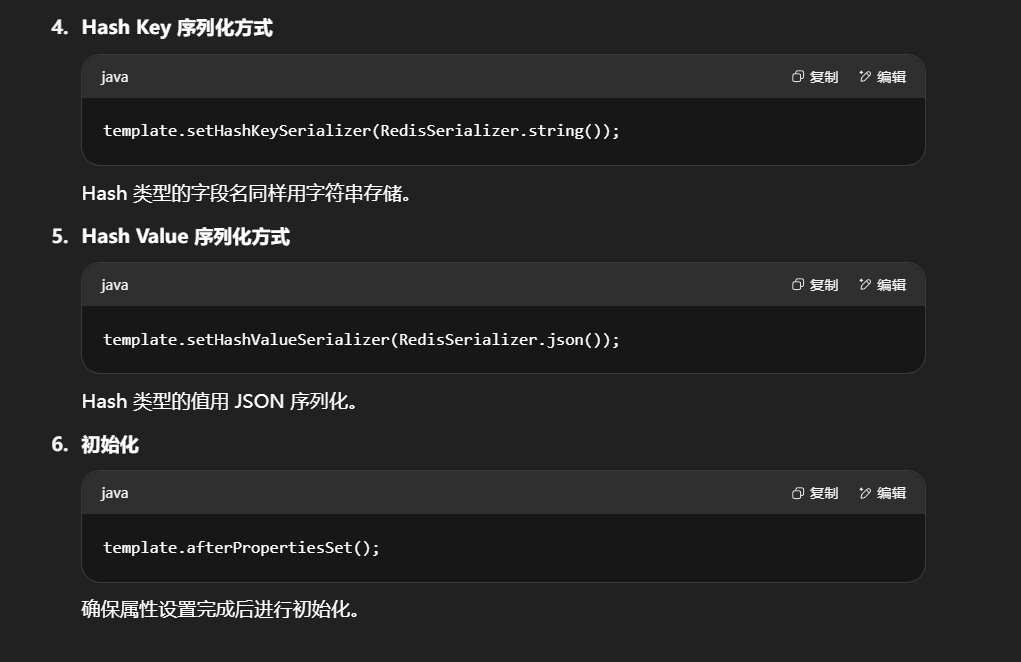
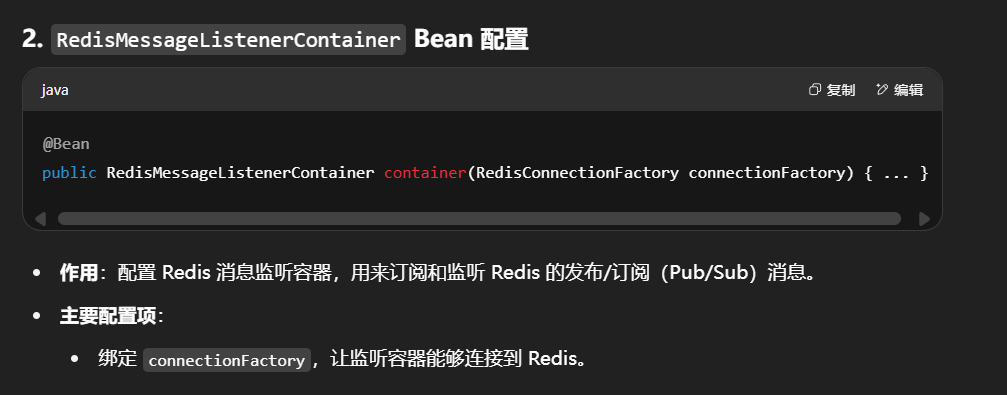
@Configuration public class RedisConfig<V> { @Bean ("redisTemplate" ) public RedisTemplate<String, V> redisTemplate(RedisConnectionFactory factory) { RedisTemplate<String, V> template = new RedisTemplate<>(); template .setConnectionFactory(factory); template .setKeySerializer(RedisSerializer.string ()); template .setValueSerializer(RedisSerializer.json()); template .setHashKeySerializer(RedisSerializer.string ()); template .setHashValueSerializer(RedisSerializer.json()); template .afterPropertiesSet(); return template ; } @Bean public RedisMessageListenerContainer container(RedisConnectionFactory connectionFactory) { RedisMessageListenerContainer container = new RedisMessageListenerContainer(); container.setConnectionFactory(connectionFactory); return container; } }
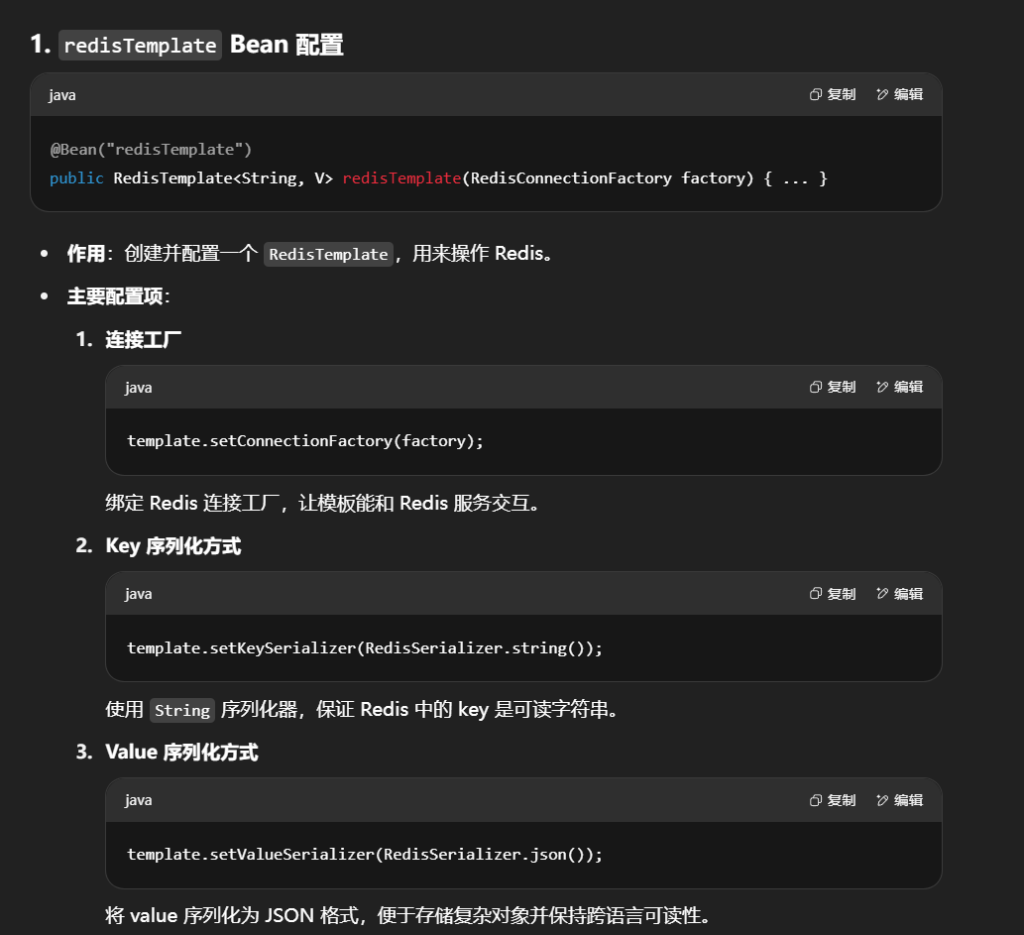
这个 RedisConfig 配置类主要做了:
配置了一个带有 JSON 序列化 (value/hashValue)和 字符串序列化 (key/hashKey)的 RedisTemplate,方便存取对象时避免乱码并保持可读性。
配置了一个 Redis 消息监听容器 ,用于处理发布/订阅消息机制。
RedisUtils
这个 RedisUtils 是一个基于 RedisTemplate 封装的 Redis 操作工具类 ,方便在项目中直接调用 Redis 的常用功能,而不用每次都写 redisTemplate.opsForXXX()。
1
2
3
4
5
6
7
8
9
10
11
12
13
14
15
16
17
18
19
20
21
22
23
24
25
26
27
28
29
30
31
32
33
34
35
36
37
38
39
40
41
42
43
44
45
46
47
48
49
50
51
52
53
54
55
56
57
58
59
60
61
62
63
64
65
66
67
68
69
70
71
72
73
74
75
76
77
78
79
80
81
82
83
84
85
86
87
88
89
90
91
92
93
94
95
96
97
98
99
100
101
102
103
104
105
106
107
108
109
110
111
112
113
114
115
116
117
118
119
120
121
122
123
124
125
126
127
128
129
130
131
132
133
134
135
136
137
138
139
140
141
142
143
144
145
146
147
148
149
150
151
152
153
154
155
156
157
158
159
160
161
162
163
164
165
166
167
168
169
170
171
172
173
174
175
176
177
178
179
180
181
182
183
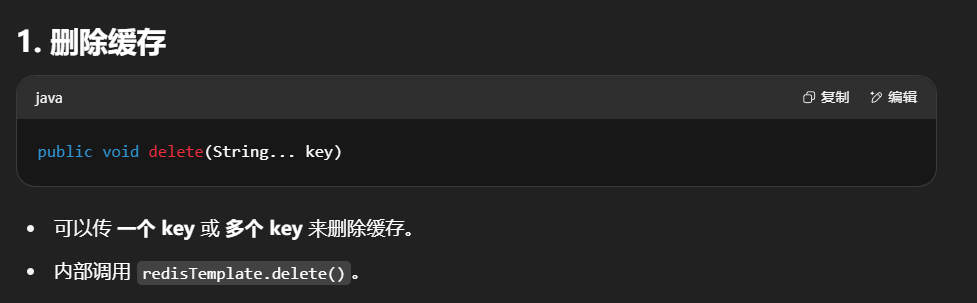
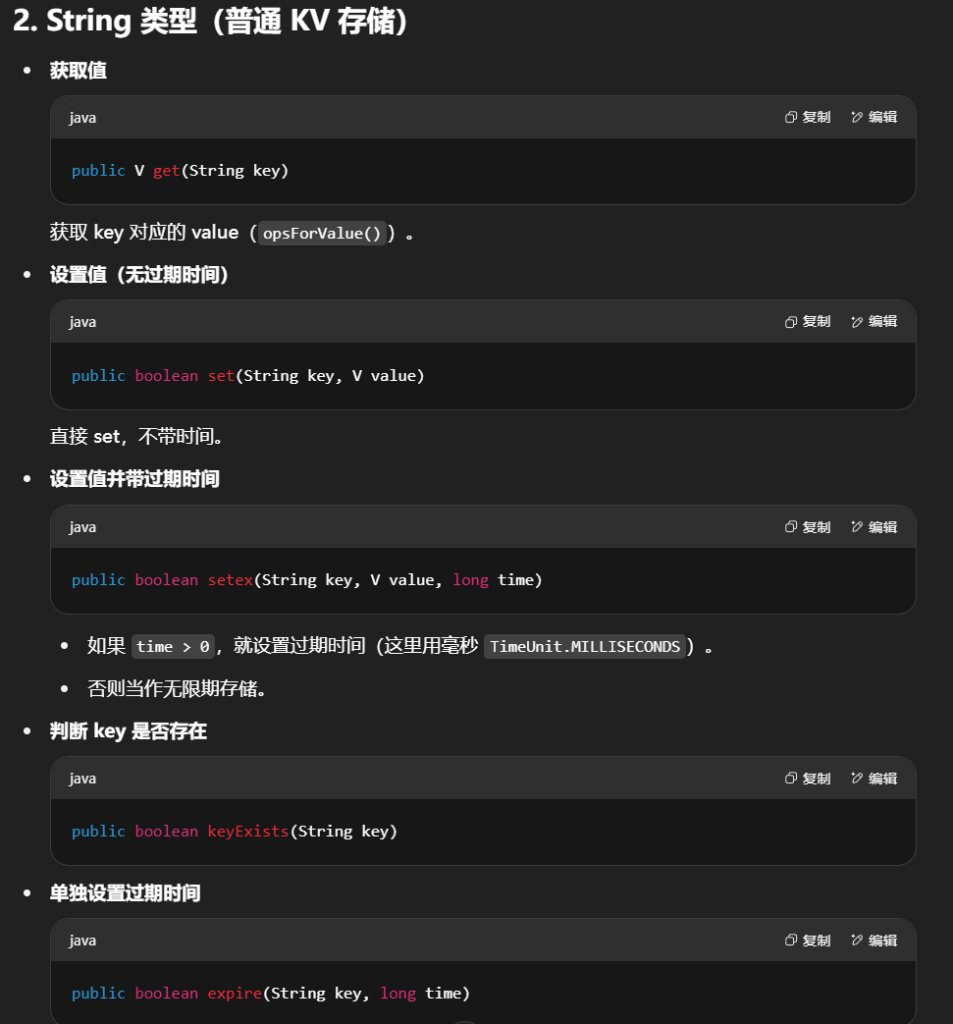
@Component ("redisUtils" )public class RedisUtils <V> { @Resource private RedisTemplate <String , V> redisTemplate; private static final Logger logger = LoggerFactory .getLogger (RedisUtils .class ); public void delete (String ... key if (key != null && key.length > 0 ) { if (key.length == 1 ) { redisTemplate.delete (key[0 ]); } else { redisTemplate.delete ((Collection <String >) CollectionUtils .arrayToList (key)); } } } public V get (String key return key == null ? null : redisTemplate.opsForValue ().get (key); } public boolean set (String key, V value try { redisTemplate.opsForValue ().set (key, value); return true ; } catch (Exception e) { logger.error ("设置redisKey:{},value:{}失败" , key, value); return false ; } } public boolean keyExists (String key return redisTemplate.hasKey (key); } public boolean setex (String key, V value, long time try { if (time > 0 ) { redisTemplate.opsForValue ().set (key, value, time, TimeUnit .MILLISECONDS ); } else { set (key, value); } return true ; } catch (Exception e) { logger.error ("设置redisKey:{},value:{}失败" , key, value); return false ; } } public boolean expire (String key, long time try { if (time > 0 ) { redisTemplate.expire (key, time, TimeUnit .MILLISECONDS ); } return true ; } catch (Exception e) { e.printStackTrace (); return false ; } } public List <V> getQueueList (String key return redisTemplate.opsForList ().range (key, 0 , -1 ); } public boolean lpush (String key, V value, Long time try { redisTemplate.opsForList ().leftPush (key, value); if (time != null && time > 0 ) { expire (key, time); } return true ; } catch (Exception e) { e.printStackTrace (); return false ; } } public long remove (String key, Object value try { Long remove = redisTemplate.opsForList ().remove (key, 1 , value); return remove; } catch (Exception e) { e.printStackTrace (); return 0 ; } } public boolean lpushAll (String key, List <V> values, long time try { redisTemplate.opsForList ().leftPushAll (key, values); if (time > 0 ) { expire (key, time); } return true ; } catch (Exception e) { e.printStackTrace (); return false ; } } public V rpop (String key try { return redisTemplate.opsForList ().rightPop (key); } catch (Exception e) { e.printStackTrace (); return null ; } } public Long increment (String key Long count = redisTemplate.opsForValue ().increment (key, 1 ); return count; } public Long incrementex (String key, long milliseconds Long count = redisTemplate.opsForValue ().increment (key, 1 ); if (count == 1 ) { expire (key, milliseconds); } return count; } public Long decrement (String key Long count = redisTemplate.opsForValue ().increment (key, -1 ); if (count <= 0 ) { redisTemplate.delete (key); } logger.info ("key:{},减少数量{}" , key, count); return count; } public Set <String > getByKeyPrefix (String keyPrifix Set <String > keyList = redisTemplate.keys (keyPrifix + "*" ); return keyList; } public Map <String , V> getBatch (String keyPrifix Set <String > keySet = redisTemplate.keys (keyPrifix + "*" ); List <String > keyList = new ArrayList <>(keySet); List <V> keyValueList = redisTemplate.opsForValue ().multiGet (keyList); Map <String , V> resultMap = keyList.stream ().collect (Collectors .toMap (key -> key, value -> keyValueList.get (keyList.indexOf (value)))); return resultMap; } public void zaddCount (String key, V v redisTemplate.opsForZSet ().incrementScore (key, v, 1 ); } public List <V> getZSetList (String key, Integer count Set <V> topElements = redisTemplate.opsForZSet ().reverseRange (key, 0 , count); List <V> list = new ArrayList <>(topElements); return list; } }
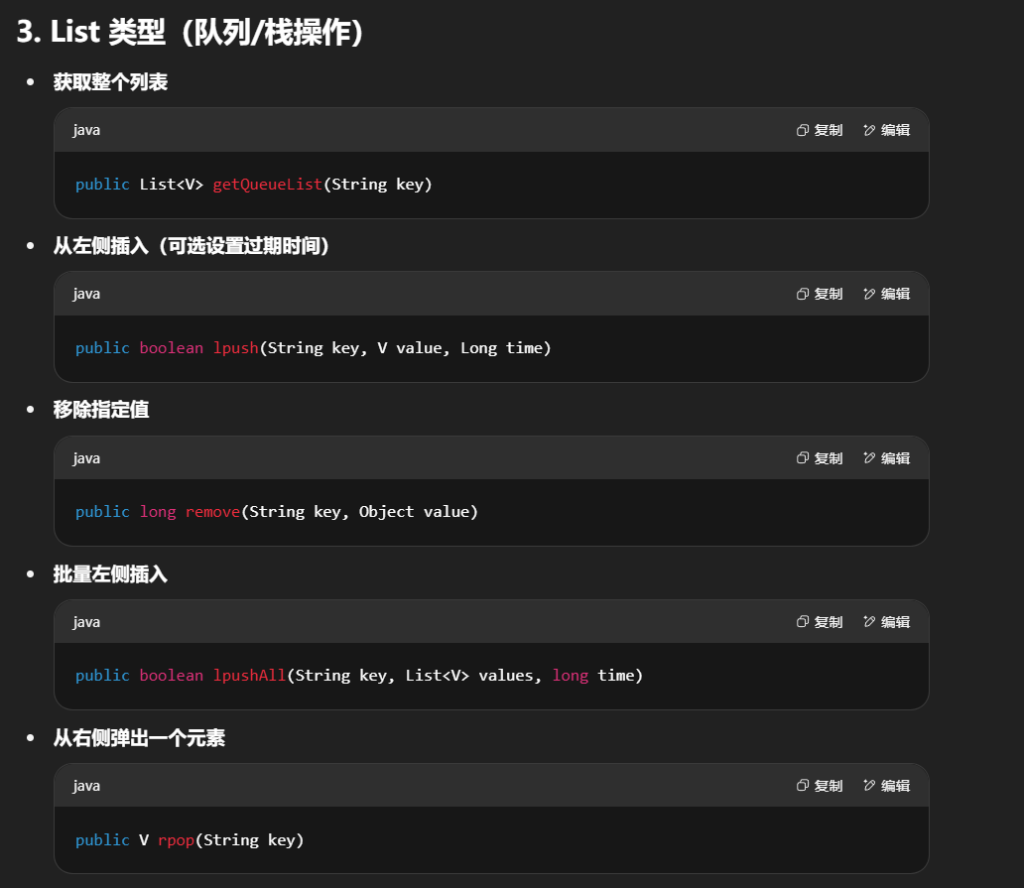
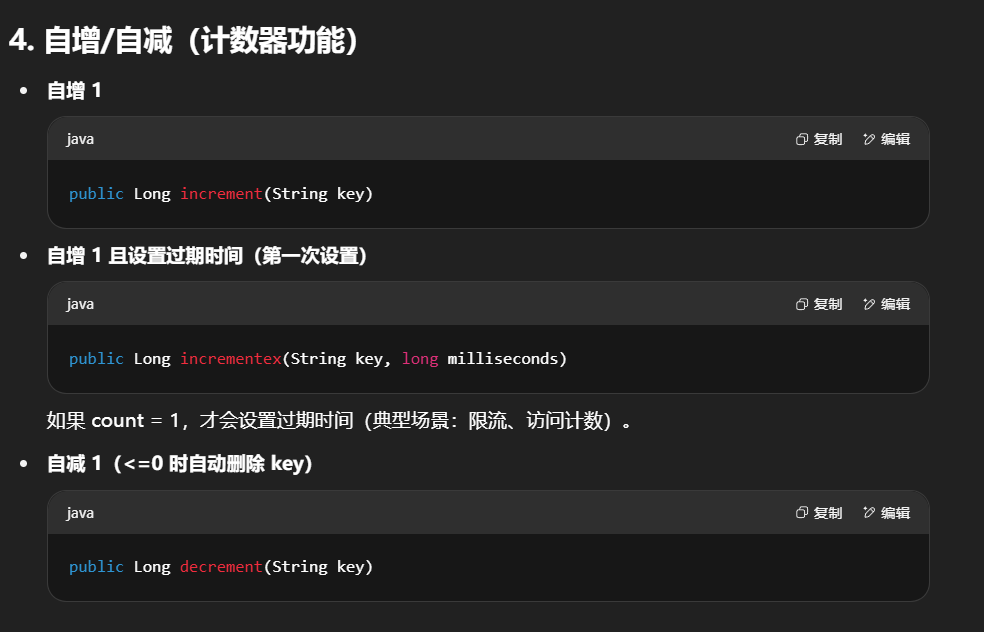
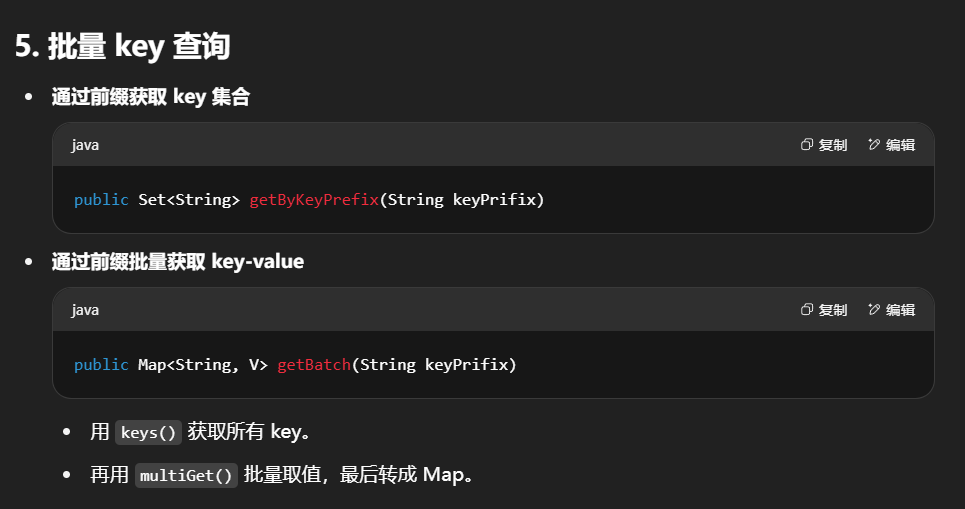
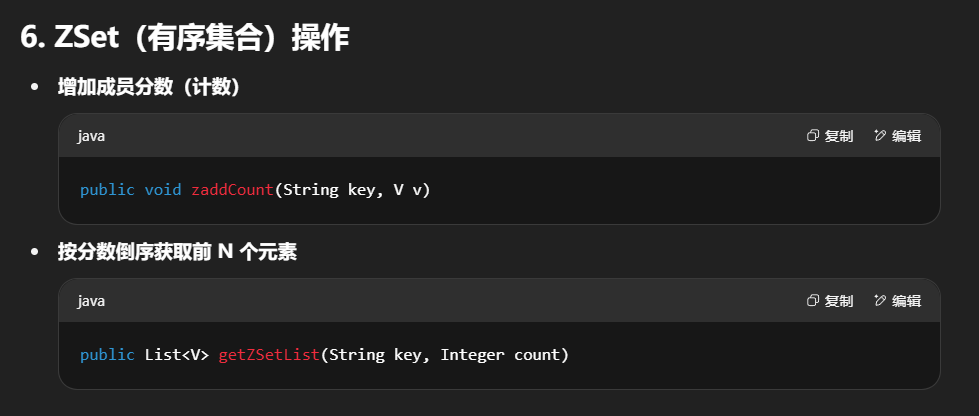
这个 RedisUtils 工具类相当于给 Redis 的常见操作做了一层封装 ,包括:
String 类型的存取、过期控制、计数器功能。List 类型的队列/栈操作(lpush、rpop、remove、批量 push)。ZSet 排行榜/计数功能。批量 key 查询 (支持前缀匹配)。异常处理 & 日志记录 (保证出错不会直接抛到业务层)。
这样用的时候,就可以直接写:
1 2 3 redisUtils.set ("user:1001" , user Obj, 60000 ); List<String> messages = redisUtils.getQueueList("chat:room:1" ); redisUtils.zaddCount("ranking" , "playerA" );
而不用自己反复写 redisTemplate 的底层 API。
用Redis改造checkCode和register方法
1
2
3
4
5
6
7
8
9
10
11
12
13
14
15
16
17
18
19
20
21
22
23
@Resource private RedisUtils redisUtils; public ResponseVO checkCode (HttpSession session ArithmeticCaptcha captcha = new ArithmeticCaptcha (100 , 42 ); String code = captcha.text (); redisUtils.setex ("checkCode" ,code,1000 *60 *10 ); String checkCodeBase64 = captcha.toBase64 (); return getSucessResponseVo (checkCodeBase64); } @RequestMapping ("/register" ) public ResponseVO register (String checkCode String myCheckCode = (String )redisUtils.get ("checkCode" ); return getSucessResponseVo (myCheckCode.equalsIgnoreCase (checkCode)); }
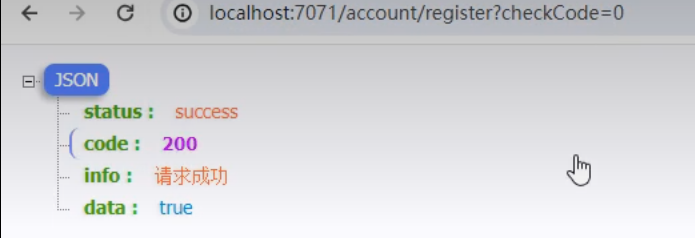
输入0为true
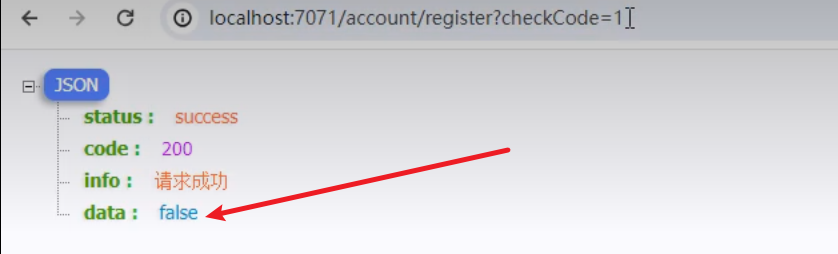
输入1为false
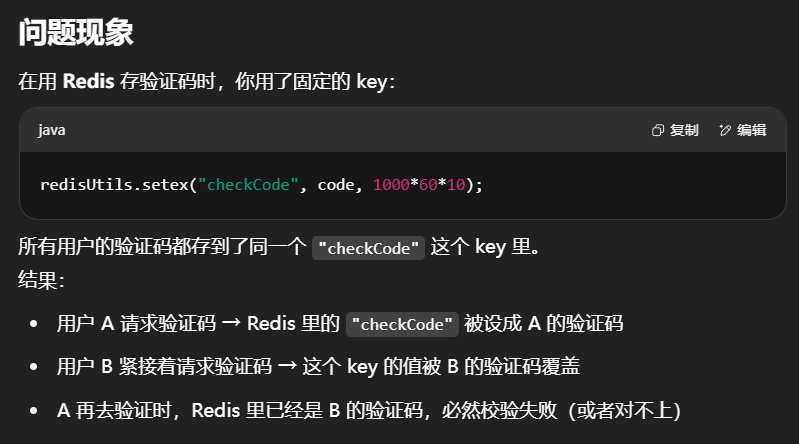
问题:
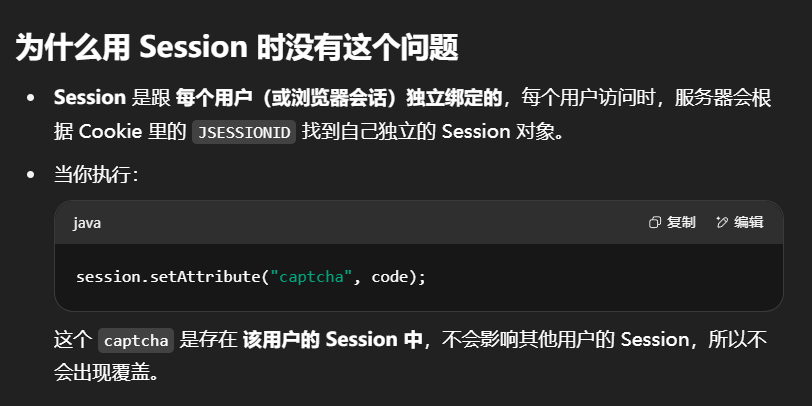
没有指定用户id,当其他用户同时发起请求验证码时,上一个用户的验证码就会被覆盖掉
为什么 Redis 这里会出问题
Redis 是一个全局的 KV 存储,默认情况下,所有用户访问的 key 都是在同一个命名空间里共享的。
如果你不用用户唯一标识(例如用户 ID、手机号、sessionId、临时 token)区分 key,那同名的 key 就会互相覆盖。
这个问题本质上是 多用户共享了同一个 key 。
这就是 Session 天然是“用户隔离”存储 ,而 Redis 是全局共享存储,需要自己加隔离标识 的区别。
修改问题
在common模块entity中建包constants
Constants
1
2
3
4
5
6
7
8
9
public class Constants public static final String REDIS_KEY_PREFIX = "easylive:" ; public static final String REDIS_KEY_CHECK_CODE = REDIS_KEY_PREFIX+"checkCode:" ; public static final Integer REDIS_KEY_EXPIRES_ONE_MIN = 60000 ; }
在common模块建包component
RedisCompoent
1
2
3
4
5
6
7
8
9
10
11
12
@Component public class RedisComponent { @Resource private RedisUtils redisUtils; public String saveCheckCode (String code String checkCodeKey = UUID .randomUUID ().toString (); redisUtils.setex (Constants .REDIS_KEY_CHECK_CODE +checkCodeKey,code,Constants .REDIS_KEY_EXPIRES_ONE_MIN *10 ); return checkCodeKey; } }
AccoutController
1
2
3
4
5
6
7
8
9
10
11
12
13
14
15
16
17
18
19
20
21
22
23
24
25
26
27
28
29
30
31
32
33
34
35
@RestController @RequestMapping ("/account" )public class AccountController { @RequestMapping ("/checkCode" ) @Resource private RedisComponent redisComponent; public ResponseVO checkCode (HttpSession session ArithmeticCaptcha captcha = new ArithmeticCaptcha (100 , 42 ); String code = captcha.text (); String checkCodeKey = redisComponent.saveCheckCode (code); String checkCodeBase64 = captcha.toBase64 (); Map <String ,String >result = new HashMap <>(); result.put ("checkCode" ,checkCodeBase64); result.put ("checkCodeKey" ,checkCodeKey); return getSucessResponseVo (checkCodeBase64); } @RequestMapping ("/register" ) public ResponseVO register (String checkCode } }
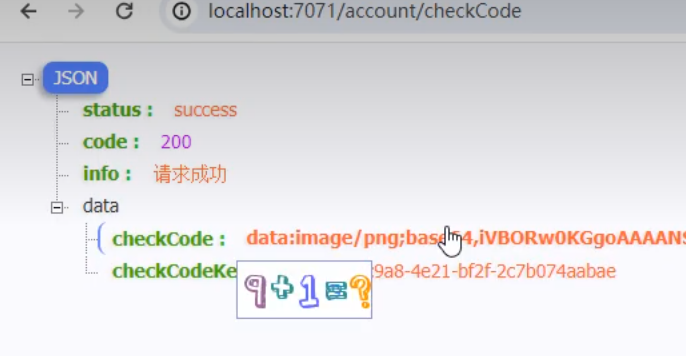
此时返回的是一个图片和一个uuid
改造register
在Constans中加入密码验证常量
1
2
3
4
5
6
7
8
9
10
11
12
13
14
15
密码校验 public static final String REGEX_PASSWORD = "^(?=.*\\d)(?=.*[a-zA-Z])[\\da-zA-Z~!@#$%^&*_]{8,18}$" ;@Validated @RequestMapping ("/register" ) public ResponseVO register (@NotEmpty @Email @Size (max = 150 ) String email, @NotEmpty @Size (max = 20 ) String nickName, @NotEmpty @Pattern (regexp = Constants.REGEX_PASSWORD) String registerPassword, @NotEmpty String checkCodeKey, @NotEmpty String checkCode ){ return null ; }
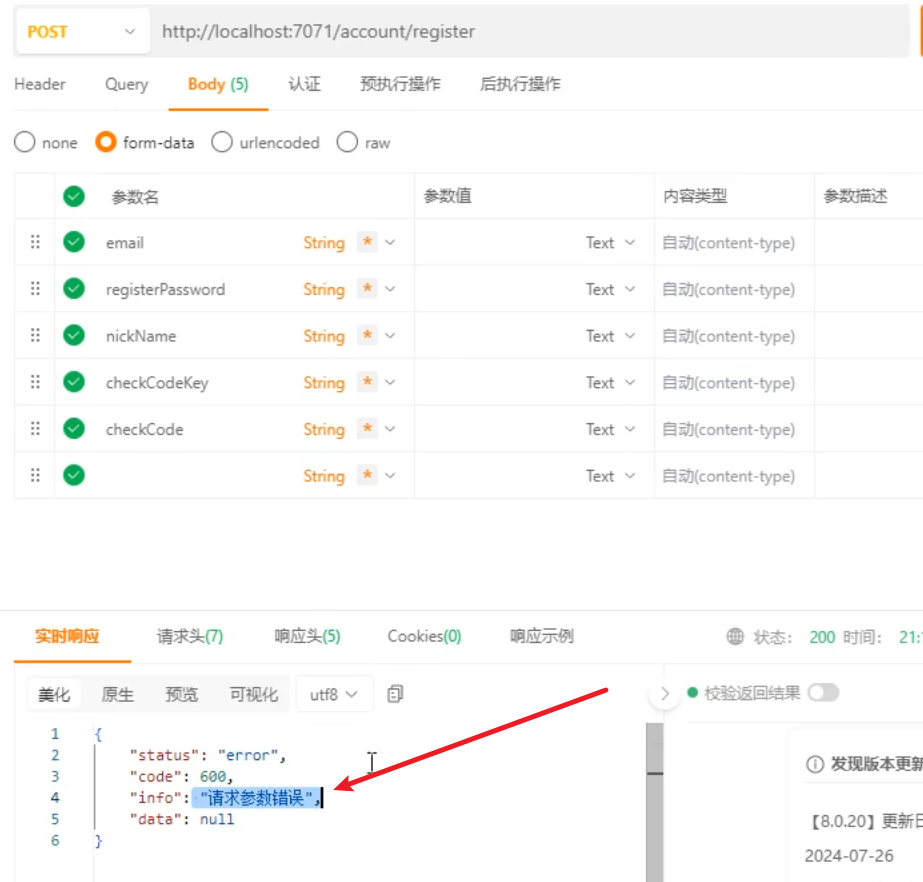
测试一下这个接口
这是因为全局处理中没有对这个异常进行处理
所以在全局处理中加入对没有通过密码校验的异常处理
在RedisComponent 添加获取验证码和清除验证码的功能
1
2
3
4
5
6
7
8
9
public String getCheckCode (String checkCodeKey return (String ) redisUtils.get (Constants .REDIS_KEY_CHECK_CODE +checkCodeKey); } public void clearCheckCode (String checkCodeKey redisUtils.delete (Constants .REDIS_KEY_CHECK_CODE +checkCodeKey); }
在AccountController中
1
2
3
4
5
6
7
8
9
10
11
12
13
14
15
16
17
18
19
@RequestMapping ("/register" ) public ResponseVO register (@NotEmpty @Email @Size (max = 150 ) String email, @NotEmpty @Size (max = 20 ) String nickName, @NotEmpty @Pattern (regexp = Constants.REGEX_PASSWORD) String registerPassword, @NotEmpty String checkCodeKey, @NotEmpty String checkCode){ try { if (!checkCode.equals (redisComponent.getCheckCode (checkCodeKey))) { throw new BusinessException (Constants.MESSAGE_CHECKCODE_ERROR); } userInfoService .register (email,nickName,registerPassword); return getSucessResponseVo (null); }finally { redisComponent .clearCheckCode (checkCodeKey); } return null ; }
Constants.MESSAGE_CHECKCODE_ERROR需要在Constants里加:
2.实现注册
在userInfoService里定义这个方法
userInfoServiceImpl接下来写注册方法的实现
1
2
3
4
5
6
7
8
9
10
11
12
13
14
15
16
17
18
19
20
21
22
23
24
25
26
27
28
29
30
31
32
33
34
35
36
37
38
39
40
41
42
43
44
45
46
47
48
49
50
51
52
53
54
55
56
57
58
59
60
61
62
63
64
65
66
67
68
69
70
71
72
73
74
75
76
public void register(String email, String nickName, String registerPassword) { // // 根据邮箱查询用户信息// UserInfo userInfo = this.userInfoMapper.selectByEmail(email) ;// // 当用户信息不为空时// if (userInfo != null) {// // 根据昵称查询用户信息// userInfo nickNameUser = this.userInfoMapper.selectByNickName(nickName) ;// // 当昵称用户信息不为空时// if (nickNameUser != null) {// // 创建用户信息对象// userInfo = new UserInfo() ;// // 用户ID设置为10位随机数// String userId = StringTools.getRandomNumber(Constants.LENGTH_10) ;// // 设置用户ID// userInfo.set UserId(userId) ;// // 设置用户昵称// userInfo.set NickName(nickName) ;// // 设置用户密码,对密码进行MD5加密处理// userInfo.set Password(StringTools.encodeByMd5(registerPassword) );// // 设置用户加入时间// userInfo.set JoinTime(new Date() );// // 设置用户状态,默认启用// userInfo.set Status(UserStatusEnum.ENABLE.getStatus() );// // 设置用户性别,默认保密// userInfo.set Sex(UserSexEnum.SECRECY.getType() );// // 设置主题// userInfo.set Theme(Constants.ONE) ;// // //TODO 初始化用户的硬币// // 将用户信息插入数据库// this.userInfoMapper.insert(userInfo) ;// return true ;// }// 当昵称用户信息为空时,返回false // else{// return false ;// }// }// 当用户信息为空时,返回false // else{// return false ;// }// } UserInfo userInfo = this.userInfoMapper.selectByEmail(email) ; if (null != userInfo) { throw new BusinessException("邮箱账号已经存在") ; } UserInfo nickNameUser = this.userInfoMapper.selectByNickName(nickName) ; if (null != nickNameUser) { throw new BusinessException("昵称已经被占用") ; } userInfo = new UserInfo() ; // 用户ID设置为10位随机数 String userId = StringTools.getRandomNumber(Constants.LENGTH_10) ; // 设置用户ID userInfo.set UserId(userId) ; // 设置用户昵称 userInfo.set NickName(nickName) ; // 设置用户邮箱 userInfo.set Email(email) ; // 设置用户密码,对密码进行MD5加密处理 userInfo.set Password(StringTools.encodeByMd5(registerPassword) ); // 设置用户加入时间 userInfo.set JoinTime(new Date() ); // 设置用户状态,默认启用 userInfo.set Status(UserStatusEnum.ENABLE.getStatus() ); // 设置用户性别,默认保密 userInfo.set Sex(UserSexEnum.SECRECY.getType() ); // 设置主题 userInfo.set Theme(Constants.ONE) ; //TODO 初始化用户的硬币 userInfo.set CurrentCoinCount(10) ; userInfo.set TotalCoinCount(10) ; // 将用户信息插入数据库 this.userInfoMapper.insert(userInfo) ; }
对比点
注释掉的代码
没注释的代码
逻辑结构
嵌套多层 if,阅读成本高
直线逻辑,易读
错误处理
返回布尔值,原因不明确
抛业务异常,带错误信息
维护性
分支多,重复代码可能多
校验与业务分离,扩展性好
可测试性
需额外解析返回值判断
异常机制可直接捕获
getRandomString()需要在untils包下StringTools中定义
定义两种方法后续都会用到
在Constants里加:
在StringTools下加一个encodeByMd5方法,对密码进行md5加密
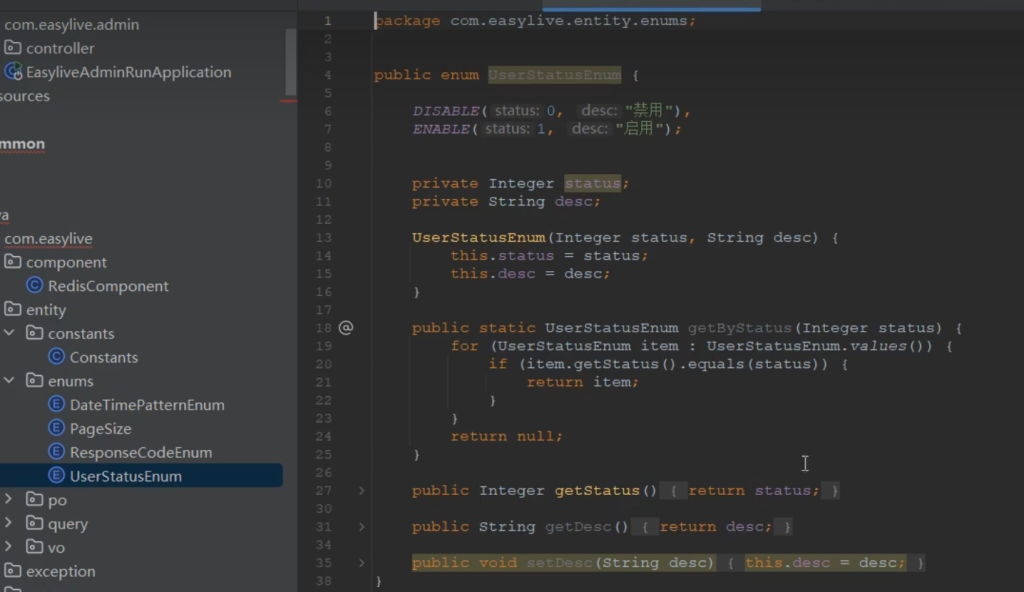
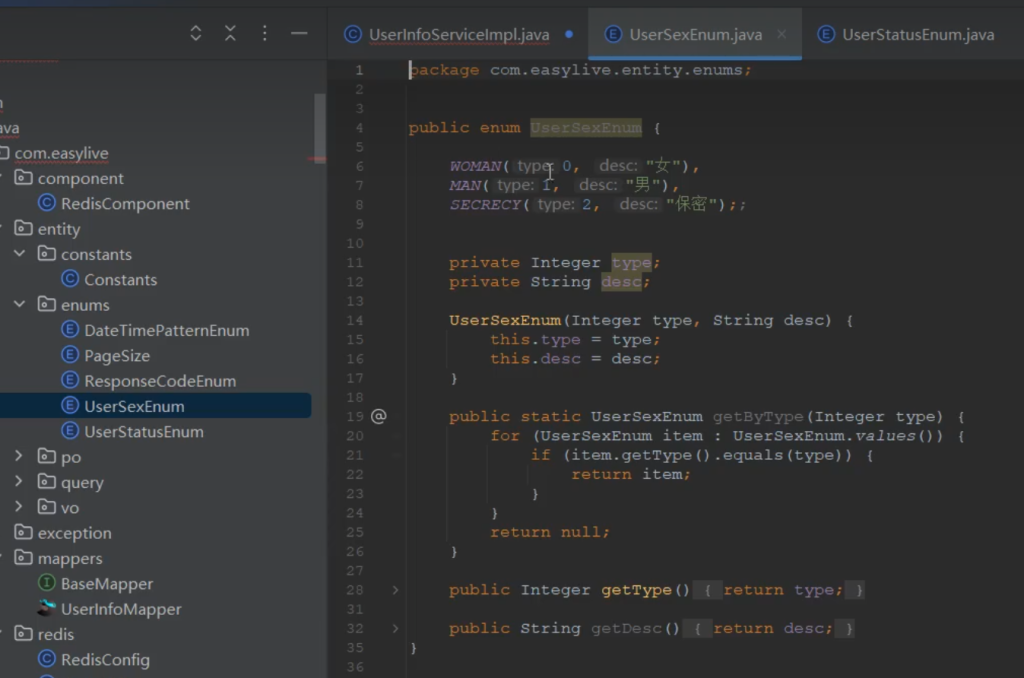
创建用户状态枚举
创建用户性别枚举
测试:
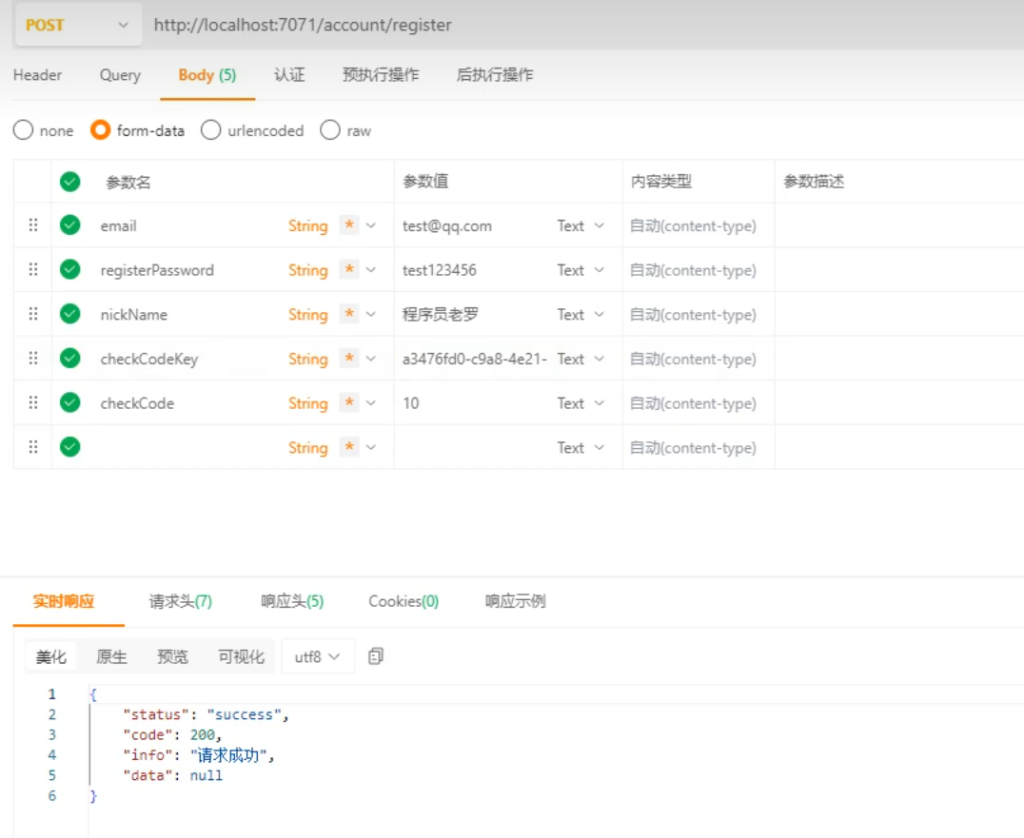
先发验证码为10
注册成功
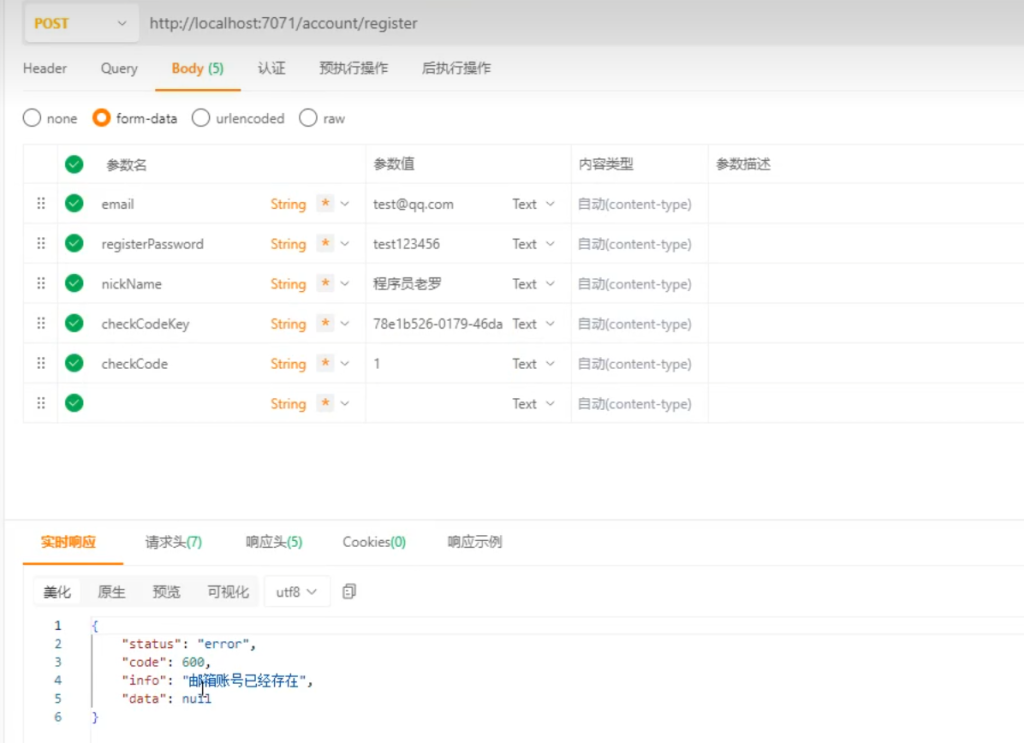
再次注册,邮箱已存在
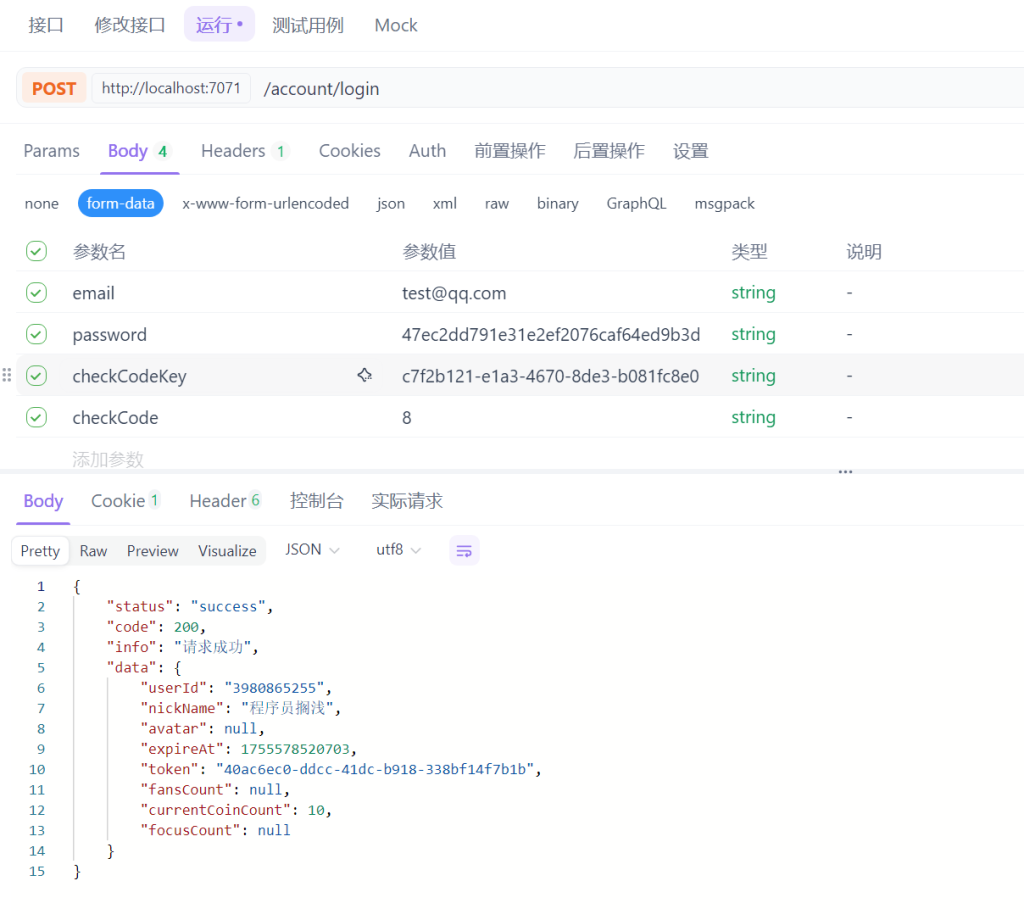
3.用户端 登录(采用token)
普通登录
在ABaseController里添加获取ip的方法
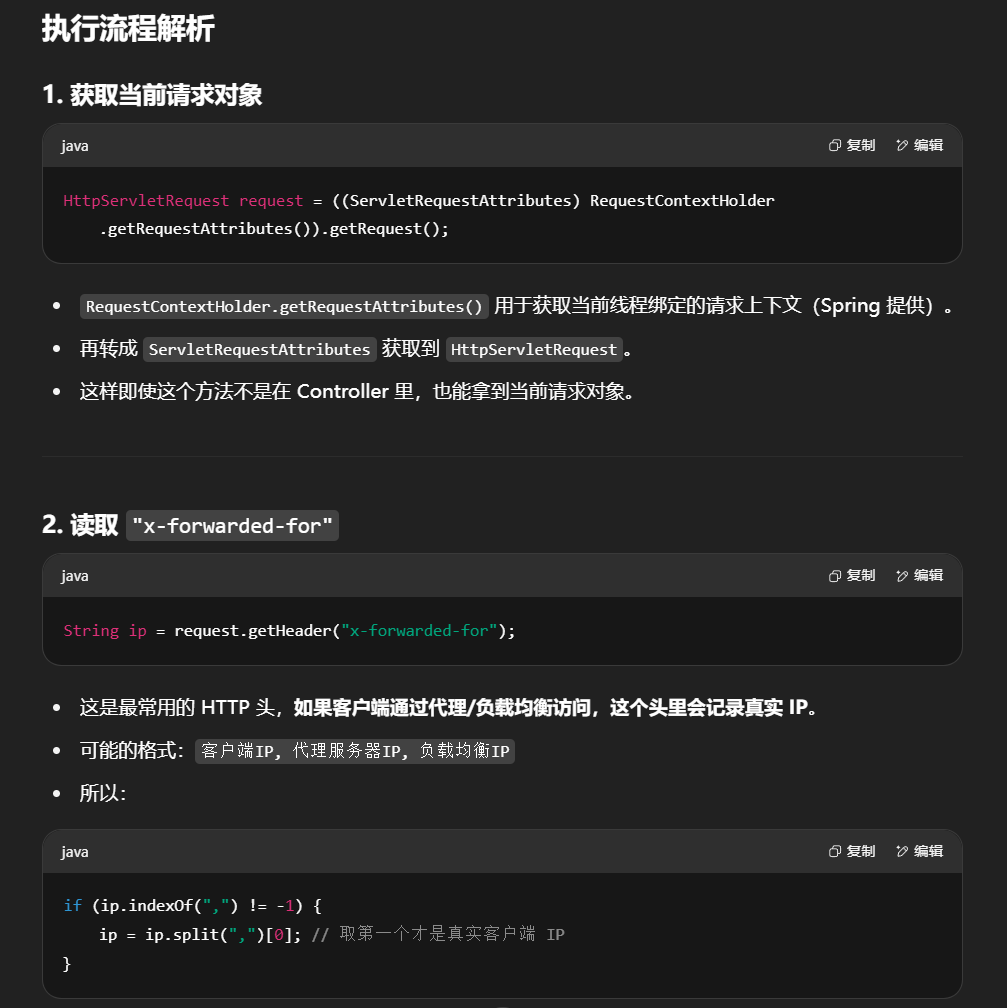
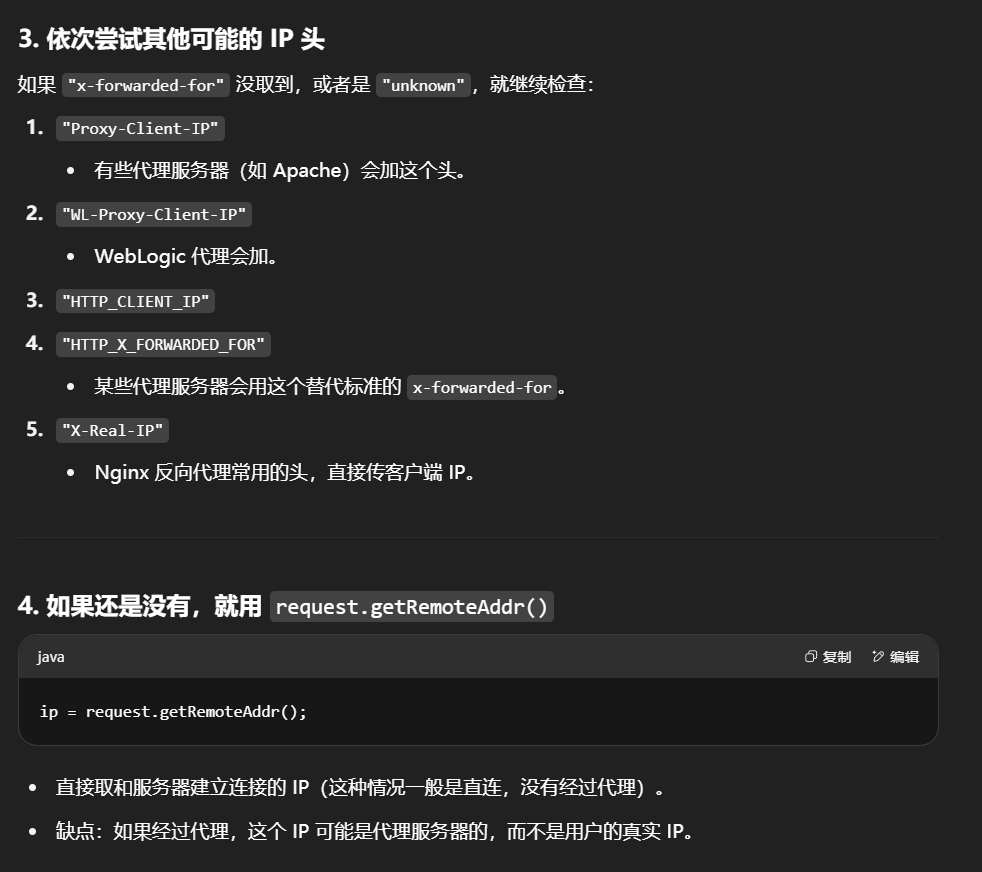
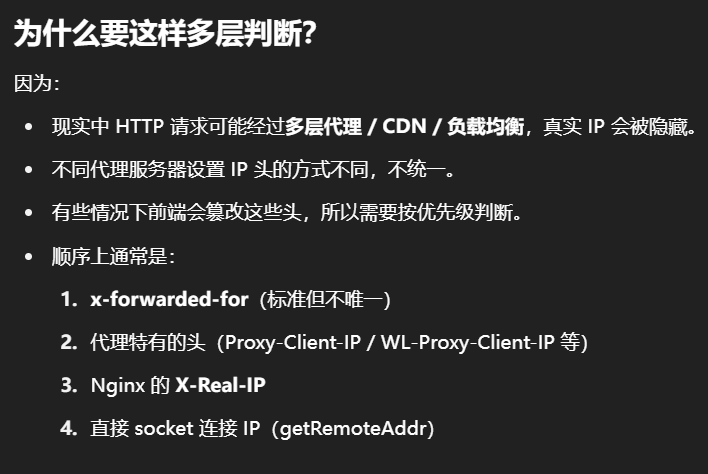
这个 getIpAddr() 方法是用来获取客户端真实 IP 地址 的,主要是为了应对各种网络转发、反向代理、负载均衡等场景。
1
2
3
4
5
6
7
8
9
10
11
12
13
14
15
16
17
18
19
20
21
22
23
24
25
26
27
28
29
protected String getIpAddr () { HttpServletRequest request = ((ServletRequestAttributes) RequestContextHolder.getRequestAttributes()).getRequest(); String ip = request.getHeader("x-forwarded-for" ); if (ip != null && ip.length () != 0 && !"unknown" .equalsIgnoreCase(ip)) { // 多次反向代理后会有多个ip值,第一个ip才是真实ip if (ip.indexOf("," ) != -1) { ip = ip.split("," )[0]; } } if (ip == null || ip.length () == 0 || "unknown" .equalsIgnoreCase(ip)) { ip = request.getHeader("Proxy-Client-IP" ); } if (ip == null || ip.length () == 0 || "unknown" .equalsIgnoreCase(ip)) { ip = request.getHeader("WL-Proxy-Client-IP" ); } if (ip == null || ip.length () == 0 || "unknown" .equalsIgnoreCase(ip)) { ip = request.getHeader("HTTP_CLIENT_IP" ); } if (ip == null || ip.length () == 0 || "unknown" .equalsIgnoreCase(ip)) { ip = request.getHeader("HTTP_X_FORWARDED_FOR" ); } if (ip == null || ip.length () == 0 || "unknown" .equalsIgnoreCase(ip)) { ip = request.getHeader("X-Real-IP" ); } if (ip == null || ip.length () == 0 || "unknown" .equalsIgnoreCase(ip)) { ip = request.getRemoteAddr (); } return ip; }
在utils包下建CopyTools对象属性复制工具类
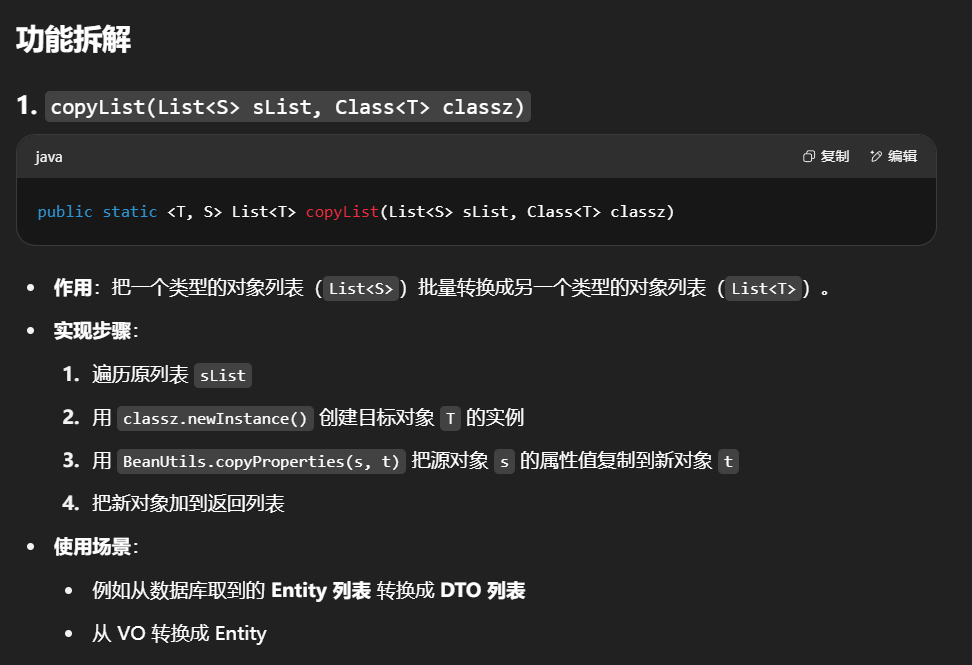
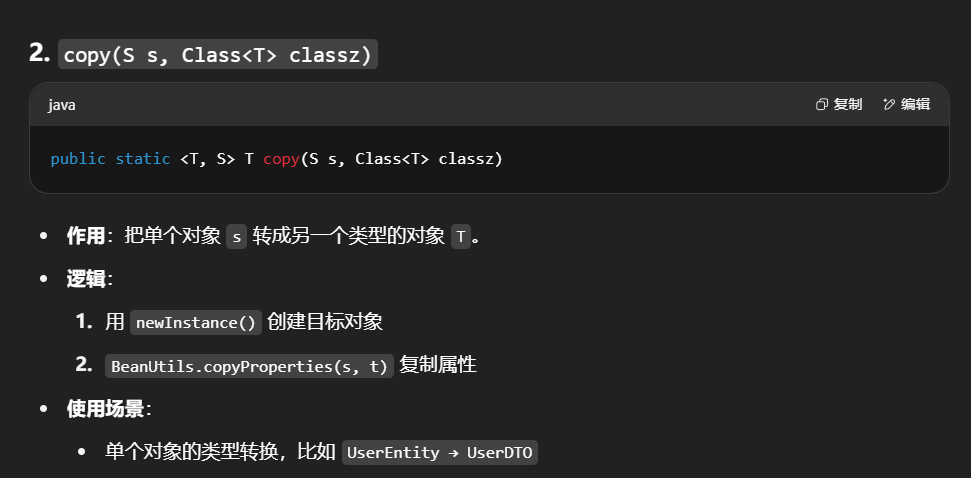
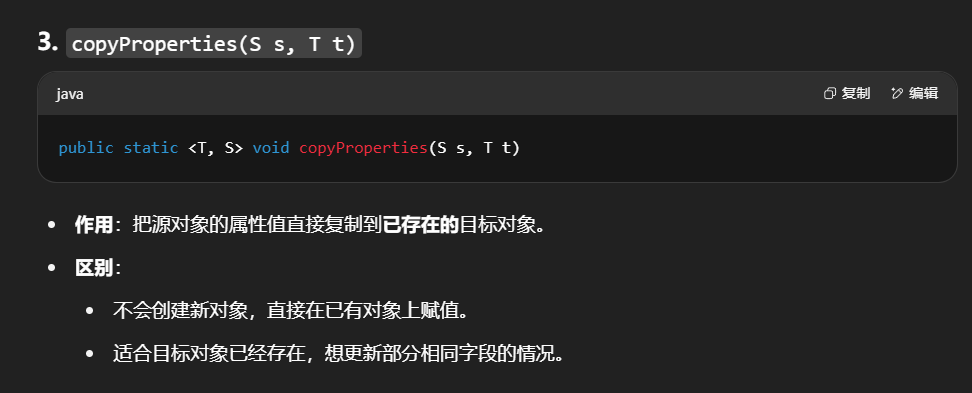
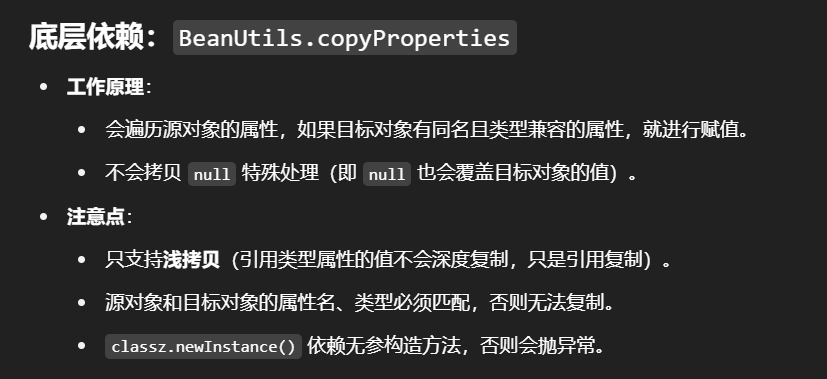
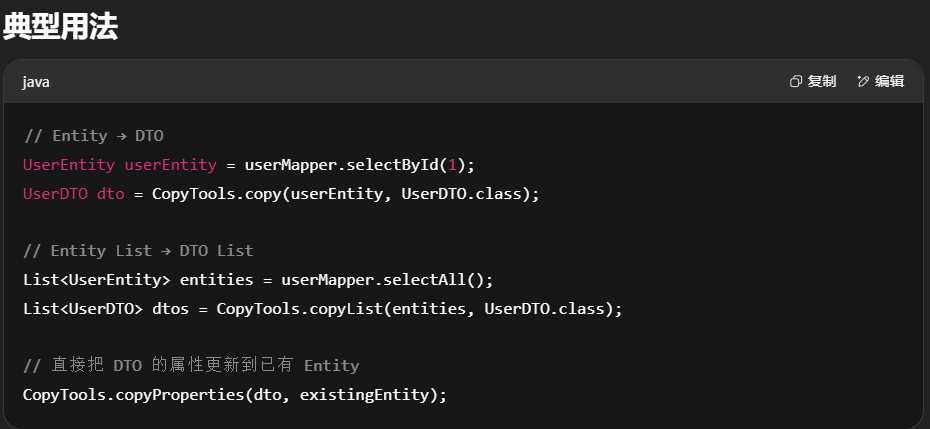
主要用来把一个对象(或对象列表)的字段值复制到另一个对象里,避免你手动一行行去赋值。它基于 Spring 框架提供的 BeanUtils.copyProperties() 方法实现。
1
2
3
4
5
6
7
8
9
10
11
12
13
14
15
16
17
18
19
20
21
22
23
24
25
26
27
28
29
30
31
32
33
34
35
36
37
38
39
package com.easylive.utils;import org.springframework.beans.BeanUtils;import java.util.ArrayList;import java.util.List;public class CopyTools { public static <T, S> List<T> copyList (List<S> sList, Class<T> classz) { List<T> list = new ArrayList <T>(); for (S s : sList) { T t = null ; try { t = classz.newInstance(); } catch (Exception e) { e.printStackTrace(); } BeanUtils.copyProperties(s, t); list.add(t); } return list; } public static <T, S> T copy (S s, Class<T> classz) { T t = null ; try { t = classz.newInstance(); } catch (Exception e) { e.printStackTrace(); } BeanUtils.copyProperties(s, t); return t; } public static <T, S> void copyProperties (S s, T t) { BeanUtils.copyProperties(s, t); } }
将token保存到cookie,在ABaseController中添加saveTokenToCookie方法
1 2 3 4 5 6 7 8 protected void saveTokenToCookie (HttpServletResponse response, String token Cookie cookie = new Cookie (Constants .TOKEN_WEB , token); cookie.setMaxAge (Constants .TIME_SECONDS_DAY *7 ); cookie.setPath ("/" ); response.addCookie (cookie); }
其中:
1 2 3 4 5 6 public static final String TOKEN_WEB = "token" ; public static final Integer REDIS_KEY_EXPIRES_ONE_DAY = 86400000 ; public static final Integer TIME_SECONDS_DAY = REDIS_KEY_EXPIRES_ONE_DAY/1000 ;
登录方法:
1
2
3
4
5
6
7
8
9
10
11
12
13
14
15
16
17
18
19
20
21
22
23
@RequestMapping ("/login" ) public ResponseVO login (HttpServletResponse response, @NotEmpty @Email String email, @NotEmpty String password, @NotEmpty String checkCodeKey, @NotEmpty String checkCode ){ try { if (!checkCode.equalsIgnoreCase (redisComponent.getCheckCode (checkCodeKey))) { throw new BusinessException (String .valueOf (Constants .MESSAGE_CHECKCODE_ERROR )); } String ip = getIpAddr (); TokenUserInfoDto tokenUserInfoDto= userInfoService.login (email,password,ip); saveTokenToCookie (response,tokenUserInfoDto.getToken ()); return getSuccessResponseVO (tokenUserInfoDto); }finally { redisComponent.cleanCheckCode (checkCodeKey); } }
实现类接口UserInfoService
1 2 3 4 5 TokenUserInfoDto login (String email, String password, String ip) ;
实现类UserInfoServiceImpl
1
2
3
4
5
6
7
8
9
10
11
12
13
14
15
16
17
18
19
20
21
22
23
24
25
@Override public TokenUserInfoDto login (String email, String password, String ip UserInfo userInfo = this .userInfoMapper .selectByEmail (email); if (null == userInfo ||!userInfo.getPassword ().equals (password)) { throw new BusinessException ("账号或密码错误" ); } if (UserStatusEnum .DISABLE .getStatus ().equals (userInfo.getStatus () )) { throw new BusinessException ("账号已禁用" ); } UserInfo updateInfo = new UserInfo (); updateInfo.setLastLoginTime (new Date ()); updateInfo.setLastLoginIp (ip); this .userInfoMapper .updateByUserId (updateInfo, userInfo.getUserId ()); TokenUserInfoDto tokenUserInfoDto = CopyTools .copy (userInfo, TokenUserInfoDto .class ); redisComponent.saveTokenInfo (tokenUserInfoDto); return tokenUserInfoDto; }
测试:
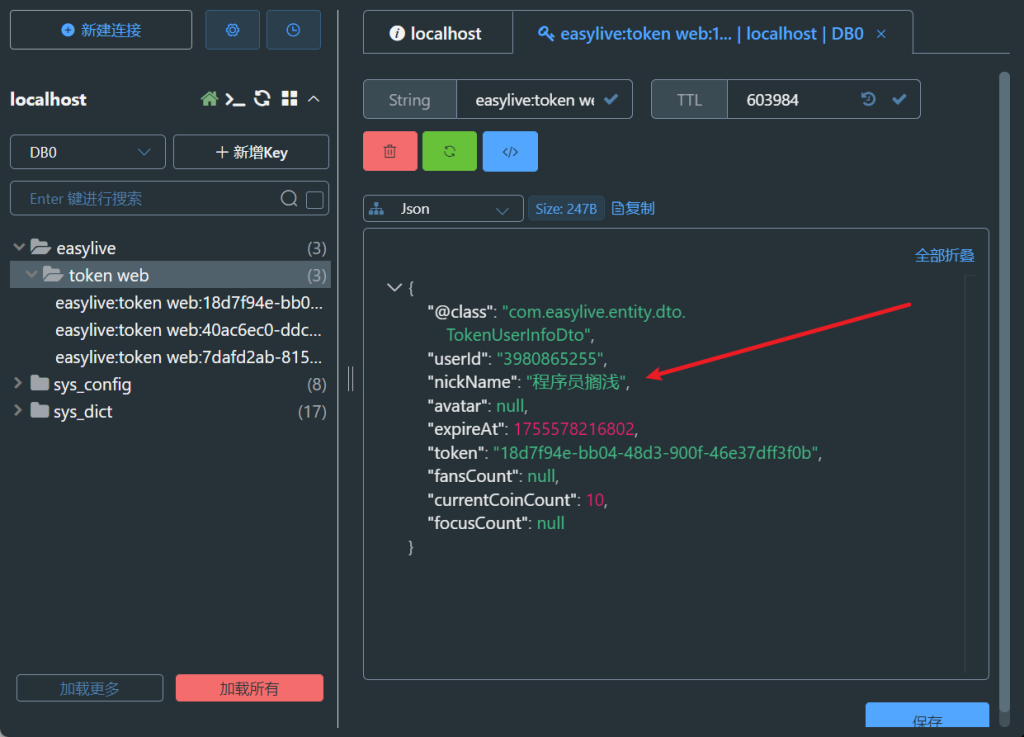
更新Controller层的实现,添加功能:每一次获取新token时,在redis中清除旧的token
1
2
3
4
5
6
7
8
9
10
11
12
13
14
15
16
17
18
19
20
21
22
23
24
25
26
27
28
29
30
31
32
33
34
35
36
37
38
39
40
41
@RequestMapping ("/login" ) public ResponseVO login (HttpServletRequest request, HttpServletResponse response, @NotEmpty @Email String email, @NotEmpty String password, @NotEmpty String checkCodeKey, @NotEmpty String checkCode ){ try { if (!checkCode.equalsIgnoreCase (redisComponent.getCheckCode (checkCodeKey))) { throw new BusinessException (String .valueOf (Constants .MESSAGE_CHECKCODE_ERROR )); } String ip = getIpAddr (); TokenUserInfoDto tokenUserInfoDto= userInfoService.login (email,password,ip); saveTokenToCookie (response,tokenUserInfoDto.getToken ()); return getSuccessResponseVO (tokenUserInfoDto); }finally { redisComponent.cleanCheckCode (checkCodeKey); if (request.getCookies () != null ){ Cookie [] cookies = request.getCookies (); String token = null ; for (Cookie cookie : cookies) { if (cookie.getName ().equals (Constants .TOKEN_WEB )) { token = cookie.getValue (); } } if (!StringTools .isEmpty (token)) { redisComponent.cleanToken (token); } } } }
在 redisComponent中添加cleanToken方法
1
2
3
4
5
6
7
8
/** * 清除token 信息 * @param token */ public void cleanToken(String token ) { redisUtils.delete(Constants.REDIS_KEY_TOKEN_WEB + token ) }
自动登录
Controller中
1 2 3 4 5 6 7 8 9 10 11 12 13 14 15 16 17 18 19 20 21 22 23 24 25 26 27 @RequestMapping ("/autoLogin" ) public ResponseVO autoLogin (HttpServletResponse response) { TokenUserInfoDto tokenUserInfoDto = getTokenUserInfoDto(); if (tokenUserInfoDto == null ) { return getSuccessResponseVO (null ) } if (tokenUserInfoDto.getExpireAt() - System.currentTimeMillis() < Constants.REDIS_KEY_EXPIRES_ONE_DAY) { redisComponent.saveTokenInfo(tokenUserInfoDto); saveTokenToCookie(response, tokenUserInfoDto.getToken()); } saveTokenToCookie(response, tokenUserInfoDto.getToken()); return getSuccessResponseVO (tokenUserInfoDto) }
有关token的方法定义在RedisComponent中
1 2 3 4 5 6 7 8 9 10 11 12 13 14 15 16 17 18 19 20 21 22 23 24 25 26 27 28 29 30 31 32 33 public void saveTokenInfo (TokenUserInfoDto tokenUserInfoDto String token = UUID .randomUUID ().toString (); tokenUserInfoDto.setExpireAt (System .currentTimeMillis () + Constants .REDIS_KEY_EXPIRES_ONE_DAY * 7 ); tokenUserInfoDto.setToken (token); redisUtils.setex (Constants .REDIS_KEY_TOKEN_WEB + token,tokenUserInfoDto, Constants .REDIS_KEY_EXPIRES_ONE_DAY * 7 ); } public void cleanToken (String token redisUtils.delete (Constants .REDIS_KEY_TOKEN_WEB + token); } public TokenUserInfoDto getTokenInfo (String token return (TokenUserInfoDto ) redisUtils.get (Constants .REDIS_KEY_TOKEN_WEB + token); }
在ABaseController中
1 2 3 4 5 6 7 8 9 10 11 12 13 14 15 16 17 18 19 20 21 22 23 24 25 26 27 28 29 30 31 32 33 34 35 36 37 38 39 40 41 protected void saveTokenToCookie (HttpServletResponse response, String token Cookie cookie = new Cookie (Constants .TOKEN_WEB , token); cookie.setMaxAge (Constants .TIME_SECONDS_DAY *7 ); cookie.setPath ("/" ); response.addCookie (cookie); } protected TokenUserInfoDto getTokenUserInfoDto ( HttpServletRequest request = ((ServletRequestAttributes ) RequestContextHolder .getRequestAttributes ()).getRequest (); String token = request.getHeader (Constants .TOKEN_WEB ); if (StringTools .isEmpty (token)) { throw new BusinessException (ResponseCodeEnum .CODE_601 ); } return redisComponent.getTokenInfo (token); } protected void cleanCookie (HttpServletResponse response HttpServletRequest request = ((ServletRequestAttributes ) RequestContextHolder .getRequestAttributes ()).getRequest (); Cookie []cookies = request.getCookies (); if (cookies == null ){return ;} for (Cookie cookie : cookies) { if (cookie.getName ().equals (Constants .TOKEN_WEB )){ redisComponent.cleanToken (cookie.getValue ()); cookie.setMaxAge (0 ); cookie.setPath ("/" ); response.addCookie (cookie); break ; } } }
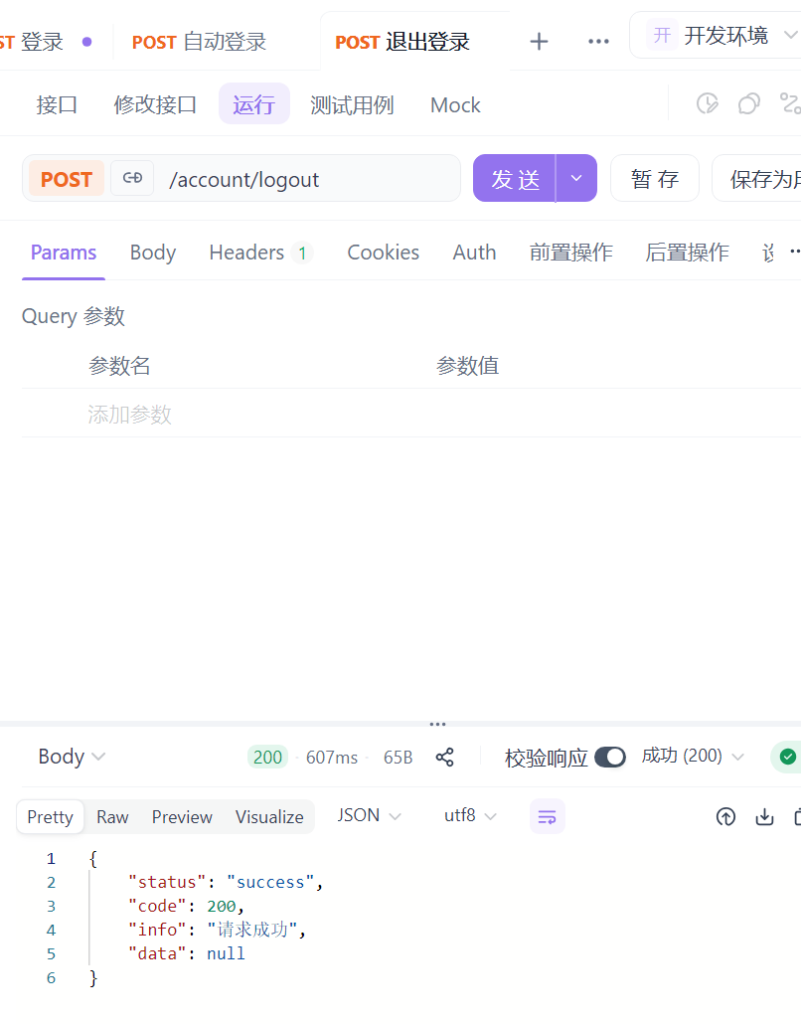
4.退出
1
2
3
4
5
@RequestMapping ("/logout" )public ResponseVO logout (HttpServletResponse response) { cleanCookie(response); return getSuccessResponseVO (null ) }
3.部署前端(完成管理端登录退出)
npm install
npm run dev
先跑服务端测试下登录退出注册的功能
接下来就是为管理端编写登录、退出的逻辑,管理端不用注册
这里把服务端的逻辑复制过来直接改就行了
定义AppConfig文件,方便读取admin端application.yml里的账号密码,路径等信息
1
2
3
4
5
6
7
8
9
10
11
12
13
14
15
16
17
18
19
20
21
22
23
24
25
26
27
package com.easylive.config;import org.springframework.beans.factory.annotation .Value;import org.springframework.context.annotation .Configuration;@Configuration public class AppConfig { @Value("${project.folder:} " ) private String projectFolder; @Value("${admin account:} " ) private String adminAccount; @Value("${admin password:} " ) private String adminPassword; public String getProjectFolder() { return projectFolder; } public String getAdminAccount() { return adminAccount; } public String getAdminPassword() { return adminPassword; } }
RedisCompoent
1 2 3 4 5 6 7 8 9 10 11 12 13 14 15 16 17 18 19 20 public String saveTokenInfo4Admin (String account String token = UUID .randomUUID ().toString (); redisUtils.setex (Constants .REDIS_KEY_TOKEN_ADMIN + token,account ,Constants .REDIS_KEY_EXPIRES_ONE_DAY ); return token; } public void cleanToken4Admin (String token redisUtils.delete (Constants .REDIS_KEY_TOKEN_ADMIN + token); } }
其中创建管理员token和用户token分开:
1 public static final String TOKEN_ADMIN = "adminToken" ;
完整的ABaseController
1
2
3
4
5
6
7
8
9
10
11
12
13
14
15
16
17
18
19
20
21
22
23
24
25
26
27
28
29
30
31
32
33
34
35
36
37
38
39
40
41
42
43
44
45
46
47
48
49
50
51
52
53
54
55
56
57
58
59
60
61
62
63
64
65
66
67
68
69
70
71
72
73
74
75
76
77
78
79
80
81
82
83
84
85
86
87
88
89
90
91
92
93
94
95
96
97
98
99
100
101
102
103
104
105
106
107
108
109
110
111
112
113
114
115
116
117
118
119
120
121
122
package com.easylive.admin.controller;import com.easylive.component.RedisComponent;import com.easylive.entity.constants.Constants;import com.easylive.entity.enums.ResponseCodeEnum;import com.easylive.entity.vo.ResponseVO;import com.easylive.exception.BusinessException;import org.springframework.web.context.request.RequestContextHolder;import org.springframework.web.context.request.ServletRequestAttributes;import javax.annotation.Resource;import javax.servlet.http.Cookie;import javax.servlet.http.HttpServletRequest;import javax.servlet.http.HttpServletResponse;public class ABaseController { protected static final String STATUC_SUCCESS = "success" ; protected static final String STATUC_ERROR = "error" ; @Resource private RedisComponent redisComponent; protected <T> ResponseVO getSuccessResponseVO (T t) { ResponseVO<T> responseVO = new ResponseVO <>(); responseVO.setStatus(STATUC_SUCCESS); responseVO.setCode(ResponseCodeEnum.CODE_200.getCode()); responseVO.setInfo(ResponseCodeEnum.CODE_200.getMsg()); responseVO.setData(t); return responseVO; } protected <T> ResponseVO getBusinessErrorResponseVO (BusinessException e, T t) { ResponseVO vo = new ResponseVO (); vo.setStatus(STATUC_ERROR); if (e.getCode() == null ) { vo.setCode(ResponseCodeEnum.CODE_600.getCode()); } else { vo.setCode(e.getCode()); } vo.setInfo(e.getMessage()); vo.setData(t); return vo; } protected <T> ResponseVO getServerErrorResponseVO (T t) { ResponseVO vo = new ResponseVO (); vo.setStatus(STATUC_ERROR); vo.setCode(ResponseCodeEnum.CODE_500.getCode()); vo.setInfo(ResponseCodeEnum.CODE_500.getMsg()); vo.setData(t); return vo; } protected String getIpAddr () { HttpServletRequest request = ((ServletRequestAttributes) RequestContextHolder.getRequestAttributes()).getRequest(); String ip = request.getHeader("x-forwarded-for" ); if (ip != null && ip.length() != 0 && !"unknown" .equalsIgnoreCase(ip)) { if (ip.indexOf("," ) != -1 ) { ip = ip.split("," )[0 ]; } } if (ip == null || ip.length() == 0 || "unknown" .equalsIgnoreCase(ip)) { ip = request.getHeader("Proxy-Client-IP" ); } if (ip == null || ip.length() == 0 || "unknown" .equalsIgnoreCase(ip)) { ip = request.getHeader("WL-Proxy-Client-IP" ); } if (ip == null || ip.length() == 0 || "unknown" .equalsIgnoreCase(ip)) { ip = request.getHeader("HTTP_CLIENT_IP" ); } if (ip == null || ip.length() == 0 || "unknown" .equalsIgnoreCase(ip)) { ip = request.getHeader("HTTP_X_FORWARDED_FOR" ); } if (ip == null || ip.length() == 0 || "unknown" .equalsIgnoreCase(ip)) { ip = request.getHeader("X-Real-IP" ); } if (ip == null || ip.length() == 0 || "unknown" .equalsIgnoreCase(ip)) { ip = request.getRemoteAddr(); } return ip; } protected void saveTokenToCookie (HttpServletResponse response, String token) { Cookie cookie = new Cookie (Constants.TOKEN_ADMIN, token); cookie.setMaxAge(-1 ); cookie.setPath("/" ); response.addCookie(cookie); } protected void cleanCookie (HttpServletResponse response) { HttpServletRequest request = ((ServletRequestAttributes) RequestContextHolder.getRequestAttributes()).getRequest(); Cookie[]cookies = request.getCookies(); if (cookies == null ){return ;} for (Cookie cookie : cookies) { if (cookie.getName().equals(Constants.TOKEN_ADMIN)){ redisComponent.cleanToken(cookie.getValue()); cookie.setMaxAge(0 ); cookie.setPath("/" ); response.addCookie(cookie); break ; } } } }
完整的AccountController
1
2
3
4
5
6
7
8
9
10
11
12
13
14
15
16
17
18
19
20
21
22
23
24
25
26
27
28
29
30
31
32
33
34
35
36
37
38
39
40
41
42
43
44
45
46
47
48
49
50
51
52
53
54
55
56
57
58
59
60
61
62
63
64
65
66
67
68
69
70
71
72
73
74
75
76
77
78
79
80
81
82
83
84
85
86
87
88
89
90
91
92
93
94
95
96
97
98
99
100
101
102
103
104
105
106
107
108
109
110
111
112
113
114
115
116
117
118
119
120
121
122
123
124
125
126
package com.easylive.admin.controller;import com.easylive.component.RedisComponent;import com.easylive.entity.config.AppConfig;import com.easylive.entity.constants.Constants;import com.easylive.entity.vo.ResponseVO;import com.easylive.exception.BusinessException;import com.easylive.utils.StringTools;import com.wf.captcha.ArithmeticCaptcha;import org.springframework.validation.annotation.Validated;import org.springframework.web.bind.annotation.RequestMapping;import org.springframework.web.bind.annotation.RestController;import javax.annotation.Resource;import javax.servlet.http.Cookie;import javax.servlet.http.HttpServletRequest;import javax.servlet.http.HttpServletResponse;import javax.validation.constraints.NotEmpty;import java.util.HashMap;import java.util.Map;@RestController @Validated @RequestMapping("/account") public class AccountController extends ABaseController { @Resource private RedisComponent redisComponent; @Resource private AppConfig appConfig; @RequestMapping("/checkCode") public ResponseVO checkCode () { ArithmeticCaptcha captcha = new ArithmeticCaptcha (100 , 42 ); String code = captcha.text(); String checkCodeKey = redisComponent.saveCheckCode(code); String checkCodeBase64 = captcha.toBase64(); Map<String, String> result = new HashMap <>(); result.put("checkCode" , checkCodeBase64); result.put("checkCodeKey" , checkCodeKey); return getSuccessResponseVO(result); } @RequestMapping("/login") public ResponseVO login (HttpServletRequest request, HttpServletResponse response, @NotEmpty String account, @NotEmpty String password, @NotEmpty String checkCodeKey, @NotEmpty String checkCode) { try { if (!checkCode.equalsIgnoreCase(redisComponent.getCheckCode(checkCodeKey))) { throw new BusinessException (String.valueOf(Constants.MESSAGE_CHECKCODE_ERROR)); } if (!account.equals(appConfig.getAdminAccount()) || !password.equals(StringTools.encodeByMd5(appConfig.getAdminPassword()))) { throw new BusinessException ("账号或密码错误" ); } String token = redisComponent.saveTokenInfo4Admin(account); saveTokenToCookie(response, token); return getSuccessResponseVO(account); } finally { redisComponent.cleanCheckCode(checkCodeKey); if (request.getCookies() != null ) { Cookie[] cookies = request.getCookies(); String token = null ; for (Cookie cookie : cookies) { if (cookie.getName().equals(Constants.TOKEN_ADMIN)) { token = cookie.getValue(); } } if (!StringTools.isEmpty(token)) { redisComponent.cleanToken4Admin(token); } } } } @RequestMapping("/logout") public ResponseVO logout (HttpServletResponse response) { cleanCookie(response); return getSuccessResponseVO(null ); } }
4.管理端 分类管理
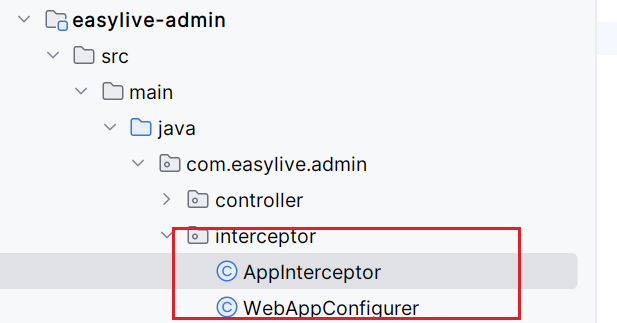
1.前置准备 -拦截器
定义拦截器
webAppConfigurer
1
2
3
4
5
6
7
8
9
10
11
12
13
14
15
16
17
18
package com.easylive.admin.interceptor;import org.springframework.context.annotation .Configuration;import org.springframework.web.servlet.config.annotation .InterceptorRegistry;import org.springframework.web.servlet.config.annotation .WebMvcConfigurer;import javax.annotation .Resource;@Configuration public class WebAppConfigurer implements WebMvcConfigurer { @Resource private AppInterceptor appInterceptor; @Override public void addInterceptors(InterceptorRegistry registry) { registry.addInterceptor(appInterceptor).addPathPatterns("/**" ); } }
做了什么
把 AppInterceptor 注册进 Spring MVC 的拦截器链,对 所有请求路径 (/**) 生效。
为什么
统一入口:任何请求到达 Controller 前,先走你的自定义逻辑(鉴权、限流、审计等)。
要点
拦截顺序由注册顺序决定(多个拦截器时很重要)。
这里没设置 excludePathPatterns,等于交给拦截器内部自己放行 /account 等路径。
AppInterceptor
1
2
3
4
5
6
7
8
9
10
11
12
13
14
15
16
17
18
19
20
21
22
23
24
25
26
27
28
29
30
31
32
33
34
35
36
37
38
39
40
41
42
43
44
45
46
47
48
49
50
51
52
53
54
55
56
57
58
59
60
61
62
63
64
65
66
67
68
69
70
71
72
73
74
75
76
77
78
79
80
81
82
83
84
85
86
87
88
89
90
91
92
93
94
95
96
97
98
99
100
101
102
103
104
105
106
107
108
109
110
111
112
113
114
115
116
package com.easylive.admin.interceptor;import com.easylive.component.RedisComponent;import com.easylive.entity.constants.Constants;import com.easylive.entity.enums.ResponseCodeEnum;import com.easylive.exception.BusinessException;import com.easylive.utils.StringTools;import org.springframework.stereotype.Component;import org.springframework.web.method.HandlerMethod;import org.springframework.web.servlet.HandlerInterceptor;import org.springframework.web.servlet.ModelAndView;import javax.annotation.Resource;import javax.servlet.http.Cookie;import javax.servlet.http.HttpServletRequest;import javax.servlet.http.HttpServletResponse;@Component public class AppInterceptor implements HandlerInterceptor private final static String URL_ACCOUNT = "/account" ; private final static String URL_FILE = "/file" ; @Resource private RedisComponent redisComponent; @Override public boolean preHandle (HttpServletRequest request, HttpServletResponse response, Object handler ) if (null == handler ){ return false ; } if (!(handler instanceof HandlerMethod)){ return true ; } if (request.getRequestURI().contains(URL_ACCOUNT)){ return true ; } String token = request.getHeader(Constants.TOKEN_ADMIN); if (request.getRequestURI().contains(URL_FILE)){ token = getTokenFromCookie(request); } if (StringTools.isEmpty(token)){ throw new BusinessException(ResponseCodeEnum.CODE_901); } Object sessionObj = redisComponent.getTokenInfo4Admin(token); if (null ==sessionObj){ throw new BusinessException(ResponseCodeEnum.CODE_901); } return true ; } private String getTokenFromCookie (HttpServletRequest request) { Cookie[] cookies = request.getCookies(); if (cookies==null ){ return null ; } String token = null ; for (Cookie cookie : cookies) { if (cookie.getName().equals(Constants.TOKEN_ADMIN)) { return cookie.getValue () } } return null ; } @Override public void afterCompletion (HttpServletRequest request, HttpServletResponse response, Object handler , Exception ex) throws Exception HandlerInterceptor.super .afterCompletion(request, response, handler , ex); } @Override public void postHandle (HttpServletRequest request, HttpServletResponse response, Object handler , ModelAndView modelAndView) throws Exception HandlerInterceptor.super .postHandle(request, response, handler , modelAndView); } }
做了什么
统一做
登录态校验
:
非 Controller(静态资源等)直接放行。
/account 下的登录/注册等公共接口放行。其他请求必须携带 管理员 token 。
token 在 Redis 中能查到会话信息才放行。
为什么文件要从 Cookie 取 token?
浏览器在发起 <img src="/file/xx">、<link>、<video> 等静态资源请求时,通常不会 自动带自定义的请求头(比如 Authorization 或自定义 TOKEN_ADMIN),但会携带与域匹配的 Cookie 。
所以访问 /file/** 这类资源时,改为从 Cookie 拿 token 才能鉴权。
异常处理机制
直接在拦截器里 throw new BusinessException(),让全局异常处理器(比如 @ControllerAdvice)统一返回未登录/过期的响应码与提示。
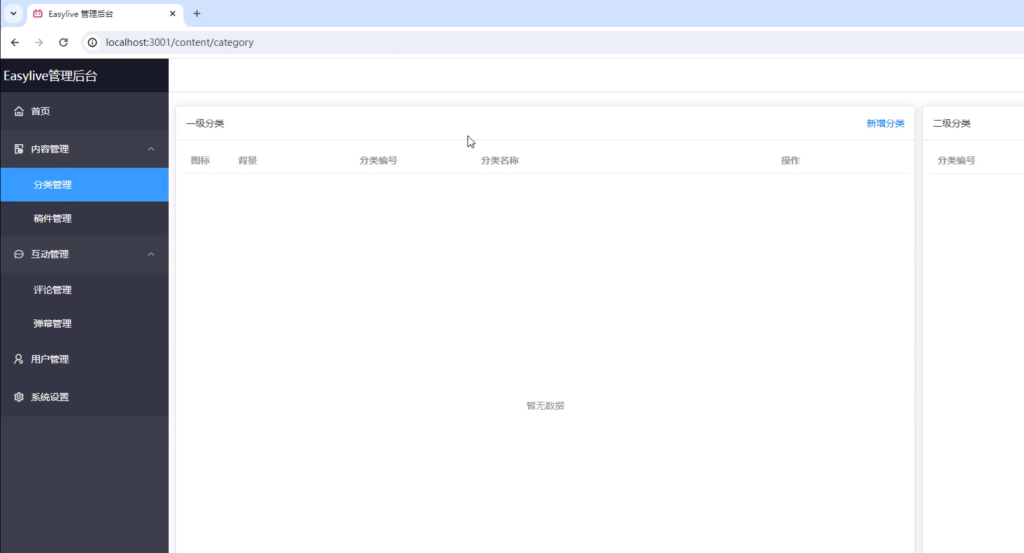
目前有个问题,当我关掉浏览器,重新进入http://localhost:3031/content/category 发现直接就进去了,不应该这样,在客户端应该这样,当客户电脑关了,因为cookie保留7天,它后台一直都在,管理端不应该这样
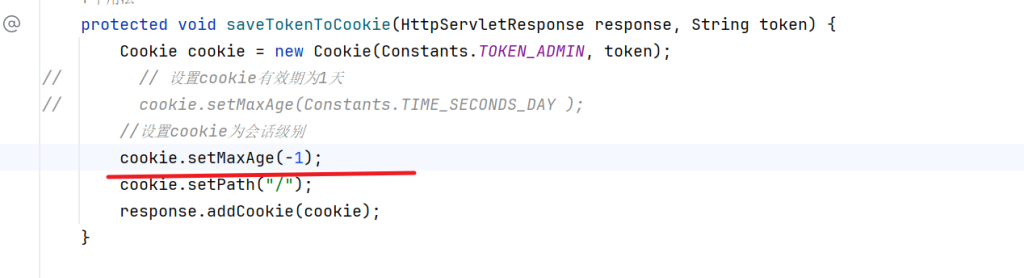
问题在这里,我们的cookie设置为了1天,此时在一天内无论关不关掉浏览器它一直都在,需要把cookie设置为会话级别
2.分类
建数据库
1
2
3
4
5
6
7
8
9
10
11
12
DROP TABLE IF EXISTS `category_info`;CREATE TABLE `category_info` ( `category_id` int (11 ) NOT NULL AUTO_INCREMENT COMMENT '自增分类ID' , `category_code` varchar (30 ) CHARACTER SET utf8mb4 COLLATE utf8mb4_general_ci NOT NULL COMMENT '分类编码' , `category_name` varchar (30 ) CHARACTER SET utf8mb4 COLLATE utf8mb4_general_ci NOT NULL COMMENT '分类名称' , `p_category_id` int (11 ) NOT NULL COMMENT '父级分类ID' , `icon` varchar (50 ) CHARACTER SET utf8mb4 COLLATE utf8mb4_general_ci NULL DEFAULT NULL COMMENT '图标' , `background` varchar (50 ) CHARACTER SET utf8mb4 COLLATE utf8mb4_general_ci NULL DEFAULT NULL COMMENT '背景图' , `sort` tinyint(4 ) NOT NULL COMMENT '排序号' , PRIMARY KEY (`category_id`) USING BTREE, UNIQUE INDEX `idx_key_category_code`(`category_code`) USING BTREE ) ENGINE = InnoDB AUTO_INCREMENT = 40 CHARACTER SET = utf8mb4 COLLATE = utf8mb4_general_ci COMMENT = '分类信息' ROW_FORMAT = DYNAMIC;
1.获取分类
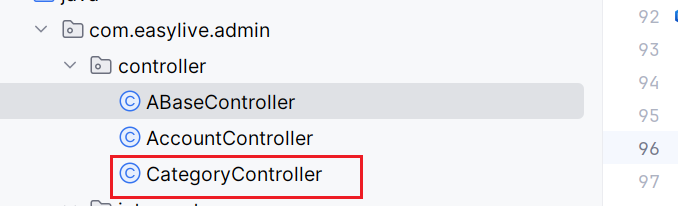
CategoryController
1
2
3
4
5
6
7
8
9
10
11
12
13
14
15
16
17
18
19
20
21
22
23
24
25
26
package com.easylive.admin.controller;import com.easylive.entity.po.CategoryInfo ;import com.easylive.entity.query.CategoryInfoQuery ;import com.easylive.entity.vo.ResponseVO ;import com.easylive.service.CategoryInfoService ;import org.springframework.web.bind.annotation.RequestMapping ;import org.springframework.web.bind.annotation.RestController ;import javax.annotation.Resource ;import java.util.List ;@RestController @RequestMapping ("/category" )public class CategoryController extends ABaseController @Resource private CategoryInfoService categoryInfoService; @RequestMapping ("loadCategory" ) public ResponseVO loadCategory(CategoryInfoQuery query) { query.setOrderBy("sort asc" ); List <CategoryInfo >categoryInfoList = categoryInfoService.findListByParam(query); return getSuccessResponseVO(categoryInfoList); } }
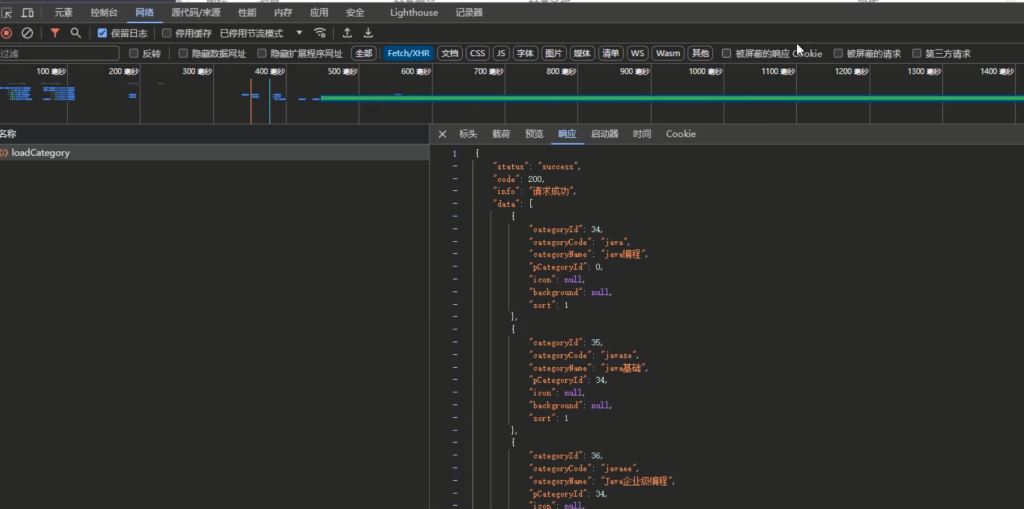
可以看到已经拿到了信息列表
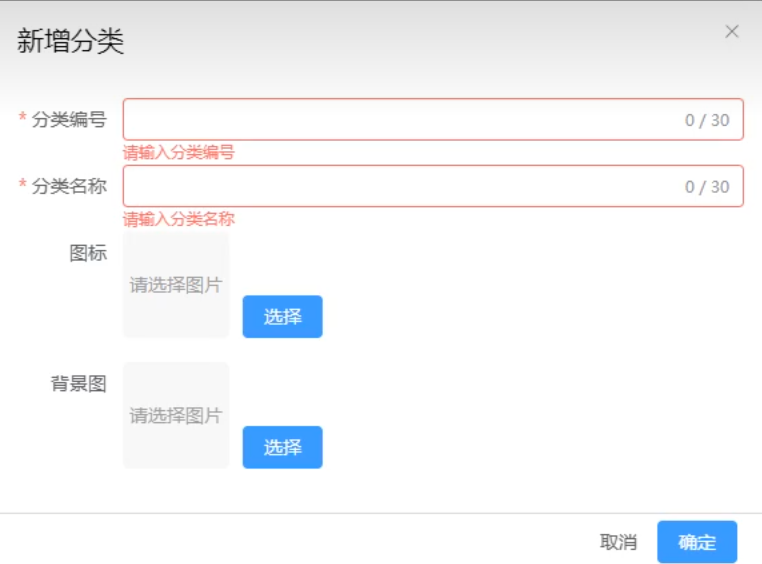
2.新增分类/修改分类
1
2
3
4
5
6
7
8
9
10
11
12
13
14
15
16
17
18
19
20
21
22
23
24
@RequestMapping ("saveCategory" ) public ResponseVO saveCategory (@NotNull Integer pCategoryId, Integer categoryId, @NotEmpty String categoryCode, @NotEmpty String categoryName, String icon, String background ) { CategoryInfo categoryInfo = new CategoryInfo (); categoryInfo.setpCategoryId (pCategoryId); categoryInfo.setCategoryId (categoryId); categoryInfo.setCategoryCode (categoryCode); categoryInfo.setCategoryName (categoryName); categoryInfo.setIcon (icon); categoryInfo.setBackground (background); categoryInfoService.saveCategory (categoryInfo); return getSuccessResponseVO (null ); } void saveCategory (CategoryInfo categoryInfo); saveCategory (CategoryInfo bean)
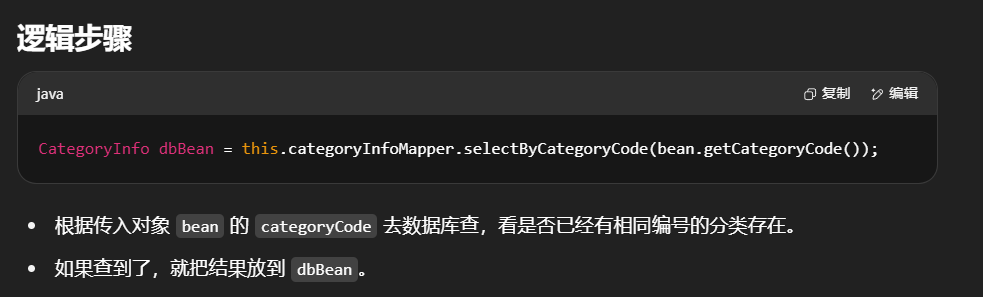
保存一个分类(可能是新增,也可能是更新)。
在保存之前,要确保 分类编号(categoryCode) 在数据库中是唯一的。
1
2
3
4
5
6
7
8
9
10
11
12
13
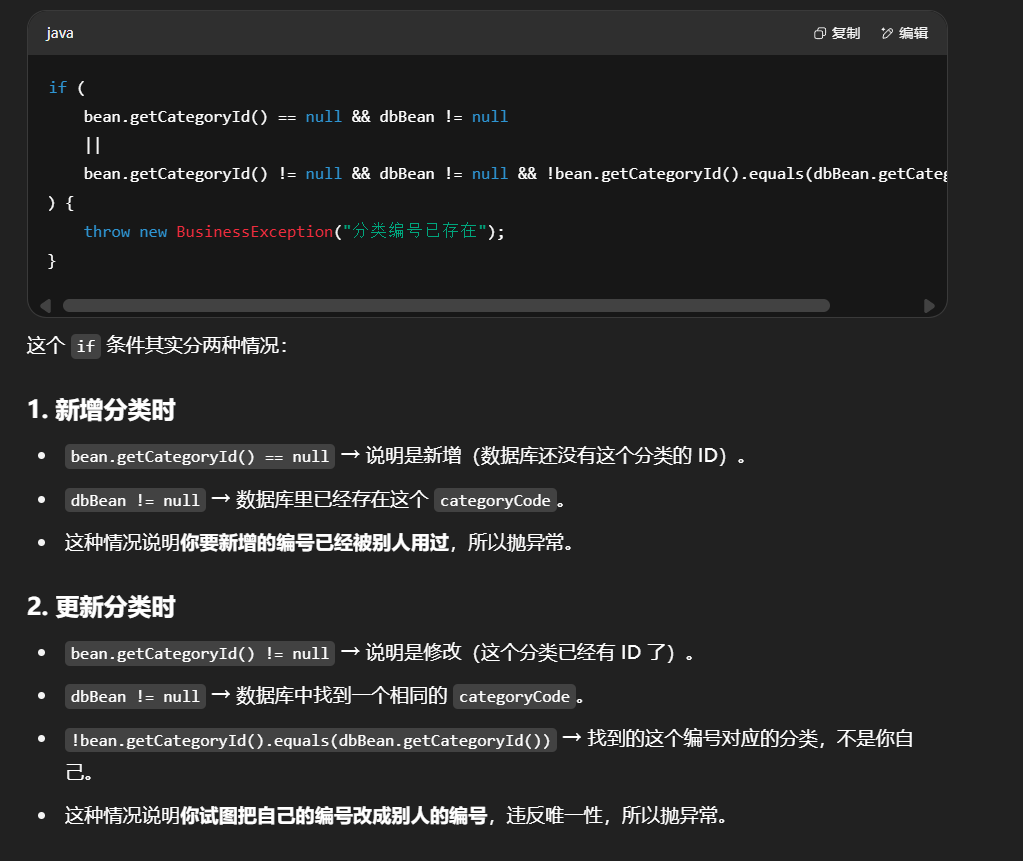
@Override public void saveCategory (CategoryInfo bean) { CategoryInfo dbBean = this .categoryInfoMapper.selectByCategoryCode(bean.getCategoryCode()); if (bean.getCategoryId() ==null &&dbBean != null || bean.getCategoryId() !=null && dbBean!=null &&!bean.getCategoryId().equals(dbBean.getCategoryId())){ throw new BusinessException ("分类编号已存在" ); } }
场景
条件
结果
新增且编号已存在
categoryId == null && dbBean != null抛异常
修改且编号冲突
categoryId != null && dbBean != null && categoryId != dbBean.getCategoryId()抛异常
其他情况
不满足上面条件
允许保存
这里要传入的是父分类id
完善实现类
1
2
3
4
5
6
7
8
9
10
11
12
13
14
15
16
17
18
19
20
21
22
23
24
@Override public void saveCategory (CategoryInfo bean) { CategoryInfo dbBean = this .categoryInfoMapper.selectByCategoryCode(bean.getCategoryCode()); if (bean.getCategoryId() ==null &&dbBean != null || bean.getCategoryId() !=null && dbBean!=null &&!bean.getCategoryId().equals(dbBean.getCategoryId())){ throw new BusinessException ("分类编号已存在" ); } if (bean.getCategoryId() == null ){ Integer maxSort = this .categoryInfoMapper.selectMaxSort(bean.getpCategoryId()); bean.setSort(maxSort+1 ); this .categoryInfoMapper.insert(bean); }else { this .categoryInfoMapper.updateByCategoryId(bean, bean.getCategoryId()); } }
mapper
1 2 3 4 5 Integer selectMaxSort (@Param ("pCategoryId" ) Integer pCategoryId);
mapper.xml
1 2 3 4 5 <select id ="selectMaxSort" resultType ="java.lang.Integer" > select ifnull(max(sort),0)from category_info where p_category_id = # {pCategoryId} </select >
3.删除分类
controller中delCategory
1
2
3
4
5
@RequestMapping ("delCategory" ) public ResponseVO delCategory (@NotNull Integer categoryId) { categoryInfoService .delCategory (categoryId); return getSuccessResponseVO (null); }
service
1 2 3 4 5 void delCategory (Integer categoryId)
实现类
1
2
3
4
5
6
7
8
9
10
11
12
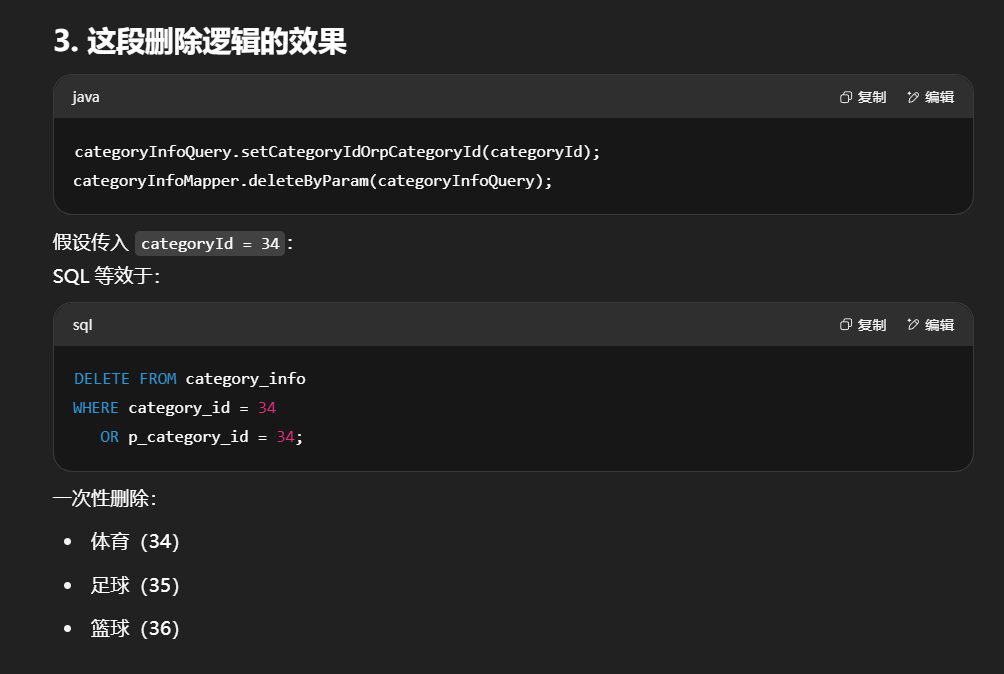
@Override public void delCategory (Integer categoryId) { CategoryInfoQuery categoryInfoQuery = new CategoryInfoQuery (); categoryInfoQuery.setCategoryIdOrPCategoryId(categoryId); categoryInfoMapper.deleteByParam(categoryInfoQuery); }
在CategoryInfoQuery里加入这个属性(getter和setter方法,后续不再提醒)
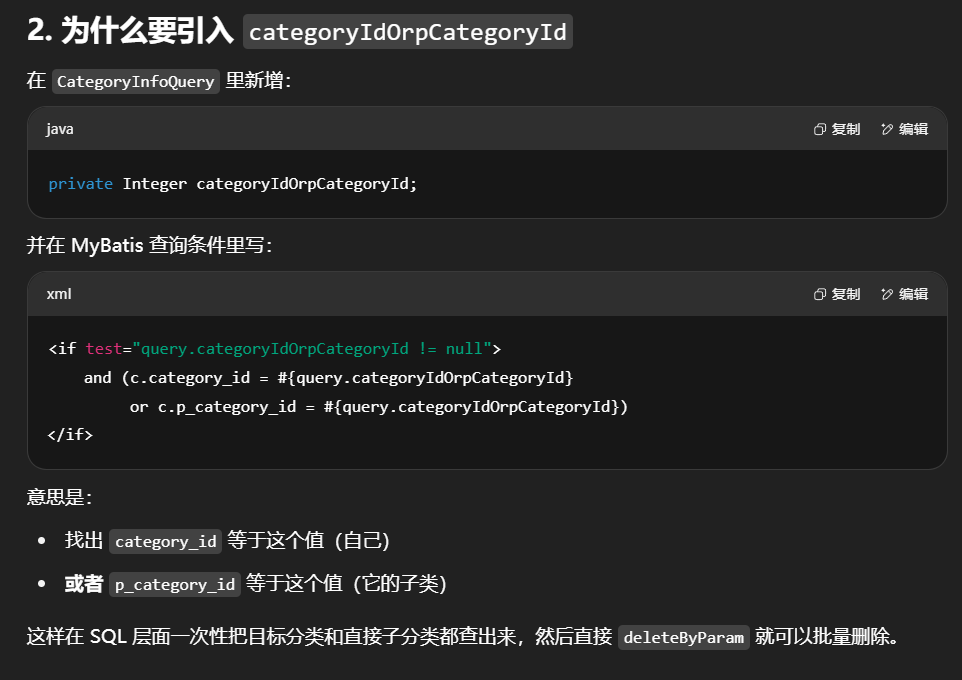
1 2 3 4 private Integer categoryIdOrPCategoryId;
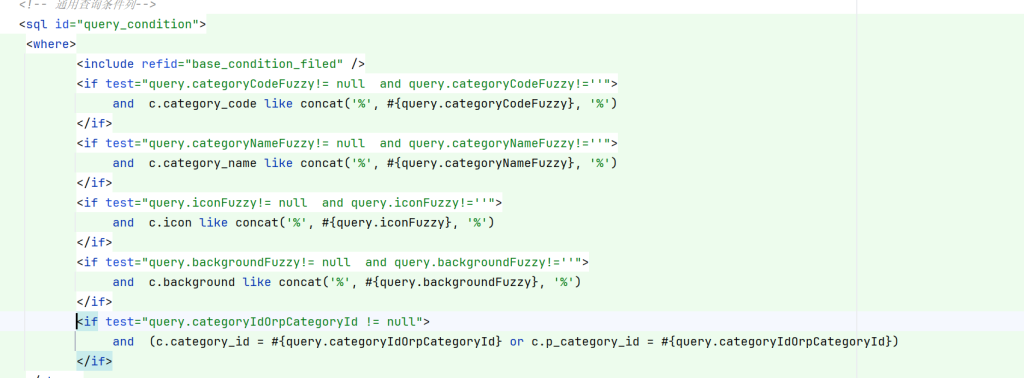
1 2 3 <if test ="query.categoryIdOrPCategoryId!=null" > and (c.category_id = # {query.categoryIdOrPCategoryId} or c.p_category_id = # {query.categoryIdOrPCategoryId} ) </if >
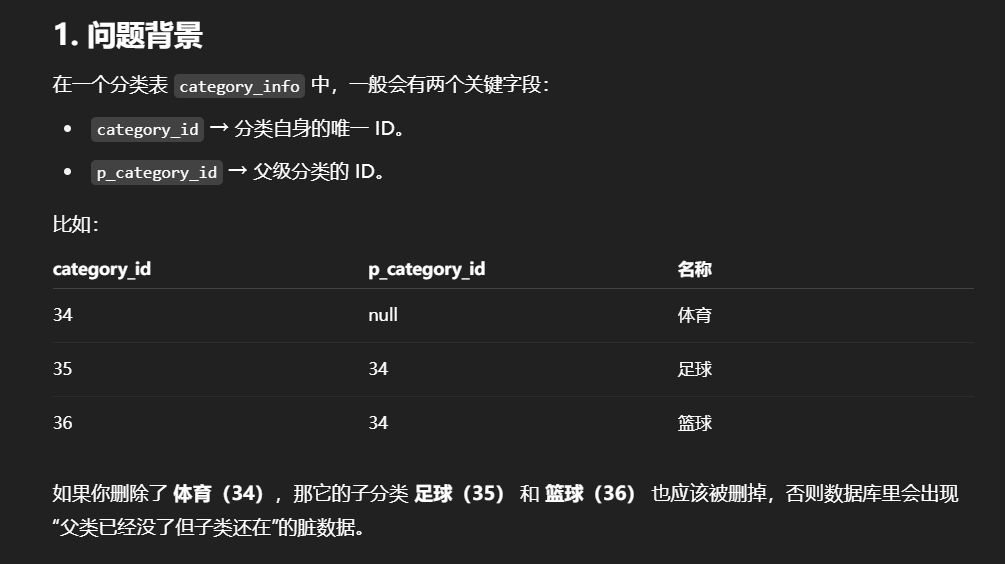
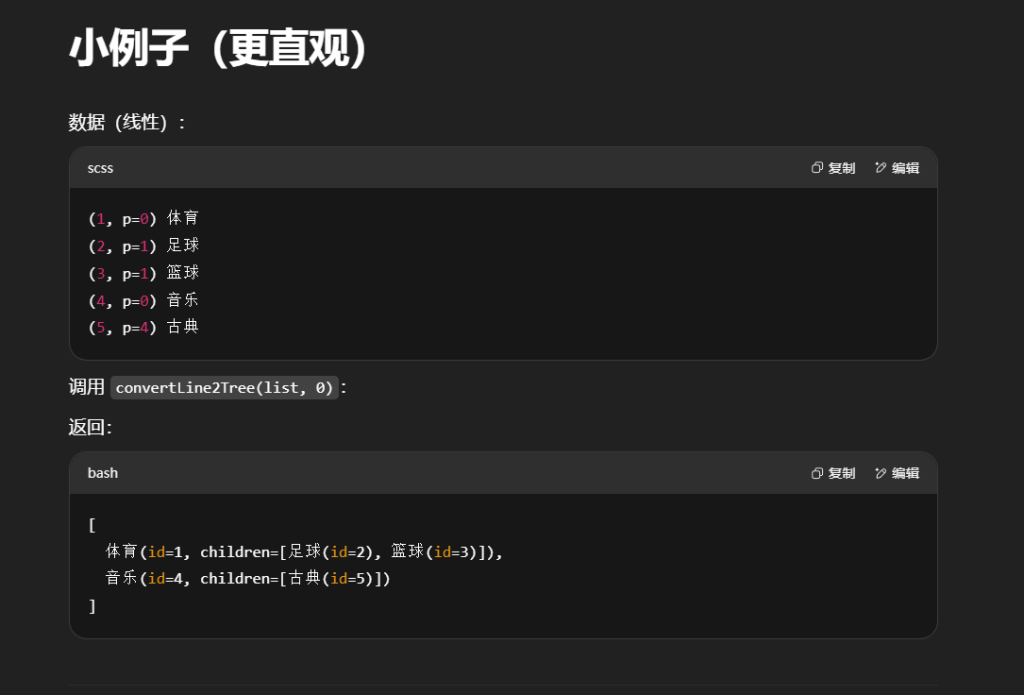
比如说删第一个34这个,category_id=34或者p_category_id=34都可以把这三个都删了
这段逻辑里加 categoryIdOrPCategoryId 其实是为了一次性删除目标分类和它的直接子分类 ,避免只删自己而留下“孤儿分类”。
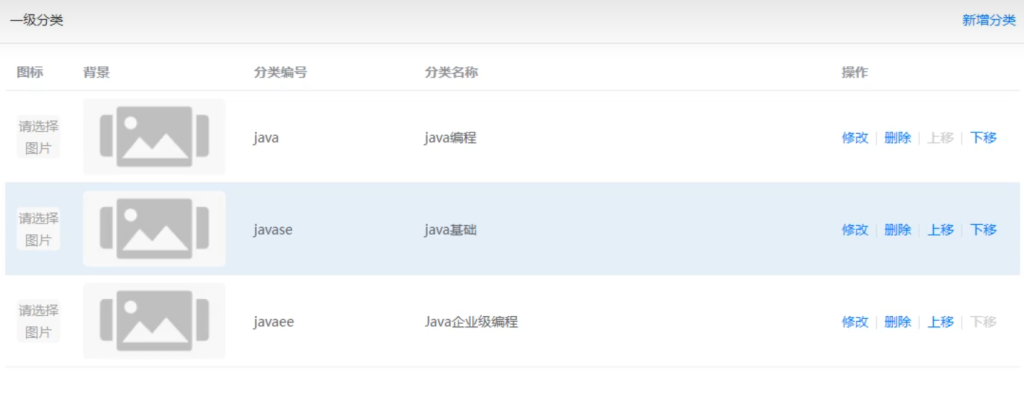
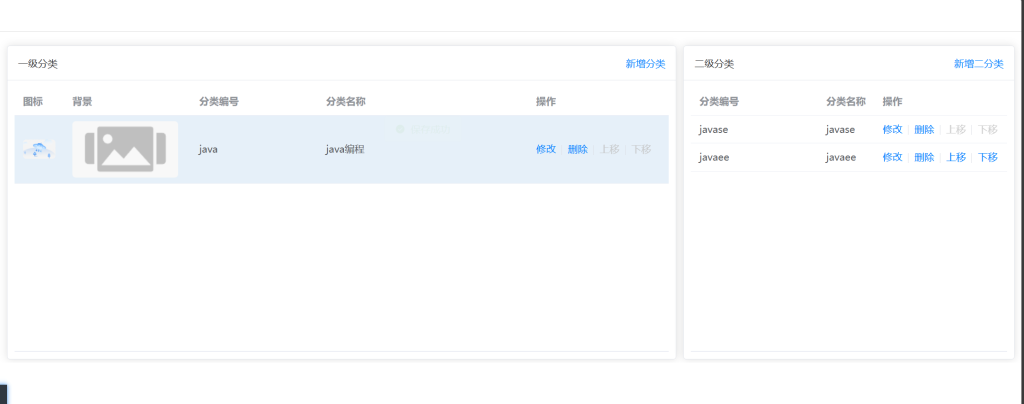
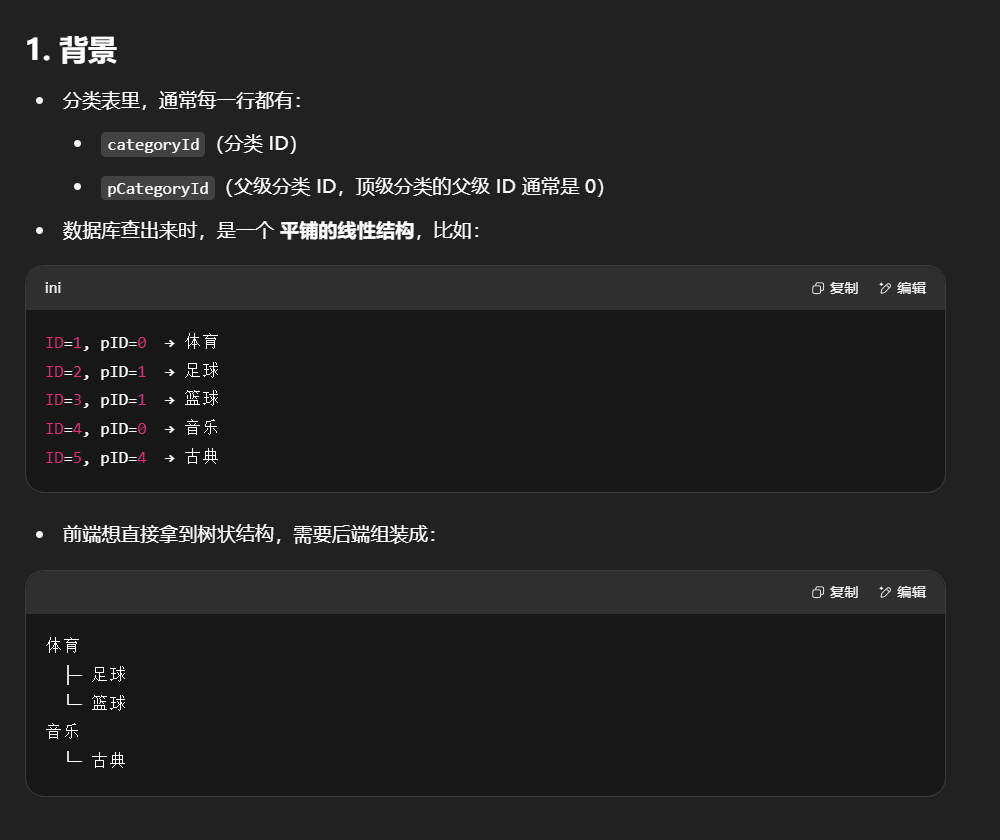
完成了父子同步删除后,解决父子树状结构。这样就避免父子全在一级分类
可以看到是线性的
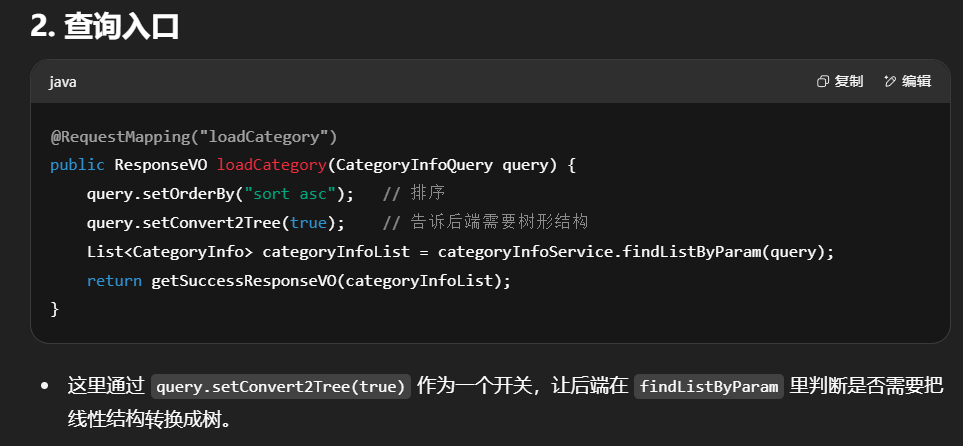
加载分类信息时query.setConvert2Tree(true);开启树形
1 2 3 4 5 6 7 8 9 10 11 12 13 14 @RequestMapping ("loadCategory" ) public ResponseVO loadCategory (CategoryInfoQuery query) { query.setOrderBy("sort asc" ); query.setConvert2Tree(true ); List<CategoryInfo>categoryInfoList = categoryInfoService.findListByParam(query); return getSuccessResponseVO (categoryInfoList) }
在CategoryInfoQuery里加入这个属性
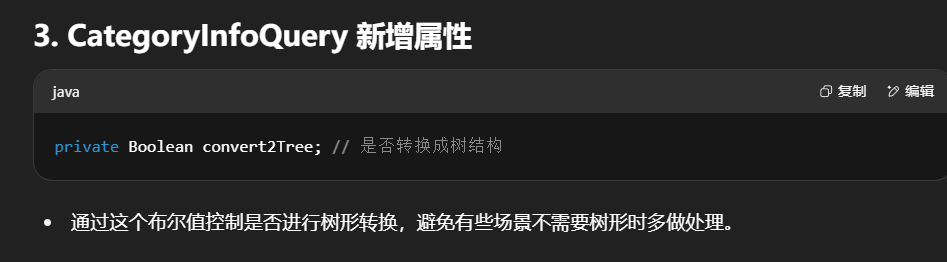
1 2 3 4 private Boolean convert2Tree;
改造这个方法如下
1 2 3 4 5 6 7 8 @Override public List<CategoryInfo> findListByParam(CategoryInfoQuery param) { List<CategoryInfo>categoryInfoList = this .categoryInfoMapper.selectList(param); return categoryInfoList; }
在PO包下CategoryInfo中
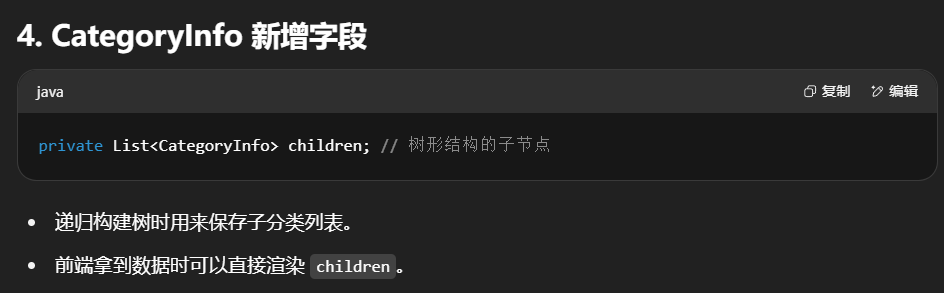
1 2 private List <CategoryInfo > children;
CategoryInfoServiceImpl中
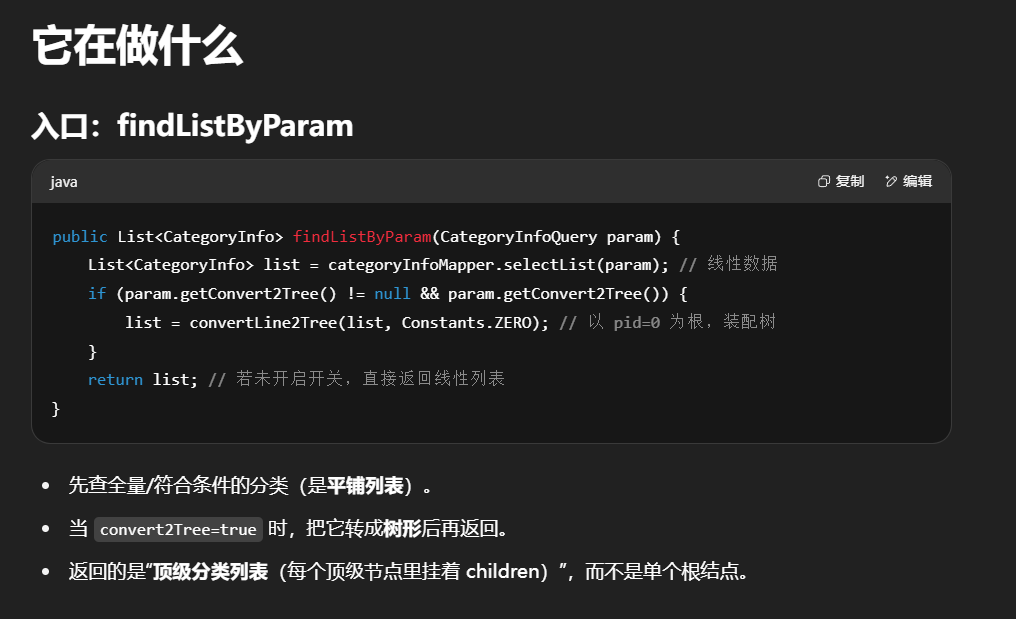
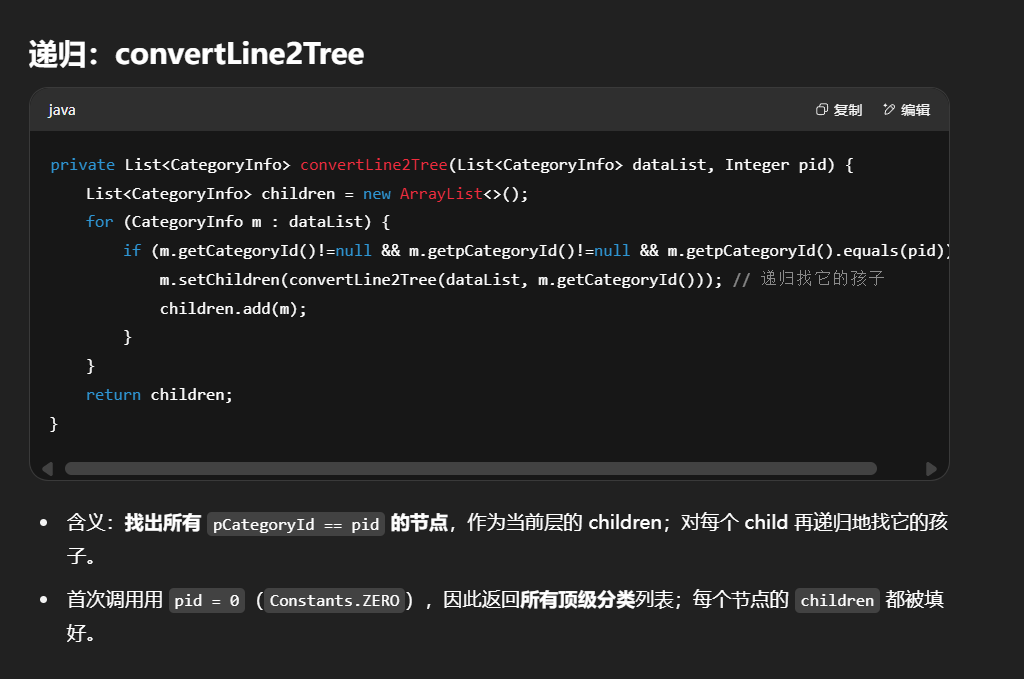
1 2 3 4 5 6 7 8 9 10 11 12 13 14 15 16 17 18 19 20 21 22 23 24 25 26 27 28 @Override public List <CategoryInfo > findListByParam (CategoryInfoQuery param List <CategoryInfo > categoryInfoList= this .categoryInfoMapper .selectList (param); if (param.getConvert2Tree () != null && param.getConvert2Tree ()){ categoryInfoList = convertLine2Tree (categoryInfoList, Constants .ZERO ); } return categoryInfoList; } private List <CategoryInfo >convertLine2Tree (List <CategoryInfo >dataList,Integer pid List <CategoryInfo > children = new ArrayList <>(); for (CategoryInfo m :dataList){ if (m.getCategoryId ()!=null &&m.getpCategoryId ()!=null &&m.getpCategoryId ().equals (pid)){ m.setChildren (convertLine2Tree (dataList, m.getCategoryId ())); children.add (m); } } return children; }
如图已成功转为树形结构
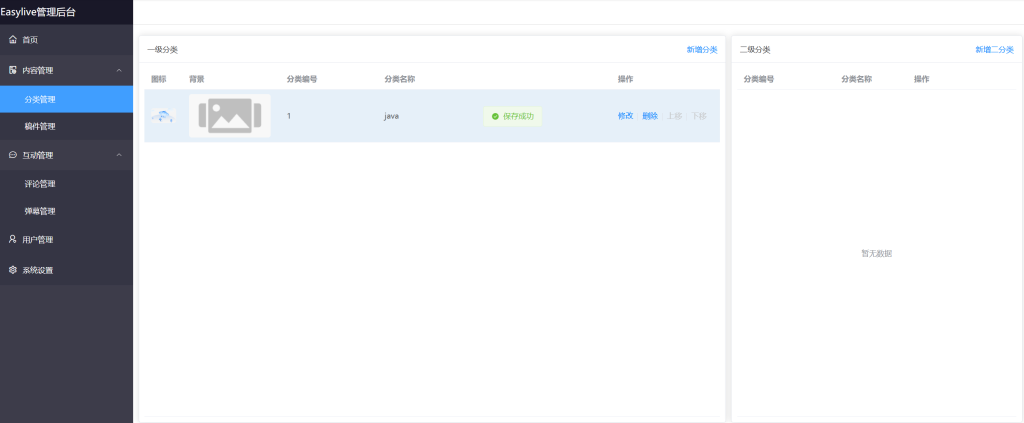
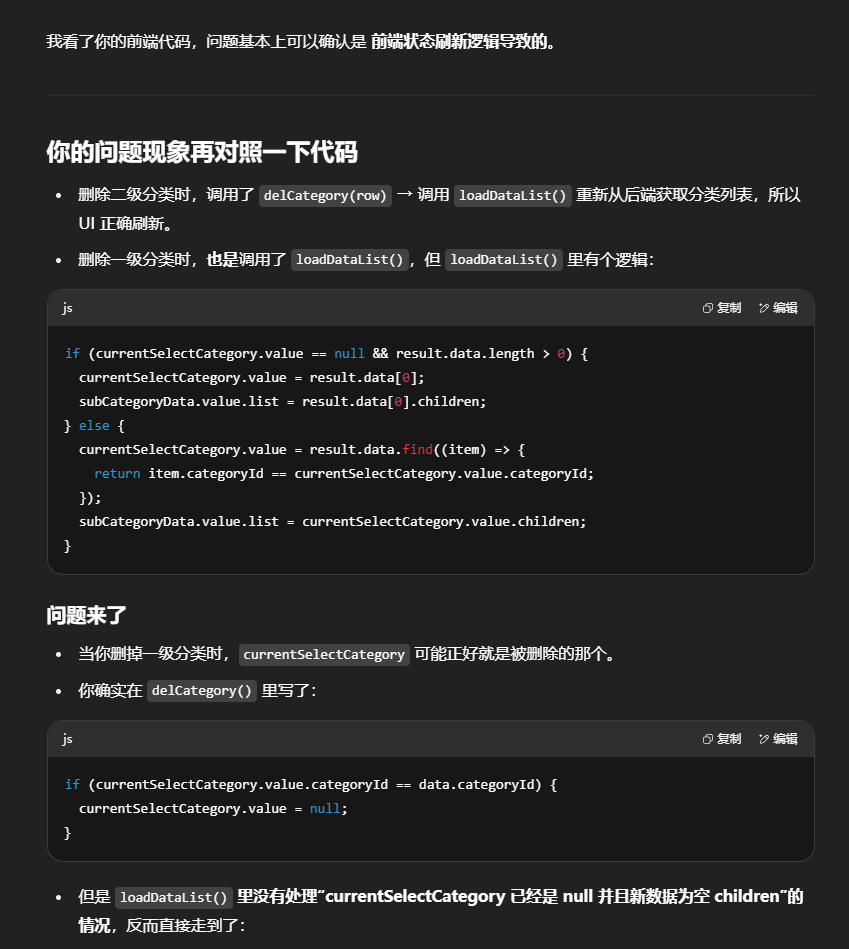
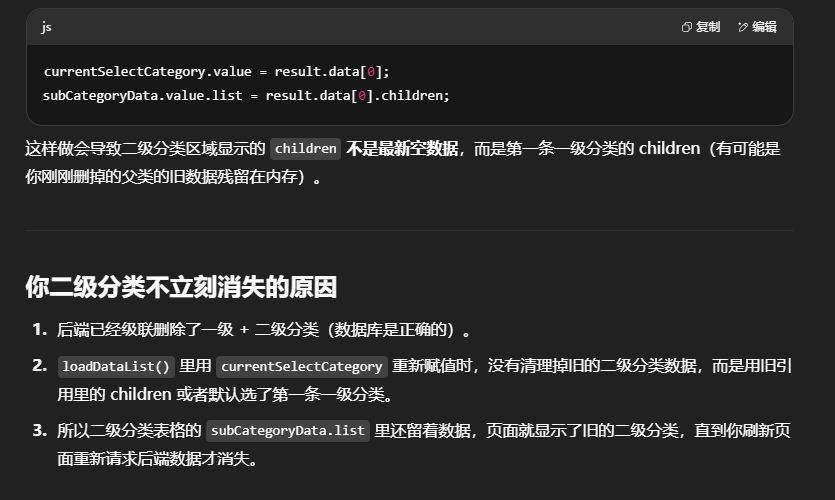
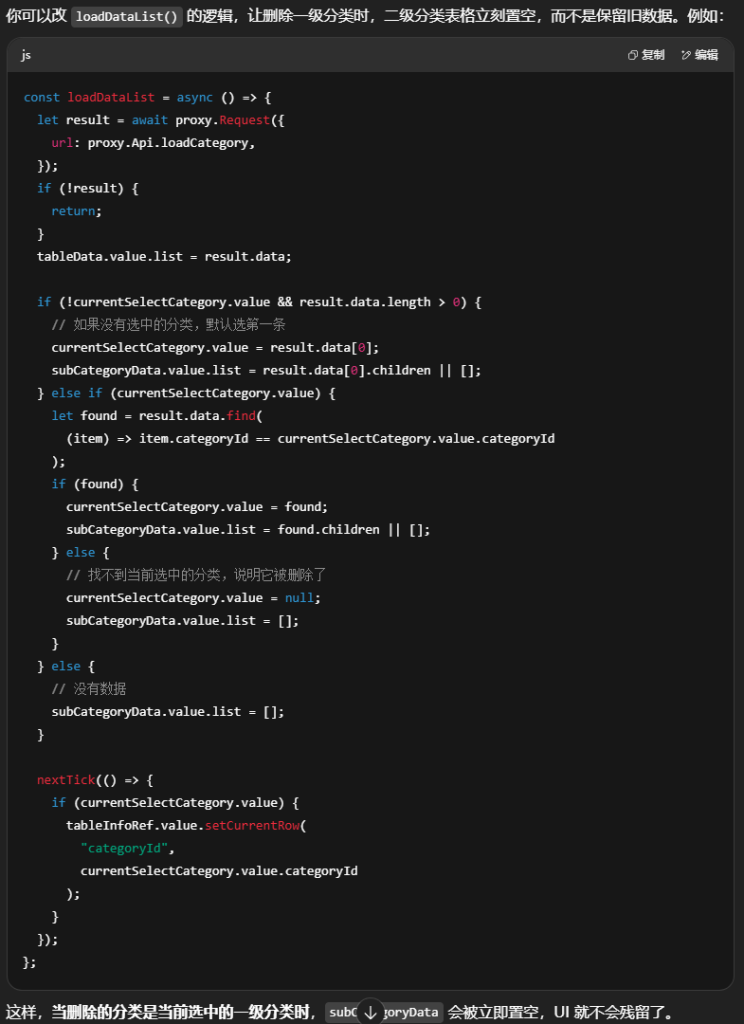
问题2:现在我发现了个问题,我创建好一级分类后再加入二级分类,删除二级分类时直接就删掉了。如果有二级分类的前提下删一级分类,一级分类直接删掉但二级分类还在那里,但是我页面也刷新,二级分类也没了,也就是说单独删二级分类它立即回显,删一级分类时连带着删二级分类时,二级分类却不回显,需要刷新才会不见,你帮我分析一下这是前端出问题了还是后端出问题了
根据ChatGPT5成功解决
替换CategoryList这一块的逻辑问题成功解决!
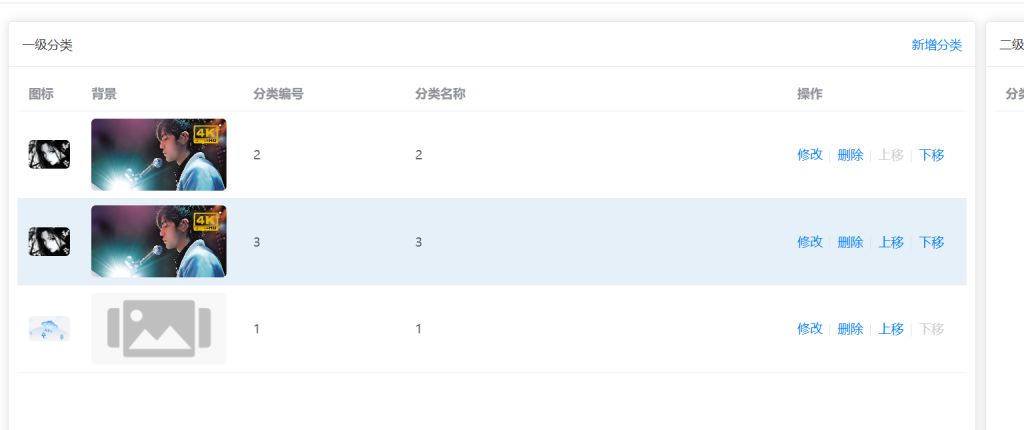
4.变换分类位置(上移/下移)
CategoryController
1 2 3 4 5 6 7 8 9 10 11 12 13 @RequestMapping ("/changeSort" )public ResponseVO changeSort (@NotNull Integer pCategoryId, @NotEmpty String categoryIds) { categoryInfoService .changeSort (pCategoryId, categoryIds); return getSuccessResponseVO (null); }
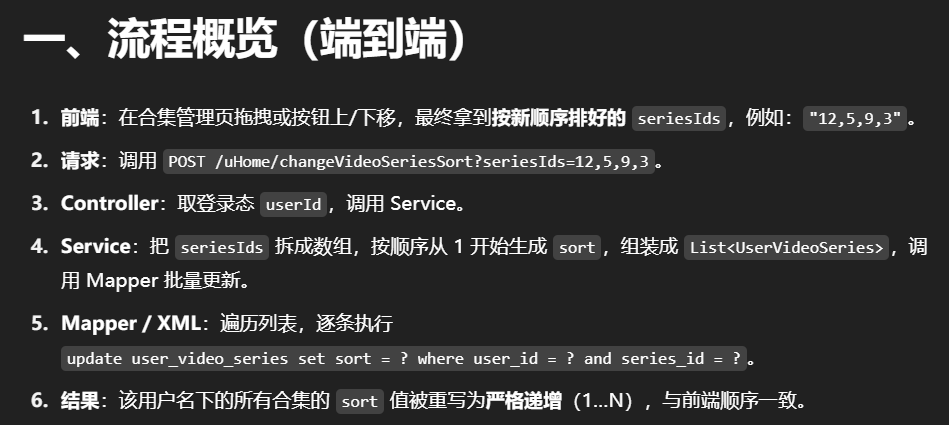
接收前端传来的 pCategoryId 和 categoryIds。
categoryIds 里的顺序,就是用户在前端拖动/上移下移后的新顺序。把请求转交给 Service 处理。
Service 接口
1 2 3 4 5 6 void changeSort (Integer pCategoryId, String categoryIds)
作用:
定义了一个排序更新方法,让 Controller 和 ServiceImpl 对接。
ServiceImpl 实现
1
2
3
4
5
6
7
8
9
10
11
12
13
14
15
16
17
18
19
20
21
22
23
24
25
@Override public void changeSort (Integer pCategoryId, String categoryIds String [] categoryIdArray = categoryIds.split ("," ); List <CategoryInfo > categoryInfoList = new ArrayList <>(); Integer sort = 1 ; for (String categoryId : categoryIdArray) { CategoryInfo categoryInfo = new CategoryInfo (); categoryInfo.setCategoryId (Integer .parseInt (categoryId)); categoryInfo.setpCategoryId (pCategoryId); categoryInfo.setSort (sort++); categoryInfoList.add (categoryInfo); } if (!categoryInfoList.isEmpty ()) { this .categoryInfoMapper .updateSortBatch (categoryInfoList); } }
作用:
把新的排序顺序转换成一组
对象,每个对象记录:
最后一次性批量更新数据库,避免一条条更新效率低。
Mapper 接口
1 2 3 4 void updateSortBatch (@Param ("categoryList" ) List<CategoryInfo> categoryList);
作用:
Mapper XML
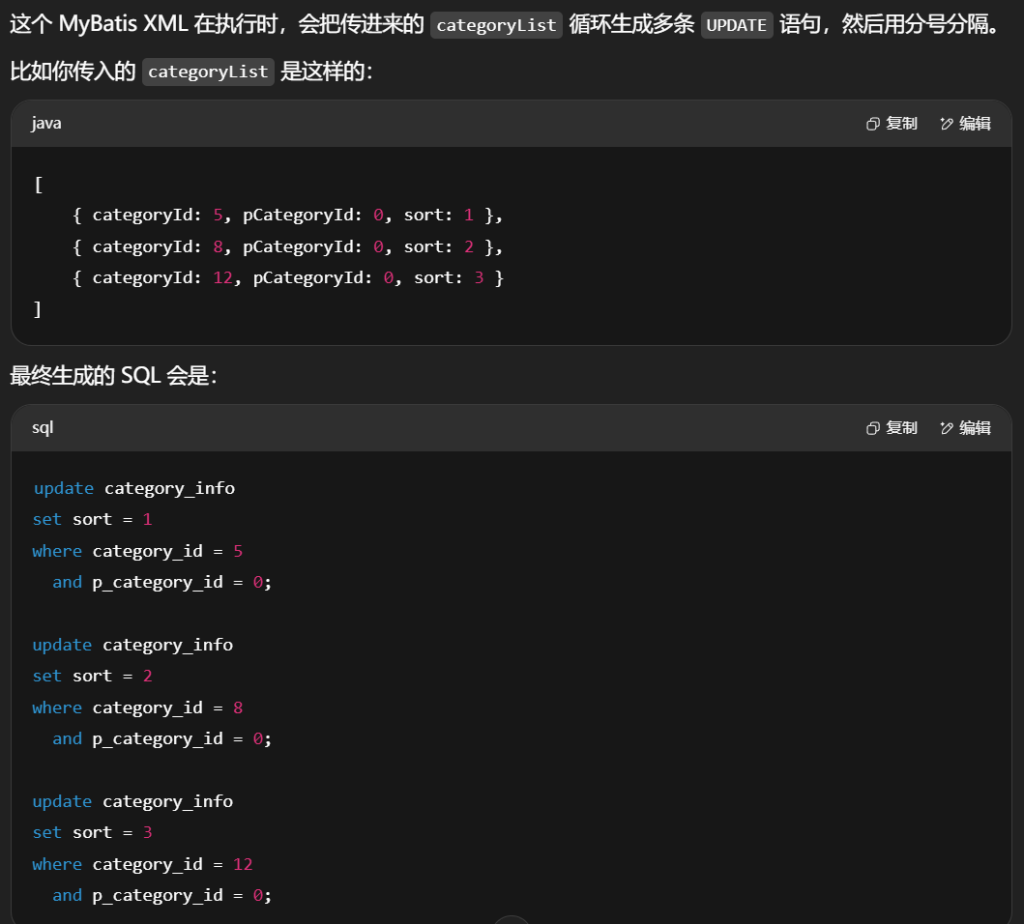
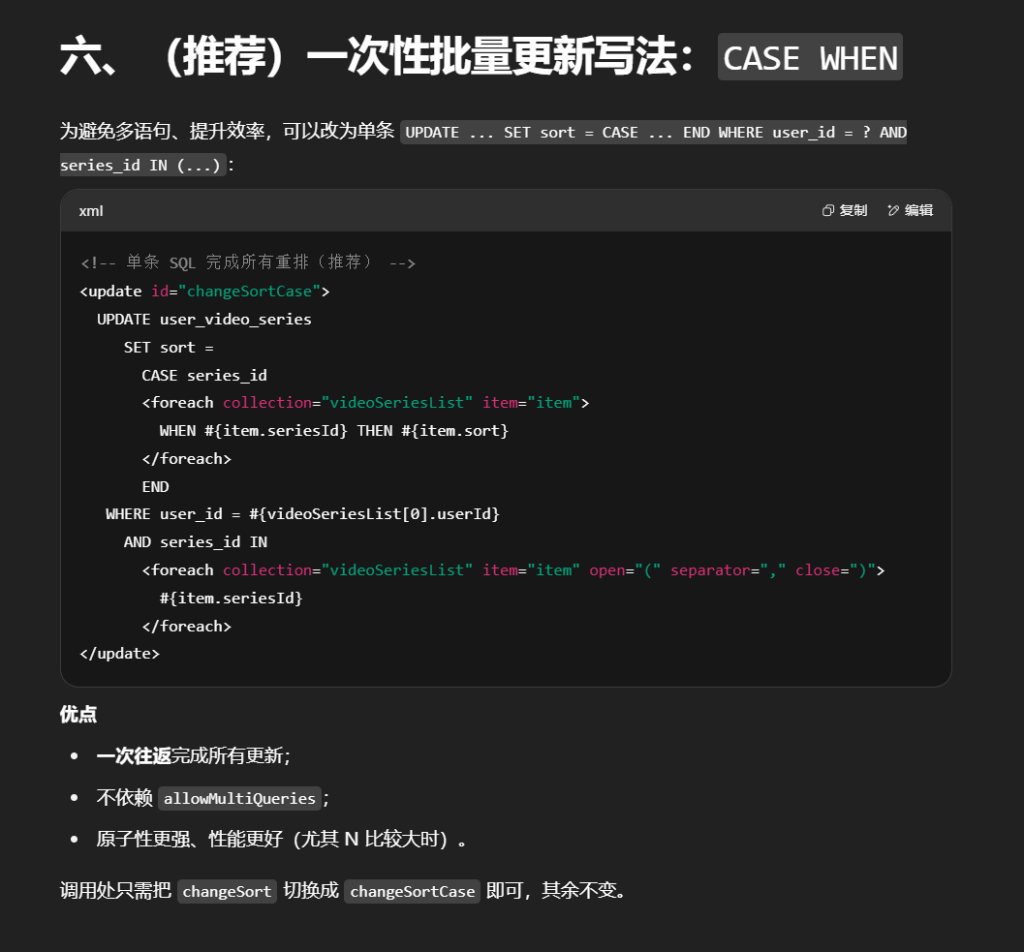
1 2 3 4 5 6 7 8 9 <update id ="updateSortBatch" > <foreach collection ="categoryList" separator =";" item ="item" > update category_info set sort = # {item.sort} where category_id = # {item.categoryId} and p_category_id = # {item.pCategoryId} </foreach > </update >
作用:
MyBatis <foreach> 循环拼接多条 UPDATE SQL。
每条 SQL 更新一个分类的排序号。
separator=";" 表示多条 SQL 之间用分号隔开。更新条件必须匹配 category_id 和 p_category_id,保证不会误更新到其他父分类下的同名 ID。
解释
<foreach> 会遍历 categoryList 中的每个 item#{item.sort}、#{item.categoryId}、#{item.pCategoryId} 会被替换成对应的值(并安全绑定为 SQL 参数)separator=";" 会让多条语句之间用分号隔开
如果批量更新的数据比较多,这种方式会直接执行多条 UPDATE,而不是一条 SQL 完成批量更新,这样简单直观,但在数据量很大时性能会差一些。
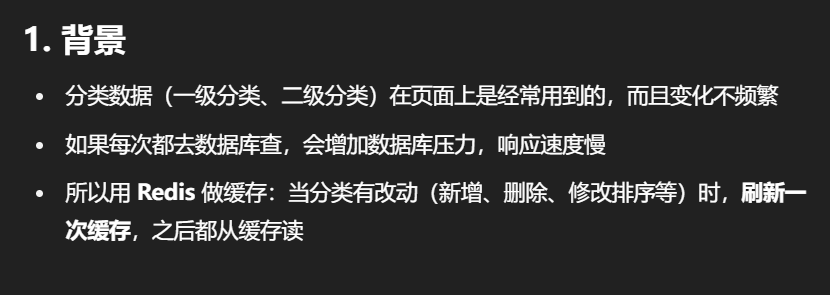
5.刷新缓存
CategoryInfoServiceImpl中定义save2Redis这个方法
首先现在RedisComponent中加入saveCategoryList这个方法
1
2
3
public void saveCategoryList (List<CategoryInfo>categoryInfoList ) redisUtils.set (Constants.REDIS_KEY_CATEGORY_LIST,categoryInfoList); }
作用 接收最终的分类数据 categoryInfoList
把它写入 Redis
key:category:list:(常量)
value:分类数据(会被 JSON 序列化成字符串)
关键点 redisUtils.set() 已经在 RedisConfig 里配置了 JSON 序列化,所以 List<CategoryInfo> 会直接变成 JSON 存储key 用常量是为了统一管理 ,避免写错和便于修改
其中REDIS_KEY_CATEGORY_LIST 在Constants中定义为
1
2
public static final String REDIS_KEY_CATEGORY_LIST = "category:list:" ; }
这是缓存分类数据的 key 前缀
如果未来要支持多端/多用户,可以改成 category:list:<token> 或 category:list:<tenantId>
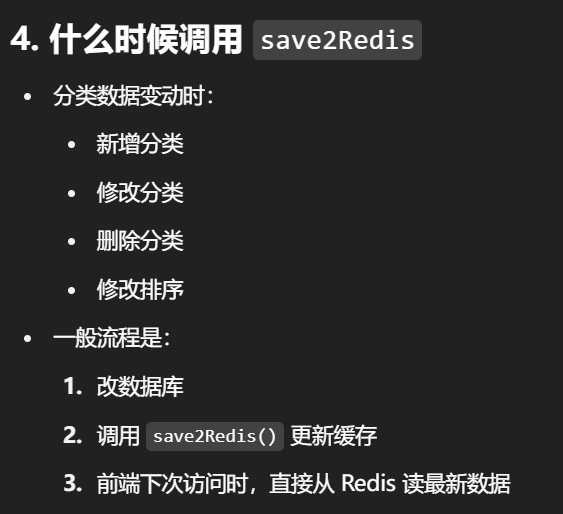
save2Redis如下,只要分类发生改变了就要刷新缓存
1
2
3
4
5
6
7
private void save2Redis(){ CategoryInfoQuery query = new CategoryInfoQuery() query.setOrderBy("sort asc" ) query.setConvert2Tree(true) List<CategoryInfo>categoryInfoList = findListByParam(query) redisComponent.saveCategoryList(categoryInfoList) }
创建查询条件 CategoryInfoQuery query = new CategoryInfoQuery();
设置排序规则 query.setOrderBy("sort asc");
要求转成树形结构 query.setConvert2Tree(true);findListByParam() 里自动调用 convertLine2Tree()
数据从数据库出来是“线性”的(每条记录有 pCategoryId 指向父类)
转树形后,一级分类里会包含它的 children(二级分类)
执行查询 findListByParam(query) 返回的是排好序的树形分类列表
保存到 Redis redisComponent.saveCategoryList(categoryInfoList);
当更改排序时可以看到缓存成功刷新
6.上传图片
整体流程
前端上传图片 → 接口接收并落盘(按月份分目录+随机文件名)→ 如需缩略图则调用 ffmpeg 生成一张 200px 宽的缩略图 → 返回相对路径(给前端回显/访问)。
创建 FileController
前提准备
DateTimePatternEnum中定义YYYYMM
1 YYYY_MM_DD_HH_MM_SS ("yyyy-MM-dd HH:mm:ss"), YYYY_MM_DD ("yyyy-MM-dd"),YYYYMM ("yyyyMM");
Constants中定义FILE_FOLDER和FILE_COVER
上传图片
1 2 3 4 5 6 7 8 9 10 11 12 13 14 15 16 17 18 19 20 21 22 23 24 25 26 27 28 29 30 31 32 33 34 35 36 37 38 39 40 41 public static final String FILE_FOLDER = "file/" ; public static final String FILE_COVER = "cover/" ; public static final String FILE_VIDEO = "video/" ; public static final String FILE_FOLDER_TEMP = "temp/" ; public static final String IMAGE_THUMBNAIL_SUFFIX = "_thumbnail.jpg" ; @Validated @Slf4j @RestController @RequestMapping("/file") public class FileController extends ABaseController { @Resource private AppConfig appConfig; @RequestMapping("/uploadImage") public ResponseVO uploadCover (@NotNull MultipartFile file, @NotNull Boolean createThumbnail) throws IOException { String month = DateUtil.format(new Date (), DateTimePatternEnum.YYYYMM.getPattern()); String folder = appConfig.getProjectFolder() + Constants.FILE_FOLDER + Constants.FILE_COVER + month; File folderFile = new File (folder); if (!folderFile.exists()) { folderFile.mkdirs(); } String fileName = file.getOriginalFilename(); String fileSuffix = fileName.substring(fileName.lastIndexOf("." )); String realFileName = StringTools.getRandomString(Constants.LENGTH_30) + fileSuffix; String filePath = folder + "/" + realFileName; file.transferTo(new File (filePath)); if (createThumbnail) { fFmpegUtils.createImageThumbnail(filePath); } return getSuccessResponseVO(Constants.FILE_COVER + month + "/" + realFileName); } }
这里需要一个fFmpegUtils类中的createImageThumbnail方法
在此之前先定义一个ProcessUtils,该类主要用于执行命令并处理相关的进程操作,特别是针对不同操作系统执行ffmpeg指令。
1
2
3
4
5
6
7
8
9
10
11
12
13
14
15
16
17
18
19
20
21
22
23
24
25
26
27
28
29
30
31
32
33
34
35
36
37
38
39
40
41
42
43
44
45
46
47
48
49
50
51
52
53
54
55
56
57
58
59
60
61
62
63
64
65
66
67
68
69
70
71
72
73
74
75
76
77
78
79
80
81
82
83
84
85
86
87
88
89
90
91
92
93
94
95
96
97
98
99
100
101
102
103
104
105
106
107
108
109
110
111
112
113
package com.easylive.utils;import com.easylive.exception.BusinessException;import org.slf4j.Logger;import org.slf4j.LoggerFactory;import java.io.BufferedReader;import java.io.IOException;import java.io.InputStream;import java.io.InputStreamReader;public class ProcessUtils { private static final Logger logger = LoggerFactory.getLogger(ProcessUtils.class); private static final String osName = System.getProperty("os.name" ).toLowerCase(); public static String executeCommand (String cmd, Boolean showLog) { if (StringTools.isEmpty(cmd)) return null ; Runtime runtime = Runtime.getRuntime(); Process process = null ; try { process = osName.contains("win" ) ? Runtime.getRuntime().exec(cmd) : Runtime.getRuntime().exec(new String []{"/bin/sh" , "-c" , cmd}); BufferedReader err = new BufferedReader (new InputStreamReader (process.getErrorStream())); BufferedReader out = new BufferedReader (new InputStreamReader (process.getInputStream())); process.waitFor(); StringBuilder result = new StringBuilder (); String line; while ((line = err.readLine()) != null ) result.append(line).append("\n" ); while ((line = out.readLine()) != null ) result.append(line).append("\n" ); if (showLog) logger.info("执行命令: {} 结果: {}" , cmd, result.toString()); return result.toString(); } catch (Exception e) { logger.error("执行命令失败 cmd: {} 失败: {}" , cmd, e.getMessage(), e); throw new BusinessException ("视频转换失败: " + e.getMessage(), e); } finally { if (process != null ) { ProcessKiller ffmpegKiller = new ProcessKiller (process); runtime.addShutdownHook(ffmpegKiller); } } } private static class ProcessKiller extends Thread { private Process process; public ProcessKiller (Process process) { this .process = process; } @Override public void run () { this .process.destroy(); } } static class PrintStream extends Thread { InputStream inputStream = null ; BufferedReader bufferedReader = null ; StringBuffer stringBuffer = new StringBuffer (); public PrintStream (InputStream inputStream) { this .inputStream = inputStream; } @Override public void run () { try { if (null == inputStream) { return ; } bufferedReader = new BufferedReader (new InputStreamReader (inputStream)); String line = null ; while ((line = bufferedReader.readLine()) != null ) { stringBuffer.append(line); } } catch (Exception e) { logger.error("读取输入流出错了!错误信息:" + e.getMessage()); } finally { try { if (null != bufferedReader) { bufferedReader.close(); } if (null != inputStream) { inputStream.close(); } } catch (IOException e) { logger.error("调用PrintStream读取输出流后,关闭流时出错!" ); } } } } }
FFmpegUtils
1
2
3
4
5
6
7
8
9
10
11
12
13
14
15
16
17
18
19
20
21
22
23
24
25
26
27
package com.easylive .utils ; import com.easylive .entity .config .AppConfig ;import com.easylive .entity .constants .Constants ;import javax.annotation .Resource ;@Component public class FFmpegUtils { @Resource private AppConfig appConfig; public void createImageThumbnail (String filePath final String CMD_CREATE_IMAGE_THUMBNAIL = "ffmpeg -i \"%s\" -vf scale=200:-1 \"%s\"" ; String out = filePath + Constants .IMAGE_THUMBNAIL_SUFFIX ; String cmd = String .format (CMD , filePath, out); ProcessUtils .executeCommand (cmd, appConfig.getShowFFmpegLog ()); } }
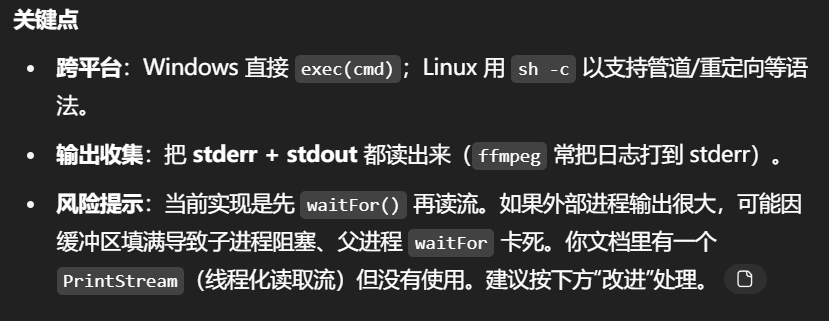
要点&建议
-vf scale=200:-1:宽度定为 200,保持宽高比自动计算高度。Windows 路径/空格问题通过给路径加引号解决(已处理)。
若缩略图与原图分目录管理(如 thumb/),更利于前端区分与 CDN 缓存。
appconfig中新增
1 2 3 4 5 6 7 @Value ("${showFFmegLog:true" ) private Boolean showFFmpegLog; public Boolean getShowFFmpegLog ( return showFFmpegLog; }
测试时发现问题:找不到文件路径
改进uploadCover
1
2
3
4
5
6
7
8
9
10
11
12
13
14
15
16
17
18
19
20
21
22
23
24
25
26
27
28
29
30
31
32
33
34
35
36
37
38
39
40
41
42
43
44
45
46
47
48
49
50
51
52
53
54
55
56
57
58
59
60
61
62
63
64
65
66
67
68
69
@RequestMapping ("/uploadImage" )public ResponseVO uploadCover ( @NotNull MultipartFile file, @NotNull Boolean createThumbnail String month = DateUtil .format (new Date (), DateTimePatternEnum .YYYYMM .getPattern ()); String folder = appConfig.getProjectFolder () + Constants .FILE_FOLDER + Constants .FILE_COVER + month; File folderFile = new File (folder); if (!folderFile.exists ()) { boolean mkdirResult = folderFile.mkdirs (); if (!mkdirResult) { log.error ("文件夹创建失败: {}, 请检查目录权限" , folder); throw new BusinessException ( ResponseCodeEnum .CODE_600 .getCode (), "文件上传失败: 文件夹创建失败, 请检查目录权限" ); } } else if (!folderFile.canWrite ()) { log.error ("文件夹没有写入权限: {}" , folder); throw new BusinessException ( ResponseCodeEnum .CODE_600 .getCode (), "文件上传失败: 文件夹没有写入权限" ); } String fileName = file.getOriginalFilename (); String fileSuffix = fileName.substring (fileName.lastIndexOf ("." )); String realFileName = StringTools .getRandomString (Constants .LENGTH_30 ) + fileSuffix; String filePath = folder + File .separator + realFileName; File destFile = new File (filePath); try { file.transferTo (destFile); } catch (IOException e) { try (OutputStream os = new FileOutputStream (destFile)) { os.write (file.getBytes ()); } catch (IOException ex) { log.error ("文件上传失败" , ex); throw new BusinessException (ResponseCodeEnum .CODE_600 .getCode (), "文件上传失败" ); } } if (createThumbnail) { fFmpegUtils.createImageThumbnail (filePath); } return getSuccessResponseVO (Constants .FILE_COVER + month + "/" + realFileName); }
和旧版相比的改进点(总结)
目录创建失败立即抛错 → 避免后续写文件时报找不到路径。提前检测目录写权限 → 提前暴露运维问题。文件保存有兜底流式写法 → 提升容错性和兼容性。跨平台路径拼接 → File.separator 适配 Windows / Linux。详细日志记录 → 出错后更容易排查原因。
上传测试
7.获取文件
这里这块“获取文件”的逻辑,是给前端一个按相对路径读取并回传静态文件 的接口。它自己做了安全校验、防路径穿越、设置响应头,然后把磁盘上的文件以字节流 写回浏览器。
在FlieController中
1 2 3 4 5 6 7 8 9 10 11 12 13 14 15 16 17 18 19 20 21 22 23 24 25 @RequestMapping("/getResource" ) public void getResource (HttpServletResponse response, @NotEmpty String sourceName ) if (!StringTools.pathIsOk(sourceName)) { throw new BusinessException(ResponseCodeEnum.CODE_600); } String suffix = StringTools.getFileSuffix(sourceName); response.setContentType("image/" + suffix.replace("." , "" )); response.setHeader("Cache-Control" , "max-age=2592000" ); readFile(response, sourceName); } protected void readFile (HttpServletResponse response, String filePath ) File file = new File(appConfig.getProjectFolder() + Constants.FILE_FOLDER + filePath); if (!file .exists()) { return ; } try (OutputStream out = response.getOutputStream(); FileInputStream in = new FileInputStream(file )) { byte [] byteData = new byte [1024 ]; int len = 0 ; while ((len = in .read(byteData)) != -1 ) { out .write(byteData, 0 , len); } out .flush(); } catch (Exception e) { log.error("读取文件异常" , e); }
sourceName相对路径 (例如 cover/202508/xxx.jpg),控制器不会让你跨出项目的文件根目录。pathIsOk../ 或 ..\\ 这类目录上跳(路径穿越攻击常用手段)。Content-Typeimage/*,浏览器就能直接显示图片了。Cache-Control
readFile中
真实读取位置固定在 projectFolder/file/ 之下,sourceName 只能在这下面活动,结合前面的路径穿越拦截 ,能有效限制访问范围。
采用 try-with-resources 自动关闭输入/输出流,避免资源泄漏。
在StringTools中定义pathIsOk、getFileSuffix方法
1
2
3
4
5
6
7
8
9
10
11
12
13
14
15
16
public static String getFileSuffix (String fileName if (StringTools .isEmpty (fileName) || !fileName.contains ("." )) { return null ; } String suffix = fileName.substring (fileName.lastIndexOf ("." )); return suffix; } public static boolean pathIsOk (String path if (StringTools .isEmpty (path)) { return true ; } if (path.contains ("../" ) || path.contains ("..\\" )) { return false ; } return true ; }
getFileSuffixContent-Type。pathIsOk安全闸门 ,避免请求任意系统文件(例如 /etc/passwd)。
获取测试
8.客户端获取全部分类
CategoryController
1
2
3
4
5
6
7
8
9
10
11
12
13
14
15
16
17
18
19
20
21
22
23
24
25
26
package com.easylive.web.controller;import com.easylive.entity.po.CategoryInfo ;import com.easylive.entity.vo.ResponseVO ;import com.easylive.service.CategoryInfoService ;import org.springframework.validation.annotation.Validated ;import org.springframework.web.bind.annotation.RequestMapping ;import org.springframework.web.bind.annotation.RestController ;import javax.annotation.Resource ;import java.util.List ;@RestController @Validated @RequestMapping ("/category" )public class CategoryController extends ABaseController @Resource private CategoryInfoService categoryInfoService; @RequestMapping ("/loadAllCategory" ) public ResponseVO loadAllCategory() { List <CategoryInfo > categoryInfoList = categoryInfoService.getAllCategoryList(); return getSuccessResponseVO(categoryInfoList); } }
作用:给客户端一个“拿全量分类”的统一入口。
Service
1 2 3 4 5 List<CategoryInfo> getAllCategoryList () ;
ServiceImpl
1
2
3
4
5
6
7
8
@Override public List <CategoryInfo > getAllCategoryList() { List <CategoryInfo > categoryInfoList = redisComponent.getCategoryList(); if (categoryInfoList.isEmpty()) { save2Redis(); } return redisComponent.getCategoryList(); }
RedisComponent
1 2 3 4 5 6 7 8 9 public List<CategoryInfo> getCategoryList () List<CategoryInfo> categoryInfoList = (List<CategoryInfo>) redisUtils.get (Constants.REDIS_KEY_CATEGORY_LIST); return categoryInfoList == null ? new ArrayList<>() : categoryInfoList; }
把fileController的内容复制到web端去掉里面的上传图片接口(这个客户端的FileControlle后期再实现)
测试如图
5.视频管理
1.构建视频表
设计两套表共四张表
主表与子表
1 2 3 4 5 6 7 8 9 10 11 12 13 14 15 16 17 18 19 20 21 22 23 24 25 26 27 28 29 30 31 32 33 34 35 36 37 38 39 40 41 42 43 44 45 46 47 48 49 50 51 52 53 54 55 56 57 58 59 60 61 62 63 64 65 66 67 68 69 70 71 72 73 74 75 76 77 78 79 80 81 82 83 84 85 86 87 88 89 90 91 92 93 94 95 96 97 98 99 100 DROP TABLE IF EXISTS `video_info`;CREATE TABLE `video_info` ( `video_id` varchar (10 ) CHARACTER SET utf8mb4 COLLATE utf8mb4_general_ci NOT NULL COMMENT '视频ID' , `video_cover` varchar (50 ) CHARACTER SET utf8mb4 COLLATE utf8mb4_general_ci NOT NULL COMMENT '视频封面' , `video_name` varchar (100 ) CHARACTER SET utf8mb4 COLLATE utf8mb4_general_ci NOT NULL COMMENT '视频名称' , `user_id` varchar (10 ) CHARACTER SET utf8mb4 COLLATE utf8mb4_general_ci NOT NULL COMMENT '用户ID' , `create_time` datetime NOT NULL COMMENT '创建时间' , `last_update_time` datetime NOT NULL COMMENT '最后更新时间' , `p_category_id` int (11 ) NOT NULL COMMENT '父级分类ID' , `category_id` int (11 ) NULL DEFAULT NULL COMMENT '分类ID' , `post_type` tinyint(4 ) NOT NULL COMMENT '0:自制作 1:转载' , `origin_info` varchar (200 ) CHARACTER SET utf8mb4 COLLATE utf8mb4_general_ci NULL DEFAULT NULL COMMENT '原资源说明' , `tags` varchar (300 ) CHARACTER SET utf8mb4 COLLATE utf8mb4_general_ci NULL DEFAULT NULL COMMENT '标签' , `introduction` varchar (2000 ) CHARACTER SET utf8mb4 COLLATE utf8mb4_general_ci NULL DEFAULT NULL COMMENT '简介' , `interaction` varchar (5 ) CHARACTER SET utf8mb4 COLLATE utf8mb4_general_ci NULL DEFAULT NULL COMMENT '互动设置' , `duration` int (11 ) NULL DEFAULT 0 COMMENT '持续时间(秒)' , `play_count` int (11 ) NULL DEFAULT 0 COMMENT '播放数量' , `like_count` int (11 ) NULL DEFAULT 0 COMMENT '点赞数量' , `danmu_count` int (11 ) NULL DEFAULT 0 COMMENT '弹幕数量' , `comment_count` int (11 ) NULL DEFAULT 0 COMMENT '评论数量' , `coin_count` int (11 ) NULL DEFAULT 0 COMMENT '投币数量' , `collect_count` int (11 ) NULL DEFAULT 0 COMMENT '收藏数量' , `recommend_type` tinyint(1 ) NULL DEFAULT 0 COMMENT '是否推荐0:未推荐 1:已推荐' , `last_play_time` datetime NULL DEFAULT NULL COMMENT '最后播放时间' , PRIMARY KEY (`video_id`) USING BTREE, INDEX `idx_create_time`(`create_time`) USING BTREE, INDEX `idx_user_id`(`user_id`) USING BTREE, INDEX `idx_category_id`(`category_id`) USING BTREE, INDEX `idx_pcategory_id`(`p_category_id`) USING BTREE, INDEX `idx_recommend_type`(`recommend_type`) USING BTREE, INDEX `idx_last_update_time`(`last_play_time`) USING BTREE ) ENGINE = InnoDB CHARACTER SET = utf8mb4 COLLATE = utf8mb4_general_ci COMMENT = '视频信息' ROW_FORMAT = DYNAMIC; DROP TABLE IF EXISTS `video_info_file`;CREATE TABLE `video_info_file` ( `file_id` varchar (20 ) CHARACTER SET utf8mb4 COLLATE utf8mb4_general_ci NOT NULL COMMENT '唯一ID' , `user_id` varchar (10 ) CHARACTER SET utf8mb4 COLLATE utf8mb4_general_ci NOT NULL COMMENT '用户ID' , `video_id` varchar (10 ) CHARACTER SET utf8mb4 COLLATE utf8mb4_general_ci NOT NULL COMMENT '视频ID' , `file_name` varchar (200 ) CHARACTER SET utf8mb4 COLLATE utf8mb4_general_ci NULL DEFAULT NULL COMMENT '文件名' , `file_index` int (11 ) NOT NULL COMMENT '文件索引' , `file_size` bigint (20 ) NULL DEFAULT NULL COMMENT '文件大小' , `file_path` varchar (100 ) CHARACTER SET utf8mb4 COLLATE utf8mb4_general_ci NULL DEFAULT NULL COMMENT '文件路径' , `duration` int (11 ) NULL DEFAULT NULL COMMENT '持续时间(秒)' , PRIMARY KEY (`file_id`) USING BTREE, INDEX `idx_video_id`(`video_id`) USING BTREE ) ENGINE = InnoDB CHARACTER SET = utf8mb4 COLLATE = utf8mb4_general_ci COMMENT = '视频文件信息' ROW_FORMAT = DYNAMIC; DROP TABLE IF EXISTS `video_info_file_post`;CREATE TABLE `video_info_file_post` ( `file_id` varchar (20 ) CHARACTER SET utf8mb4 COLLATE utf8mb4_general_ci NOT NULL COMMENT '唯一ID' , `upload_id` varchar (15 ) CHARACTER SET utf8mb4 COLLATE utf8mb4_general_ci NOT NULL COMMENT '上传ID' , `user_id` varchar (10 ) CHARACTER SET utf8mb4 COLLATE utf8mb4_general_ci NOT NULL COMMENT '用户ID' , `video_id` varchar (10 ) CHARACTER SET utf8mb4 COLLATE utf8mb4_general_ci NOT NULL COMMENT '视频ID' , `file_index` int (11 ) NOT NULL COMMENT '文件索引' , `file_name` varchar (200 ) CHARACTER SET utf8mb4 COLLATE utf8mb4_general_ci NULL DEFAULT NULL COMMENT '文件名' , `file_size` bigint (20 ) NULL DEFAULT NULL COMMENT '文件大小' , `file_path` varchar (100 ) CHARACTER SET utf8mb4 COLLATE utf8mb4_general_ci NULL DEFAULT NULL COMMENT '文件路径' , `update_type` tinyint(4 ) NULL DEFAULT NULL COMMENT '0:无更新 1:有更新' , `transfer_result` tinyint(4 ) NULL DEFAULT NULL COMMENT '0:转码中 1:转码成功 2:转码失败' , `duration` int (11 ) NULL DEFAULT NULL COMMENT '持续时间(秒)' , PRIMARY KEY (`file_id`) USING BTREE, UNIQUE INDEX `idx_key_upload_id`(`upload_id`, `user_id`) USING BTREE, INDEX `idx_video_id`(`video_id`) USING BTREE ) ENGINE = InnoDB CHARACTER SET = utf8mb4 COLLATE = utf8mb4_general_ci COMMENT = '视频文件信息' ROW_FORMAT = DYNAMIC; DROP TABLE IF EXISTS `video_info_post`;CREATE TABLE `video_info_post` ( `video_id` varchar (10 ) CHARACTER SET utf8mb4 COLLATE utf8mb4_general_ci NOT NULL DEFAULT '0' COMMENT '视频ID' , `video_cover` varchar (50 ) CHARACTER SET utf8mb4 COLLATE utf8mb4_general_ci NOT NULL COMMENT '视频封面' , `video_name` varchar (100 ) CHARACTER SET utf8mb4 COLLATE utf8mb4_general_ci NOT NULL COMMENT '视频名称' , `user_id` varchar (10 ) CHARACTER SET utf8mb4 COLLATE utf8mb4_general_ci NOT NULL COMMENT '用户ID' , `create_time` datetime NOT NULL COMMENT '创建时间' , `last_update_time` datetime NOT NULL COMMENT '最后更新时间' , `p_category_id` int (11 ) NOT NULL COMMENT '父级分类ID' , `category_id` int (11 ) NULL DEFAULT NULL COMMENT '分类ID' , `status` tinyint(1 ) NOT NULL COMMENT '0:转码中 1转码失败 2:待审核 3:审核成功 4:审核失败' , `post_type` tinyint(4 ) NOT NULL COMMENT '0:自制作 1:转载' , `origin_info` varchar (200 ) CHARACTER SET utf8mb4 COLLATE utf8mb4_general_ci NULL DEFAULT NULL COMMENT '原资源说明' , `tags` varchar (300 ) CHARACTER SET utf8mb4 COLLATE utf8mb4_general_ci NULL DEFAULT NULL COMMENT '标签' , `introduction` varchar (2000 ) CHARACTER SET utf8mb4 COLLATE utf8mb4_general_ci NULL DEFAULT NULL COMMENT '简介' , `interaction` varchar (5 ) CHARACTER SET utf8mb4 COLLATE utf8mb4_general_ci NULL DEFAULT NULL COMMENT '互动设置' , `duration` int (11 ) NULL DEFAULT NULL COMMENT '持续时间(秒)' , PRIMARY KEY (`video_id`) USING BTREE, INDEX `idx_create_time`(`create_time`) USING BTREE, INDEX `idx_user_id`(`user_id`) USING BTREE, INDEX `idx_category_id`(`category_id`) USING BTREE, INDEX `idx_pcategory_id`(`p_category_id`) USING BTREE ) ENGINE = InnoDB CHARACTER SET = utf8mb4 COLLATE = utf8mb4_general_ci COMMENT = '视频信息' ROW_FORMAT = DYNAMIC;
这四张表分成了 两套(主表 + 子表)结构 ,分别用于视频的正式数据和视频的投稿过程数据。
2.文件预上传
预上传 (大文件分片上传的建档步骤)
预上传 是分片上传的第 0 步:先在服务端登记本次上传的信息 (文件名、总分片数、临时存储路径等),并生成一个 uploadIduploadId 来对齐进度。
在web端的FileController中,加上预上传接口
1 2 3 4 5 6 7 8 9 10 11 12 @RequestMapping ("/preUploadVideo" ) public ResponseVO preUploadVideo (@NotEmpty String fileName, @NotNull Integer chunks TokenUserInfoDto tokenUserInfoDto = getTokenUserInfoDto (); String uploadId = redisComponent.savePreVideoFileInfo (tokenUserInfoDto.getUserId (), fileName, chunks); return getSuccessResponseVO (uploadId); }
RedisComponent定义savePreVideoFileInfo
1 2 3 4 5 6 7 8 9 10 11 12 13 14 15 16 17 18 19 20 21 22 23 24 25 26 27 public String savePreVideoFileInfo (String userId, String fileName, Integer chunks String uploadId = StringTools .getRandomString (Constants .LENGTH_15 ); UploadingFileDto fileDto = new UploadingFileDto (); fileDto.setChunks (chunks); fileDto.setFileName (fileName); fileDto.setUploadId (uploadId); fileDto.setChunkIndex (0 ); String day = DateUtil .format (new Date (), DateTimePatternEnum .YYYYMMDD .getPattern ()); String filePath = day + "/" + userId + uploadId; String folder = appConfig.getProjectFolder () + Constants .FILE_FOLDER + Constants .FILE_FOLDER_TEMP + filePath; File folderFile = new File (folder); if (!folderFile.exists ()) { folderFile.mkdirs (); } fileDto.setFilePath (filePath); redisUtils.setex (Constants .REDIS_KEY_UPLOADING_FILE + userId + uploadId, fileDto, Constants .REDIS_KEY_EXPIRES_DAY ); return uploadId; }
RedisComponent:生成会话 & 建立临时目录 & 写入 Redis(带 TTL)
要点解释
uploadIdfilePath临时目录 (分片会落在这里,最后合并)。Redis TTL :setex(..., 1天) 防止长时间未完成的会话长期占用内存/磁盘。
需要UploadingFileDto,和Constants里的两个变量
DTO:*UploadingFileDto* (会话状态)
1
2
3
4
5
6
7
8
9
10
11
12
13
14
15
16
17
18
19
20
21
22
23
24
25
26
27
28
29
30
31
32
33
34
35
36
37
38
39
40
41
42
43
44
45
46
47
48
49
50
51
52
53
54
55
56
57
58
59
60
61
62
63
package com.easylive .entity .dto ; import com.fasterxml .jackson .annotation .JsonIgnoreProperties ;import java.io .Serializable ;@JsonIgnoreProperties (ignoreUnknown = true )public class UploadingFileDto implements Serializable { private String uploadId; private String fileName; private Integer chunkIndex; private Integer chunks; private Long fileSize = 0L; private String filePath; public Long getFileSize ( return fileSize; } public void setFileSize (Long fileSize this .fileSize = fileSize; } public String getUploadId ( return uploadId; } public void setUploadId (String uploadId this .uploadId = uploadId; } public String getFileName ( return fileName; } public void setFileName (String fileName this .fileName = fileName; } public Integer getChunkIndex ( return chunkIndex; } public void setChunkIndex (Integer chunkIndex this .chunkIndex = chunkIndex; } public Integer getChunks ( return chunks; } public void setChunks (Integer chunks this .chunks = chunks; } public String getFilePath ( return filePath; } public void setFilePath (String filePath this .filePath = filePath; } }
1 2 3 4 5 6 7 public static final Integer REDIS_KEY_EXPIRES_DAY = REDIS_KEY_EXPIRES_ONE_MIN * 60 * 24 ; public static final String REDIS_KEY_UPLOADING_FILE = REDIS_KEY_PREFIX+"uploading :" ;
一句话总结 :会话、临时路径、分片总数 注册到 Redis,并返回 uploadId 作为后续所有分片的“身份证”。它既能做断点续传 、顺序控制 ,还能支撑大文件 与并发 上传的可观测性和容错性。
3.视频上传
前端带着 uploadId + chunkIndex + chunkFile 调 /file/uploadVideo → 服务端校验会话 与分片序 、大小限制 → 把该分片落到临时目录 中以 chunkIndex 命名的文件里 → 在 Redis 里更新本次会话的已上传分片号 与累计字节数 (并刷新 TTL)。
FileController
1
2
3
4
5
6
7
8
9
10
11
12
13
14
15
16
17
18
19
20
21
22
23
24
25
26
27
28
29
30
31
32
33
34
35
36
37
38
39
40
41
42
43
44
45
46
47
48
49
50
51
52
53
54
55
56
57
58
59
60
@RequestMapping("/uploadVideo") public ResponseVO uploadVideo (@NotNull MultipartFile chunkFile, @NotNull Integer chunkIndex, @NotEmpty String uploadId) throws IOException { TokenUserInfoDto tokenUserInfoDto = getTokenUserInfoDto(); UploadingFileDto fileDto = redisComponent.getUploadingVideoFile( tokenUserInfoDto.getUserId(), uploadId); if (fileDto == null ) { throw new BusinessException ("文件不存在请重新上传" ); } SysSettingDto sysSettingDto = redisComponent.getSysSettingDto(); if (fileDto.getFileSize() > sysSettingDto.getVideoSize() * Constants.MB_SIZE) { throw new BusinessException ("文件超过最大文件限制" ); } if ((chunkIndex - 1 ) > fileDto.getChunkIndex() || chunkIndex > fileDto.getChunks() - 1 ) { throw new BusinessException (ResponseCodeEnum.CODE_600); } String folder = appConfig.getProjectFolder() + Constants.FILE_FOLDER + Constants.FILE_FOLDER_TEMP + fileDto.getFilePath(); File targetFile = new File (folder + "/" + chunkIndex); File parentFile = targetFile.getParentFile(); if (!parentFile.exists()) { parentFile.mkdirs(); } chunkFile.transferTo(targetFile); fileDto.setChunkIndex(chunkIndex); fileDto.setFileSize(fileDto.getFileSize() + chunkFile.getSize()); redisComponent.updateVideoFileInfo(tokenUserInfoDto.getUserId(), fileDto); return getSuccessResponseVO(null ); }
要点回顾
顺序控制 :不允许“跳片”上传,只能重传当前或传下一片。会话进度 :chunkIndex 存在 fileDto 里,用于下一次校验“是否跳片”。临时目录 :由“预上传”阶段生成的 filePath 决定(形如 yyyyMMdd/{userId}/{uploadId})。幂等性 :允许“同一分片重传”,覆盖写入即可。
RedisCompoent
Redis 组件:读/写会话 & 读系统设置
1 2 3 4 5 6 7 8 9 10 11 12 13 14 15 16 17 18 19 20 21 public UploadingFileDto getUploadingVideoFile (String userId, String uploadId return (UploadingFileDto ) redisUtils.get ( Constants .REDIS_KEY_UPLOADING_FILE + userId + uploadId); } public SysSettingDto getSysSettingDto ( SysSettingDto sysSettingDto = (SysSettingDto ) redisUtils.get (Constants .REDIS_KEY_SYS_SETTING ); if (sysSettingDto == null ) { sysSettingDto = new SysSettingDto (); } return sysSettingDto; } public void updateVideoFileInfo (String userId, UploadingFileDto fileDto redisUtils.setex (Constants .REDIS_KEY_UPLOADING_FILE + userId + fileDto.getUploadId (), fileDto, Constants .REDIS_KEY_EXPIRES_DAY ); }
会话键 :uploading:<userId><uploadId>(你代码里是直接拼接,建议中间加冒号更清晰)。
滑动过期 :每上传一片都会 setex 一次,TTL 续期,避免长视频中途过期。
SysSetSysSettingDto:后台可控阈值
1
2
3
4
5
6
7
8
9
10
11
12
13
14
15
16
17
18
19
20
21
22
23
24
25
26
27
28
29
30
31
32
33
34
35
36
37
38
39
40
41
42
43
44
45
46
47
48
49
50
51
52
53
54
55
56
57
58
59
60
61
62
63
64
65
66
67
68
69
70
71
72
package com.easylive .entity .dto ; import com.fasterxml .jackson .annotation .JsonIgnoreProperties ;import java.io .Serializable ;@JsonIgnoreProperties (ignoreUnknown = true )public class SysSettingDto implements Serializable { private Integer registerCoinCount = 10 ; private Integer postVideoCoinCount = 5 ; private Integer videoSize = 10 ; private Integer videoPCount = 10 ; private Integer videoCount = 10 ; private Integer commentCount = 20 ; private Integer danmuCount = 20 ; public Integer getVideoSize ( return videoSize; } public void setVideoSize (Integer videoSize this .videoSize = videoSize; } public Integer getVideoPCount ( return videoPCount; } public void setVideoPCount (Integer videoPCount this .videoPCount = videoPCount; } public Integer getVideoCount ( return videoCount; } public void setVideoCount (Integer videoCount this .videoCount = videoCount; } public Integer getCommentCount ( return commentCount; } public void setCommentCount (Integer commentCount this .commentCount = commentCount; } public Integer getDanmuCount ( return danmuCount; } public void setDanmuCount (Integer danmuCount this .danmuCount = danmuCount; } public Integer getRegisterCoinCount ( return registerCoinCount; } public void setRegisterCoinCount (Integer registerCoinCount this .registerCoinCount = registerCoinCount; } public Integer getPostVideoCoinCount ( return postVideoCoinCount; } public void setPostVideoCoinCount (Integer postVideoCoinCount this .postVideoCoinCount = postVideoCoinCount; } }
改进版
1
2
3
4
5
6
7
8
9
10
11
12
13
14
15
16
17
18
19
20
21
22
23
24
25
26
27
28
29
30
31
32
33
34
35
36
@RequestMapping("/uploadVideo") public ResponseVO uploadVideo (@NotNull MultipartFile chunkFile, @NotNull Integer chunkIndex, @NotEmpty String uploadId) throws IOException { TokenUserInfoDto user = getTokenUserInfoDto(); UploadingFileDto dto = redisComponent.getUploadingVideoFile(user.getUserId(), uploadId); if (dto == null ) throw new BusinessException ("文件不存在请重新上传" ); SysSettingDto st = redisComponent.getSysSettingDto(); long limit = (long ) st.getVideoSize() * Constants.MB_SIZE; if (dto.getFileSize() + chunkFile.getSize() > limit) { throw new BusinessException ("文件超过最大文件限制" ); } if (chunkIndex < 0 || chunkIndex >= dto.getChunks() || (chunkIndex - 1 ) > dto.getChunkIndex()) { throw new BusinessException (ResponseCodeEnum.CODE_600); } String folder = appConfig.getProjectFolder() + Constants.FILE_FOLDER + Constants.FILE_FOLDER_TEMP + dto.getFilePath(); File target = new File (folder, String.valueOf(chunkIndex)); target.getParentFile().mkdirs(); chunkFile.transferTo(target); dto.setChunkIndex(Math.max(dto.getChunkIndex(), chunkIndex)); dto.setFileSize(dto.getFileSize() + chunkFile.getSize()); redisComponent.updateVideoFileInfo(user.getUserId(), dto); return getSuccessResponseVO(null ); }
4.删除上传的视频
Controller 层逻辑
1
2
3
4
5
6
7
8
9
10
11
12
13
14
15
16
17
18
19
20
21
22
23
24
@RequestMapping("/delUploadVideo") public ResponseVO delUploadVideo (@NotEmpty String uploadId) throws IOException { TokenUserInfoDto tokenUserInfoDto = getTokenUserInfoDto(); UploadingFileDto fileDto = redisComponent.getUploadingVideoFile(tokenUserInfoDto.getUserId(), uploadId); if (fileDto == null ) { throw new BusinessException ("文件不存在请重新上传" ); } redisComponent.delVideoFileInfo(tokenUserInfoDto.getUserId(), uploadId); FileUtils.deleteDirectory(new File ( appConfig.getProjectFolder() + Constants.FILE_FOLDER + Constants.FILE_FOLDER_TEMP + fileDto.getFilePath() )); return getSuccessResponseVO(uploadId); }
RedisComponent 逻辑
1
2
3
4
public void delVideoFileInfo (String userId, String uploadId redisUtils.delete (Constants .REDIS_KEY_UPLOADING_FILE + userId + uploadId); }
5.获取系统设置
加SysSettingController
1
2
3
4
5
6
7
8
9
10
11
12
13
14
15
16
17
18
19
20
21
22
23
24
package com.easylive.web.controller;import com.easylive.component.RedisComponent;import com.easylive.entity.vo.ResponseVO;import org.springframework.validation.annotation .Validated;import org.springframework.web.bind.annotation .RequestMapping;import org.springframework.web.bind.annotation .RestController;import javax.annotation .Resource;@RestController("sysSettingController" ) @RequestMapping("/sysSetting" ) @Validated public class SysSettingController extends ABaseController { @Resource private RedisComponent redisComponent; @RequestMapping(value = "/getSetting" ) public ResponseVO getSetting() { return getSuccessResponseVO(redisComponent.getSysSettingDto()); } }
6.投稿中的uploadImage
这个接口在admin端中写过直接拷贝过来即可
如图这个接口成功了
7.发布视频
创建JsonUtils
1
2
3
4
5
6
7
8
9
10
11
12
13
14
15
16
17
18
19
20
21
22
23
24
25
26
27
28
package com.easylive .utils ; import com.alibaba .fastjson .JSON ;import com.alibaba .fastjson .JSONArray ;import com.alibaba .fastjson .JSONObject ;import org.slf4j .Logger ;import org.slf4j .LoggerFactory ;import java.util .List ;public class JsonUtils { private static final Logger logger = LoggerFactory .getLogger (JsonUtils .class ); public static String convertObj2Json (Object obj return JSON .toJSONString (obj); } public static <T> T convertJson2Obj (String json, Class <T> classz return JSON Object .parseObject (json, classz); } public static <T> List <T> convertJsonArray2List (String json, Class <T> classz return JSON Array .parseArray (json, classz); } public static void main (String [] args } }
创建UCenterVideoPostController 用户中心发布视频Controller。
1
2
3
4
5
6
7
8
9
10
11
12
13
14
15
16
17
18
19
20
21
22
23
24
25
26
27
28
29
30
31
32
33
34
35
36
37
38
39
40
41
42
43
44
45
46
47
48
49
50
51
52
53
54
55
56
57
58
59
package com.easylive.web.controller;import com.easylive.entity.dto.TokenUserInfoDto;import com.easylive.entity.po.VideoInfoFilePost;import com.easylive.entity.po.VideoInfoPost;import com.easylive.entity.vo.ResponseVO;import com.easylive.service.VideoInfoFilePostService;import com.easylive.service.VideoInfoPostService;import com.easylive.service.VideoInfoService;import com.easylive.utils.JsonUtils;import org.springframework.validation.annotation .Validated;import org.springframework.web.bind.annotation .RequestMapping;import org.springframework.web.bind.annotation .RestController;import javax.annotation .Resource;import javax.validation.constraints.NotEmpty;import javax.validation.constraints.NotNull;import javax.validation.constraints.Size;import java.util.List;@RestController @Validated @RequestMapping("/ucenter" ) public class UCenterVideoPostController extends ABaseController { @Resource private VideoInfoPostService videoInfoPostService; @Resource private VideoInfoFilePostService videoInfoFilePostService; @Resource private VideoInfoService videoInfoService; @RequestMapping("/postVideo" ) public ResponseVO postVideo(String videoId, @NotEmpty String videoCover, @NotEmpty @Size(max = 100) String videoName, @NotNull Integer pCategoryId, Integer categoryId, @NotNull Integer postType, @NotEmpty @Size(max = 300) String tags, @Size(max = 2000) String introduction, @Size(max = 3) String interaction, @NotEmpty String uploadFileList) { TokenUserInfoDto tokenUserInfoDto = getTokenUserInfoDto(); List<VideoInfoFilePost> fileInfoList = JsonUtils.convertJsonArray2List(uploadFileList, VideoInfoFilePost.class ); VideoInfoPost videoInfo = new VideoInfoPost(); videoInfo.setVideoId(videoId); videoInfo.setVideoName(videoName); videoInfo.setVideoCover(videoCover); videoInfo.setpCategoryId(pCategoryId); videoInfo.setCategoryId(categoryId); videoInfo.setPostType(postType); videoInfo.setTags(tags); videoInfo.setIntroduction(introduction); videoInfo.setInteraction(interaction); videoInfo.setUserId(tokenUserInfoDto.getUserId()); videoInfoPostService.saveVideoInfo(videoInfo, fileInfoList); return getSuccessResponseVO(null ); } }
Service
1 2 3 4 5 6 void saveVideoInfo (VideoInfoPost videoInfo, List<VideoInfoFilePost> fileInfoList)
创建VideoStatusEnum, VideoFileUpdateTypeEnum,VideoFileTransferResultEnum
1
2
3
4
5
6
7
8
9
10
11
12
13
14
15
16
17
18
19
20
21
22
23
24
25
26
27
28
29
30
31
32
33
34
35
36
37
38
39
40
41
42
43
44
45
46
47
48
49
50
51
52
53
54
55
56
57
58
59
60
61
62
63
64
65
66
67
68
69
70
71
72
73
74
75
76
77
78
79
package com.easylive .entity .enums ; public enum VideoStatusEnum { STATUS0 (0 , "转码中" ), STATUS1 (1 , "转码失败" ), STATUS2 (2 , "待审核" ), STATUS3 (3 , "审核成功" ), STATUS4 (4 , "审核不通过" ); private Integer status; private String desc; VideoStatusEnum (Integer status, String desc) { this .status = status; this .desc = desc; } public Integer getStatus ( return status; } public String getDesc ( return desc; } public static VideoStatusEnum getByStatus (Integer status for (VideoStatusEnum statusEnum : VideoStatusEnum .values ()) { if (statusEnum.getStatus ().equals (status)) { return statusEnum; } } return null ; } } package com.easylive .entity .enums ; public enum VideoFileUpdateTypeEnum { NO_UPDATE (0 , "无更新" ), UPDATE (1 , "有更新" ); private Integer status; private String desc; VideoFileUpdateTypeEnum (Integer status, String desc) { this .status = status; this .desc = desc; } public Integer getStatus ( return status; } public String getDesc ( return desc; } } package com.easylive .entity .enums ; public enum VideoFileTransferResultEnum { TRANSFER (0 , "转码中" ), SUCCESS (1 , "转码成功" ), FAIL (2 , "转码失败" ); private Integer status; private String desc; VideoFileTransferResultEnum (Integer status, String desc) { this .status = status; this .desc = desc; } public Integer getStatus ( return status; } public String getDesc ( return desc; } }
Constants加入两个变量
1 2 3 4 public static final String REDIS_KEY_FILE_DEL = REDIS_KEY_PREFIX + "file:list:del:" ; public static final String REDIS_KEY_QUEUE_TRANSFER = REDIS_KEY_PREFIX + "queue:transfer:" ;
RedisCompoent
1 2 3 4 5 6 7 8 9 10 11 12 13 14 15 16 17 18 public void addFile2DelQueue (String videoId, List <String > fileIdList redisUtils.lpushAll (Constants .REDIS_KEY_FILE_DEL + videoId, fileIdList, Constants .REDIS_KEY_EXPIRES_DAY * 7 ); } public void addFile2TransferQueue (List <VideoInfoFilePost > fileList redisUtils.lpushAll (Constants .REDIS_KEY_QUEUE_TRANSFER , fileList, 0 ); }
videoInfoFilePostMapper中deleteBatchByFileId方法
1 2 3 4 5 6 void deleteBatchByFileId (@Param ("fileIdList" ) List<String> delFileIdList,@Param ("userId" ) String userId);
xml文件
1 2 3 4 5 <delete id ="deleteBatchByFileId" > delete from video_info_file_post where file_id in(<foreach collection ="fileIdList" separator ="," item ="item" > # {item} </foreach > ) and user_id=# {userId} </delete >
VideoInfoPostServiceImpl中
1 2 3 4 5 6 7 8 9 10 11 12 13 14 15 16 17 18 19 20 21 22 23 24 25 26 27 28 29 30 31 32 33 34 35 36 37 38 39 40 41 42 43 44 45 46 47 48 49 50 51 52 53 54 55 56 57 58 59 60 61 62 63 64 65 66 67 68 69 70 71 72 73 74 75 76 77 78 79 80 81 82 83 84 85 86 87 88 89 90 91 92 93 94 95 96 97 98 99 100 101 102 103 104 105 106 107 108 109 110 111 112 113 114 115 116 117 118 119 120 121 122 123 124 125 126 127 128 129 130 131 132 133 134 135 136 137 138 139 140 141 142 143 144 145 146 147 148 149 150 151 152 153 154 155 156 157 158 159 160 161 162 163 164 165 166 167 168 169 170 171 172 173 174 175 176 177 178 179 180 181 182 183 184 185 186 187 188 189 190 191 192 193 194 195 196 197 198 199 200 package com.easylive.service.impl;import com.easylive.component.RedisComponent;import com.easylive.entity.constants.Constants;import com.easylive.entity.enums.VideoFileTransferResultEnum;import com.easylive.entity.enums.VideoFileUpdateTypeEnum;import com.easylive.entity.enums.VideoStatusEnum;import com.easylive.entity.po.VideoInfoFilePost;import com.easylive.entity.po.VideoInfoPost;import com.easylive.entity.query.VideoInfoFilePostQuery;import com.easylive.exception.BusinessException;import com.easylive.mappers.VideoInfoFilePostMapper;import com.easylive.mappers.VideoInfoPostMapper;import com.easylive.service.VideoInfoPostService;import com.easylive.utils.StringTools;import com.easylive.entity.enums.ResponseCodeEnum;import org.apache.commons.lang3.ArrayUtils;import org.springframework.stereotype.Service;import org.springframework.transaction.annotation.Transactional;import javax.annotation.Resource;import java.util.*;import java.util.function.Function;import java.util.stream.Collectors;@Service public class VideoInfoPostServiceImpl implements VideoInfoPostService { @Resource private VideoInfoPostMapper videoInfoPostMapper; @Resource private VideoInfoFilePostMapper videoInfoFilePostMapper; @Resource private RedisComponent redisComponent; @Override @Transactional(rollbackFor = Exception.class) public void saveVideoInfo (VideoInfoPost videoInfoPost, List<VideoInfoFilePost> uploadFileList) { if (uploadFileList == null ) { uploadFileList = new ArrayList <>(); } Integer maxPCount = redisComponent.getSysSettingDto().getVideoPCount(); if (uploadFileList.size() > maxPCount) { throw new BusinessException (ResponseCodeEnum.CODE_600); } if (!StringTools.isEmpty(videoInfoPost.getVideoId())) { VideoInfoPost db = videoInfoPostMapper.selectByVideoId(videoInfoPost.getVideoId()); if (db == null ) { throw new BusinessException (ResponseCodeEnum.CODE_600); } if (ArrayUtils.contains( new Integer []{VideoStatusEnum.STATUS0.getStatus(), VideoStatusEnum.STATUS2.getStatus()}, db.getStatus())) { throw new BusinessException (ResponseCodeEnum.CODE_600); } } Date now = new Date (); String videoId = videoInfoPost.getVideoId(); List<VideoInfoFilePost> deleteFileList = new ArrayList <>(); List<VideoInfoFilePost> addFileList = uploadFileList; if (StringTools.isEmpty(videoId)) { videoId = StringTools.getRandomString(Constants.LENGTH_10); videoInfoPost.setVideoId(videoId); videoInfoPost.setCreateTime(now); videoInfoPost.setLastUpdateTime(now); videoInfoPost.setStatus(VideoStatusEnum.STATUS0.getStatus()); videoInfoPostMapper.insert(videoInfoPost); } else { VideoInfoFilePostQuery fileQuery = new VideoInfoFilePostQuery (); fileQuery.setVideoId(videoId); fileQuery.setUserId(videoInfoPost.getUserId()); List<VideoInfoFilePost> dbFileList = videoInfoFilePostMapper.selectList(fileQuery); Map<String, VideoInfoFilePost> uploadFileMap = uploadFileList.stream() .filter(x -> x.getUploadId() != null ) .collect(Collectors.toMap( VideoInfoFilePost::getUploadId, Function.identity(), (a, b) -> b)); boolean updateFileName = false ; for (VideoInfoFilePost dbFile : dbFileList) { VideoInfoFilePost newOne = uploadFileMap.get(dbFile.getUploadId()); if (newOne == null ) { deleteFileList.add(dbFile); } else if (!Objects.equals(newOne.getFileName(), dbFile.getFileName())) { updateFileName = true ; } } addFileList = uploadFileList.stream() .filter(item -> item.getFileId() == null ) .collect(Collectors.toList()); videoInfoPost.setLastUpdateTime(now); boolean changeVideoInfo = this .changeVideoInfo(videoInfoPost); if (!addFileList.isEmpty()) { videoInfoPost.setStatus(VideoStatusEnum.STATUS0.getStatus()); } else if (changeVideoInfo || updateFileName) { videoInfoPost.setStatus(VideoStatusEnum.STATUS2.getStatus()); } videoInfoPostMapper.updateByVideoId(videoInfoPost, videoInfoPost.getVideoId()); } if (!deleteFileList.isEmpty()) { List<String> delFileIdList = deleteFileList.stream() .map(VideoInfoFilePost::getFileId) .collect(Collectors.toList()); videoInfoFilePostMapper.deleteBatchByFileId(delFileIdList, videoInfoPost.getUserId()); List<String> delFilePathList = deleteFileList.stream() .map(VideoInfoFilePost::getFilePath) .collect(Collectors.toList()); redisComponent.addFile2DelQueue(videoId, delFilePathList); } int index = 1 ; for (VideoInfoFilePost f : uploadFileList) { f.setFileIndex(index++); f.setVideoId(videoId); f.setUserId(videoInfoPost.getUserId()); if (f.getFileId() == null ) { f.setFileId(StringTools.getRandomString(Constants.LENGTH_20)); f.setUpdateType(VideoFileUpdateTypeEnum.UPDATE.getStatus()); f.setTransferResult(VideoFileTransferResultEnum.TRANSFER.getStatus()); } } videoInfoFilePostMapper.insertOrUpdateBatch(uploadFileList); if (!addFileList.isEmpty()) { for (VideoInfoFilePost f : addFileList) { f.setUserId(videoInfoPost.getUserId()); f.setVideoId(videoId); } redisComponent.addFile2TransferQueue(addFileList); } } private boolean changeVideoInfo (VideoInfoPost incoming) { VideoInfoPost db = videoInfoPostMapper.selectByVideoId(incoming.getVideoId()); if (db == null ) return false ; return !Objects.equals(incoming.getVideoCover(), db.getVideoCover()) || !Objects.equals(incoming.getVideoName(), db.getVideoName()) || !Objects.equals(incoming.getTags(), db.getTags()) || !Objects.equals(incoming.getIntroduction(), db.getIntroduction()); } }
说明
insertOrUpdateBatch(uploadFileList):要求你的 video_info_file_post 的 Mapper XML 已实现批量 upsert(你文档里已有声明)。删除与转码队列的投递,使用的就是你给出的 RedisComponent.addFile2DelQueue / addFile2TransferQueue。
测试
8.将保存在temp里的分片移到video目录并合并为视频
把 temp 里的分片移动到 video 目录并合并为完整视频、再切成 HLS(.m3u8 + .ts)”的整条流水线
在task包下定义一个ExecuteQueueTask
1 2 3 4 5 6 7 8 9 10 11 12 13 14 15 16 17 18 19 20 21 22 23 24 25 26 @PostConstruct public void consumeTransferFileQueue () executorService.execute(() -> { while (true ) { try { VideoInfoFilePost videoInfoFile = (VideoInfoFilePost) redisUtils.rpop(Constants.REDIS_KEY_QUEUE_TRANSFER); if (videoInfoFile == null ) { Thread.sleep(1500 ); continue ; } videoInfoPostService.transferVideoFile(videoInfoFile); } catch (Exception e) { log.error ("获取转码文件队列信息失败" , e); } } }); }
FFmpegUtils方法中
1 2 3 4 5 6 7 8 9 10 11 12 13 14 15 16 17 18 19 20 21 22 23 24 25 26 27 28 29 30 31 32 33 34 35 36 37 38 39 40 41 42 43 44 45 46 47 48 49 50 51 52 53 54 55 56 57 58 59 60 61 62 63 64 65 66 67 68 69 70 71 72 73 74 75 76 77 78 79 80 81 82 83 84 85 86 87 88 89 90 public Integer getVideoInfoDuration (String completeVideo ) { final String CMD_GET_CODE = "ffprobe -v error -show_entries format=duration -of default=noprint_wrappers=1:nokey=1 \" %s\" " ; String cmd = String .format (CMD_GET_CODE , completeVideo ); String result = ProcessUtils .executeCommand (cmd , appConfig .getShowFFmpegLog ()); if (StringTools .isEmpty (result )) { return 0 ; } result = result .replace ("\n " , "" ); return new BigDecimal (result ).intValue (); } public String getVideoCodec (String videoFilePath ) { final String CMD_GET_CODE = "ffprobe -v error -select_streams v:0 -show_entries stream=codec_name \" %s\" " ; String cmd = String .format (CMD_GET_CODE , videoFilePath ); String result = ProcessUtils .executeCommand (cmd , appConfig .getShowFFmpegLog ()); result = result .replace ("\n " , "" ); result = result .substring (result .indexOf ("=" ) + 1 ); String codec = result .substring (0 , result .indexOf ("[" )); return codec ; } public void convertHevc2Mp4 (String newFileName , String videoFilePath ) { String CMD_HEVC_264 = "ffmpeg -i %s -c:v libx264 -crf 20 %s" ; String cmd = String .format (CMD_HEVC_264 , newFileName , videoFilePath ); ProcessUtils .executeCommand (cmd , appConfig .getShowFFmpegLog ()); } public void convertVideo2Ts (File tsFolder , String videoFilePath ) { final String CMD_TRANSFER_2TS = "ffmpeg -y -i \" %s\" -vcodec copy -acodec copy -bsf:v h264_mp4toannexb \" %s\" " ; final String CMD_CUT_TS = "ffmpeg -i \" %s\" -c copy -map 0 -f segment -segment_list \" %s\" -segment_time 10 %s/%%4d.ts" ; String tsPath = tsFolder + "/" + Constants .TS_NAME ; String cmd = String .format (CMD_TRANSFER_2TS , videoFilePath , tsPath ); ProcessUtils .executeCommand (cmd , appConfig .getShowFFmpegLog ()); cmd = String .format (CMD_CUT_TS , tsPath , tsFolder .getPath () + "/" + Constants .M3U8_NAME , tsFolder .getPath ()); ProcessUtils .executeCommand (cmd , appConfig .getShowFFmpegLog ()); new File (tsPath ).delete (); }
Constants
1 2 3 4 5 6 7 8 9 10 public static final String TEMP_VIDEO_NAME = "/temp.mp4" ; public static final String VIDEO_CODE_HEVC = "hevc" ; public static final String VIDEO_CODE_TEMP_FILE_SUFFIX= "_temp" ; public static final String TS_NAME = "index.ts" ; public static final String M3U8_NAME = "index.m3u8" ;
VideoInfoPostServiceImpl 中
1 2 3 4 5 6 7 8 9 10 11 12 13 14 15 16 17 18 19 20 21 22 23 24 25 26 27 28 29 30 31 32 33 34 35 36 37 38 39 40 41 42 43 44 45 46 47 48 49 50 51 52 53 54 55 56 57 58 59 60 61 62 63 64 65 66 67 68 69 70 71 72 73 74 75 76 77 78 79 80 81 82 83 84 85 86 87 88 89 90 91 92 93 94 95 96 97 98 99 100 101 102 103 104 105 106 107 108 109 110 111 112 113 114 115 116 117 118 119 120 121 122 123 124 125 126 127 128 129 130 131 132 133 134 135 136 137 138 139 140 141 142 143 144 145 146 147 148 149 150 151 152 153 154 155 @Override public void transferVideoFile (VideoInfoFilePost videoInfoFile) { VideoInfoFilePost updateFilePost = new VideoInfoFilePost (); try { UploadingFileDto fileDto = redisComponent.getUploadingVideoFile( videoInfoFile.getUserId(), videoInfoFile.getUploadId()); String tempFilePath = appConfig.getProjectFolder() + Constants.FILE_FOLDER + Constants.FILE_FOLDER_TEMP + fileDto.getFilePath(); File tempDir = new File (tempFilePath); String targetFilePath = appConfig.getProjectFolder() + Constants.FILE_FOLDER + Constants.FILE_VIDEO + fileDto.getFilePath(); File videoDir = new File (targetFilePath); if (!videoDir.exists()) { videoDir.mkdirs(); } FileUtils.copyDirectory(tempDir, videoDir); FileUtils.forceDelete(tempDir); redisComponent.delVideoFileInfo(videoInfoFile.getUserId(), videoInfoFile.getUploadId()); String completeVideo = targetFilePath + Constants.TEMP_VIDEO_NAME; this .union(targetFilePath, completeVideo, true ); Integer duration = fFmpegUtils.getVideoInfoDuration(completeVideo); updateFilePost.setDuration(duration); updateFilePost.setFileSize(new File (completeVideo).length()); updateFilePost.setFilePath(Constants.FILE_VIDEO + fileDto.getFilePath()); updateFilePost.setTransferResult(VideoFileTransferResultEnum.SUCCESS.getStatus()); this .convertVideo2Ts(completeVideo); } catch (Exception e) { log.error("文件转码失败" , e); updateFilePost.setTransferResult(VideoFileTransferResultEnum.FAIL.getStatus()); } finally { videoInfoFilePostMapper.updateByUploadIdAndUserId( updateFilePost, videoInfoFile.getUploadId(), videoInfoFile.getUserId()); VideoInfoFilePostQuery fileQuery = new VideoInfoFilePostQuery (); fileQuery.setVideoId(videoInfoFile.getVideoId()); fileQuery.setTransferResult(VideoFileTransferResultEnum.FAIL.getStatus()); Integer failCount = videoInfoFilePostMapper.selectCount(fileQuery); if (failCount > 0 ) { VideoInfoPost videoUpdate = new VideoInfoPost (); videoUpdate.setStatus(VideoStatusEnum.STATUS1.getStatus()); videoInfoPostMapper.updateByVideoId(videoUpdate, videoInfoFile.getVideoId()); return ; } fileQuery.setTransferResult(VideoFileTransferResultEnum.TRANSFER.getStatus()); Integer transferCount = videoInfoFilePostMapper.selectCount(fileQuery); if (transferCount == 0 ) { Integer duration = videoInfoFilePostMapper.sumDuration(videoInfoFile.getVideoId()); VideoInfoPost videoUpdate = new VideoInfoPost (); videoUpdate.setStatus(VideoStatusEnum.STATUS2.getStatus()); videoUpdate.setDuration(duration); videoInfoPostMapper.updateByVideoId(videoUpdate, videoInfoFile.getVideoId()); } } } private void convertVideo2Ts (String videoFilePath) { File videoFile = new File (videoFilePath); File tsFolder = videoFile.getParentFile(); String codec = fFmpegUtils.getVideoCodec(videoFilePath); if (Constants.VIDEO_CODE_HEVC.equals(codec)) { String tempFileName = videoFilePath + Constants.VIDEO_CODE_TEMP_FILE_SUFFIX; new File (videoFilePath).renameTo(new File (tempFileName)); fFmpegUtils.convertHevc2Mp4(tempFileName, videoFilePath); new File (tempFileName).delete(); } fFmpegUtils.convertVideo2Ts(tsFolder, videoFilePath); videoFile.delete(); } public static void union (String dirPath, String toFilePath, boolean delSource) throws BusinessException { File dir = new File (dirPath); if (!dir.exists()) { throw new BusinessException ("目录不存在" ); } File[] fileList = dir.listFiles(); File targetFile = new File (toFilePath); try (RandomAccessFile writeFile = new RandomAccessFile (targetFile, "rw" )) { byte [] buf = new byte [1024 * 10 ]; for (int i = 0 ; i < fileList.length; i++) { File chunkFile = new File (dirPath + File.separator + i); try (RandomAccessFile readFile = new RandomAccessFile (chunkFile, "r" )) { int len; while ((len = readFile.read(buf)) != -1 ) { writeFile.write(buf, 0 , len); } } catch (Exception e) { log.error("合并分片失败" , e); throw new BusinessException ("合并文件失败" ); } } } catch (Exception e) { throw new BusinessException ("合并文件" + dirPath + "出错了" ); } finally { if (delSource && fileList != null ) { for (File f : fileList) { try { f.delete(); } catch (Exception ignore) {} } } } }
测试没问题
9.写loadVideoPost接口,让用户自己能看到自己发布过的视频
用户在个人中心查看自己投稿的视频
在UcenterVideoPostController
1 2 3 4 5 6 7 8 9 10 11 12 13 14 15 16 17 18 19 20 21 22 23 24 25 26 27 28 29 30 31 32 33 34 35 36 37 38 39 40 41 42 43 44 45 @RequestMapping("/loadVideoList") public ResponseVO loadVideoList (Integer status, Integer pageNo, String videoNameFuzzy) { TokenUserInfoDto tokenUserInfoDto = getTokenUserInfoDto(); VideoInfoPostQuery videoInfoQuery = new VideoInfoPostQuery (); videoInfoQuery.setUserId(tokenUserInfoDto.getUserId()); videoInfoQuery.setOrderBy("v.create_time desc" ); videoInfoQuery.setPageNo(pageNo); if (status != null ) { if (status == -1 ) { videoInfoQuery.setExcludeStatusArray(new Integer []{VideoStatusEnum.STATUS3.getStatus(), VideoStatusEnum.STATUS4.getStatus()}); } else { videoInfoQuery.setStatus(status); } } videoInfoQuery.setVideoNameFuzzy(videoNameFuzzy); videoInfoQuery.setQueryCountInfo(true ); PaginationResultVO resultVO = videoInfoPostService.findListByPage(videoInfoQuery); return getSuccessResponseVO(resultVO); }
关键点
越权防护 :userId 一定来自 getTokenUserInfoDto(),不是前端可控参数。
状态语义
:
STATUS3=审核通过,STATUS4=审核失败;status=-1 代表“排除 3/4”,即在审/转码中/转码失败 等“进行中”集合。
分页 :setQueryCountInfo(true) 让 Mapper 同时统计总数,返回 PaginationResultVO(列表+总数)。
排序 :按创建时间倒序,投稿最新的在前。
状态统计:/getVideoCountInfo
核心职责:返回“我发布过的”三类数量:审核通过、审核失败、进行中 。
1 2 3 4 5 6 7 8 9 10 11 12 13 14 15 16 17 18 19 20 21 22 23 24 25 26 27 28 29 30 31 32 33 34 @RequestMapping("/getVideoCountInfo") public ResponseVO getVideoCountInfo () { TokenUserInfoDto tokenUserInfoDto = getTokenUserInfoDto(); VideoInfoPostQuery videoInfoQuery = new VideoInfoPostQuery (); videoInfoQuery.setUserId(tokenUserInfoDto.getUserId()); videoInfoQuery.setStatus(VideoStatusEnum.STATUS3.getStatus()); Integer auditPassCount = videoInfoPostService.findCountByParam(videoInfoQuery); videoInfoQuery.setStatus(VideoStatusEnum.STATUS4.getStatus()); Integer auditFailCount = videoInfoPostService.findCountByParam(videoInfoQuery); videoInfoQuery.setStatus(null ); videoInfoQuery.setExcludeStatusArray( new Integer []{VideoStatusEnum.STATUS3.getStatus(), VideoStatusEnum.STATUS4.getStatus()} ); Integer inProgress = videoInfoPostService.findCountByParam(videoInfoQuery); VideoStatusCountInfoVO countInfo = new VideoStatusCountInfoVO (); countInfo.setAuditPassCount(auditPassCount); countInfo.setAuditFailCount(auditFailCount); countInfo.setInProgress(inProgress); return getSuccessResponseVO(countInfo); }
关键点
三次计数 :分别用“等于某状态”或“排除某些状态”的方式统计。VO 结构 :VideoStatusCountInfoVO 只有三个整数字段(pass/fail/inProgress)。
VideoStatusCountInfoVO
1 2 3 4 5 6 7 8 9 10 11 12 13 14 15 16 17 18 19 20 21 22 23 24 25 26 27 28 29 30 31 package com.easylive .entity .vo ; public class VideoStatusCountInfoVO { private Integer auditPassCount; private Integer auditFailCount; private Integer inProgress; public Integer getAuditPassCount ( return auditPassCount; } public void setAuditPassCount (Integer auditPassCount this .auditPassCount = auditPassCount; } public Integer getAuditFailCount ( return auditFailCount; } public void setAuditFailCount (Integer auditFailCount this .auditFailCount = auditFailCount; } public Integer getInProgress ( return inProgress; } public void setInProgress (Integer inProgress this .inProgress = inProgress; } }
10.管理端能看到用户端待审核的视频
先写稿件管理,先在这里能看到之前用户发布的视频,这样才能看到所有的视频都是待审核状态
首先是loadVideoList,当点击查询时会调用这个接口
1 2 3 4 5 6 7 8 9 10 11 12 13 14 15 16 17 18 19 20 21 @RestController @Validated @RequestMapping ("/videoInfo" )public class VideoInfoController extends ABaseController @Resource private VideoInfoPostService videoInfoPostService; @Resource private VideoInfoFilePostService videoInfoFilePostService; @Resource private VideoInfoService videoInfoService; @RequestMapping ("/loadVideoList" ) public ResponseVO loadVideoList(VideoInfoPostQuery videoInfoPostQuery) { videoInfoPostQuery.setOrderBy("last_update_time desc" ); videoInfoPostQuery.setQueryCountInfo(true ); videoInfoPostQuery.setQueryUserInfo(true ); PaginationResultVO resultVO = videoInfoPostService.findListByPage(videoInfoPostQuery); return getSuccessResponseVO(resultVO); }
VideoInfo中补上这两个信息和getter和setter方法
1 2 private String nickName;private String avatar;
VideoInfoPostMapper.xml中
1 2 3 4 5 6 7 8 9 10 11 12 13 14 15 16 17 18 19 20 21 22 23 24 25 <select id ="selectList" resultMap ="base_result_map" > SELECT <include refid ="base_column_list" /> <if test ="query.queryCountInfo" > ,c.play_count,c.like_count,c.danmu_count,c.comment_count,c.coin_count,c.collect_count,c.recommend_type </if > <if test ="query.queryUserInfo" > ,u.nick_name,u.avatar </if > FROM video_info_post v <if test ="query.queryCountInfo" > left join video_info c on c.video_id = v.video_id </if > <if test ="query.queryUserInfo" > left join user_info u on u.user_id = v.user_id </if > <include refid ="query_condition" /> <if test ="query.orderBy!=null" > order by $ {query.orderBy} </if > <if test ="query.simplePage!=null" > limit # {query.simplePage.start} ,# {query.simplePage.end} </if > </select >
Mapper XML 动态 SQL 逐行拆解
6.管理员审核视频
在VideoInfoController中
1 2 3 4 5 6 7 8 9 10 11 12 13 14 @RequestMapping ("/auditVideo" ) public ResponseVO auditVideo (@NotEmpty String videoId, @NotNull Integer status, String reason) { videoInfoPostService .auditVideo (videoId, status, reason); return getSuccessResponseVO (null); }
Service
1 2 3 4 5 6 7 void auditVideo (String videoId, Integer status, String reason);
ServiceImpl
1 2 3 4 5 6 7 8 9 10 11 12 13 14 15 16 17 18 19 20 21 22 23 24 25 26 27 28 29 30 31 32 33 34 35 36 37 38 39 40 41 42 43 44 45 46 47 48 49 50 51 52 53 54 55 56 57 58 59 60 61 62 63 64 65 66 67 68 69 70 71 72 73 74 75 76 77 78 79 80 81 82 83 84 85 86 87 88 89 90 91 92 93 94 95 96 97 98 99 100 101 102 103 104 105 106 @Override @Transactional(rollbackFor = Exception.class) public void auditVideo (String videoId, Integer status, String reason) { VideoStatusEnum targetEnum = VideoStatusEnum.getByStatus(status); if (targetEnum == null ) { throw new BusinessException (ResponseCodeEnum.CODE_600); } if (!(VideoStatusEnum.STATUS3 == targetEnum || VideoStatusEnum.STATUS4 == targetEnum)) { throw new BusinessException (ResponseCodeEnum.CODE_600); } VideoInfoPost update = new VideoInfoPost (); update.setStatus(status); update.setLastUpdateTime(new Date ()); VideoInfoPostQuery where = new VideoInfoPostQuery (); where.setVideoId(videoId); where.setStatus(VideoStatusEnum.STATUS2.getStatus()); Integer affected = videoInfoPostMapper.updateByParam(update, where); if (affected == null || affected == 0 ) { throw new BusinessException ("审核失败,请稍后重试" ); } VideoInfoFilePost fileFlagUpdate = new VideoInfoFilePost (); fileFlagUpdate.setUpdateType(VideoFileUpdateTypeEnum.NO_UPDATE.getStatus()); VideoInfoFilePostQuery filePostWhere = new VideoInfoFilePostQuery (); filePostWhere.setVideoId(videoId); videoInfoFilePostMapper.updateByParam(fileFlagUpdate, filePostWhere); if (VideoStatusEnum.STATUS4 == targetEnum) { return ; } VideoInfoPost infoPost = videoInfoPostMapper.selectByVideoId(videoId); if (infoPost == null ) { throw new BusinessException ("审核失败,数据不存在" ); } VideoInfo existOnline = (VideoInfo) videoInfoMapper.selectByVideoId(videoId); if (existOnline == null ) { SysSettingDto sysSettingDto = redisComponent.getSysSettingDto(); } VideoInfo online = CopyTools.copy(infoPost, VideoInfo.class); videoInfoMapper.insertOrUpdate(online); VideoInfoFileQuery delWhere = new VideoInfoFileQuery (); delWhere.setVideoId(videoId); videoInfoFileMapper.deleteByParam(delWhere); VideoInfoFilePostQuery postFilesQ = new VideoInfoFilePostQuery (); postFilesQ.setVideoId(videoId); List<VideoInfoFilePost> postFiles = videoInfoFilePostMapper.selectList(postFilesQ); List<VideoInfoFile> onlineFiles = CopyTools.copyList(postFiles, VideoInfoFile.class); if (!onlineFiles.isEmpty()) { videoInfoFileMapper.insertBatch(onlineFiles); } List<String> filePathList = redisComponent.getDelFileList(videoId); if (filePathList != null ) { for (String relative : filePathList) { File file = new File (appConfig.getProjectFolder() + Constants.FILE_FOLDER + relative); if (file.exists()) { try { FileUtils.deleteDirectory(file); } catch (IOException e) { log.error("删除文件失败 path={}" , relative, e); } } } } redisComponent.cleanDelFileList(videoId); }
这里设计到了乐观锁的思想,当没有后面的status=2时,当管理端开两个浏览器,一个已经把待审核改为了审核,另一个浏览器却依然可以进行审核,当把后面的status=2加上我们就知道了当前的状态是待审核,不是2的话就说明已经审核过了,这样就防止了不一致的修改
RedisCompoent
1 2 3 4 5 6 7 8 9 10 11 12 13 14 15 16 17 18 19 public List <String > getDelFileList (String videoId List <String > filePathList = redisUtils.getQueueList (Constants .REDIS_KEY_FILE_DEL + videoId); return filePathList; } public void cleanDelFileList (String videoId redisUtils.delete (Constants .REDIS_KEY_FILE_DEL + videoId); }
7.用户端获取视频列表
VideoInfoQuery中添加字段,并生成get/setter方法
1 2 3 4 private Boolean queryUserInfo;
用来标记是否要同时查视频关联的用户信息(昵称、头像等)
如果为 true,在 SQL 里会加上 LEFT JOIN user_info u ON u.user_id = v.user_id 并多查 nick_name、avatar 字段
VideoInfoMapper.xml中
1 2 3 4 5 6 7 8 9 10 11 12 13 14 15 16 17 18 19 <select id ="selectList" resultMap ="base_result_map" > SELECT <include refid ="base_column_list" /> <if test ="query.queryUserInfo" > ,u.nick_name,u.avatar </if > FROM video_info v <if test ="query.queryUserInfo" > left join user_info u on u.user_id = v.user_id </if > <include refid ="query_condition" /> <if test ="query.orderBy!=null" > order by $ {query.orderBy} </if > <if test ="query.simplePage!=null" > limit # {query.simplePage.start} ,# {query.simplePage.end} </if > </select >
如图需要关联表信息这样前端才能显示用户的个人信息
VideoController中
这里需要两个接口
loadRecommendVideo是因为在首页有推荐的视频
loadVideo在其他页面没有推荐的视频就会调用这个接口
1 2 3 4 5 6 7 8 9 10 11 12 13 14 15 16 17 18 19 20 21 22 23 24 25 26 @RequestMapping("/loadRecommendVideo") public ResponseVO loadRecommendVideo () { VideoInfoQuery videoInfoQuery = new VideoInfoQuery (); videoInfoQuery.setQueryUserInfo(true ); videoInfoQuery.setOrderBy("create_time desc" ); videoInfoQuery.setRecommendType(VideoRecommendTypeEnum.RECOMMEND.getType()); List<VideoInfo> recommendVideoList = videoInfoService.findListByParam(videoInfoQuery); return getSuccessResponseVO(recommendVideoList); } @RequestMapping("/loadVideo") public ResponseVO postVideo (Integer pCategoryId, Integer categoryId, Integer pageNo) { VideoInfoQuery videoInfoQuery = new VideoInfoQuery (); videoInfoQuery.setCategoryId(categoryId); videoInfoQuery.setpCategoryId(pCategoryId); videoInfoQuery.setPageNo(pageNo); videoInfoQuery.setQueryUserInfo(true ); videoInfoQuery.setOrderBy("create_time desc" ); if (categoryId == null && pCategoryId == null ) { videoInfoQuery.setRecommendType(VideoRecommendTypeEnum.NO_RECOMMEND.getType()); } PaginationResultVO resultVO = videoInfoService.findListByPage(videoInfoQuery); return getSuccessResponseVO(resultVO); }
VideoRecommendTypeEnum
1 2 3 4 5 6 7 8 9 10 11 12 13 14 15 16 17 18 19 20 21 22 23 24 25 26 27 28 29 30 31 32 package com.easylive .entity .enums ; public enum VideoRecommendTypeEnum { NO_RECOMMEND (0 , "未推荐" ), RECOMMEND (1 , "已推荐" ); private Integer type ; private String desc; VideoRecommendTypeEnum (Integer type , String desc) { this .type = type ; this .desc = desc; } public Integer getType ( return type ; } public String getDesc ( return desc; } public static VideoRecommendTypeEnum getByType (Integer type for (VideoRecommendTypeEnum typeEnum : VideoRecommendTypeEnum .values ()) { if (typeEnum.getType ().equals (type )) { return typeEnum; } } return null ; } }
测试
8用户端获取视频详情并播放
第一部分:先完成分批列表的展示和标题简介等的展示
先定义VideoInfoResultVo
1 2 3 4 5 6 7 8 9 10 11 12 13 14 15 16 17 18 19 20 21 22 23 24 25 26 package com.easylive.entity.vo;import com.easylive.entity.po.VideoInfo;import java.util.List;public class VideoInfoResultVo { private VideoInfo videoInfo; public VideoInfoResultVo () { } public VideoInfoResultVo (VideoInfo videoInfo) { this .videoInfo= videoInfo; } public VideoInfo getVideoInfo () { return videoInfo; } public void setVideoInfo (VideoInfo videoInfo) { this .videoInfo = videoInfo; } }
VideoInfoVO
1 2 3 4 5 6 7 8 9 10 11 12 13 14 15 16 17 18 19 20 21 22 23 24 25 26 27 28 29 30 31 32 33 34 35 36 37 38 39 40 41 42 43 44 45 46 47 48 49 50 51 52 53 54 55 56 57 58 59 60 61 62 63 64 65 66 67 68 69 70 71 72 73 74 75 76 77 78 79 80 81 82 83 84 85 86 87 88 89 90 91 92 93 94 95 96 97 98 99 100 101 102 103 104 105 106 107 108 109 110 111 112 113 114 115 116 117 118 119 120 121 122 123 124 125 126 127 128 129 130 131 132 133 134 135 136 137 138 139 140 141 142 143 144 145 146 147 148 149 150 151 152 153 154 155 156 157 158 159 160 161 162 163 164 165 166 167 168 169 170 171 172 173 174 175 176 177 178 179 180 181 182 183 184 185 186 187 188 189 190 191 192 193 194 195 196 197 198 199 200 201 202 203 204 205 206 207 208 209 210 211 212 213 214 215 216 217 218 219 220 221 222 223 224 225 226 227 228 229 package com.easylive .entity .vo ; import com.fasterxml .jackson .annotation .JsonFormat ;import org.springframework .format .annotation .DateTimeFormat ;import java.util .Date ;public class VideoInfoVo { private String videoId; private String videoCover; private String videoName; private String userId; @JsonFormat (pattern = "yyyy-MM-dd HH:mm:ss" , timezone = "GMT+8" ) @DateTimeFormat (pattern = "yyyy-MM-dd HH:mm:ss" ) private Date createTime; private Integer postType; private String originInfo; private String tags; private String introduction; private String interaction; private Integer duration; private Integer playCount; private Integer likeCount; private Integer danmuCount; private Integer commentCount; private Integer coinCount; private Integer collectCount; public String getVideoId ( return videoId; } public void setVideoId (String videoId this .videoId = videoId; } public String getVideoCover ( return videoCover; } public void setVideoCover (String videoCover this .videoCover = videoCover; } public String getVideoName ( return videoName; } public void setVideoName (String videoName this .videoName = videoName; } public String getUserId ( return userId; } public void setUserId (String userId this .userId = userId; } public Date getCreateTime ( return createTime; } public void setCreateTime (Date createTime this .createTime = createTime; } public Integer getPostType ( return postType; } public void setPostType (Integer postType this .postType = postType; } public String getOriginInfo ( return originInfo; } public void setOriginInfo (String originInfo this .originInfo = originInfo; } public String getTags ( return tags; } public void setTags (String tags this .tags = tags; } public String getIntroduction ( return introduction; } public void setIntroduction (String introduction this .introduction = introduction; } public String getInteraction ( return interaction; } public void setInteraction (String interaction this .interaction = interaction; } public Integer getDuration ( return duration; } public void setDuration (Integer duration this .duration = duration; } public Integer getPlayCount ( return playCount; } public void setPlayCount (Integer playCount this .playCount = playCount; } public Integer getLikeCount ( return likeCount; } public void setLikeCount (Integer likeCount this .likeCount = likeCount; } public Integer getDanmuCount ( return danmuCount; } public void setDanmuCount (Integer danmuCount this .danmuCount = danmuCount; } public Integer getCommentCount ( return commentCount; } public void setCommentCount (Integer commentCount this .commentCount = commentCount; } public Integer getCoinCount ( return coinCount; } public void setCoinCount (Integer coinCount this .coinCount = coinCount; } public Integer getCollectCount ( return collectCount; } public void setCollectCount (Integer collectCount this .collectCount = collectCount; } }
VideoController中
1 2 3 4 5 6 7 8 9 10 11 12 13 14 15 16 17 18 19 20 21 22 23 24 25 26 27 28 @RequestMapping ("/loadVideoPList" )public ResponseVO loadVideoPList (@NotEmpty String videoId VideoInfoFileQuery videoInfoQuery = new VideoInfoFileQuery (); videoInfoQuery.setVideoId (videoId); videoInfoQuery.setOrderBy ("file_index asc" ); List <VideoInfoFile > fileList = videoInfoFileService.findListByParam (videoInfoQuery); return getSuccessResponseVO (fileList); } @RequestMapping ("/getVideoInfo" )public ResponseVO getVideoInfo (@NotEmpty String videoId VideoInfo videoInfo = videoInfoService.getVideoInfoByVideoId (videoId); if (null == videoInfo) { throw new BusinessException (ResponseCodeEnum .CODE_404 ); } VideoInfoResultVo resultVo = new VideoInfoResultVo (videoInfo); return getSuccessResponseVO (resultVo); }
测试如图
第二部分:让视频能够播放
在web端的FileController中加2个方法
1 2 3 4 5 6 7 8 9 10 11 12 13 14 15 16 17 18 19 20 21 22 23 24 25 26 27 28 29 30 31 32 33 34 35 36 37 38 39 @RequestMapping ("/videoResource/{fileId}" ) public void getVideoResource (HttpServletResponse response, @PathVariable @NotEmpty String fileId VideoInfoFilePost videoInfoFilePost = videoInfoFilePostService.getVideoInfoFilePostByFileId (fileId); String filePath = videoInfoFilePost.getFilePath (); readFile (response, filePath + "/" + Constants .M3U8_NAME ); } @RequestMapping ("/videoResource/{fileId}/{ts}" ) public void getVideoResourceTs (HttpServletResponse response, @PathVariable @NotEmpty String fileId, @PathVariable @NotNull String ts VideoInfoFilePost videoInfoFilePost = videoInfoFilePostService.getVideoInfoFilePostByFileId (fileId); String filePath = videoInfoFilePost.getFilePath () + "" ; readFile (response, filePath + "/" + ts); }
VideoInfoResultVo
1 2 3 4 5 6 7 8 9 10 11 12 13 14 15 16 17 18 19 20 21 22 23 24 25 26 27 28 29 30 31 32 33 34 35 36 package com.easylive.entity.vo;import com.easylive.entity.po.VideoInfo;import java.util.ArrayList;import java.util.List;public class VideoInfoResultVo { private VideoInfo videoInfo; private List userActionList; public VideoInfoResultVo (VideoInfo videoInfo, List userActionList) { this .videoInfo = videoInfo; this .userActionList = userActionList; } public List getUserActionList () { return userActionList; } public void setUserActionList (List userActionList) { this .userActionList = userActionList; } public VideoInfo getVideoInfo () { return videoInfo; } public void setVideoInfo (VideoInfo videoInfo) { this .videoInfo = videoInfo; } }
VideoController
1 2 3 4 5 6 7 8 9 10 11 12 13 14 15 16 17 18 19 20 @RequestMapping("/getVideoInfo") public ResponseVO getVideoInfo (@NotEmpty String videoId) { VideoInfo videoInfo = videoInfoService.getVideoInfoByVideoId(videoId); if (null == videoInfo) { throw new BusinessException (ResponseCodeEnum.CODE_404); } VideoInfoResultVo resultVo = new VideoInfoResultVo (videoInfo, new ArrayList <>()); return getSuccessResponseVO(resultVo); }
测试:视频能成功播放
9.视频弹幕
1.构建视频弹幕表、视频评论表、用户行为表
建三张表
1 2 3 4 5 6 7 8 9 10 11 12 13 14 15 16 17 18 19 20 21 22 23 24 25 26 27 28 29 30 31 32 33 34 35 36 37 38 39 40 41 42 43 44 45 46 47 48 49 50 51 52 53 54 55 56 57 58 59 60 61 62 63 64 65 DROP TABLE IF EXISTS `user_action`;CREATE TABLE `user_action` ( `action_id` int (11 ) NOT NULL AUTO_INCREMENT COMMENT '自增ID' , `video_id` varchar (10 ) CHARACTER SET utf8mb4 COLLATE utf8mb4_general_ci NOT NULL COMMENT '视频ID' , `video_user_id` varchar (10 ) CHARACTER SET utf8mb4 COLLATE utf8mb4_general_ci NOT NULL COMMENT '视频用户ID' , `comment_id` int (11 ) NOT NULL DEFAULT 0 COMMENT '评论ID' , `action_type` tinyint(1 ) NOT NULL COMMENT '0:评论喜欢点赞 1:讨厌评论 2:视频点赞 3:视频收藏 4:视频投币 ' , `action_count` int (11 ) NOT NULL COMMENT '数量' , `user_id` varchar (10 ) CHARACTER SET utf8mb4 COLLATE utf8mb4_general_ci NOT NULL COMMENT '用户ID' , `action_time` datetime NOT NULL COMMENT '操作时间' , PRIMARY KEY (`action_id`) USING BTREE, UNIQUE INDEX `idx_key_video_comment_type_user`(`video_id`, `comment_id`, `action_type`, `user_id`) USING BTREE, INDEX `idx_video_id`(`video_id`) USING BTREE, INDEX `idx_user_id`(`user_id`) USING BTREE, INDEX `idx_type`(`action_type`) USING BTREE, INDEX `idx_action_time`(`action_time`) USING BTREE ) ENGINE = InnoDB AUTO_INCREMENT = 23 CHARACTER SET = utf8mb4 COLLATE = utf8mb4_general_ci COMMENT = '用户行为 点赞、评论' ROW_FORMAT = DYNAMIC; DROP TABLE IF EXISTS `video_danmu`;CREATE TABLE `video_danmu` ( `danmu_id` int (11 ) NOT NULL AUTO_INCREMENT COMMENT '自增ID' , `video_id` varchar (10 ) CHARACTER SET utf8mb4 COLLATE utf8mb4_general_ci NOT NULL COMMENT '视频ID' , `file_id` varchar (20 ) CHARACTER SET utf8mb4 COLLATE utf8mb4_general_ci NOT NULL COMMENT '唯一ID' , `user_id` varchar (15 ) CHARACTER SET utf8mb4 COLLATE utf8mb4_general_ci NOT NULL COMMENT '用户ID' , `post_time` datetime NULL DEFAULT NULL COMMENT '发布时间' , `text ` varchar (300 ) CHARACTER SET utf8mb4 COLLATE utf8mb4_general_ci NULL DEFAULT NULL COMMENT '内容' , `mode` tinyint(1 ) NULL DEFAULT NULL COMMENT '展示位置' , `color` varchar (10 ) CHARACTER SET utf8mb4 COLLATE utf8mb4_general_ci NULL DEFAULT NULL COMMENT '颜色' , `time ` int (11 ) NULL DEFAULT NULL COMMENT '展示时间' , PRIMARY KEY (`danmu_id`) USING BTREE, INDEX `idx_file_id`(`file_id`) USING BTREE ) ENGINE = InnoDB AUTO_INCREMENT = 23 CHARACTER SET = utf8mb4 COLLATE = utf8mb4_general_ci COMMENT = '视频弹幕' ROW_FORMAT = DYNAMIC; DROP TABLE IF EXISTS `video_comment`;CREATE TABLE `video_comment` ( `comment_id` int (11 ) NOT NULL AUTO_INCREMENT COMMENT '评论ID' , `p_comment_id` int (11 ) NOT NULL COMMENT '父级评论ID' , `video_id` varchar (10 ) CHARACTER SET utf8mb4 COLLATE utf8mb4_general_ci NOT NULL COMMENT '视频ID' , `video_user_id` varchar (10 ) CHARACTER SET utf8mb4 COLLATE utf8mb4_general_ci NOT NULL COMMENT '视频用户ID' , `content` varchar (500 ) CHARACTER SET utf8mb4 COLLATE utf8mb4_general_ci NULL DEFAULT NULL COMMENT '回复内容' , `img_path` varchar (150 ) CHARACTER SET utf8mb4 COLLATE utf8mb4_general_ci NULL DEFAULT NULL COMMENT '图片' , `user_id` varchar (15 ) CHARACTER SET utf8mb4 COLLATE utf8mb4_general_ci NOT NULL COMMENT '用户ID' , `reply_user_id` varchar (15 ) CHARACTER SET utf8mb4 COLLATE utf8mb4_general_ci NULL DEFAULT NULL COMMENT '回复人ID' , `top_type` tinyint(4 ) NULL DEFAULT 0 COMMENT '0:未置顶 1:置顶' , `post_time` datetime NOT NULL COMMENT '发布时间' , `like_count` int (11 ) NULL DEFAULT 0 COMMENT '喜欢数量' , `hate_count` int (11 ) NULL DEFAULT 0 COMMENT '讨厌数量' , PRIMARY KEY (`comment_id`) USING BTREE, INDEX `idx_post_time`(`post_time`) USING BTREE, INDEX `idx_top`(`top_type`) USING BTREE, INDEX `idx_p_id`(`p_comment_id`) USING BTREE, INDEX `idx_user_id`(`user_id`) USING BTREE, INDEX `idx_video_id`(`video_id`) USING BTREE ) ENGINE = InnoDB AUTO_INCREMENT = 8 CHARACTER SET = utf8mb4 COLLATE = utf8mb4_general_ci COMMENT = '评论' ROW_FORMAT = DYNAMIC;
2.发布弹幕和展示弹幕
VideoDanmuController
1 2 3 4 5 6 7 8 9 10 11 12 13 14 15 16 17 18 19 20 21 22 23 24 25 26 27 28 29 30 31 32 33 34 35 36 37 38 39 40 41 42 43 44 45 46 47 48 49 50 51 52 53 54 55 56 57 58 59 60 61 62 63 64 @RequestMapping ("/loadDanmu" ) public ResponseVO loadDanmu (@NotEmpty String fileId, @NotEmpty String videoId VideoInfo videoInfo = videoInfoService.getVideoInfoByVideoId (videoId); if (videoInfo.getInteraction () != null && videoInfo.getInteraction ().contains (Constants .ZERO .toString ())) { return getSuccessResponseVO (new ArrayList <>()); } VideoDanmuQuery videoDanmuQuery = new VideoDanmuQuery (); videoDanmuQuery.setFileId (fileId); videoDanmuQuery.setOrderBy ("danmu_id asc" ); return getSuccessResponseVO (videoDanmuService.findListByParam (videoDanmuQuery)); } @RequestMapping ("/postDanmu" ) public ResponseVO postDanmu (@NotEmpty String videoId, @NotEmpty String fileId, @NotEmpty @Size (max = 200 ) String text, @NotNull Integer mode, @NotEmpty String color, @NotNull Integer time ) { VideoDanmu videoDanmu = new VideoDanmu (); videoDanmu.setVideoId (videoId); videoDanmu.setFileId (fileId); videoDanmu.setText (text); videoDanmu.setMode (mode); videoDanmu.setColor (color); videoDanmu.setTime (time); videoDanmu.setUserId (getTokenUserInfoDto ().getUserId ()); videoDanmu.setPostTime (new Date ()); videoDanmuService.saveVideoDanmu (videoDanmu); return getSuccessResponseVO (null ); }
Service
1 2 3 4 5 void saveVideoDanmu (VideoDanmu videoDanmu)
ServiceImpl
1 2 3 4 5 6 7 8 9 10 11 12 13 14 15 16 17 18 19 20 21 22 23 @Override @Transactional(rollbackFor = Exception.class) public void saveVideoDanmu (VideoDanmu bean) { VideoInfo videoInfo = videoInfoMapper.selectByVideoId(bean.getVideoId()); if (videoInfo == null ) { throw new BusinessException (ResponseCodeEnum.CODE_600); } if (videoInfo.getInteraction() != null && videoInfo.getInteraction().contains(Constants.ONE.toString())) { throw new BusinessException ("UP主已关闭弹幕" ); } this .videoDanmuMapper.insert(bean); this .videoInfoMapper.updateCountInfo(bean.getVideoId(), UserActionTypeEnum.VIDEO_DANMU.getField(), 1 ); }
videoInfoMapper中更新视频弹幕数、播放量等信息
1 2 3 4 5 6 7 void updateCountInfo (String videoId, String field, int i)
Mapperxml
1 2 3 4 5 6 7 8 <update id ="updateCountInfo" > update video_info set $ {field} = $ {field} +# {changeCount} <if test ="field=='play_count'" > ,last_play_time = now() </if > where video_id = # {videoId} </update >
10.点赞收藏
首先需要MessageTypeEnum
1 2 3 4 5 6 7 8 9 10 11 12 13 14 15 16 17 18 19 20 21 22 23 24 25 26 27 28 29 30 31 32 33 package com.easylive .entity .enums ; public enum MessageTypeEnum { SYS (1 , "系统消息" ), LIKE (2 , "点赞" ), COLLECTION (3 , "收藏" ), COMMENT (4 , "评论" ); private Integer type ; private String desc; MessageTypeEnum (Integer type , String desc) { this .type = type ; this .desc = desc; } public Integer getType ( return type ; } public String getDesc ( return desc; } public static MessageTypeEnum getByType (Integer type for (MessageTypeEnum statusEnum : MessageTypeEnum .values ()) { if (statusEnum.getType ().equals (type )) { return statusEnum; } } return null ; } }
创建用户行为 点赞、评论 UserActionController
1 2 3 4 5 6 7 8 9 10 11 12 13 14 15 16 17 18 19 20 21 22 23 24 25 26 27 28 @RestController ("userActionController" )@RequestMapping ("/userAction" )public class UserActionController extends ABaseController @Resource private UserActionService userActionService; @RequestMapping ("doAction" ) @RecordUserMessage (messageType = MessageTypeEnum .LIKE ) public ResponseVO doAction(@NotEmpty String videoId, @NotEmpty Integer actionType, @Max (2 ) @Min (1 ) Integer actionCount, Integer commentId) { UserAction userAction = new UserAction (); userAction.setUserId(getTokenUserInfoDto().getUserId()); userAction.setVideoId(videoId); userAction.setActionType(actionType); actionCount = actionCount == null ? Constants .ONE : actionCount; userAction.setActionCount(actionCount); commentId = commentId == null ? 0 : commentId; userAction.setCommentId(commentId); userActionService.saveAction(userAction); return getSuccessResponseVO(null ); } }
userActionService
1 2 3 4 5 6 void saveAction (UserAction userAction) }
小技巧:这里补充idea的强大功能,重构里的改一个变量,引用这个变量方法里的方法中变量会一起改,避免我们一个个找再一个个改
接下来需要改造VideoController,这样点开视频详情页可以看到之前点过的赞变成蓝色了(代表之前点赞过了)
1 2 3 4 5 6 7 8 9 10 11 12 13 14 15 16 17 18 19 20 21 22 23 24 25 26 27 28 29 30 @RequestMapping("/getVideoInfo") public ResponseVO getVideoInfo (@NotEmpty String videoId) { VideoInfo videoInfo = videoInfoService.getVideoInfoByVideoId(videoId); if (null == videoInfo) { throw new BusinessException (ResponseCodeEnum.CODE_404); } TokenUserInfoDto userInfoDto = getTokenUserInfoDto(); List<UserAction> userActionList = new ArrayList <>(); if (userInfoDto != null ) { UserActionQuery actionQuery = new UserActionQuery (); actionQuery.setVideoId(videoId); actionQuery.setUserId(userInfoDto.getUserId()); actionQuery.setActionTypeArray(new Integer []{UserActionTypeEnum.VIDEO_LIKE.getType(), UserActionTypeEnum.VIDEO_COLLECT.getType(), UserActionTypeEnum.VIDEO_COIN.getType(),}); userActionList = userActionService.findListByParam(actionQuery); } VideoInfoResultVo resultVo = new VideoInfoResultVo (videoInfo,userActionList); return getSuccessResponseVO(resultVo); }
核心逻辑 :
根据 videoId 获取视频的详细信息。
如果用户已登录,查询该用户对该视频的行为(点赞、收藏、投币等)。
将视频信息与用户行为信息一起返回给前端,前端会根据这些信息来展示视频状态(例如,点赞按钮变蓝表示用户已点赞)。
UserActionQuery中加入这个变量及其get/setter方法
1 2 private Integer [ ] actionTypeArray;
在UserActionMapperXml中添加扩展的过滤条件
1 2 3 4 5 6 7 8 9 10 11 12 13 14 15 16 17 18 19 20 21 22 23 24 25 <sql id ="query_condition" > <where > <include refid ="base_condition_filed" /> <if test ="query.videoIdFuzzy!= null and query.videoIdFuzzy!=''" > and u.video_id like concat('%', # {query.videoIdFuzzy} , '%') </if > <if test ="query.videoUserIdFuzzy!= null and query.videoUserIdFuzzy!=''" > and u.video_user_id like concat('%', # {query.videoUserIdFuzzy} , '%') </if > <if test ="query.userIdFuzzy!= null and query.userIdFuzzy!=''" > and u.user_id like concat('%', # {query.userIdFuzzy} , '%') </if > <if test ="query.actionTimeStart!= null and query.actionTimeStart!=''" > <![CDATA[ and u.action_time>=str_to_date(# {query.actionTimeStart} , '%Y-%m-%d') ]]> </if > <if test ="query.actionTimeEnd!= null and query.actionTimeEnd!=''" > <![CDATA[ and u.action_time< date_sub(str_to_date(# {query.actionTimeEnd} ,'%Y-%m-%d'),interval -1 day) ]]> </if > <if test ="query.actionTypeArray!=null and query.actionTypeArray.length>0" > and action_type in(<foreach collection ="query.actionTypeArray" separator ="," item ="item" > # {item} </foreach > ) </if > </where > </sql >
userActionServiceImpl
1 2 3 4 5 6 7 8 9 10 11 12 13 14 15 16 17 18 19 20 21 22 23 24 25 26 27 28 29 30 31 32 33 34 35 36 37 38 39 40 41 42 43 @Override @Transactional(rollbackFor = Exception.class) public void saveAction (UserAction bean) { VideoInfo videoInfo = videoInfoMapper.selectByVideoId(bean.getVideoId()); if (videoInfo == null ) { throw new BusinessException (ResponseCodeEnum.CODE_600); } bean.setVideoUserId(videoInfo.getUserId()); UserActionTypeEnum actionTypeEnum = UserActionTypeEnum.getByType(bean.getActionType()); if (actionTypeEnum == null ) { throw new BusinessException (ResponseCodeEnum.CODE_600); } UserAction dbAction = userActionMapper.selectByVideoIdAndCommentIdAndActionTypeAndUserId( bean.getVideoId(), bean.getCommentId(), bean.getActionType(), bean.getUserId()); bean.setActionTime(new Date ()); switch (actionTypeEnum) { case VIDEO_LIKE: case VIDEO_COLLECT: if (dbAction != null ) { userActionMapper.deleteByActionId(dbAction.getActionId()); } else { userActionMapper.insert(bean); } Integer changeCount = dbAction == null ? 1 : -1 ; videoInfoMapper.updateCountInfo(bean.getVideoId(), actionTypeEnum.getField(), changeCount); break ; } }
核心逻辑 :
videoInfoMapper.selectByVideoId:根据视频 ID 获取视频信息。userActionMapper.selectByVideoIdAndCommentIdAndActionTypeAndUserId:查询是否已存在该用户的点赞或收藏记录。如果存在记录,则删除旧的记录(表示用户取消操作);如果不存在,则插入新的记录。
更新视频的点赞、收藏等统计信息。
测试一下没问题
11.投币
背景
投币功能通常用于平台的奖励机制,用户通过给视频投币支持创作者。通常,投币是有限制的,例如:
用户不能给自己发布的视频投币。
投币数限制,每个视频的投币次数可能会有限制。
在UserActionServiceImpl中补上硬币的相关操作
1 2 3 4 5 6 7 8 9 10 11 12 13 14 15 16 17 18 19 20 21 22 23 24 case VIDEO_COIN: if (videoInfo.getUserId().equals (bean.getUserId())) { throw new BusinessException("UP主不能给自己投币" ); } if (dbAction != null ) { throw new BusinessException("对本稿件的投币枚数已用完" ); } Integer updateCount = userInfoMapper.updateCoinCountInfo(bean.getUserId(), -bean.getActionCount()); if (updateCount == 0 ) { throw new BusinessException("币不够" ); } updateCount = userInfoMapper.updateCoinCountInfo(videoInfo.getUserId(), bean.getActionCount()); if (updateCount == 0 ) { throw new BusinessException("投币失败" ); } userActionMapper.insert(bean); videoInfoMapper.updateCountInfo(bean.getVideoId(), actionTypeEnum.getField(), bean.getActionCount()); break ;
userInfoMapper中定义这个方法updateCoinCountInfo
1 2 3 4 5 6 7 Integer updateCoinCountInfo (@Param ("userId" ) String userId,@Param ("changeCount" ) Integer changeCount);
userInfoMapperXml中
1 2 3 4 5 6 7 8 9 10 11 <update id ="updateCoinCountInfo" > update user_info <set > current_coin_count = current_coin_count+ # {changeCount} <if test ="changeCount>0" > ,total_coin_count = total_coin_count+ # {changeCount} </if > </set > where user_id = # {userId} and current_coin_count+# {changeCount} >=0 </update >
测试
用账号2来投币测试
12.评论模块
1.发布评论
这个流程涉及 评论模块 的设计和实现,主要分为以下几个步骤:
发布评论接口 评论数据处理与存储 父评论和回复评论的逻辑
创建VideoCommentController
发布评论接口:postComment
功能 :
该接口处理用户发布评论的操作,评论可以是对视频的主评论或回复其他评论。
1 2 3 4 5 6 7 8 9 10 11 12 13 14 15 16 17 18 19 20 21 22 23 24 25 @RequestMapping ("/postComment" ) public ResponseVO postComment (@NotEmpty String videoId, Integer replyCommentId, @NotEmpty @Size (max = 500 ) String content, @Size (max = 50 ) String imgPath ) { TokenUserInfoDto tokenUserInfoDto = getTokenUserInfoDto (); VideoComment comment = new VideoComment (); comment.setUserId (tokenUserInfoDto.getUserId ()); comment.setAvatar (tokenUserInfoDto.getAvatar ()); comment.setNickName (tokenUserInfoDto.getNickName ()); comment.setVideoId (videoId); comment.setContent (content); comment.setImgPath (imgPath); videoCommentService.postComment (comment, replyCommentId); comment.setReplyAvatar (tokenUserInfoDto.getAvatar ()); return getSuccessResponseVO (comment); }
输入参数 :
videoId:视频ID,标识评论所属的视频。replyCommentId:回复的评论ID,若为空则表示这是一个主评论;若有值,表示这是对某条评论的回复。content:评论内容,最多500个字符。imgPath:评论附带的图片路径(可选),最大50个字符。
处理流程 :
从 TokenUserInfoDto 中获取当前用户的信息(用户ID、头像、昵称)。
创建 VideoComment 对象并填充相关信息。
调用 videoCommentService.postComment 方法来处理具体的评论发布逻辑(包括是否是回复评论的逻辑)。
将回复用户的头像和昵称设置给评论对象(如果是回复其他评论)。
返回成功响应,包含评论对象。
VideoComment加入这4个属性,并生成getter和setter方法
1 2 3 4 5 6 7 8 9 10 11 12 13 14 15 16 private String avatar; private String nickName; private String replyAvatar; private String replyNickName;
VideoCommentService中定义postComment方法
1 2 3 4 5 6 void postComment (VideoComment comment, Integer replyCommentId)
Impl实现
1 2 3 4 5 6 7 8 9 10 11 12 13 14 15 16 17 18 19 20 21 22 23 24 25 26 27 28 29 30 31 32 33 34 35 36 37 38 39 40 41 42 43 44 45 46 47 48 49 50 51 52 53 54 55 56 57 58 @Override @Transactional(rollbackFor = Exception.class) public void postComment (VideoComment comment, Integer replyCommentId) { VideoInfo videoInfo = videoInfoMapper.selectByVideoId(comment.getVideoId()); if (videoInfo == null ) { throw new BusinessException (ResponseCodeEnum.CODE_600); } if (videoInfo.getInteraction() != null && videoInfo.getInteraction().contains(Constants.ZERO.toString())) { throw new BusinessException ("UP主已关闭评论区" ); } if (replyCommentId != null ) { VideoComment replyComment = getVideoCommentByCommentId(replyCommentId); if (replyComment == null || !replyComment.getVideoId().equals(comment.getVideoId())) { throw new BusinessException (ResponseCodeEnum.CODE_600); } if (replyComment.getpCommentId() == 0 ) { comment.setpCommentId(replyComment.getCommentId()); } else { comment.setpCommentId(replyComment.getpCommentId()); comment.setReplyUserId(replyComment.getUserId()); } UserInfo userInfo = userInfoMapper.selectByUserId(replyComment.getUserId()); comment.setReplyNickName(userInfo.getNickName()); comment.setReplyAvatar(userInfo.getAvatar()); } else { comment.setpCommentId(0 ); } comment.setPostTime(new Date ()); comment.setVideoUserId(videoInfo.getUserId()); videoCommentMapper.insert(comment); if (comment.getpCommentId() == 0 ) { videoInfoMapper.updateCountInfo(comment.getVideoId(), UserActionTypeEnum.VIDEO_COMMENT.getField(), 1 ); } }
步骤解析 :
获取视频信息 :
判断是否关闭评论功能 :interaction 字段包含 “0”(表示视频关闭了评论功能),则抛出异常,阻止用户发表评论。
处理回复评论的逻辑
:
如果评论是回复其他评论的(
),则:
获取回复的评论,判断是否有效。
设置父评论ID、回复用户ID、回复用户昵称和头像。
保存评论 :video_comment 表中。
增加视频评论数 :pCommentId == 0),则增加视频的评论数。
测试发布成功,由于我们还没做查评论的接口,所以我们需要去数据库里验证
2.查询评论并能够子回复和置顶评论
这个流程涉及的是视频评论模块 ,其中包括了评论的查询、支持子评论的加载、以及评论的置顶功能。我们一起来详细解析一下这个流程及其代码实现。
流程概述
查询视频评论:
查询视频的主评论,并且根据参数决定是否加载子评论(回复)。
子评论查询:
如果设置了 loadChildren 为 true,则查询并加载该评论的所有子评论(回复)。
视频评论置顶:
通过设置 top_type 来判断哪些评论需要置顶。
返回评论数据:
生成一个 VideoCommentResultVO 对象,包含评论数据和用户的行为数据(如点赞或讨厌评论)。
创建VideoCommentResultVO
1 2 3 4 5 6 7 8 9 10 11 12 13 14 15 16 17 18 19 20 21 22 23 24 25 26 27 package com.easylive .entity .vo ; import com.easylive .entity .po .UserAction ;import com.easylive .entity .po .VideoComment ;import java.util .List ;public class VideoCommentResultVO { private PaginationResultVO <VideoComment > commentData; private List <UserAction > userActionList; public PaginationResultVO <VideoComment > getCommentData ( return commentData; } public void setCommentData (PaginationResultVO <VideoComment > commentData this .commentData = commentData; } public List <UserAction > getUserActionList ( return userActionList; } public void setUserActionList (List <UserAction > userActionList this .userActionList = userActionList; } }
VideoCommentQuery中加入这个字段并生成对应的getter和setter方法
1 2 3 4 /** * 是否加载子评论 true :是 false :否 */ private Boolean loadChildren;
VideoCommentServiceImpl中改造findListByParam方法
1 2 3 4 5 6 7 8 9 10 @Override public List<VideoComment> findListByParam(VideoCommentQuery param) { if (param.getLoadChildren() != null && param.getLoadChildren()) { return this .videoCommentMapper.selectListWithChildren(param); } return this .videoCommentMapper.selectList(param); }
首先在VideoComment中加入这个属性并生成对应的getter和setter方法
1 private List <VideoComment > children;
创建VideoCommentMapper中的selectListWithChildren方法
1 2 3 4 5 6 List<T> selectListWithChildren (@Param("query") P p) ;
xml中
1 2 3 4 5 6 7 8 9 10 11 12 13 14 15 16 17 18 19 20 21 22 23 24 25 26 <! <resultMap id="base_result_map_children" type ="com.easylive.entity.po.VideoComment" extends="base_result_map"> <collection property="children" column="comment_id" select ="com.easylive.mappers.VideoCommentMapper.selectChildComment"> </collection> </resultMap> <select id="selectChildComment" resultMap="base_result_map"> select v.*,u.nick_name nickName,u.avatar avatar,u2.nick_name replyNickName,u2.avatar replyAvatar from video_comment v inner join user_info u on v.user_id = u.user_id left join user_info u2 on u2.user_id = v.reply_user_id where p_comment_id = #{commentId} order by v.comment_id asc </select > <select id="selectListWithChildren" resultMap="base_result_map_children"> SELECT <include refid="base_column_list"/>,u.nick_name nickName,u.avatar avatar FROM video_comment v left join user_info u on v.user_id = u.user_id <include refid="query_condition"/> <if test="query.orderBy!=null"> order by ${query.orderBy} </if > <if test="query.simplePage!=null"> limit #{query.simplePage.start },#{query.simplePage.end } </if > </select >
VideoCommentController
loadComment 方法处理评论的查询,并将数据返回给前端。
整体流程:
查询视频的评论列表。
根据 pageNo(当前页码)和 orderType(排序方式)设置查询条件,决定如何展示评论(包括是否加载子评论、是否展示置顶评论)。
如果是第一页,查询并展示置顶评论,将它们放在评论列表的最前面。
返回包含评论数据及用户行为数据(如点赞、讨厌)给前端。
1 2 3 4 5 6 7 8 9 10 11 12 13 14 15 16 17 18 19 20 21 22 23 24 25 26 27 28 29 30 31 32 33 34 35 36 37 38 39 40 41 42 43 44 45 46 47 48 49 50 51 52 53 54 55 56 57 58 59 60 61 62 63 64 65 66 67 68 69 70 71 72 73 74 75 76 77 78 79 80 81 82 83 84 85 @RequestMapping("/loadComment") public ResponseVO loadComment (@NotEmpty String videoId, Integer pageNo, Integer orderType) { VideoInfo videoInfo = videoInfoService.getVideoInfoByVideoId(videoId); if (videoInfo.getInteraction() != null && videoInfo.getInteraction().contains(Constants.ONE.toString())) { return getSuccessResponseVO(new ArrayList <>()); } VideoCommentQuery commentQuery = new VideoCommentQuery (); commentQuery.setVideoId(videoId); commentQuery.setLoadChildren(true ); commentQuery.setPageNo(pageNo); commentQuery.setPageSize(PageSize.SIZE15.getSize()); commentQuery.setpCommentId(0 ); String orderBy = orderType == null || orderType == 0 ? "like_count desc,comment_id desc" : "comment_id desc" ; commentQuery.setOrderBy(orderBy); PaginationResultVO<VideoComment> commentData = videoCommentService.findListByPage(commentQuery); if (pageNo == null || pageNo == 1 ) { List<VideoComment> topCommentList = topComment(videoId); if (!topCommentList.isEmpty()) { List<VideoComment> commentList = commentData.getList().stream() .filter(item -> !item.getCommentId().equals(topCommentList.get(0 ).getCommentId())) .collect(Collectors.toList()); commentList.addAll(0 , topCommentList); commentData.setList(commentList); } } VideoCommentResultVO resultVO = new VideoCommentResultVO (); resultVO.setCommentData(commentData); List<UserAction> userActionList = new ArrayList <>(); TokenUserInfoDto tokenUserInfoDto = getTokenUserInfoDto(); if (tokenUserInfoDto != null ) { UserActionQuery userActionQuery = new UserActionQuery (); userActionQuery.setUserId(tokenUserInfoDto.getUserId()); userActionQuery.setVideoId(videoId); userActionQuery.setActionTypeArray(new Integer []{ UserActionTypeEnum.COMMENT_LIKE.getType(), UserActionTypeEnum.COMMENT_HATE.getType() }); userActionList = userActionService.findListByParam(userActionQuery); } resultVO.setUserActionList(userActionList); return getSuccessResponseVO(resultVO); } private List<VideoComment> topComment (String videoId) { VideoCommentQuery commentQuery = new VideoCommentQuery (); commentQuery.setVideoId(videoId); commentQuery.setTopType(CommentTopTypeEnum.TOP.getType()); commentQuery.setLoadChildren(true ); List<VideoComment> videoCommentList = videoCommentService.findListByParam(commentQuery); return videoCommentList; }
loadComment接口步骤
测试
3.评论行为的实现
对同一条评论,同一用户 只能处于三种状态之一:
并且:
再次点击同一按钮 → 取消该动作(计数回滚)。
从“点赞”切换到“踩”(或反之) → 两边互斥 :新增一边、删除另一边、两边计数同时调整。
在UserActionServicceImpl中加上评论的行为实现
1 2 3 4 5 6 7 8 9 10 11 12 13 14 15 16 17 18 19 20 21 22 23 24 25 26 27 28 29 30 31 32 33 34 35 36 37 38 39 40 41 42 43 44 45 46 47 48 49 50 51 52 53 54 55 56 case COMMENT_LIKE: case COMMENT_HATE: UserActionTypeEnum opposeTypeEnum = (actionTypeEnum == UserActionTypeEnum.COMMENT_LIKE) ? UserActionTypeEnum.COMMENT_HATE : UserActionTypeEnum.COMMENT_LIKE; UserAction opposeAction = userActionMapper .selectByVideoIdAndCommentIdAndActionTypeAndUserId( bean.getVideoId(), bean.getCommentId(), opposeTypeEnum.getType(), bean.getUserId()); if (opposeAction != null ) { userActionMapper.deleteByActionId(opposeAction.getActionId()); } dbAction = userActionMapper .selectByVideoIdAndCommentIdAndActionTypeAndUserId( bean.getVideoId(), bean.getCommentId(), actionTypeEnum.getType(), bean.getUserId()); if (dbAction != null ) { userActionMapper.deleteByActionId(dbAction.getActionId()); } else { userActionMapper.insert(bean); } changeCount = (dbAction == null ) ? 1 : -1 ; Integer opposeChangeCount = changeCount * -1 ; videoCommentMapper.updateCountInfo( bean.getCommentId(), actionTypeEnum.getField(), changeCount, (opposeAction == null ) ? null : opposeTypeEnum.getField(), opposeChangeCount); break ;
其中在VideoCommentMapper中加入updateCountInfo方法
1 2 3 4 5 6 7 8 9 10 11 void updateCountInfo (@Param ("commentId" ) Integer commentId, @Param ("field" ) String field, @Param ("changeCount" ) Integer changeCount, @Param ("opposeField" ) String opposeField, @Param ("opposeChangeCount" ) Integer opposeChangeCount);
xml中
1 2 3 4 5 6 7 8 <update id ="updateCountInfo" > update video_comment set $ {field} = $ {field} +# {changeCount} <if test ="opposeField!=null" > ,$ {opposeField} = $ {opposeField} +# {opposeChangeCount} </if > where comment_id = # {commentId} </update >
测试:如图点赞或不喜欢逻辑实现
4.用户可以删除自己发的评论,up主可以对评论进行删除和置顶
VideoCommentController添加这3个接口:删除评论接口,up主置顶评论接口,up取消置顶评论接口
1 2 3 4 5 6 7 8 9 10 11 12 13 14 15 16 17 18 19 20 21 22 23 24 25 26 27 28 29 30 31 32 33 34 35 36 37 38 39 40 41 42 43 44 45 @RequestMapping("/userDelComment") public ResponseVO userDelComment (@NotNull Integer commentId) { TokenUserInfoDto tokenUserInfoDto = getTokenUserInfoDto(); VideoComment comment = new VideoComment (); videoCommentService.deleteComment(commentId, tokenUserInfoDto.getUserId()); return getSuccessResponseVO(comment); } @RequestMapping("/topComment") public ResponseVO topComment (@NotNull Integer commentId) { TokenUserInfoDto tokenUserInfoDto = getTokenUserInfoDto(); videoCommentService.topComment(commentId, tokenUserInfoDto.getUserId()); return getSuccessResponseVO(null ); } @RequestMapping("/cancelTopComment") public ResponseVO cancelTopComment (@NotNull Integer commentId) { TokenUserInfoDto tokenUserInfoDto = getTokenUserInfoDto(); videoCommentService.cancelTopComment(commentId, tokenUserInfoDto.getUserId()); return getSuccessResponseVO(null ); }
在Service定义这三个方法
1 2 3 4 5 6 7 8 9 10 11 12 13 14 15 16 17 18 19 void deleteComment (Integer commentId, String userId) void topComment (Integer commentId, String userId) void cancelTopComment (Integer commentId, String userId)
在Impl中具体实现
1 2 3 4 5 6 7 8 9 10 11 12 13 14 15 16 17 18 19 20 21 22 23 24 25 26 27 28 29 30 31 32 33 34 35 36 37 38 39 40 41 42 43 44 45 46 47 48 49 50 51 52 53 54 55 56 57 58 59 60 61 62 63 64 65 66 67 68 69 70 71 72 73 74 75 76 77 78 79 80 81 82 83 84 85 86 87 88 89 90 91 92 93 94 95 96 97 98 99 100 101 102 103 104 105 106 @Service public class VideoCommentServiceImpl implements VideoCommentService { @Resource private VideoCommentMapper videoCommentMapper; @Resource private VideoInfoMapper videoInfoMapper; @Override public void deleteComment (Integer commentId, String userId) { VideoComment comment = videoCommentMapper.selectByCommentId(commentId); if (comment == null ) { throw new BusinessException (ResponseCodeEnum.CODE_600); } VideoInfo videoInfo = videoInfoMapper.selectByVideoId(comment.getVideoId()); if (videoInfo == null ) { throw new BusinessException (ResponseCodeEnum.CODE_600); } boolean isVideoOwner = videoInfo.getUserId().equals(userId); boolean isCommentOwner = comment.getUserId().equals(userId); if (!isVideoOwner && !isCommentOwner) { throw new BusinessException (ResponseCodeEnum.CODE_600); } videoCommentMapper.deleteByCommentId(commentId); if (comment.getpCommentId() == 0 ) { videoInfoMapper.updateCountInfo( videoInfo.getVideoId(), UserActionTypeEnum.VIDEO_COMMENT.getField(), -1 ); VideoCommentQuery q = new VideoCommentQuery (); q.setpCommentId(commentId); videoCommentMapper.deleteByParam(q); } } @Override @Transactional(rollbackFor = Exception.class) public void topComment (Integer commentId, String userId) { this .cancelTopComment(commentId, userId); VideoComment videoComment = new VideoComment (); videoComment.setTopType(CommentTopTypeEnum.TOP.getType()); videoCommentMapper.updateByCommentId(videoComment, commentId); } @Override public void cancelTopComment (Integer commentId, String userId) { VideoComment db = videoCommentMapper.selectByCommentId(commentId); if (db == null ) { throw new BusinessException (ResponseCodeEnum.CODE_600); } VideoInfo videoInfo = videoInfoMapper.selectByVideoId(db.getVideoId()); if (videoInfo == null ) { throw new BusinessException (ResponseCodeEnum.CODE_600); } if (!videoInfo.getUserId().equals(userId)) { throw new BusinessException (ResponseCodeEnum.CODE_600); } VideoComment toUpdate = new VideoComment (); toUpdate.setTopType(CommentTopTypeEnum.NO_TOP.getType()); VideoCommentQuery where = new VideoCommentQuery (); where.setVideoId(db.getVideoId()); where.setTopType(CommentTopTypeEnum.TOP.getType()); videoCommentMapper.updateByParam(toUpdate, where); } }
XML 细节
1 2 3 4 5 6 7 8 9 10 11 12 13 14 15 16 17 18 19 20 21 22 23 24 25 26 27 28 29 30 31 32 33 34 35 36 37 38 39 40 41 42 43 44 45 <delete id ="deleteByCommentId" > DELETE FROM video_comment WHERE comment_id = # {commentId} </delete > <delete id ="deleteByParam" > DELETE FROM video_comment WHERE 1=1 <if test ="query.pCommentId != null" > AND p_comment_id = # {query.pCommentId} </if > </delete > <update id ="updateByCommentId" > UPDATE video_comment <set > <if test ="record.topType != null" > top_type = # {record.topType} , </if > </set > WHERE comment_id = # {commentId} </update > <update id ="updateByParam" > UPDATE video_comment <set > <if test ="record.topType != null" > top_type = # {record.topType} </if > </set > WHERE 1=1 <if test ="query.videoId != null" > AND video_id = # {query.videoId} </if > <if test ="query.topType != null" > AND top_type = # {query.topType} </if > </update > <update id ="updateCountInfo" > UPDATE video_info SET $ {field} = $ {field} + # {changeCount} WHERE video_id = # {videoId} </update >
关键点:
删除顶级评论 时记得顺带删除子评 ,并把 comment_count - 1。置顶 用事务包裹:“取消旧置顶 → 设置新置顶”一并提交,避免并发下出现两条置顶。权限 完全在 Service 校验,Controller 不做越权判断。可选加强:只允许对顶级评论 置顶(p_comment_id==0),避免把子评置顶到列表顶部。
测试:取消置顶和置顶,删除消息都没有问题
13.视频在线人数
视频在线人数统计(心跳 + 过期监听)
在Constants定义这几个常量
1 2 3 4 5 6 7 8 9 10 public static final String REDIS_KEY_VIDEO_PLAY_COUNT_USER_PREFIX = "user:" ; public static final String REDIS_KEY_VIDEO_PLAY_COUNT_ONLINE_PREIFX = REDIS_KEY_PREFIX + "video:play:online:" ; public static final String REDIS_KEY_VIDEO_PLAY_COUNT_USER = REDIS_KEY_VIDEO_PLAY_COUNT_ONLINE_PREIFX + REDIS_KEY_VIDEO_PLAY_COUNT_USER_PREFIX + "%s:%s" ; public static final String REDIS_KEY_VIDEO_PLAY_COUNT_ONLINE = REDIS_KEY_VIDEO_PLAY_COUNT_ONLINE_PREIFX + "count:%s" ; public static final Integer REDIS_KEY_EXPIRES_ONE_SECONDS = 1000 ;
在RedisCompoent中定义这个方法reportVideoPlayOnline
1 2 3 4 5 6 7 8 9 10 11 12 13 14 15 16 17 18 19 20 21 22 23 24 25 26 27 28 29 30 31 32 33 34 35 36 37 38 39 public Integer reportVideoPlayOnline (String fileId, String deviceId String userPlayOnlineKey = String .format (Constants .REDIS_KEY_VIDEO_PLAY_COUNT_USER , fileId, deviceId); String playOnlineCountKey = String .format (Constants .REDIS_KEY_VIDEO_PLAY_COUNT_ONLINE , fileId); if (!redisUtils.keyExists (userPlayOnlineKey)) { redisUtils.setex (userPlayOnlineKey, fileId, Constants .REDIS_KEY_EXPIRES_ONE_SECONDS * 8 ); return redisUtils.incrementex (playOnlineCountKey, Constants .REDIS_KEY_EXPIRES_ONE_SECONDS * 10 ).intValue (); } redisUtils.expire (playOnlineCountKey, Constants .REDIS_KEY_EXPIRES_ONE_SECONDS * 10 ); redisUtils.expire (userPlayOnlineKey, Constants .REDIS_KEY_EXPIRES_ONE_SECONDS * 8 ); Integer count = (Integer ) redisUtils.get (playOnlineCountKey); return count == null ? 1 : count; } public void decrementPlayOnlineCount (String key redisUtils.decrement (key); }
要点 :
首次行为用 keyExists → setex → incrementex 实现“只加一次”;续期只 expire。
读数时若计数键不存在返回 1 的逻辑,是“刚创建时尚未读到”的兜底;你也可以改成 0,看前端展示诉求。
在VideoController定义reportVideoPlayOnline接口
1 2 3 4 5 @RequestMapping ("/reportVideoPlayOnline" )public ResponseVO reportVideoPlayOnline (@NotEmpty String fileId, String deviceId Integer count = redisComponent.reportVideoPlayOnline (fileId, deviceId); return getSuccessResponseVO (count); }
在component中创建RedisKeyExpirationListener
1 2 3 4 5 6 7 8 9 10 11 12 13 14 15 16 17 18 19 20 21 22 23 24 25 26 27 28 29 30 31 32 33 @Component @Slf4j public class RedisKeyExpirationListener extends KeyExpirationEventMessageListener { @Resource private RedisComponent redisComponent; public RedisKeyExpirationListener (RedisMessageListenerContainer listenerContainer) { super (listenerContainer); } @Override public void onMessage (Message message, byte [] pattern) { String key = message.toString(); if (!key.startsWith(Constants.REDIS_KEY_VIDEO_PLAY_COUNT_ONLINE_PREIFX + Constants.REDIS_KEY_VIDEO_PLAY_COUNT_USER_PREFIX)) { return ; } int userKeyIndex = key.indexOf(Constants.REDIS_KEY_VIDEO_PLAY_COUNT_USER_PREFIX) + Constants.REDIS_KEY_VIDEO_PLAY_COUNT_USER_PREFIX.length(); String fileId = key.substring(userKeyIndex, userKeyIndex + Constants.LENGTH_20); String counterKey = String.format(Constants.REDIS_KEY_VIDEO_PLAY_COUNT_ONLINE, fileId); redisComponent.decrementPlayOnlineCount(counterKey); } }
前提 :Redis 必须开启键过期事件通知 (notify-keyspace-events 至少包含 Ex),Spring 的 RedisMessageListenerContainer 才能收到过期回调。
测试如图:
14.个人中心
1.建表
1 2 3 4 5 6 7 8 9 10 11 12 13 14 15 16 17 18 19 20 21 22 23 24 25 26 27 28 29 30 31 32 33 34 35 36 37 DROP TABLE IF EXISTS `user_video_series`;CREATE TABLE `user_video_series` ( `series_id` int (11 ) NOT NULL AUTO_INCREMENT COMMENT '列表ID' , `series_name` varchar (100 ) CHARACTER SET utf8mb4 COLLATE utf8mb4_general_ci NOT NULL COMMENT '列表名称' , `series_description` varchar (200 ) CHARACTER SET utf8mb4 COLLATE utf8mb4_general_ci NULL DEFAULT NULL COMMENT '描述' , `user_id` varchar (10 ) CHARACTER SET utf8mb4 COLLATE utf8mb4_general_ci NOT NULL COMMENT '用户ID' , `sort` tinyint(4 ) NOT NULL COMMENT '排序' , `update_time` timestamp NULL DEFAULT NULL ON UPDATE CURRENT_TIMESTAMP COMMENT '更新时间' , PRIMARY KEY (`series_id`) USING BTREE, INDEX `idx_user_id`(`user_id`) USING BTREE ) ENGINE = InnoDB AUTO_INCREMENT = 7 CHARACTER SET = utf8mb4 COLLATE = utf8mb4_general_ci COMMENT = '用户视频序列归档' ROW_FORMAT = DYNAMIC; DROP TABLE IF EXISTS `user_video_series_video`;CREATE TABLE `user_video_series_video` ( `series_id` int (11 ) NOT NULL COMMENT '列表ID' , `video_id` varchar (10 ) CHARACTER SET utf8mb4 COLLATE utf8mb4_general_ci NOT NULL COMMENT '视频ID' , `user_id` varchar (10 ) CHARACTER SET utf8mb4 COLLATE utf8mb4_general_ci NOT NULL COMMENT '用户ID' , `sort` tinyint(4 ) NOT NULL COMMENT '排序' , PRIMARY KEY (`series_id`, `video_id`) USING BTREE ) ENGINE = InnoDB CHARACTER SET = utf8mb4 COLLATE = utf8mb4_general_ci ROW_FORMAT = DYNAMIC; DROP TABLE IF EXISTS `user_focus`;CREATE TABLE `user_focus` ( `user_id` varchar (10 ) CHARACTER SET utf8mb4 COLLATE utf8mb4_general_ci NOT NULL COMMENT '用户ID' , `focus_user_id` varchar (10 ) CHARACTER SET utf8mb4 COLLATE utf8mb4_general_ci NOT NULL COMMENT '用户ID' , `focus_time` datetime NULL DEFAULT NULL , PRIMARY KEY (`user_id`, `focus_user_id`) USING BTREE ) ENGINE = InnoDB CHARACTER SET = utf8mb4 COLLATE = utf8mb4_general_ci ROW_FORMAT = DYNAMIC;
表之间的关系:
这张表主要记录用户创建的视频系列信息,通常和**user_video_series_video**表通过 series_id 建立联系。
总结
user_video_seriesuser_video_series_video
实际应用 :
用户可以创建多个视频系列,并将多个视频添加到这些系列中。
通过 user_video_series
通过 user_video_series_video
2.个人中心展示用户信息及更改背景主题
web包中创建UHomeController
1 2 3 4 5 6 7 8 9 10 11 12 13 14 15 16 17 18 19 20 21 22 23 24 25 26 27 28 29 30 31 32 33 34 35 36 37 38 39 40 41 42 43 44 45 46 47 48 49 50 51 52 53 54 55 56 57 58 59 60 61 62 63 64 65 66 67 @RequestMapping ("/getUserInfo" ) public ResponseVO getUserInfo (@NotEmpty String userId TokenUserInfoDto token = getTokenUserInfoDto (); UserInfo userInfo = userInfoService.getUserDetailInfo ( token == null ? null : token.getUserId (), userId); UserInfoVO userInfoVO = CopyTools .copy (userInfo, UserInfoVO .class ); return getSuccessResponseVO (userInfoVO); } @RequestMapping ("/updateUserInfo" ) public ResponseVO updateUserInfo (@NotEmpty @Size (max = 20 ) String nickName, @NotEmpty @Size (max = 100 ) String avatar, @NotNull Integer sex, String birthday, @Size (max = 150 ) String school, @Size (max = 80 ) String personIntroduction, @Size (max = 300 ) String noticeInfo ) { TokenUserInfoDto token = getTokenUserInfoDto (); UserInfo userInfo = new UserInfo (); userInfo.setUserId (token.getUserId ()); userInfo.setNickName (nickName); userInfo.setAvatar (avatar); userInfo.setSex (sex); userInfo.setBirthday (birthday); userInfo.setSchool (school); userInfo.setPersonIntroduction (personIntroduction); userInfo.setNoticeInfo (noticeInfo); userInfoService.updateUserInfo (userInfo, token); return getSuccessResponseVO (null ); } @RequestMapping ("/saveTheme" ) public ResponseVO saveTheme (Integer theme TokenUserInfoDto token = getTokenUserInfoDto (); UserInfo userInfo = new UserInfo (); userInfo.setTheme (theme); userInfoService.updateUserInfoByUserId (userInfo, token.getUserId ()); return getSuccessResponseVO (null ); }
userInfoService中
1 2 3 4 5 6 7 8 9 UserInfo getUserDetailInfo (String currentUserId, String userId) ; void updateUserInfo (UserInfo userInfo, TokenUserInfoDto tokenUserInfoDto) void updateUserInfoByUserId (UserInfo patch, String userId)
userInfoServiceImpl中
1 2 3 4 5 6 7 8 9 10 11 12 13 14 15 16 17 18 19 20 21 22 23 24 25 26 27 28 29 30 31 32 33 34 35 36 37 38 39 40 41 42 43 44 45 46 47 48 49 50 51 52 53 54 55 56 57 58 59 60 61 62 63 64 65 66 67 68 69 70 @Override public UserInfo getUserDetailInfo (String currentUserId, String userId UserInfo userInfo = getUserInfoByUserId (userId); if (null == userInfo) { throw new BusinessException (ResponseCodeEnum .CODE_404 ); } return userInfo; } @Override @Transactional public void updateUserInfo (UserInfo userInfo, TokenUserInfoDto token UserInfo dbInfo = userInfoMapper.selectByUserId (userInfo.getUserId ()); if (dbInfo == null ) { throw new BusinessException (ResponseCodeEnum .CODE_404 ); } boolean nickChanged = !dbInfo.getNickName ().equals (userInfo.getNickName ()); if (nickChanged) { if (dbInfo.getCurrentCoinCount () < Constants .UPDATE_NICK_NAME_COIN ) { throw new BusinessException ("硬币不足,无法修改昵称" ); } int affected = userInfoMapper.updateCoinCountInfo ( userInfo.getUserId (), -Constants .UPDATE_NICK_NAME_COIN ); if (affected == 0 ) { throw new BusinessException ("硬币不足,无法修改昵称" ); } } userInfoMapper.updateByUserId (userInfo, userInfo.getUserId ()); boolean needRefreshToken = false ; if (userInfo.getAvatar () != null && !userInfo.getAvatar ().equals (token.getAvatar ())) { token.setAvatar (userInfo.getAvatar ()); needRefreshToken = true ; } if (userInfo.getNickName () != null && !userInfo.getNickName ().equals (token.getNickName ())) { token.setNickName (userInfo.getNickName ()); needRefreshToken = true ; } if (needRefreshToken) { redisComponent.updateTokenInfo (token); } }
测试
3.个人中心关注/取消关注
UHomeController
1 2 3 4 5 6 7 8 9 10 11 12 13 14 15 16 17 18 19 20 21 22 23 24 25 26 27 28 29 30 31 32 33 34 35 36 37 38 39 @RequestMapping ("/uHome" )public class UHomeController extends ABaseController @Resource private UserFocusService userFocusService; @RequestMapping ("/focus" ) public ResponseVO focus(@NotEmpty String focusUserId) { String userId = getTokenUserInfoDto().getUserId(); userFocusService.focusUser(userId, focusUserId); return getSuccessResponseVO(null ); } @RequestMapping ("/cancelFocus" ) public ResponseVO cancelFocus(@NotEmpty String focusUserId) { String userId = getTokenUserInfoDto().getUserId(); userFocusService.cancelFocus(userId, focusUserId); return getSuccessResponseVO(null ); } }
UserFocusService
1 2 3 4 5 6 7 8 9 10 11 12 13 void focusUser (String userId, String focusUserId) void cancelFocus (String userId, String focusUserId)
UserFocusServiceImpl
1 2 3 4 5 6 7 8 9 10 11 12 13 14 15 16 17 18 19 20 21 22 23 24 25 26 27 28 29 30 31 32 33 34 35 36 37 38 39 40 41 42 43 44 45 46 47 48 49 50 51 52 53 54 55 56 57 58 59 60 61 62 63 64 65 @Service public class UserFocusServiceImpl implements UserFocusService { @Resource private UserFocusMapper userFocusMapper; @Resource private UserInfoMapper userInfoMapper; @Override @Transactional (rollbackFor = Exception .class ) public void focusUser (String userId, String focusUserId if (userId.equals (focusUserId)) { throw new BusinessException ("不能对自己进行此操作" ); } UserFocus existed = userFocusMapper.selectByUserIdAndFocusUserId (userId, focusUserId); if (existed != null ) { return ; } UserInfo focusUser = userInfoMapper.selectByUserId (focusUserId); if (focusUser == null ) { throw new BusinessException (ResponseCodeEnum .CODE_600 ); } UserFocus record = new UserFocus (); record.setUserId (userId); record.setFocusUserId (focusUserId); record.setFocusTime (new Date ()); userFocusMapper.insert (record); } @Override @Transactional (rollbackFor = Exception .class ) public void cancelFocus (String userId, String focusUserId userFocusMapper.deleteByUserIdAndFocusUserId (userId, focusUserId); } }
4.个人中心显示关注数和粉丝数等信息(你关注了谁/你的粉丝是谁/谁跟你互粉了)
在userInfoServiceImpl中补全之前的TODO 关注数和粉丝量
1 2 3 4 5 6 7 8 9 10 11 12 13 14 15 16 17 18 19 20 21 22 23 24 25 26 27 28 29 30 31 32 @Override public UserInfo getUserDetailInfo (String currentUserId, String userId) { UserInfo userInfo = getUserInfoByUserId(userId); if (userInfo == null ) { throw new BusinessException (ResponseCodeEnum.CODE_404); } Integer focusCount = userFocusMapper.selectFocusCount(userId); Integer fansCount = userFocusMapper.selectFansCount(userId); userInfo.setFocusCount(focusCount); userInfo.setFansCount(fansCount); if (currentUserId == null ) { userInfo.setHaveFocus(false ); } else { UserFocus uf = userFocusMapper .selectByUserIdAndFocusUserId(currentUserId, userId); userInfo.setHaveFocus(uf != null ); } return userInfo; }
对应的 Mapper SQL(计数聚合):
关注数 :SELECT COUNT(1) FROM user_focus WHERE user_id = #{userId}粉丝数 :SELECT COUNT(1) FROM user_focus WHERE focus_user_id = #{userId}
UserFocusMapper
1 2 3 4 5 6 7 8 9 10 11 12 13 14 Integer selectFansCount (@Param ("userId" ) String userId);Integer selectFocusCount (@Param ("userId" ) String userId);
UserFocusMapperXml
1 2 3 4 5 6 7 8 <select id ="selectFocusCount" resultType ="java.lang.Integer" > select count(1) from user_focus where user_id = # {userId} </select > <select id ="selectFansCount" resultType ="java.lang.Integer" > select count(1) from user_focus where focus_user_id = # {userId} </select >
在UHomeController中
1 2 3 4 5 6 7 8 9 10 11 12 13 14 15 16 17 18 19 20 21 22 23 24 25 26 27 28 29 30 31 32 33 @RequestMapping("/loadFocusList") public ResponseVO loadFocusList (Integer pageNo) { TokenUserInfoDto token = getTokenUserInfoDto(); UserFocusQuery q = new UserFocusQuery (); q.setUserId(token.getUserId()); q.setQueryType(Constants.ZERO); q.setPageNo(pageNo); q.setOrderBy("focus_time desc" ); PaginationResultVO vo = userFocusService.findListByPage(q); return getSuccessResponseVO(vo); } @RequestMapping("/loadFansList") public ResponseVO loadFansList (Integer pageNo) { TokenUserInfoDto token = getTokenUserInfoDto(); UserFocusQuery q = new UserFocusQuery (); q.setFocusUserId(token.getUserId()); q.setQueryType(Constants.ONE); q.setPageNo(pageNo); q.setOrderBy("focus_time desc" ); PaginationResultVO vo = userFocusService.findListByPage(q); return getSuccessResponseVO(vo); }
在UserFocus中加入这几个属性以及getter和setter方法
1 2 3 4 5 6 7 8 9 private String otherNickName;private String otherUserId;private String otherPersonIntroduction;private String otherAvatar;private Integer focusType;
UserFocusMapperXml
1 2 3 4 5 6 7 8 9 10 11 12 13 14 15 16 17 18 19 20 21 22 23 24 25 26 27 28 29 30 31 32 33 34 35 36 37 <select id ="selectList" resultMap ="base_result_map" > SELECT <include refid ="base_column_list" /> <if test ="query.queryType != null" > , i.nick_name AS otherNickName , i.user_id AS otherUserId , i.person_introduction AS otherPersonIntroduction , i.avatar AS otherAvatar , ( /* 互粉判断:存在一条“对向关系”则为1,否则为0 */ SELECT COUNT(1) FROM user_focus f WHERE u.user_id = f.focus_user_id /* 我 被 对方关注 */ AND u.focus_user_id = f.user_id /* 对方 关注 我 */ ) AS focusType </if > FROM user_focus u <if test ="query.queryType == 0" > INNER JOIN user_info i ON i.user_id = u.focus_user_id </if > <if test ="query.queryType == 1" > INNER JOIN user_info i ON i.user_id = u.user_id </if > <include refid ="query_condition" /> <if test ="query.orderBy != null" > ORDER BY $ {query.orderBy} </if > <if test ="query.simplePage != null" > LIMIT # {query.simplePage.start} , # {query.simplePage.end} </if > </select >
测试两边能成功互粉
5.个人中心视频列表、收藏的展示
创建VideoOrderTypeEnum枚举类
1 2 3 4 5 6 7 8 9 10 11 12 13 14 15 16 17 18 19 20 21 22 23 24 25 26 27 28 29 30 31 32 33 34 35 36 37 38 39 40 41 package com.easylive .entity .enums ; public enum VideoOrderTypeEnum { CREATE_TIME (0 , "create_time" , "最新发布" ), PLAY_COUNT (1 , "play_count" , "最多播放" ), COLLECT_COUNT (2 , "collect_count" , "最多收藏" ); private Integer type ; private String field; private String desc; VideoOrderTypeEnum (Integer type , String field, String desc) { this .type = type ; this .field = field; this .desc = desc; } public static VideoOrderTypeEnum getByType (Integer type for (VideoOrderTypeEnum item : VideoOrderTypeEnum .values ()) { if (item.getType ().equals (type )) { return item; } } return null ; } public Integer getType ( return type ; } public String getDesc ( return desc; } public String getField ( return field; } }
在UserActionQuery中加入这个字段并生成getter和setter方法
1 2 private Boolean queryVideoInfo;
加入UserActionMapperXml中为这个字段添加条件
目标 :从 user_action 里查“收藏”行为,并可选 联表 video_info 以拿到封面与标题;支持分页与排序。
1 2 3 4 5 6 7 8 9 10 11 12 13 14 15 16 17 18 19 20 21 22 23 24 <select id ="selectList" resultMap ="base_result_map" > SELECT <include refid ="base_column_list" /> <if test ="query.queryVideoInfo" > , v.video_cover AS videoCover , v.video_name AS videoName </if > FROM user_action u <if test ="query.queryVideoInfo" > LEFT JOIN video_info v ON v.video_id = u.video_id </if > <include refid ="query_condition" /> <if test ="query.orderBy != null" > ORDER BY $ {query.orderBy} </if > <if test ="query.simplePage != null" > LIMIT # {query.simplePage.start} , # {query.simplePage.end} </if > </select >
几点说明
queryVideoInfo=true 时才 LEFT JOIN video_info,避免不必要的联表拖慢查询。${query.orderBy} 仅允许拼接白名单字段 (这里你在 Controller 固定为 action_time desc),否则要做枚举/白名单校验。resultMap 里需要有 videoCover、videoName 的映射到 UserAction 的扩展字段。
在UHomeController中
1.视频列表 loadVideoList
场景:访问某用户主页,分页查看他发布的视频,支持名称模糊与多维排序。
要点
排序字段来自枚举,desc 方向固定,防止传入任意列名。
videoName 模糊匹配应在 XML 里写成 AND video_name LIKE CONCAT('%', #{videoNameFuzzy}, '%')。若后续要“仅显示审核通过/已发布”的视频,可在 VideoInfoQuery 增加状态字段并在 query_condition 中过滤。
2.收藏列表 loadUserCollection
场景:在某用户主页查看“他收藏过的所有视频”,并展示封面 & 标题。
要点
actionType 固定为“收藏”,确保只查收藏行为(而非点赞/投币等)。queryVideoInfo=true 触发联表,列表项里才会有 videoCover/videoName。订单字段固定为 action_time desc,避免前端随意传值。
1 2 3 4 5 6 7 8 9 10 11 12 13 14 15 16 17 18 19 20 21 22 23 24 25 26 27 28 29 30 31 32 33 34 35 36 37 38 39 40 41 @RequestMapping ("/loadVideoList" ) public ResponseVO loadVideoList (@NotEmpty String userId, Integer type , Integer pageNo, String videoName, Integer orderType ) { VideoInfoQuery infoQuery = new VideoInfoQuery (); if (type != null ) { infoQuery.setPageSize (PageSize .SIZE10 .getSize ()); } VideoOrderTypeEnum ot = VideoOrderTypeEnum .getByType (orderType); if (ot == null ) ot = VideoOrderTypeEnum .CREATE_TIME ; infoQuery.setOrderBy (ot.getField () + " desc" ); infoQuery.setVideoNameFuzzy (videoName); infoQuery.setPageNo (pageNo); infoQuery.setUserId (userId); PaginationResultVO result = videoInfoService.findListByPage (infoQuery); return getSuccessResponseVO (result); } @RequestMapping ("/loadUserCollection" )public ResponseVO loadUserCollection (@NotEmpty String userId, Integer pageNo UserActionQuery actionQuery = new UserActionQuery (); actionQuery.setActionType (UserActionTypeEnum .VIDEO_COLLECT .getType ()); actionQuery.setUserId (userId); actionQuery.setPageNo (pageNo); actionQuery.setQueryVideoInfo (true ); actionQuery.setOrderBy ("action_time desc" ); PaginationResultVO result = userActionService.findListByPage (actionQuery); return getSuccessResponseVO (result); }
注意在UserAction中加入这两个字段的信息和setter、getter方法,不然名称和图片会显示已失效
1 2 3 4 5 6 7 8 private String videoName; private String videoCover;
测试:
6.个人中心中视频合集
1.展示视频合集
创建UHomeVideoSeriesController
1 2 3 4 5 6 7 8 9 10 11 12 13 @RequestMapping ("/loadVideoSeries" ) public ResponseVO loadVideoSeries (@NotEmpty String userId List <UserVideoSeries > videoSeries = userVideoSeriesService.getUserAllSeries (userId); return getSuccessResponseVO (videoSeries); }
UserVideoSeriesService
1 2 3 4 5 6 List < UserVideoSeries > getUserAllSeries (String userId );
UserVideoSeriesServiceImpl
1 2 3 4 @Override public List <UserVideoSeries > getUserAllSeries (String userId return userVideoSeriesMapper.selectUserAllSeries (userId); }
UserVideoSeriesMapper
1 2 3 4 5 6 List<T> selectUserAllSeries (@Param("userId") String userId) ;
UserVideoSeriesMapperXML
1 2 3 4 5 6 7 8 9 10 11 12 13 14 15 16 17 18 19 20 21 22 23 24 25 26 <!-- 获取用户的视频合集--> <select id="selectUserAllSeries" resultMap="base_result_map" > SELECT t.*, v.video_cover cover FROM ( SELECT *,( SELECT video_id FROM user_video_series_video v WHERE v.series_id = s.series_id ORDER BY sort ASC LIMIT 1 ) video_id FROM user_video_series s WHERE s.user_id = #{userId} ) t LEFT JOIN video_info v ON v.video_id = t.video_id order by t.sort asc </select >
这步过后在UserVideoSeries中加入封面图这个字段及其getter/setter方法
1 2 3 4 5 private String cover;
2.保存视频合集
UHomeVideoSeriesController,这里还需要loadAllVideo接口因为添加的前提是要先获取所有视频
1 2 3 4 5 6 7 8 9 10 11 12 13 14 15 16 17 18 19 20 21 22 23 24 25 26 27 28 29 30 31 32 33 34 35 36 37 38 39 40 41 42 43 44 45 46 47 48 49 50 51 52 53 @RequestMapping ("/saveVideoSeries" )public ResponseVO saveVideoSeries (Integer seriesId, @NotEmpty @Size (max = 100 ) String seriesName, @Size (max = 200 ) String seriesDescription, String videoIds ) { TokenUserInfoDto token = getTokenUserInfoDto (); UserVideoSeries bean = new UserVideoSeries (); bean.setUserId (token.getUserId ()); bean.setSeriesId (seriesId); bean.setSeriesName (seriesName); bean.setSeriesDescription (seriesDescription); userVideoSeriesService.saveUserVideoSeries (bean, videoIds); return getSuccessResponseVO (null ); } @RequestMapping ("/loadAllVideo" )public ResponseVO loadAllVideo (Integer seriesId TokenUserInfoDto token = getTokenUserInfoDto (); VideoInfoQuery infoQuery = new VideoInfoQuery (); if (seriesId != null ) { UserVideoSeriesVideoQuery q = new UserVideoSeriesVideoQuery (); q.setSeriesId (seriesId); q.setUserId (token.getUserId ()); List <UserVideoSeriesVideo > seriesVideoList = userVideoSeriesVideoService.findListByParam (q); List <String > already = seriesVideoList.stream () .map (UserVideoSeriesVideo ::getVideoId) .collect (Collectors .toList ()); infoQuery.setExcludeVideoIdArray (already.toArray (new String [0 ])); } infoQuery.setUserId (token.getUserId ()); List <VideoInfo > videoInfoList = videoInfoService.findListByParam (infoQuery); return getSuccessResponseVO (videoInfoList); }
VideoInfoQuery 里新增两个数组字段:videoIdArray & excludeVideoIdArray,并在其 XML query_condition 中分别写 IN 和 NOT IN 条件(见下方)。
UserVideoSeriesService
1 2 3 4 5 6 7 8 List<UserVideoSeries> getUserAllSeries (String userId) ; void saveUserVideoSeries (UserVideoSeries videoSeries, String videoIds) void saveSeriesVideo (String userId, Integer seriesId, String videoIds)
UserVideoSeriesServiceImpl,这里还要加上一个效验id的方法和保存视频到合集中的方法
1 2 3 4 5 6 7 8 9 10 11 12 13 14 15 16 17 18 19 20 21 22 23 24 25 26 27 28 29 30 31 32 33 34 35 36 37 38 39 40 41 42 43 44 45 46 47 48 49 50 @Override @Transactional (rollbackFor = Exception .class ) public void saveUserVideoSeries (UserVideoSeries bean, String videoIds if (bean.getSeriesId () == null && StringTools .isEmpty (videoIds)) { throw new BusinessException (ResponseCodeEnum .CODE_600 ); } if (bean.getSeriesId () == null ) { checkVideoIds (bean.getUserId (), videoIds); bean.setUpdateTime (new Date ()); bean.setSort (this .userVideoSeriesMapper .selectMaxSort (bean.getUserId ()) + 1 ); this .userVideoSeriesMapper .insert (bean); this .saveSeriesVideo (bean.getUserId (), bean.getSeriesId (), videoIds); } else { UserVideoSeriesQuery seriesQuery = new UserVideoSeriesQuery (); seriesQuery.setUserId (bean.getUserId ()); seriesQuery.setSeriesId (bean.getSeriesId ()); this .userVideoSeriesMapper .updateByParam (bean, seriesQuery); } } private void checkVideoIds (String userId, String videoIds String [] videoIdArray = videoIds.split ("," ); VideoInfoQuery videoInfoQuery = new VideoInfoQuery (); videoInfoQuery.setVideoIdArray (videoIdArray); videoInfoQuery.setUserId (userId); Integer count = videoInfoMapper.selectCount (videoInfoQuery); if (videoIdArray.length != count) { throw new BusinessException (ResponseCodeEnum .CODE_600 ); } } @Override public void saveSeriesVideo (String userId, Integer seriesId, String videoIds UserVideoSeries userVideoSeries = getUserVideoSeriesBySeriesId (seriesId); if (!userVideoSeries.getUserId ().equals (userId)) { throw new BusinessException (ResponseCodeEnum .CODE_600 ); } checkVideoIds (userId, videoIds); String [] videoIdArray = videoIds.split ("," ); Integer sort = this .userVideoSeriesVideoMapper .selectMaxSort (seriesId); List <UserVideoSeriesVideo > seriesVideoList = new ArrayList <>(); for (String videoId : videoIdArray) { UserVideoSeriesVideo videoSeriesVideo = new UserVideoSeriesVideo (); videoSeriesVideo.setVideoId (videoId); videoSeriesVideo.setSort (++sort); videoSeriesVideo.setSeriesId (seriesId); videoSeriesVideo.setUserId (userId); seriesVideoList.add (videoSeriesVideo); } this .userVideoSeriesVideoMapper .insertOrUpdateBatch (seriesVideoList); }
在VideoInfoMapperXML中加入补充的条件
1 2 3 4 5 6 7 8 9 10 11 12 13 14 15 16 17 18 19 20 21 22 23 24 25 26 27 28 29 30 31 32 33 34 35 36 37 38 39 40 41 42 43 44 45 46 47 48 49 50 51 52 53 54 <sql id ="query_condition" > <where > <include refid ="base_condition_filed" /> <if test ="query.videoIdFuzzy!= null and query.videoIdFuzzy!=''" > and v.video_id like concat('%', # {query.videoIdFuzzy} , '%') </if > <if test ="query.videoCoverFuzzy!= null and query.videoCoverFuzzy!=''" > and v.video_cover like concat('%', # {query.videoCoverFuzzy} , '%') </if > <if test ="query.videoNameFuzzy!= null and query.videoNameFuzzy!=''" > and v.video_name like concat('%', # {query.videoNameFuzzy} , '%') </if > <if test ="query.userIdFuzzy!= null and query.userIdFuzzy!=''" > and v.user_id like concat('%', # {query.userIdFuzzy} , '%') </if > <if test ="query.createTimeStart!= null and query.createTimeStart!=''" > <![CDATA[ and v.create_time>=str_to_date(# {query.createTimeStart} , '%Y-%m-%d') ]]> </if > <if test ="query.createTimeEnd!= null and query.createTimeEnd!=''" > <![CDATA[ and v.create_time< date_sub(str_to_date(# {query.createTimeEnd} ,'%Y-%m-%d'),interval -1 day) ]]> </if > <if test ="query.lastUpdateTimeStart!= null and query.lastUpdateTimeStart!=''" > <![CDATA[ and v.last_update_time>=str_to_date(# {query.lastUpdateTimeStart} , '%Y-%m-%d') ]]> </if > <if test ="query.lastUpdateTimeEnd!= null and query.lastUpdateTimeEnd!=''" > <![CDATA[ and v.last_update_time< date_sub(str_to_date(# {query.lastUpdateTimeEnd} ,'%Y-%m-%d'),interval -1 day) ]]> </if > <if test ="query.originInfoFuzzy!= null and query.originInfoFuzzy!=''" > and v.origin_info like concat('%', # {query.originInfoFuzzy} , '%') </if > <if test ="query.tagsFuzzy!= null and query.tagsFuzzy!=''" > and v.tags like concat('%', # {query.tagsFuzzy} , '%') </if > <if test ="query.introductionFuzzy!= null and query.introductionFuzzy!=''" > and v.introduction like concat('%', # {query.introductionFuzzy} , '%') </if > <if test ="query.interactionFuzzy!= null and query.interactionFuzzy!=''" > and v.interaction like concat('%', # {query.interactionFuzzy} , '%') </if > <if test ="query.lastPlayTimeStart!= null and query.lastPlayTimeStart!=''" > <![CDATA[ and v.last_play_time>=str_to_date(# {query.lastPlayTimeStart} , '%Y-%m-%d') ]]> </if > <if test ="query.lastPlayTimeEnd!= null and query.lastPlayTimeEnd!=''" > <![CDATA[ and v.last_play_time< date_sub(str_to_date(# {query.lastPlayTimeEnd} ,'%Y-%m-%d'),interval -1 day) ]]> </if > <if test ="query.videoIdArray!=null and query.videoIdArray.length>0" > and video_id in(<foreach collection ="query.videoIdArray" separator ="," item ="item" > # {item} </foreach > ) </if > <if test ="query.excludeVideoIdArray!=null and query.excludeVideoIdArray.length>0" > and video_id not in(<foreach collection ="query.excludeVideoIdArray" separator ="," item ="item" > # {item} </foreach > ) </if > </where > </sql >
UserVideoSeriesMapper中
1 2 3 4 5 6 Integer selectMaxSort (@Param ("userId" ) String userId);
UserVideoSeriesMapperXML中
1 2 3 4 <select id ="selectMaxSort" resultType ="java.lang.Integer" > select ifnull(max(sort),0) from user_video_series u where user_id=# {userId} </select >
UserVideoSeriesVideoMapper中
1 2 3 4 Integer selectMaxSort (@Param ("seriesId" ) Integer seriesId);
UserVideoSeriesVideoMapperXML中
1 2 3 4 <select id ="selectMaxSort" resultType ="java.lang.Integer" > select ifnull(max(sort),0) from user_video_series_video u where series_id=# {seriesId} </select >
注意在VideoInfoQuery中加入这2个字段及其对应方法
1 2 3 4 5 6 7 8 private String [] videoIdArray; private String [] excludeVideoIdArray;
测试
点击下一步
3.添加getVideoSeriesDetail接口,当在合集页面点击合集里的任意视频就可以进入视频详情页
UHomeVideoSeriesController添加getVideoSeriesDetail接口
1 2 3 4 5 6 7 8 9 10 11 12 13 14 15 16 17 18 19 20 21 22 @RequestMapping("/getVideoSeriesDetail") public ResponseVO getVideoSeriesDetail (@NotNull Integer seriesId) { UserVideoSeries videoSeries = userVideoSeriesService.getUserVideoSeriesBySeriesId(seriesId); if (videoSeries == null ) { throw new BusinessException (ResponseCodeEnum.CODE_404); } UserVideoSeriesVideoQuery videoSeriesVideoQuery = new UserVideoSeriesVideoQuery (); videoSeriesVideoQuery.setOrderBy("sort asc" ); videoSeriesVideoQuery.setQueryVideoInfo(true ); videoSeriesVideoQuery.setSeriesId(seriesId); List<UserVideoSeriesVideo> seriesVideoList = userVideoSeriesVideoService.findListByParam(videoSeriesVideoQuery); return getSuccessResponseVO(new UserVideoSeriesDetailVO (videoSeries, seriesVideoList)); }
该接口并未校验“是否为本人合集”,说明合集详情属于公开可浏览 的场景;如果有“私密合集”需求,需要在 Service 里补充“权限/可见性”拦截
创建 UserVideoSeriesDetailVO
1 2 3 4 5 6 7 8 9 10 11 12 13 14 15 16 17 18 19 20 21 22 23 24 25 26 27 28 29 30 31 32 33 34 35 36 package com.easylive.entity.vo;import com.easylive.entity.po.UserVideoSeries;import com.easylive.entity.po.UserVideoSeriesVideo;import java.util.List;public class UserVideoSeriesDetailVO { private UserVideoSeries videoSeries; private List<UserVideoSeriesVideo> seriesVideoList; public UserVideoSeriesDetailVO () { } public UserVideoSeriesDetailVO (UserVideoSeries videoSeries, List<UserVideoSeriesVideo> seriesVideoList) { this .videoSeries = videoSeries; this .seriesVideoList = seriesVideoList; } public UserVideoSeries getVideoSeries () { return videoSeries; } public void setVideoSeries (UserVideoSeries videoSeries) { this .videoSeries = videoSeries; } public List<UserVideoSeriesVideo> getSeriesVideoList () { return seriesVideoList; } public void setSeriesVideoList (List<UserVideoSeriesVideo> seriesVideoList) { this .seriesVideoList = seriesVideoList; } }
在 UserVideoSeriesVideoQuery创建一个字段及其对应方法
1 2 3 4 5 private Boolean queryVideoInfo;
在UserVideoSeriesVideoMapperXml中,添加VideoInfo的字段
1 2 3 4 5 6 7 8 9 10 11 12 13 14 15 16 17 18 19 20 21 22 23 24 25 26 27 28 29 30 31 32 33 34 <select id ="selectList" resultMap ="base_result_map" > SELECT <include refid ="base_column_list" /> <if test ="query.queryVideoInfo" > , v.video_cover , v.video_name , v.play_count , v.create_time </if > FROM user_video_series_video u <if test ="query.queryVideoInfo" > INNER JOIN video_info v ON v.video_id = u.video_id </if > <include refid ="query_condition" /> <if test ="query.orderBy != null" > ORDER BY $ {query.orderBy} </if > <if test ="query.simplePage != null" > LIMIT # {query.simplePage.start} , # {query.simplePage.end} </if > </select >
安全要点
${query.orderBy} 必须严格白名单 (只允许 sort asc/desc 或固定拼接),不要直接透传前端字段,防注入。INNER JOIN 在你给的场景里是合理的:合集内视频应当存在于 video_info,若要兼容“软删视频”可以改为 LEFT JOIN 并在 where 里过滤状态。
在UserVideoSeriesVideo中加入这4个字段和相应方法
1 2 3 4 5 6 7 8 9 10 11 12 13 14 15 16 17 18 19 20 private String videoCover;private String videoName;private Integer playCount; @JsonFormat (pattern = "yyyy-MM-dd HH:mm:ss" , timezone = "GMT+8" ) @DateTimeFormat (pattern = "yyyy-MM-dd HH:mm:ss" )private Date createTime;
测试
4.在已有的合集里添加视频,删除已有合集中的视频,删除整个合集
UHomeVideoSeriesController 中添加这3个接口
1 2 3 4 5 6 7 8 9 10 11 12 13 14 15 16 17 18 19 20 21 22 23 24 25 26 27 28 29 30 31 32 33 34 35 36 37 38 39 40 @RequestMapping ("/saveSeriesVideo" ) public ResponseVO saveSeriesVideo (@NotNull Integer seriesId, @NotEmpty String videoIds TokenUserInfoDto tokenUserInfoDto = getTokenUserInfoDto (); userVideoSeriesService.saveSeriesVideo (tokenUserInfoDto.getUserId (), seriesId, videoIds); return getSuccessResponseVO (null ); } @RequestMapping ("/delSeriesVideo" ) public ResponseVO delSeriesVideo (@NotNull Integer seriesId, @NotEmpty String videoId TokenUserInfoDto tokenUserInfoDto = getTokenUserInfoDto (); userVideoSeriesService.delSeriesVideo (tokenUserInfoDto.getUserId (), seriesId, videoId); return getSuccessResponseVO (null ); } @RequestMapping ("/delVideoSeries" ) public ResponseVO delVideoSeries (@NotNull Integer seriesId TokenUserInfoDto tokenUserInfoDto = getTokenUserInfoDto (); userVideoSeriesService.delVideoSeries (tokenUserInfoDto.getUserId (), seriesId); return getSuccessResponseVO (null ); }
Service中
1 2 3 4 5 6 7 8 9 void saveSeriesVideo (String userId, Integer seriesId, String videoIds) void delSeriesVideo (String userId, Integer seriesId, String videoId) void delVideoSeries (String userId, Integer seriesId) }
ServiceImpl
1 2 3 4 5 6 7 8 9 10 11 12 13 14 15 16 17 18 19 20 21 22 23 24 25 26 27 28 29 30 31 32 33 34 35 36 37 38 @Override public void delSeriesVideo (String userId, Integer seriesId, String videoId) { UserVideoSeriesVideoQuery q = new UserVideoSeriesVideoQuery (); q.setUserId(userId); q.setSeriesId(seriesId); q.setVideoId(videoId); userVideoSeriesVideoMapper.deleteByParam(q); } @Override @Transactional(rollbackFor = Exception.class) public void delVideoSeries (String userId, Integer seriesId) { UserVideoSeriesQuery seriesQ = new UserVideoSeriesQuery (); seriesQ.setUserId(userId); seriesQ.setSeriesId(seriesId); Integer affected = userVideoSeriesMapper.deleteByParam(seriesQ); if (affected == 0 ) { throw new BusinessException (ResponseCodeEnum.CODE_600); } UserVideoSeriesVideoQuery relQ = new UserVideoSeriesVideoQuery (); relQ.setSeriesId(seriesId); relQ.setUserId(userId); userVideoSeriesVideoMapper.deleteByParam(relQ); }
注:saveSeriesVideo我们在前面已经实现过了
测试之后没问题
5.对合集进行排序
对合集里的视频进行排序调用的是saveSeriesVideo这个接口我们已经实现过了
接下来需要实现对合集进行排序
UHomeVideoSeriesController中
1 2 3 4 5 6 7 8 9 10 11 12 13 14 15 16 @RequestMapping ("/changeVideoSeriesSort" )public ResponseVO changeVideoSeriesSort (@NotEmpty String seriesIds TokenUserInfoDto tokenUserInfoDto = getTokenUserInfoDto (); userVideoSeriesService.changeVideoSeriesSort (tokenUserInfoDto.getUserId (), seriesIds); return getSuccessResponseVO (null ); }
UHomeVideoSeriesServiceimpl
1 2 3 4 5 6 7 8 9 10 11 12 13 14 15 16 17 18 19 20 21 22 23 @Override public void changeVideoSeriesSort (String userId, String seriesIds String [] seriesIdArray = seriesIds.split ("," ); List <UserVideoSeries > videoSeriesList = new ArrayList <>(); Integer sort = 0 ; for (String seriesId : seriesIdArray) { UserVideoSeries videoSeries = new UserVideoSeries (); videoSeries.setUserId (userId); videoSeries.setSeriesId (Integer .parseInt (seriesId)); videoSeries.setSort (++sort); videoSeriesList.add (videoSeries); } userVideoSeriesMapper.changeSort (videoSeriesList); }
说明与建议
顺序来源 :严格以前端 seriesIds 的顺序为准;无需传“方向”与“索引”。归属校验 (推荐):防止构造参数去更新他人的合集排序。事务 :本操作是“幂等重排”,通常不强依赖事务;如需保证全成全败 ,可在 Service 方法上加 @Transactional。
UserVideoSeriesMapper中
1 2 3 4 5 void changeSort (@Param ("videoSeriesList" ) List<UserVideoSeries> videoSeriesList);
UserVideoSeriesMapperXml中
1 2 3 4 5 6 7 8 9 <update id ="changeSort" > <foreach collection ="videoSeriesList" item ="item" separator =";" > update user_video_series set sort = # {item.sort} where user_id = # {item.userId} and series_id = # {item.seriesId} </foreach > </update >
注意事项
这里用
1 <foreach .. . separator =";" >
会把
多条 SQL
拼成一条字符串提交(
1 update ... ; update ... ; ...
)。
MySQL 驱动 默认不允许一次执行多条语句,需要在连接串开启 allowMultiQueries=true;否则可能报错。或者改为单条 SQL 的批量更新 (见下节优化),避免多语句依赖。
为了排序稳定性与性能,给表加索引:
UNIQUE(user_id, series_id)(或作为联合主键);INDEX(user_id, sort)(列表展示时走 order by sort)。
改为这个changeSortCase后测试也没问题
测试后没问题
6.合集中(默认只展示5条视频)点更多会查询到所有的视频
UHomeVideoSeriesController中
1 2 3 4 5 6 7 8 9 10 11 12 13 14 15 16 @RequestMapping ("/loadVideoSeriesWithVideo" )public ResponseVO loadVideoSeriesWithVideo (@NotEmpty String userId UserVideoSeriesQuery seriesQuery = new UserVideoSeriesQuery (); seriesQuery.setUserId (userId); seriesQuery.setOrderBy ("sort asc" ); List <UserVideoSeries > videoSeries = userVideoSeriesService.findListWithVideoList (seriesQuery); return getSuccessResponseVO (videoSeries); }
UserVideoSeriesService中
1 2 3 4 5 6 /** * 查询视频合集,并附带视频列表 * @param seriesQuery * @return */ List<UserVideoSeries >
UserVideoSeriesServiceImpl中
1 2 3 4 @Override public List <UserVideoSeries > findListWithVideoList (UserVideoSeriesQuery query return userVideoSeriesMapper.selectListWithVideoList (query); }
UserVideoSeriesMapper中
1 2 3 4 5 6 List<T> selectListWithVideoList (@Param("query") P p) ;
UserVideoSeriesMapperXml中
1 2 3 4 5 6 7 8 9 10 11 12 13 14 15 16 17 18 19 20 21 22 23 24 25 26 27 28 29 30 31 32 33 34 35 36 37 38 <resultMap id ="base_result_map_video" type ="com.easylive.entity.po.UserVideoSeries" extends ="base_result_map" > <collection property ="videoInfoList" column ="series_id" select ="com.easylive.mappers.UserVideoSeriesMapper.selectVideoList" /> </resultMap > <select id ="selectVideoList" resultType ="com.easylive.entity.po.VideoInfo" > SELECT v.video_id, v.video_name, v.video_cover, v.play_count, v.create_time FROM user_video_series_video sv INNER JOIN video_info v ON sv.video_id = v.video_id WHERE sv.series_id = # {seriesId} ORDER BY sv.sort ASC LIMIT 5 </select > <select id ="selectListWithVideoList" resultMap ="base_result_map_video" > SELECT <include refid ="base_column_list" /> FROM user_video_series u <include refid ="query_condition" /> {query.userId} <if test ="query.orderBy!=null" > ORDER BY $ {query.orderBy} </if > <if test ="query.simplePage!=null" > LIMIT # {query.simplePage.start} ,# {query.simplePage.end} </if > </select >
要点
<collection ... select="..."> 属于 MyBatis 嵌套查询 :主查询返回 N 条合集记录,会触发 N 次 子查询(即常说的 N+1 )。合集数量通常有限,作为首页预览是可以接受的。若 N 很大,可改为一次性 JOIN + GROUP_CONCAT 或分两次批量查再在内存组装。LIMIT 5 只作用于预览 。点击【更多】时,不再走这个接口,而是调用“查某个合集全部视频”的新接口(见下一节)。${query.orderBy} 需要后端白名单 (例如仅允许 sort asc/desc),避免 SQL 注入。
注意要在在PO包下的UserVideoSeries中加入这一字段及其对应的方法
1 2 3 4 private List <VideoInfo > videoInfoList;
这个集合字段就是 <collection property="videoInfoList"> 的落点。
测试之后没问题
15.创作中心
1.稿件管理中当点击编辑能对已经发布的稿件进行再次编辑
回显并再次编辑稿件 、修改互动开关 、删除视频(含级联清理)
1)再次编辑:回显已发布稿件的完整信息
流程要点
前端点击“编辑”→ 携带 videoId 请求。
服务端先做归属校验 (只能编辑自己的稿件)。
查两块数据:
video_info_post:发稿时保存的稿件主体 (标题、分区、标签、互动设置、封面等)。video_info_file_post:分P清单 (按 file_index 升序)。
聚合成一个 VideoPostEditInfoVo 返回,供前端回显。
UCenterVideoPostController中
1 2 3 4 5 6 7 8 9 10 11 12 13 14 15 16 17 18 19 20 21 22 23 24 25 26 27 28 @RequestMapping("/getVideoByVideoId") public ResponseVO getVideoByVideoId (@NotEmpty String videoId) { TokenUserInfoDto token = getTokenUserInfoDto(); VideoInfoPost vip = videoInfoPostService.getVideoInfoPostByVideoId(videoId); if (vip == null || !vip.getUserId().equals(token.getUserId())) { throw new BusinessException (ResponseCodeEnum.CODE_404); } VideoInfoFilePostQuery q = new VideoInfoFilePostQuery (); q.setVideoId(videoId); q.setOrderBy("file_index asc" ); List<VideoInfoFilePost> fileList = videoInfoFilePostService.findListByParam(q); VideoPostEditInfoVo vo = new VideoPostEditInfoVo (); vo.setVideoInfo(vip); vo.setVideoInfoFileList(fileList); return getSuccessResponseVO(vo); }
创建VideoPostEditInfoVo
1 2 3 4 5 6 7 8 9 10 11 12 13 14 15 16 17 18 19 20 21 22 23 24 25 26 27 package com.easylive .entity .vo ; import com.easylive .entity .po .VideoInfoFilePost ;import com.easylive .entity .po .VideoInfoPost ;import java.util .List ;public class VideoPostEditInfoVo { private VideoInfoPost videoInfo; private List <VideoInfoFilePost > videoInfoFileList; public VideoInfoPost getVideoInfo ( return videoInfo; } public void setVideoInfo (VideoInfoPost videoInfo this .videoInfo = videoInfo; } public List <VideoInfoFilePost > getVideoInfoFileList ( return videoInfoFileList; } public void setVideoInfoFileList (List <VideoInfoFilePost > videoInfoFileList this .videoInfoFileList = videoInfoFileList; } }
成功回显
发布的接口postVideo我们已经实现过了
2)修改互动设置(点赞/投币/评论等交互开关)
流程要点
使用事务 保证两处一致性。
编辑页切换开关后调用接口:videoId + interaction(可用字符串或 JSON 存储)。
同时更新线上表 video_info 和稿件表 video_info_post,保持一致。
UCenterVideoPostController中
1 2 3 4 5 6 7 8 9 10 11 12 13 14 @RequestMapping ("/saveVideoInteraction" ) public ResponseVO saveVideoInteraction (@NotEmpty String videoId, String interaction TokenUserInfoDto tokenUserInfoDto = getTokenUserInfoDto (); videoInfoService.changeInteraction (videoId, tokenUserInfoDto.getUserId (), interaction); return getSuccessResponseVO (null ); }
VideoInfoService
1 2 3 4 void changeInteraction (String videoId, String userId, String interaction)
VideoInfoServiceImpl
1 2 3 4 5 6 7 8 9 10 11 12 13 14 15 16 17 18 19 @Override @Transactional(rollbackFor = Exception.class) public void changeInteraction (String videoId, String userId, String interaction) { VideoInfo vi = new VideoInfo (); vi.setInteraction(interaction); VideoInfoQuery viq = new VideoInfoQuery (); viq.setVideoId(videoId); viq.setUserId(userId); videoInfoMapper.updateByParam(vi, viq); VideoInfoPost vip = new VideoInfoPost (); vip.setInteraction(interaction); VideoInfoPostQuery vipq = new VideoInfoPostQuery (); vipq.setVideoId(videoId); vipq.setUserId(userId); videoInfoPostMapper.updateByParam(vip, vipq); }
3)删除视频(含级联删记录 + 异步删物理文件)
流程要点
UCenterVideoPostController中
1 2 3 4 5 6 @RequestMapping ("/deleteVideo" ) public ResponseVO deleteVideo (@NotEmpty String videoId TokenUserInfoDto tokenUserInfoDto = getTokenUserInfoDto (); videoInfoService.deleteVideo (videoId, tokenUserInfoDto.getUserId ()); return getSuccessResponseVO (null ); }
VideoInfoService
1 2 3 4 5 6 void deleteVideo (String videoId, String userId)
VideoInfoServiceImpl
1 2 3 4 5 6 7 8 9 10 11 12 13 14 15 16 17 18 19 20 21 22 23 24 25 26 27 28 29 30 31 32 33 34 35 36 37 38 39 40 41 42 43 44 45 46 47 48 49 50 51 52 private static final ExecutorService executorService = Executors.newFixedThreadPool(10 );@Override @Transactional(rollbackFor = Exception.class) public void deleteVideo (String videoId, String userId) { VideoInfoPost vip = videoInfoPostMapper.selectByVideoId(videoId); if (vip == null || (userId != null && !userId.equals(vip.getUserId()))) { throw new BusinessException (ResponseCodeEnum.CODE_404); } videoInfoMapper.deleteByVideoId(videoId); videoInfoPostMapper.deleteByVideoId(videoId); executorService.execute(() -> { VideoInfoFileQuery fileQ = new VideoInfoFileQuery (); fileQ.setVideoId(videoId); List<VideoInfoFile> parts = videoInfoFileMapper.selectList(fileQ); videoInfoFileMapper.deleteByParam(fileQ); VideoInfoFilePostQuery filePostQ = new VideoInfoFilePostQuery (); filePostQ.setVideoId(videoId); videoInfoFilePostMapper.deleteByParam(filePostQ); VideoDanmuQuery danmuQ = new VideoDanmuQuery (); danmuQ.setVideoId(videoId); videoDanmuMapper.deleteByParam(danmuQ); VideoCommentQuery commentQ = new VideoCommentQuery (); commentQ.setVideoId(videoId); videoCommentMapper.deleteByParam(commentQ); for (VideoInfoFile p : parts) { try { FileUtils.deleteDirectory(new File (appConfig.getProjectFolder() + p.getFilePath())); } catch (IOException e) { log.error("删除文件失败,文件路径: {}" , p.getFilePath(), e); } } }); }
2.创作中心互动管理部分1(完善评论管理)
创建UCenterInteractController
1 2 3 4 5 6 7 8 9 10 11 12 13 14 15 16 17 18 19 20 21 22 23 24 25 26 27 28 29 30 31 32 33 34 35 36 37 38 39 40 41 42 43 44 45 46 47 48 49 50 51 52 @RequestMapping("/loadAllVideo") public ResponseVO loadAllVideo () { TokenUserInfoDto token = getTokenUserInfoDto(); VideoInfoQuery videoInfoQuery = new VideoInfoQuery (); videoInfoQuery.setUserId(token.getUserId()); videoInfoQuery.setOrderBy("create_time desc" ); List<VideoInfo> videoInfoList = videoInfoService.findListByParam(videoInfoQuery); return getSuccessResponseVO(videoInfoList); } @RequestMapping("/loadComment") public ResponseVO loadComment (Integer pageNo, String videoId) { TokenUserInfoDto token = getTokenUserInfoDto(); VideoCommentQuery commentQuery = new VideoCommentQuery (); commentQuery.setVideoUserId(token.getUserId()); commentQuery.setVideoId(videoId); commentQuery.setQueryVideoInfo(true ); commentQuery.setOrderBy("comment_id desc" ); commentQuery.setPageNo(pageNo); PaginationResultVO<VideoComment> page = videoCommentService.findListByPage(commentQuery); return getSuccessResponseVO(page); } @RequestMapping("/delComment") public ResponseVO delComment (@NotNull Integer commentId) { TokenUserInfoDto token = getTokenUserInfoDto(); videoCommentService.deleteComment(commentId, token.getUserId()); return getSuccessResponseVO(null ); } }
VideoCommentMapper.xml中为selectList添加条件
1 2 3 4 5 6 7 8 9 10 11 12 13 14 15 16 17 18 19 20 21 22 23 24 25 26 27 28 29 30 31 32 33 34 35 <select id ="selectList" resultMap ="base_result_map" > SELECT <include refid ="base_column_list" /> <if test ="query.queryVideoInfo" > , vd.video_name AS video_name , vd.video_cover AS video_cover , u.nick_name AS nick_name , u.avatar AS avatar , u2.nick_name AS replyNickName </if > FROM video_comment v <if test ="query.queryVideoInfo" > INNER JOIN video_info vd ON vd.video_id = v.video_id LEFT JOIN user_info u ON u.user_id = v.user_id LEFT JOIN user_info u2 ON u2.user_id = v.reply_user_id </if > <include refid ="query_condition" /> <if test ="query.orderBy != null" > ORDER BY $ {query.orderBy} </if > <if test ="query.simplePage != null" > LIMIT # {query.simplePage.start} , # {query.simplePage.end} </if > </select >
为什么这样设计?
queryVideoInfo=true 作为开关 :在“创作中心列表页”需要直接显示视频名/封面、评论人昵称头像等;而在纯后端统计或导出等场景不需要,关掉 Join 更高效。连接 video_info 可保证“只出现我的视频 下的评论”(也能用 WHERE v.video_user_id = ? 实现,这取决于你的 query_condition)。
ORDER BY ${} 和 LIKE ${} 这类字符串拼接一定白名单 控制,避免 SQL 注入。
你在 XML 里选择了这些列,就需要在 VideoComment 实体里增加对应的非持久化字段 ,否则 MyBatis 映射不上。
1 2 3 4 5 6 7 8 private String videoName; private String videoCover;
测试没问题
3.创作中心互动管理部分2(完善弹幕管理)
UCenterInteractController中
1 2 3 4 5 6 7 8 9 10 11 12 13 14 15 16 17 18 19 20 21 22 23 24 25 26 27 28 29 30 31 32 33 34 @RequestMapping("/loadDanmu") public ResponseVO loadDanmu (Integer pageNo, String videoId) { TokenUserInfoDto token = getTokenUserInfoDto(); VideoDanmuQuery danmuQuery = new VideoDanmuQuery (); danmuQuery.setVideoUserId(token.getUserId()); danmuQuery.setVideoId(videoId); danmuQuery.setOrderBy("danmu_id desc" ); danmuQuery.setPageNo(pageNo); danmuQuery.setQueryVideoInfo(true ); PaginationResultVO result = videoDanmuService.findListByPage(danmuQuery); return getSuccessResponseVO(result); } @RequestMapping("/delDanmu") public ResponseVO delDanmu (@NotNull Integer danmuId) { TokenUserInfoDto token = getTokenUserInfoDto(); videoDanmuService.deleteDanmu(token.getUserId(), danmuId); return getSuccessResponseVO(null ); }
这里的关键是 setVideoUserId(当前登录者),使任何查询都只落在“作者自己的视频”范围内;而 queryVideoInfo=true 决定是否 JOIN 额外展示字段(视频名、封面、用户昵称)。
在VideoDanMuMapper中为selectList添加条件
1 2 3 4 5 6 7 8 9 10 11 12 13 14 15 16 17 18 19 20 21 22 23 24 25 26 27 28 29 30 31 32 33 <select id ="selectList" resultMap ="base_result_map" > SELECT <include refid ="base_column_list" /> <if test ="query.queryVideoInfo" > , vd.video_name AS video_name , vd.video_cover AS video_cover , u.nick_name AS nick_name </if > FROM video_danmu v <if test ="query.queryVideoInfo" > INNER JOIN video_info vd ON vd.video_id = v.video_id LEFT JOIN user_info u ON u.user_id = v.user_id </if > <include refid ="query_condition" /> <if test ="query.orderBy != null" > ORDER BY $ {query.orderBy} </if > <if test ="query.simplePage != null" > LIMIT # {query.simplePage.start} , # {query.simplePage.end} </if > </select >
要点说明
把展示所需字段放在 IF queryVideoInfo 下,灵活控制是否 JOIN;
ORDER BY ${} 一定要走后端白名单或枚举映射,防注入;query_condition 建议包含:v.video_id、vd.user_id(即 video_user_id)、时间区间等。
VideoDanmuService中
1 2 3 4 5 6 void deleteDanmu (String userId, Integer danmuId)
VideoDanmuServiceImpl中
1 2 3 4 5 6 7 8 9 10 11 12 13 14 15 16 17 18 19 20 21 22 23 24 25 26 27 28 29 30 @Override public void deleteDanmu (String userId, Integer danmuId) { VideoDanmu danmu = videoDanmuMapper.selectByDanmuId(danmuId); if (danmu == null ) { throw new BusinessException (ResponseCodeEnum.CODE_600); } VideoInfo videoInfo = videoInfoMapper.selectByVideoId(danmu.getVideoId()); if (videoInfo == null ) { throw new BusinessException (ResponseCodeEnum.CODE_600); } if (userId != null && !videoInfo.getUserId().equals(userId)) { throw new BusinessException (ResponseCodeEnum.CODE_600); } videoDanmuMapper.deleteByDanmuId(danmuId); videoInfoMapper.updateCountInfo(danmu.getVideoId(), UserActionTypeEnum.VIDEO_DANMU.getField(), -1 ); esSearchComponent.updateDocCount(danmu.getVideoId(), SearchOrderTypeEnum.VIDEO_DANMU.getField(), -1 ); }
注意要在VideoDanMu里加入这3个字段及其get/set方法不然前端不会显示相关信息
1 2 3 4 5 6 7 8 9 10 11 12 private String videoName; private String videoCover; private String nickName;
测试后弹幕管理没有问题
16.首页搜索模块(ES)
1.ES简介
略(详见ES篇)
注这里我给了端口9201,因为9200并占用了,并且改了kibana的指向
2.ES初始化
在component包下创建EsSearchCompoent
创建索引
1 2 3 4 5 6 7 8 9 10 11 12 13 14 15 16 17 18 19 20 21 22 23 24 25 26 27 28 29 30 31 32 33 34 35 36 37 38 39 40 41 42 43 44 45 46 47 48 49 50 51 52 53 54 55 56 57 58 59 60 61 62 63 64 65 66 @Component ("esSearchUtils" )@Slf4j public class EsSearchComponent { @Resource private AppConfig appConfig; @Resource private RestHighLevelClient restHighLevelClient; @Resource private UserInfoMapper userInfoMapper; private Boolean isExistIndex() throws IOException { GetIndexRequest getIndexRequest = new GetIndexRequest (appConfig.getEsIndexVideoName()); return restHighLevelClient.indices().exists(getIndexRequest, RequestOptions .DEFAULT ); } public void createIndex() { try { if (Boolean .TRUE .equals(isExistIndex())) { return ; } CreateIndexRequest request = new CreateIndexRequest (appConfig.getEsIndexVideoName()); request.settings( "{ \" analysis\" : { \" analyzer\" : { \" comma\" : { \" type\" : \" pattern\" , \" pattern\" : \" ,\" } } } }" , XContentType .JSON ); request.mapping( "{ \" properties\" : { " + " \" videoId\" : { \" type\" :\" text\" , \" index\" :false }," + " \" userId\" : { \" type\" :\" text\" , \" index\" :false }," + " \" videoCover\" : { \" type\" :\" text\" , \" index\" :false }," + " \" videoName\" : { \" type\" :\" text\" , \" analyzer\" :\" ik_max_word\" }," + " \" tags\" : { \" type\" :\" text\" , \" analyzer\" :\" comma\" }," + " \" playCount\" : { \" type\" :\" integer\" , \" index\" :false }," + " \" danmuCount\" : { \" type\" :\" integer\" , \" index\" :false }," + " \" collectCount\" :{ \" type\" :\" integer\" , \" index\" :false }," + " \" createTime\" : { \" type\" :\" date\" , \" format\" :\" yyyy-MM-dd HH:mm:ss\" , \" index\" :false }" + "} }" , XContentType .JSON ); CreateIndexResponse resp = restHighLevelClient.indices().create(request, RequestOptions .DEFAULT ); if (! resp.isAcknowledged()) { throw new BusinessException ("初始化es失败" ); } } catch (BusinessException e) { throw e; } catch (Exception e) { log.error("初始化es失败" , e); throw new BusinessException ("初始化es失败" ); } } }
如你打多实例启动,两个实例可能竞态建索引 ,虽然先查后建已降低概率,但仍可能遇到 resource_already_exists_exception;可在 catch 中对该错误码做忽略处理 。
在AppConfig中加入两个属性用于配置es并提供get方法
1 2 3 4 5 @Value("${es.host.port:127.0 .0 .1 :9201 } " ) private String esHostPort;@Value("${es.index.video.name:easylive_video} " ) private String esIndexVideoName;
在config包下创建EsConfiguration
1 2 3 4 5 6 7 8 9 10 11 12 13 14 15 16 17 18 19 20 21 22 23 24 25 26 27 28 29 30 31 32 33 34 35 36 37 38 39 40 41 42 package com.easylive.entity.config;import org.elasticsearch.client.RestHighLevelClient ;import org.springframework.beans.factory.DisposableBean ;import org.springframework.context.annotation.Bean ;import org.springframework.context.annotation.Configuration ;import org.springframework.data.elasticsearch.client.ClientConfiguration ;import org.springframework.data.elasticsearch.client.RestClients ;import org.springframework.data.elasticsearch.config.AbstractElasticsearchConfiguration ;import javax.annotation.Resource ;@Configuration public class EsConfiguration extends AbstractElasticsearchConfiguration implements DisposableBean @Resource private AppConfig appConfig; private RestHighLevelClient client; @Override @Bean public RestHighLevelClient elasticsearchClient() { final ClientConfiguration clientConfiguration = ClientConfiguration .builder() .connectedTo(appConfig.getEsHostPort()) .build(); client = RestClients .create(clientConfiguration).rest(); return client; } @Override public void destroy() throws Exception { if (client != null ) { client.close(); } } }
如果是多节点集群 ,connectedTo() 可传多个 host:port,例如 connectedTo("es1:9200","es2:9200")。
在客户端启动类下面创建InitRun
1 2 3 4 5 6 7 8 9 10 11 12 13 14 15 16 17 18 19 20 21 22 23 24 25 26 27 28 29 30 31 32 33 34 35 36 37 38 39 40 41 42 43 44 45 46 47 48 49 50 51 52 53 54 55 56 57 58 59 60 61 62 package com.easylive.web;import com.easylive.redis.RedisUtils;import com.easylive.component.EsSearchComponent;import org.slf4j.Logger;import org.slf4j.LoggerFactory;import org.springframework.boot.ApplicationArguments;import org.springframework.boot.ApplicationRunner;import org.springframework.stereotype.Component;import javax.annotation.Resource;import javax.sql.DataSource;import java.sql.Connection;import java.sql.SQLException;@Component("initRun") public class InitRun implements ApplicationRunner { private static final Logger logger = LoggerFactory.getLogger(InitRun.class); @Resource private DataSource dataSource; @Resource private RedisUtils redisUtils; @Resource private EsSearchComponent esSearchComponent; @Override public void run (ApplicationArguments args) { Connection connection = null ; boolean startSuccess = true ; try { connection = dataSource.getConnection(); redisUtils.get("test" ); esSearchComponent.createIndex(); logger.error("服务启动成功,可以开始愉快的开发了" ); } catch (SQLException e) { logger.error("数据库配置错误,请检查数据库配置" ); startSuccess = false ; } catch (Exception e) { logger.error("服务启动失败" , e); startSuccess = false ; } finally { if (connection != null ) { try { connection.close(); } catch (SQLException ignore) {} } if (!startSuccess) { System.exit(0 ); } } } }
这段“启动前置检查”能在开发/测试 阶段快速暴露配置问题。在线上可以改为:失败抛异常让平台重启 或降级启动并打告警 。
3.ES新增修改删除
创建VideoInfoEsDto
1 2 3 4 5 6 7 8 9 10 11 12 13 14 15 16 17 18 19 20 21 22 23 24 25 26 27 public class VideoInfoEsDto { private String videoId; private String videoCover; private String videoName; private String userId; @JSONField(format = "yyyy-MM-dd HH:mm:ss" ) private Date createTime; private String tags; private Integer playCount; private Integer danmuCount; private Integer collectCount; }
定义枚举类SearchOrderTypeEnum:
1 2 3 4 5 6 7 8 9 10 11 12 13 14 15 16 17 18 19 20 21 22 23 24 25 26 27 28 29 30 31 32 33 34 35 36 37 38 39 40 41 package com.easylive .entity .enums ; public enum SearchOrderTypeEnum { VIDEO_PLAY (0 , "playCount" , "视频播放数" ), VIDEO_TIME (1 , "createTime" , "视频时间" ), VIDEO_DANMU (2 , "danmuCount" , "弹幕数" ), VIDEO_COLLECT (3 , "collectCount" , "视频收藏" ); private Integer type ; private String field; private String desc; SearchOrderTypeEnum (Integer type , String field, String desc) { this .type = type ; this .field = field; this .desc = desc; } public static SearchOrderTypeEnum getByType (Integer type for (SearchOrderTypeEnum item : SearchOrderTypeEnum .values ()) { if (item.getType ().equals (type )) { return item; } } return null ; } public Integer getType ( return type ; } public String getDesc ( return desc; } public String getField ( return field; } }
在EsSearchComponent
1 2 3 4 5 6 7 8 9 10 11 12 13 14 15 16 17 18 19 20 21 22 23 24 25 26 27 28 29 30 31 32 33 34 35 36 37 38 39 40 41 42 43 44 45 46 47 48 49 50 51 52 53 54 55 56 57 58 59 60 61 62 63 64 65 66 67 68 69 70 71 72 73 74 75 76 77 78 79 80 81 82 83 84 85 86 87 private Boolean docExist (String id) throws IOException { GetRequest getRequest = new GetRequest (appConfig.getEsIndexVideoName(), id); GetResponse response = restHighLevelClient.get(getRequest, RequestOptions.DEFAULT); return response.isExists(); } public void saveDoc (VideoInfo videoInfo) { try { if (docExist(videoInfo.getVideoId())) { updateDoc(videoInfo); } else { VideoInfoEsDto dto = CopyTools.copy(videoInfo, VideoInfoEsDto.class); dto.setCollectCount(0 ); dto.setPlayCount(0 ); dto.setDanmuCount(0 ); IndexRequest req = new IndexRequest (appConfig.getEsIndexVideoName()); req.id(videoInfo.getVideoId()) .source(JsonUtils.convertObj2Json(dto), XContentType.JSON); restHighLevelClient.index(req, RequestOptions.DEFAULT); } } catch (Exception e) { log.error("新增视频到es失败" , e); throw new BusinessException ("保存失败" ); } } private void updateDoc (VideoInfo videoInfo) { try { videoInfo.setLastUpdateTime(null ); videoInfo.setCreateTime(null ); Map<String, Object> dataMap = new HashMap <>(); for (Field field : videoInfo.getClass().getDeclaredFields()) { String getter = "get" + StringTools.upperCaseFirstLetter(field.getName()); Method method = videoInfo.getClass().getMethod(getter); Object val = method.invoke(videoInfo); if ((val instanceof String && !StringTools.isEmpty((String) val)) || (val != null && !(val instanceof String))) { dataMap.put(field.getName(), val); } } if (dataMap.isEmpty()) return ; UpdateRequest ur = new UpdateRequest (appConfig.getEsIndexVideoName(), videoInfo.getVideoId()); ur.doc(dataMap); restHighLevelClient.update(ur, RequestOptions.DEFAULT); } catch (Exception e) { log.error("更新视频到es失败" , e); throw new BusinessException ("保存失败" ); } } public void updateDocCount (String videoId, String fieldName, Integer count) { try { UpdateRequest ur = new UpdateRequest (appConfig.getEsIndexVideoName(), videoId); Script script = new Script ( ScriptType.INLINE, "painless" , "ctx._source." + fieldName + " += params.count" , Collections.singletonMap("count" , count) ); ur.script(script); restHighLevelClient.update(ur, RequestOptions.DEFAULT); } catch (Exception e) { log.error("更新数量到es失败" , e); throw new BusinessException ("保存失败" ); } } public void delDoc (String videoId) { try { DeleteRequest dr = new DeleteRequest (appConfig.getEsIndexVideoName(), videoId); restHighLevelClient.delete(dr, RequestOptions.DEFAULT); } catch (Exception e) { log.error("从es删除视频失败" , e); throw new BusinessException ("删除视频失败" ); } }
实现要点
幂等 :saveDoc 内部先 docExist,存在就走更新,不存在才插入;delDoc 删除不存在的文档也不会报错(ES 默认容忍)。增量一致性 :互动计数都走 updateDocCount 脚本,避免并发覆盖 。字段控制 :updateDoc 不写入 createTime/lastUpdateTime,防止把 DB 的维护字段覆盖 ES。
后面我们分别测试增删改看看这些方法是否能生效
1.测试saveDoc
补全在VideoInfoPostServiceImpl中的TODO,保存信息到es
1 2 3 4 5 6 7 8 9 10 11 12 13 14 15 16 17 18 19 20 21 22 23 24 25 26 27 28 29 30 31 32 33 34 35 36 37 38 39 40 41 42 43 44 45 46 47 48 49 50 51 52 53 54 55 56 57 58 59 60 61 62 63 64 65 66 67 68 69 70 71 72 73 74 75 76 77 78 79 80 81 82 83 84 85 86 87 88 89 90 91 92 93 94 95 96 97 98 99 100 101 102 103 104 105 106 107 108 @Override @Transactional(rollbackFor = Exception.class) public void auditVideo (String videoId, Integer status, String reason) { VideoStatusEnum targetEnum = VideoStatusEnum.getByStatus(status); if (targetEnum == null ) { throw new BusinessException (ResponseCodeEnum.CODE_600); } if (!(VideoStatusEnum.STATUS3 == targetEnum || VideoStatusEnum.STATUS4 == targetEnum)) { throw new BusinessException (ResponseCodeEnum.CODE_600); } VideoInfoPost update = new VideoInfoPost (); update.setStatus(status); update.setLastUpdateTime(new Date ()); VideoInfoPostQuery where = new VideoInfoPostQuery (); where.setVideoId(videoId); where.setStatus(VideoStatusEnum.STATUS2.getStatus()); Integer affected = videoInfoPostMapper.updateByParam(update, where); if (affected == null || affected == 0 ) { throw new BusinessException ("审核失败,请稍后重试" ); } VideoInfoFilePost fileFlagUpdate = new VideoInfoFilePost (); fileFlagUpdate.setUpdateType(VideoFileUpdateTypeEnum.NO_UPDATE.getStatus()); VideoInfoFilePostQuery filePostWhere = new VideoInfoFilePostQuery (); filePostWhere.setVideoId(videoId); videoInfoFilePostMapper.updateByParam(fileFlagUpdate, filePostWhere); if (VideoStatusEnum.STATUS4 == targetEnum) { return ; } VideoInfoPost infoPost = videoInfoPostMapper.selectByVideoId(videoId); if (infoPost == null ) { throw new BusinessException ("审核失败,数据不存在" ); } VideoInfo existOnline = (VideoInfo) videoInfoMapper.selectByVideoId(videoId); if (existOnline == null ) { SysSettingDto sysSettingDto = redisComponent.getSysSettingDto(); } VideoInfo online = CopyTools.copy(infoPost, VideoInfo.class); videoInfoMapper.insertOrUpdate(online); VideoInfoFileQuery delWhere = new VideoInfoFileQuery (); delWhere.setVideoId(videoId); videoInfoFileMapper.deleteByParam(delWhere); VideoInfoFilePostQuery postFilesQ = new VideoInfoFilePostQuery (); postFilesQ.setVideoId(videoId); List<VideoInfoFilePost> postFiles = videoInfoFilePostMapper.selectList(postFilesQ); List<VideoInfoFile> onlineFiles = CopyTools.copyList(postFiles, VideoInfoFile.class); if (!onlineFiles.isEmpty()) { videoInfoFileMapper.insertBatch(onlineFiles); } List<String> filePathList = redisComponent.getDelFileList(videoId); if (filePathList != null ) { for (String relative : filePathList) { File file = new File (appConfig.getProjectFolder() + Constants.FILE_FOLDER + relative); if (file.exists()) { try { FileUtils.deleteDirectory(file); } catch (IOException e) { log.error("删除文件失败 path={}" , relative, e); } } } } redisComponent.cleanDelFileList(videoId); esSearchComponent.saveDoc(online);; }
这里先写数据库再写es保证一致性
测试
管理员审核通过前可以看到kibana里面只有索引,索引里面没内容
管理员审核通过
在数据库中找到这个video_id,在kibana里查看能不能查到
成功查到
2.测试updateDoc
测试一下EsSearchCompoent的updateDoc方法
编辑已经已经上传过的稿件在简介中加入测试EsCompoent的updateDoc方法
如图更新成功了
3.测试updateDocCount
更新VideoDanmuServiceImpl里保存视频弹幕里的TODO,用es保存弹幕数量
1 2 3 4 5 6 7 8 9 10 11 12 13 14 15 16 17 18 19 20 21 22 23 24 25 26 27 28 29 30 @Override @Transactional(rollbackFor = Exception.class) public void saveVideoDanmu (VideoDanmu bean) { VideoInfo videoInfo = videoInfoMapper.selectByVideoId(bean.getVideoId()); if (videoInfo == null ) { throw new BusinessException (ResponseCodeEnum.CODE_600); } if (videoInfo.getInteraction() != null && videoInfo.getInteraction().contains(Constants.ONE.toString())) { throw new BusinessException ("UP主已关闭弹幕" ); } this .videoDanmuMapper.insert(bean); this .videoInfoMapper.updateCountInfo(bean.getVideoId(), UserActionTypeEnum.VIDEO_DANMU.getField(), 1 ); esSearchComponent.updateDocCount(bean.getVideoId(), SearchOrderTypeEnum.VIDEO_DANMU.getField(), 1 ); }
测试我们给刚发的稿件里发1个弹幕
之后在kibana再次查测试没问题
在UserActionServiceImpl中补全 saveAction,让把收藏数加到es中
1 2 3 4 5 6 7 8 9 10 11 12 13 14 15 16 17 18 switch (actionTypeEnum) { case VIDEO_LIKE: case VIDEO_COLLECT: if (dbAction != null ) { userActionMapper.deleteByActionId(dbAction.getActionId()); } else { userActionMapper.insert (bean); } Integer changeCount = dbAction == null ? 1 : -1 ; videoInfoMapper.updateCountInfo(bean.getVideoId(), actionTypeEnum.getField(), changeCount); if (actionTypeEnum == UserActionTypeEnum.VIDEO_COLLECT) { esSearchComponent.updateDocCount(videoInfo.getVideoId(), SearchOrderTypeEnum.VIDEO_COLLECT.getField(), changeCount); } break ;
收藏视频后es已经更新到了数据
4.测试delDoc
在VideoInfoServiceImpl中补上删除ES的TODO
1 2 3 4 5 6 7 8 9 10 11 12 13 14 15 16 17 18 19 20 21 22 23 24 25 26 27 28 29 30 31 32 33 34 35 36 37 38 39 40 41 42 43 44 45 46 47 48 49 50 51 52 53 @Override @Transactional(rollbackFor = Exception.class) public void deleteVideo (String videoId, String userId) { VideoInfoPost vip = videoInfoPostMapper.selectByVideoId(videoId); if (vip == null || (userId != null && !userId.equals(vip.getUserId()))) { throw new BusinessException (ResponseCodeEnum.CODE_404); } videoInfoMapper.deleteByVideoId(videoId); videoInfoPostMapper.deleteByVideoId(videoId); esSearchComponent.delDoc(videoId); executorService.execute(() -> { VideoInfoFileQuery fileQ = new VideoInfoFileQuery (); fileQ.setVideoId(videoId); List<VideoInfoFile> parts = videoInfoFileMapper.selectList(fileQ); videoInfoFileMapper.deleteByParam(fileQ); VideoInfoFilePostQuery filePostQ = new VideoInfoFilePostQuery (); filePostQ.setVideoId(videoId); videoInfoFilePostMapper.deleteByParam(filePostQ); VideoDanmuQuery danmuQ = new VideoDanmuQuery (); danmuQ.setVideoId(videoId); videoDanmuMapper.deleteByParam(danmuQ); VideoCommentQuery commentQ = new VideoCommentQuery (); commentQ.setVideoId(videoId); videoCommentMapper.deleteByParam(commentQ); for (VideoInfoFile p : parts) { try { FileUtils.deleteDirectory(new File (appConfig.getProjectFolder() + p.getFilePath())); } catch (IOException e) { log.error("删除文件失败,文件路径: {}" , p.getFilePath(), e); } } }); }
测试一下
es中已经没有这个稿件的信息了
审核前 :只有索引结构,无文档。审核通过 :saveDoc 写入成功 → Kibana 能按 videoId 查到文档。编辑 :修改简介/标签 → updateDoc 生效,文档字段更新。发弹幕/收藏 :updateDocCount 生效,计数字段递增。删除视频 :delDoc 生效,文档消失。
4.ES搜索
EsSearchCompoent中
1 2 3 4 5 6 7 8 9 10 11 12 13 14 15 16 17 18 19 20 21 22 23 24 25 26 27 28 29 30 31 32 33 34 35 36 37 38 39 40 41 42 43 44 45 46 47 48 49 50 51 52 53 54 55 56 57 58 59 60 61 62 63 64 65 66 67 68 69 70 71 72 73 public PaginationResultVO<VideoInfo> search (Boolean highlight, String keyword, Integer orderType, Integer pageNo, Integer pageSize) { try { SearchOrderTypeEnum searchOrderTypeEnum = SearchOrderTypeEnum.getByType(orderType); SearchSourceBuilder searchSourceBuilder = new SearchSourceBuilder (); searchSourceBuilder.query(QueryBuilders.multiMatchQuery(keyword, "videoName" , "tags" )); if (highlight) { HighlightBuilder highlightBuilder = new HighlightBuilder (); highlightBuilder.field("videoName" ); highlightBuilder.preTags("<span class='highlight'>" ); highlightBuilder.postTags("</span>" ); searchSourceBuilder.highlighter(highlightBuilder); } if (orderType != null ) { searchSourceBuilder.sort(searchOrderTypeEnum.getField(), SortOrder.DESC); }else { searchSourceBuilder.sort("_score" , SortOrder.DESC); } pageNo = pageNo == null ? 1 : pageNo; pageSize = pageSize == null ? PageSize.SIZE20.getSize() : pageSize; searchSourceBuilder.size(pageSize); searchSourceBuilder.from((pageNo - 1 ) * pageSize); SearchRequest searchRequest = new SearchRequest (appConfig.getEsIndexVideoName()); searchRequest.source(searchSourceBuilder); SearchResponse searchResponse = restHighLevelClient.search(searchRequest, RequestOptions.DEFAULT); SearchHits hits = searchResponse.getHits(); Integer totalCount = (int ) hits.getTotalHits().value; List<VideoInfo> videoInfoList = new ArrayList <>(); List<String> userIdList = new ArrayList <>(); for (SearchHit hit : hits.getHits()) { VideoInfo videoInfo = JsonUtils.convertJson2Obj(hit.getSourceAsString(), VideoInfo.class); if (hit.getHighlightFields().get("videoName" ) != null ) { videoInfo.setVideoName(hit.getHighlightFields().get("videoName" ).fragments()[0 ].string()); } videoInfoList.add(videoInfo); userIdList.add(videoInfo.getUserId()); } UserInfoQuery userInfoQuery = new UserInfoQuery (); userInfoQuery.setUserIdList(userIdList); List<UserInfo> userInfoList = userInfoMapper.selectList(userInfoQuery); Map<String, UserInfo> userInfoMap = userInfoList.stream().collect(Collectors.toMap(item -> item.getUserId(), Function.identity(), (data1, data2) -> data2)); videoInfoList.forEach(item -> { UserInfo userInfo = userInfoMap.get(item.getUserId()); if (userInfo != null ) { item.setNickName(userInfo.getNickName()); } }); SimplePage page = new SimplePage (pageNo, totalCount, pageSize); PaginationResultVO<VideoInfo> result = new PaginationResultVO (totalCount, page.getPageSize(), page.getPageNo(), page.getPageTotal(), videoInfoList); return result; } catch (BusinessException e) { throw e; } catch (Exception e) { log.error("查询视频到es失败" , e); throw new BusinessException ("查询失败" ); } }
高亮/排序/分页 小结
高亮 :只对 videoName 做高亮,返回后替换原始标题;排序 :orderType→字段枚举,防注入 ;未指定时走 _score;分页 :浅分页 OK;若需“翻到很多页”,建议改 search_after
注意在UseInfoQuery中加入一个字段及其get/set方法
1 2 3 4 private List<String > userIdList;
在用户端的VideoController定义搜索这个接口,普通搜索和搜索推荐都是调的search这个方法
1 2 3 4 5 6 7 8 9 10 11 12 13 14 15 16 17 18 19 20 21 22 23 24 @RequestMapping ("/search" )public ResponseVO search (@NotEmpty String keyword, Integer orderType, Integer pageNo PaginationResultVO resultVO = esSearchComponent.search (true , keyword, orderType, pageNo, PageSize .SIZE30 .getSize ()); return getSuccessResponseVO (resultVO); } @RequestMapping ("/getVideoRecommend" )public ResponseVO getVideoRecommend (@NotEmpty String keyword, @NotEmpty String videoId List <VideoInfo > list = esSearchComponent .search (false , keyword, SearchOrderTypeEnum .VIDEO_PLAY .getType (), 1 , PageSize .SIZE10 .getSize ()) .getList (); list = list.stream ().filter (v -> !v.getVideoId ().equals (videoId)).collect (Collectors .toList ()); return getSuccessResponseVO (list); }
要点:
orderType 只接受枚举,杜绝拼接任意排序字段 ;推荐接口不需要高亮,且过滤当前视频 即可。
在UserInfoMapper.xml中为userIdList添加条件
1 2 3 4 5 6 7 8 9 10 11 12 13 14 15 16 17 18 19 20 21 22 23 24 25 26 27 28 29 30 31 32 33 34 35 36 37 38 39 40 41 42 43 44 45 46 47 48 49 50 51 <sql id ="query_condition" > <where > <include refid ="base_condition_filed" /> <if test ="query.userIdFuzzy!= null and query.userIdFuzzy!=''" > and u.user_id like concat('%', # {query.userIdFuzzy} , '%') </if > <if test ="query.nickNameFuzzy!= null and query.nickNameFuzzy!=''" > and u.nick_name like concat('%', # {query.nickNameFuzzy} , '%') </if > <if test ="query.avatarFuzzy!= null and query.avatarFuzzy!=''" > and u.avatar like concat('%', # {query.avatarFuzzy} , '%') </if > <if test ="query.emailFuzzy!= null and query.emailFuzzy!=''" > and u.email like concat('%', # {query.emailFuzzy} , '%') </if > <if test ="query.passwordFuzzy!= null and query.passwordFuzzy!=''" > and u.password like concat('%', # {query.passwordFuzzy} , '%') </if > <if test ="query.birthdayFuzzy!= null and query.birthdayFuzzy!=''" > and u.birthday like concat('%', # {query.birthdayFuzzy} , '%') </if > <if test ="query.schoolFuzzy!= null and query.schoolFuzzy!=''" > and u.school like concat('%', # {query.schoolFuzzy} , '%') </if > <if test ="query.personIntroductionFuzzy!= null and query.personIntroductionFuzzy!=''" > and u.person_introduction like concat('%', # {query.personIntroductionFuzzy} , '%') </if > <if test ="query.joinTimeStart!= null and query.joinTimeStart!=''" > <![CDATA[ and u.join_time>=str_to_date(# {query.joinTimeStart} , '%Y-%m-%d') ]]> </if > <if test ="query.joinTimeEnd!= null and query.joinTimeEnd!=''" > <![CDATA[ and u.join_time< date_sub(str_to_date(# {query.joinTimeEnd} ,'%Y-%m-%d'),interval -1 day) ]]> </if > <if test ="query.lastLoginTimeStart!= null and query.lastLoginTimeStart!=''" > <![CDATA[ and u.last_login_time>=str_to_date(# {query.lastLoginTimeStart} , '%Y-%m-%d') ]]> </if > <if test ="query.lastLoginTimeEnd!= null and query.lastLoginTimeEnd!=''" > <![CDATA[ and u.last_login_time< date_sub(str_to_date(# {query.lastLoginTimeEnd} ,'%Y-%m-%d'),interval -1 day) ]]> </if > <if test ="query.lastLoginIpFuzzy!= null and query.lastLoginIpFuzzy!=''" > and u.last_login_ip like concat('%', # {query.lastLoginIpFuzzy} , '%') </if > <if test ="query.noticeInfoFuzzy!= null and query.noticeInfoFuzzy!=''" > and u.notice_info like concat('%', # {query.noticeInfoFuzzy} , '%') </if > <if test ="query.userIdList!= null and query.userIdList.size()>0" > and u.user_id in(<foreach collection ="query.userIdList" separator ="," item ="item" > # {item} </foreach > ) </if > </where > </sql >
测试一下没问题
总结
Controller 收参并做 orderType 映射 ;
EsSearchComponent.search 统一完成 multi_match → 高亮 → 排序 → 分页 ;命中结果只带 userId,再用一次 SQL 批量补齐昵称 ;
推荐接口按播放量取 TopN 并过滤当前视频。
5.搜索热词
完善VideoController中的search方法
1 2 3 4 5 6 7 8 9 10 11 12 13 14 15 16 17 18 19 20 21 22 23 24 @RequestMapping ("/search" )public ResponseVO search (@NotEmpty String keyword, Integer orderType, Integer pageNo redisComponent.addKeywordCount (keyword); PaginationResultVO resultVO = esSearchComponent.search (true , keyword, orderType, pageNo, PageSize .SIZE30 .getSize ()); return getSuccessResponseVO (resultVO); } @RequestMapping ("/getSearchKeywordTop" )public ResponseVO getSearchKeywordTop ( List <String > keywordList = redisComponent.getKeywordTop (Constants .LENGTH_10 ); return getSuccessResponseVO (keywordList); }
以上两个入口把“计数 ”和“取榜 ”与搜索流程解耦:
搜索本身不受热词写入失败影响;
热词榜只读 Redis,不打数据库压力。
在RedisCompoent中
1 2 3 4 5 6 7 8 9 10 11 12 13 14 15 16 17 18 19 20 public void addKeywordCount (String keyword redisUtils.zaddCount (Constants .REDIS_KEY_VIDEO_SEARCH_COUNT , keyword); } public List <String > getKeywordTop (Integer top return redisUtils.getZSetList (Constants .REDIS_KEY_VIDEO_SEARCH_COUNT , top - 1 ); }
你封装的 zaddCount 正是 incrementScore;getZSetList(key, endIndex) 内部用的是 reverseRange(key, 0, endIndex),因此传 top-1 刚好取到 N 条。
测试在搜索栏把关键词多次搜索就会上热搜里面
17.24小时热门显示以及视频详情数据处理
24小时热门显示
在VideoController中
1 2 3 4 5 6 7 8 9 10 11 12 13 14 15 16 17 @RequestMapping("/loadHotVideoList") public ResponseVO loadHotVideoList (Integer pageNo) { VideoInfoQuery videoInfoQuery = new VideoInfoQuery (); videoInfoQuery.setPageNo(pageNo); videoInfoQuery.setQueryUserInfo(true ); videoInfoQuery.setOrderBy("play_count desc" ); videoInfoQuery.setLastPlayHour(Constants.HOUR_24); PaginationResultVO resultVO = videoInfoService.findListByPage(videoInfoQuery); return getSuccessResponseVO(resultVO); }
在videoInfoQuery中加入LastPlayHour的字段及其get/set方法
1 2 3 4 private Integer lastPlayHour;
在xml中过滤这个字段
1 2 3 4 5 6 7 8 9 10 11 12 13 14 15 16 17 18 19 20 21 22 23 24 25 26 27 28 29 30 31 32 33 34 35 36 37 38 39 40 41 42 43 44 45 46 47 48 49 50 51 52 53 54 55 56 57 58 59 60 61 62 <sql id ="query_condition" > <where > <include refid ="base_condition_filed" /> <if test ="query.videoIdFuzzy!= null and query.videoIdFuzzy!=''" > and v.video_id like concat('%', # {query.videoIdFuzzy} , '%') </if > <if test ="query.videoCoverFuzzy!= null and query.videoCoverFuzzy!=''" > and v.video_cover like concat('%', # {query.videoCoverFuzzy} , '%') </if > <if test ="query.videoNameFuzzy!= null and query.videoNameFuzzy!=''" > and v.video_name like concat('%', # {query.videoNameFuzzy} , '%') </if > <if test ="query.userIdFuzzy!= null and query.userIdFuzzy!=''" > and v.user_id like concat('%', # {query.userIdFuzzy} , '%') </if > <if test ="query.createTimeStart!= null and query.createTimeStart!=''" > <![CDATA[ and v.create_time>=str_to_date(# {query.createTimeStart} , '%Y-%m-%d') ]]> </if > <if test ="query.createTimeEnd!= null and query.createTimeEnd!=''" > <![CDATA[ and v.create_time< date_sub(str_to_date(# {query.createTimeEnd} ,'%Y-%m-%d'),interval -1 day) ]]> </if > <if test ="query.lastUpdateTimeStart!= null and query.lastUpdateTimeStart!=''" > <![CDATA[ and v.last_update_time>=str_to_date(# {query.lastUpdateTimeStart} , '%Y-%m-%d') ]]> </if > <if test ="query.lastUpdateTimeEnd!= null and query.lastUpdateTimeEnd!=''" > <![CDATA[ and v.last_update_time< date_sub(str_to_date(# {query.lastUpdateTimeEnd} ,'%Y-%m-%d'),interval -1 day) ]]> </if > <if test ="query.originInfoFuzzy!= null and query.originInfoFuzzy!=''" > and v.origin_info like concat('%', # {query.originInfoFuzzy} , '%') </if > <if test ="query.tagsFuzzy!= null and query.tagsFuzzy!=''" > and v.tags like concat('%', # {query.tagsFuzzy} , '%') </if > <if test ="query.introductionFuzzy!= null and query.introductionFuzzy!=''" > and v.introduction like concat('%', # {query.introductionFuzzy} , '%') </if > <if test ="query.interactionFuzzy!= null and query.interactionFuzzy!=''" > and v.interaction like concat('%', # {query.interactionFuzzy} , '%') </if > <if test ="query.lastPlayTimeStart!= null and query.lastPlayTimeStart!=''" > <![CDATA[ and v.last_play_time>=str_to_date(# {query.lastPlayTimeStart} , '%Y-%m-%d') ]]> </if > <if test ="query.lastPlayTimeEnd!= null and query.lastPlayTimeEnd!=''" > <![CDATA[ and v.last_play_time< date_sub(str_to_date(# {query.lastPlayTimeEnd} ,'%Y-%m-%d'),interval -1 day) ]]> </if > <if test ="query.categoryIdOrPCategoryId!=null" > and (category_id = # {query.categoryIdOrPCategoryId} or p_category_id = # {query.categoryIdOrPCategoryId} ) </if > <if test ="query.videoIdArray!=null and query.videoIdArray.length>0" > and video_id in(<foreach collection ="query.videoIdArray" separator ="," item ="item" > # {item} </foreach > ) </if > <if test ="query.excludeVideoIdArray!=null and query.excludeVideoIdArray.length>0" > and video_id not in(<foreach collection ="query.excludeVideoIdArray" separator ="," item ="item" > # {item} </foreach > ) </if > <if test ="query.lastPlayHour!=null" > <![CDATA[ and v.last_play_time>=date_sub(now(), interval # {query.lastPlayHour} hour) ]]> </if > </where > </sql >
视频详情数据处理
在播放视频时切换分p,我们并不是记一个视频的播放信息就作为总的信息,是所有分p加在一起的播放信息才是总的播放信息,接下来我们就完成这一逻辑
当播放器请求 m3u8 时,我们顺手投递 一条“播放事件”到 Redis 队列(不阻塞视频返回);由后台线程异步处理,减少对播放延迟的影响。
创建VideoPlayInfoDto
1 2 3 4 5 6 7 8 9 10 11 12 13 14 15 16 17 18 19 20 21 22 23 24 25 26 27 28 29 30 31 32 33 34 35 36 package com.easylive .entity .dto ; import com.fasterxml .jackson .annotation .JsonIgnoreProperties ;import java.io .Serializable ;@JsonIgnoreProperties (ignoreUnknown = true )public class VideoPlayInfoDto implements Serializable { private String videoId; private String userId; private Integer fileIndex; public String getVideoId ( return videoId; } public void setVideoId (String videoId this .videoId = videoId; } public String getUserId ( return userId; } public void setUserId (String userId this .userId = userId; } public Integer getFileIndex ( return fileIndex; } public void setFileIndex (Integer fileIndex this .fileIndex = fileIndex; } }
在FileController补全之前videoResource这个方法的TODO
1 2 3 4 5 6 7 8 9 10 11 12 13 14 15 16 17 18 19 20 21 22 23 24 25 26 27 28 29 30 @RequestMapping("/videoResource/{fileId}") public void videoResource (HttpServletResponse response, @PathVariable @NotEmpty String fileId) { VideoInfoFile videoInfoFile = videoInfoFileService.getVideoInfoFileByFileId(fileId); if (videoInfoFile == null ) { response.setStatus(HttpServletResponse.SC_NOT_FOUND); return ; } String filePath = videoInfoFile.getFilePath(); readFile(response, filePath + "/" + Constants.M3U8_NAME); VideoPlayInfoDto dto = new VideoPlayInfoDto (); dto.setVideoId(videoInfoFile.getVideoId()); dto.setFileIndex(videoInfoFile.getFileIndex()); TokenUserInfoDto tokenUserInfoDto = getTokenInfoFromCookie(); if (tokenUserInfoDto != null ) { dto.setUserId(tokenUserInfoDto.getUserId()); } redisComponent.addVideoPlay(dto); }
在RedisComponent中加入addVideoPlay方法
1 2 3 4 5 public void addVideoPlay (VideoPlayInfoDto dto ) redisUtils.lpush(Constants.REDIS_KEY_QUEUE_VIDEO_PLAY, dto, null ); }
上面 incrementex 会在第一次出现时设定 TTL;次日自然过期,便于做“当日/昨日”榜单或图表。
其中REDIS_KEY_QUEUE_VIDEO_PLAY
1 2 public static final String REDIS_KEY_QUEUE_VIDEO_PLAY = REDIS_KEY_PREFIX + "queue:video:play:" ;
在客户端的ABaseController加入
1 2 3 4 5 6 7 8 9 10 11 12 13 14 15 16 17 18 19 20 21 22 23 24 25 26 27 28 29 30 31 32 33 34 35 36 37 38 39 40 41 42 public TokenUserInfoDto getTokenInfoFromCookie ( HttpServletRequest request = ((ServletRequestAttributes ) RequestContextHolder .getRequestAttributes ()).getRequest (); String token = getTokenFromCookie (request); if (token == null ) { return null ; } return redisComponent.getTokenInfo (token); } private String getTokenFromCookie (HttpServletRequest request Cookie [] cookies = request.getCookies (); if (cookies == null ) { return null ; } for (Cookie cookie : cookies) { if (cookie.getName ().equalsIgnoreCase (Constants .TOKEN_WEB )) { return cookie.getValue (); } } return null ; }
在ExecuteQueueTask添加对视频播放的处理
后台消费队列:加 DB 播放量、记当日播放、同步 ES
1 2 3 4 5 6 7 8 9 10 11 12 13 14 15 16 17 18 19 20 21 22 23 24 25 26 27 28 29 30 31 32 33 34 35 36 37 38 @PostConstruct public void consumeVideoPlayQueue() { executorService.execute(() -> { while (true ) { try { // 1) 从队列末尾取出一个播放事件(无阻塞,空则 sleep) VideoPlayInfoDto dto = (VideoPlayInfoDto) redisUtils.rpop(Constants.REDIS_KEY_QUEUE_VIDEO_PLAY); if (dto == null) { Thread.sleep(1500); // 低负载下休眠,避免空转 continue ; } // 2) 数据库里把视频总播放量 +1(同时记得更新 last_play_time = now()) videoInfoService.addReadCount(dto.getVideoId()); // 3 )TODO ) if (!StringTools.isEmpty(dto.getUserId())) { // TODO 记录历史 } // 4) 按天累计播放量(做看板) redisComponent .recordVideoPlayCount (dto.getVideoId()) ; // 5) ES 中的 playCount 原子自增(用于搜索排序) esSearchComponent .updateDocCount ( dto.getVideoId(), SearchOrderTypeEnum.VIDEO_PLAY.getField(), 1 ) ; } catch (Exception e) { log .error ("获取视频播放文件队列信息失败" , e) ; } } }); }
1.在VideoInfoService添加addReadCount方法
1 2 3 4 5 void addReadCount (String videoId)
VideoInfoServiceImpl中调用Mapper里的updateCountInfo(我们之前已经实现了这个方法)
1 2 3 4 5 6 7 8 9 @Override public void addReadCount (String videoId this .videoInfoMapper .updateCountInfo ( videoId, UserActionTypeEnum .VIDEO_PLAY .getField (), 1 ); }
要点 :数据库里除了 play_count += 1,务必同步刷新 last_play_time = now(),这样“24h 热门”才能准确命中最近观看的视频。你目前展示的 XML 条件依赖 v.last_play_time。
2.RedisCompoent中定义recordVideoPlayCount方法
1 2 3 4 5 6 7 8 9 public void recordVideoPlayCount(String videoId) { String date = DateUtil.format(new Date (), DateTimePatternEnum.YYYY_MM_DD.getPattern()); redisUtils.incrementex( Constants.REDIS_KEY_VIDEO_PLAY_COUNT + date + ":" + videoId, Constants.REDIS_KEY_EXPIRES_DAY * 2 L ); }
测试:
视频详情页已经可以更新视频播放量了
这个时候就可以查看24小时热门显示了(因为24小时热门就基于播放量排序的)
18.AOP登录效验
1.在客户端下建包annotation里面创建GlobalInterceptor类
1)注解:GlobalInterceptor
1 2 3 4 5 6 7 8 9 10 11 12 13 14 15 16 17 18 package com.easylive.web.annotation;import java.lang.annotation.ElementType;import java.lang.annotation.Retention;import java.lang.annotation.RetentionPolicy;import java.lang.annotation.Target;@Target({ElementType.METHOD, ElementType.TYPE}) @Retention(RetentionPolicy.RUNTIME) public @interface GlobalInterceptor { boolean checkLogin () default false ; }
给需要的登录的方法上加上@GlobalInterceptor(checkLogin = true)即可,无需登录的方法加入@GlobalInterceptor即可
2)切面:GlobalOperationAspect
在客户端建包aspect,在中建GlobalOperationAspect类
1 2 3 4 5 6 7 8 9 10 11 12 13 14 15 16 17 18 19 20 21 22 23 24 25 26 27 28 29 30 31 32 33 34 35 36 37 38 39 40 41 42 43 44 45 46 47 48 49 50 51 52 53 54 55 56 57 58 59 60 61 62 63 64 65 66 67 68 69 package com.easylive.web.aspect;import com.easylive.entity.constants.Constants;import com.easylive.entity.dto.TokenUserInfoDto;import com.easylive.entity.enums.ResponseCodeEnum;import com.easylive.exception.BusinessException;import com.easylive.redis.RedisUtils;import com.easylive.utils.StringTools;import com.easylive.web.annotation.GlobalInterceptor;import lombok.extern.slf4j.Slf4j;import org.aspectj.lang.JoinPoint;import org.aspectj.lang.annotation.Aspect;import org.aspectj.lang.annotation.Before;import org.aspectj.lang.reflect.MethodSignature;import org.springframework.stereotype.Component;import org.springframework.web.context.request.RequestContextHolder;import org.springframework.web.context.request.ServletRequestAttributes;import javax.annotation.Resource;import javax.servlet.http.HttpServletRequest;import java.lang.reflect.Method;@Aspect @Component("operationAspect") @Slf4j public class GlobalOperationAspect { @Resource private RedisUtils redisUtils; @Before("@annotation(com.easylive.web.annotation.GlobalInterceptor)") public void interceptorDo (JoinPoint point) { Method method = ((MethodSignature) point.getSignature()).getMethod(); GlobalInterceptor interceptor = method.getAnnotation(GlobalInterceptor.class); if (interceptor == null ) { return ; } if (interceptor.checkLogin()) { checkLogin(); } } private void checkLogin () { HttpServletRequest request = ((ServletRequestAttributes) RequestContextHolder.getRequestAttributes()).getRequest(); String token = request.getHeader(Constants.TOKEN_WEB); if (StringTools.isEmpty(token)) { throw new BusinessException (ResponseCodeEnum.CODE_901); } TokenUserInfoDto tokenUserInfoDto = (TokenUserInfoDto) redisUtils.get(Constants.REDIS_KEY_TOKEN_WEB + token); if (tokenUserInfoDto == null ) { throw new BusinessException (ResponseCodeEnum.CODE_901); } } }
19.AOP记录消息
1.建表
1 2 3 4 5 6 7 8 9 10 11 12 13 14 15 16 17 18 19 20 21 22 23 24 25 26 27 28 29 30 31 32 33 34 35 36 37 38 39 40 41 42 43 44 45 DROP TABLE IF EXISTS `user_message`;CREATE TABLE `user_message` ( `message_id` int (11 ) NOT NULL AUTO_INCREMENT COMMENT '消息ID自增' , `user_id` varchar (10 ) CHARACTER SET utf8mb4 COLLATE utf8mb4_general_ci NOT NULL COMMENT '用户ID' , `video_id` varchar (10 ) CHARACTER SET utf8mb4 COLLATE utf8mb4_general_ci NULL DEFAULT NULL COMMENT '主体ID' , `message_type` tinyint(1 ) NULL DEFAULT NULL COMMENT '消息类型' , `send_user_id` varchar (10 ) CHARACTER SET utf8mb4 COLLATE utf8mb4_general_ci NULL DEFAULT NULL COMMENT '发送人ID' , `read_type` tinyint(1 ) NULL DEFAULT NULL COMMENT '0:未读 1:已读' , `create_time` datetime NULL DEFAULT NULL COMMENT '创建时间' , `extend_json` text CHARACTER SET utf8mb4 COLLATE utf8mb4_general_ci NULL COMMENT '扩展信息' , PRIMARY KEY (`message_id`) USING BTREE, INDEX `idx_user_id`(`user_id`) USING BTREE, INDEX `idx_read_type`(`read_type`) USING BTREE, INDEX `idx_message_type`(`message_type`) USING BTREE ) ENGINE = InnoDB AUTO_INCREMENT = 23 CHARACTER SET = utf8mb4 COLLATE = utf8mb4_general_ci COMMENT = '用户消息表' ROW_FORMAT = DYNAMIC; DROP TABLE IF EXISTS `video_play_history`;CREATE TABLE `video_play_history` ( `user_id` varchar (10 ) CHARACTER SET utf8mb4 COLLATE utf8mb4_general_ci NOT NULL COMMENT '用户ID' , `video_id` varchar (10 ) CHARACTER SET utf8mb4 COLLATE utf8mb4_general_ci NOT NULL COMMENT '视频ID' , `file_index` int (11 ) NOT NULL COMMENT '文件索引' , `last_update_time` datetime NOT NULL COMMENT '最后更新时间' , PRIMARY KEY (`user_id`(4 ), `video_id`) USING BTREE, INDEX `idx_video_id`(`video_id`) USING BTREE, INDEX `idx_user_id`(`user_id`) USING BTREE ) ENGINE = InnoDB CHARACTER SET = utf8mb4 COLLATE = utf8mb4_general_ci COMMENT = '视频播放历史' ROW_FORMAT = DYNAMIC; DROP TABLE IF EXISTS `statistics_info`;CREATE TABLE `statistics_info` ( `statistics_date` varchar (10 ) CHARACTER SET utf8mb4 COLLATE utf8mb4_general_ci NOT NULL COMMENT '统计日期' , `user_id` varchar (10 ) CHARACTER SET utf8mb4 COLLATE utf8mb4_general_ci NOT NULL COMMENT '用户ID' , `data_type` tinyint(1 ) NOT NULL COMMENT '数据统计类型' , `statistics_count` int (11 ) NULL DEFAULT NULL COMMENT '统计数量' , PRIMARY KEY (`statistics_date`, `user_id`, `data_type`) USING BTREE ) ENGINE = InnoDB CHARACTER SET = utf8mb4 COLLATE = utf8mb4_general_ci COMMENT = '数据统计' ROW_FORMAT = DYNAMIC;
总体说明(这三张表的关系)
user_message:偏用户通知/互动 层面。video_play_history:偏用户行为日志 ,侧重“看了什么”。statistics_info:偏汇总统计 ,是对前两类数据乃至更多埋点数据的聚合。
三者结合:
用户观看视频(video_play_history) → 系统统计活跃度(statistics_info)。
用户互动触发通知(user_message) → 系统推动用户回流,增强粘性。
2.AOP记录消息的实现
在Common模块里建包annotation里面建RecordUserMessage类
声明注解:@RecordUserMessage
1 2 3 4 5 6 7 8 @Target ({ElementType.METHOD, ElementType.TYPE})@Retention (RetentionPolicy.RUNTIME)public @interface RecordUserMessage { MessageTypeEnum messageType (); }
要点:
可标在方法或类 ,本实现通过 @Around("@annotation(...)") 拦“方法级”;
传一个默认消息类型 (例如评论/系统),后续切面可根据入参再做一次“细分类型”的映射。
在Common模块里建包aspect里面建UserMessageOperationAspect类
切面:UserMessageOperationAspect
1 2 3 4 5 6 7 8 9 10 11 12 13 14 15 16 17 18 19 20 21 22 23 24 25 26 27 28 29 30 31 32 33 34 35 36 37 38 39 40 41 42 43 44 45 46 47 48 49 50 51 52 53 54 55 56 57 58 59 60 61 62 63 64 65 66 67 68 69 70 71 72 73 74 75 76 77 78 79 80 81 82 83 84 85 86 87 88 89 90 91 @Aspect @Component("userMessageOperationAspect") @Slf4j public class UserMessageOperationAspect { private static final String PARAMETERS_VIDEO_ID = "videoId" ; private static final String PARAMETERS_ACTION_TYPE = "actionType" ; private static final String PARAMETERS_REPLY_COMMENTID = "replyCommentId" ; private static final String PARAMETERS_AUDIT_REJECT_REASON = "reason" ; private static final String PARAMETERS_CONTENT = "content" ; @Resource private RedisUtils redisUtils; @Resource private UserMessageService userMessageService; @Around("@annotation(com.easylive.annotation.RecordUserMessage)") public ResponseVO interceptorDo (ProceedingJoinPoint point) throws Exception { try { ResponseVO result = (ResponseVO) point.proceed(); Method method = ((MethodSignature) point.getSignature()).getMethod(); RecordUserMessage recordUserMessage = method.getAnnotation(RecordUserMessage.class); if (recordUserMessage != null ) { saveUserMessage(recordUserMessage, point.getArgs(), method.getParameters()); } return result; } catch (BusinessException e) { log.error("全局拦截器异常" , e); throw e; } catch (Exception e) { log.error("全局拦截器异常" , e); throw e; } catch (Throwable e) { log.error("全局拦截器异常" , e); throw new BusinessException (ResponseCodeEnum.CODE_500); } } private void saveUserMessage (RecordUserMessage recordUserMessage, Object[] arguments, Parameter[] parameters) { String videoId = null ; Integer actionType = null ; Integer replyCommentId = null ; String content = null ; for (int i = 0 ; i < parameters.length; i++) { if (PARAMETERS_VIDEO_ID.equals(parameters[i].getName())) { videoId = (String) arguments[i]; } else if (PARAMETERS_ACTION_TYPE.equals(parameters[i].getName())) { actionType = (Integer) arguments[i]; } else if (PARAMETERS_REPLY_COMMENTID.equals(parameters[i].getName())) { replyCommentId = (Integer) arguments[i]; } else if (PARAMETERS_AUDIT_REJECT_REASON.equals(parameters[i].getName())) { content = (String) arguments[i]; } else if (PARAMETERS_CONTENT.equals(parameters[i].getName())) { content = (String) arguments[i]; } } MessageTypeEnum messageTypeEnum = recordUserMessage.messageType(); if (UserActionTypeEnum.VIDEO_COLLECT.getType().equals(actionType)) { messageTypeEnum = MessageTypeEnum.COLLECTION; } TokenUserInfoDto tokenUserInfoDto = getTokenUserInfoDto(); userMessageService.saveUserMessage( videoId, tokenUserInfoDto == null ? null : tokenUserInfoDto.getUserId(), messageTypeEnum, content, replyCommentId); } private TokenUserInfoDto getTokenUserInfoDto () { HttpServletRequest request = ((ServletRequestAttributes) RequestContextHolder.getRequestAttributes()).getRequest(); String token = request.getHeader(Constants.TOKEN_WEB); return (TokenUserInfoDto) redisUtils.get(Constants.REDIS_KEY_TOKEN_WEB + token); } }
要点:
只在业务成功后 写消息(围绕 point.proceed() 之后);通过 参数名 抓 videoId / actionType / replyCommentId / content|reason;
messageType 允许被 actionType 精细化覆盖(收藏);取不到登录人 → 作为系统消息 (如审核);
调 Service 进入异步 落库。
⚠️ 参数名获取的坑 :parameters[i].getName() 想拿到形参名,需在编译时开启 -parameters,否则可能是 arg0/arg1。可选替代:在 Controller 上用 @RequestParam("videoId") 等明确定名,或直接在切面读取 HttpServletRequest 的参数 Map。
UserMessageService中
1 2 3 4 void saveUserMessage (String videoId, String s, MessageTypeEnum messageTypeEnum, String content, Integer replyCommentId)
UserMessageServiceImpl中
服务层:UserMessageServiceImpl.saveUserMessage(异步 & 业务规约)
1 2 3 4 5 6 7 8 9 10 11 12 13 14 15 16 17 18 19 20 21 22 23 24 25 26 27 28 29 30 31 32 33 34 35 36 37 38 39 40 41 42 43 44 45 46 47 48 49 50 51 52 53 54 55 56 57 58 59 60 61 62 @Override @Async public void saveUserMessage (String videoId, String sendUserId, MessageTypeEnum messageTypeEnum, String content, Integer replyCommentId) { VideoInfo videoInfo = this .videoInfoPostMapper.selectByVideoId(videoId); if (videoInfo == null ) { return ; } UserMessageExtendDto extendDto = new UserMessageExtendDto (); extendDto.setMessageContent(content); String userId = videoInfo.getUserId(); if (ArrayUtils.contains(new Integer []{ MessageTypeEnum.LIKE.getType(), MessageTypeEnum.COLLECTION.getType() }, messageTypeEnum.getType())) { UserMessageQuery q = new UserMessageQuery (); q.setSendUserId(sendUserId); q.setVideoId(videoId); q.setMessageType(messageTypeEnum.getType()); Integer count = userMessageMapper.selectCount(q); if (count > 0 ) return ; } UserMessage um = new UserMessage (); um.setUserId(userId); um.setVideoId(videoId); um.setReadType(MessageReadTypeEnum.NO_READ.getType()); um.setCreateTime(new Date ()); um.setMessageType(messageTypeEnum.getType()); um.setSendUserId(sendUserId); if (replyCommentId != null ) { VideoComment c = videoCommentMapper.selectByCommentId(replyCommentId); if (c != null ) { userId = c.getUserId(); extendDto.setMessageContentReply(c.getContent()); } } if (userId.equals(sendUserId)) return ; if (MessageTypeEnum.SYS == messageTypeEnum) { VideoInfoPost vip = videoInfoPostMapper.selectByVideoId(videoId); extendDto.setAuditStatus(vip.getStatus()); } um.setUserId(userId); um.setExtendJson(JsonUtils.convertObj2Json(extendDto)); this .userMessageMapper.insert(um); }
要点:
@Async 异步,不阻塞主流程;点赞/收藏去重 (同人、同视频、同类型不重复记);回复评论 :接收者改为“被回复的人”,并把对方原评论放进 extend_json;系统消息 :携带最新审核状态;自己给自己 不记,避免噪声。
建议在 user_message 上增加幂等索引 (如 (send_user_id, video_id, message_type) 唯一索引,允许 send_user_id 为空时用联合函数或先转为占位值),从数据库层 兜底去重。
其中UserMessageExtendDto
1 2 3 4 5 6 7 8 9 10 11 12 13 14 15 16 17 18 19 20 21 22 23 24 25 26 27 28 29 30 31 32 package com.easylive .entity .dto ; public class UserMessageExtendDto { private String messageContent; private String messageContentReply; private Integer auditStatus; public String getMessageContent ( return messageContent; } public void setMessageContent (String messageContent this .messageContent = messageContent; } public String getMessageContentReply ( return messageContentReply; } public void setMessageContentReply (String messageContentReply this .messageContentReply = messageContentReply; } public Integer getAuditStatus ( return auditStatus; } public void setAuditStatus (Integer auditStatus this .auditStatus = auditStatus;
MessageReadTypeEnum为
1 2 3 4 5 6 7 8 9 10 11 12 13 14 15 16 17 18 19 20 21 22 23 24 25 26 27 28 29 30 31 package com.easylive .entity .enums ; public enum MessageReadTypeEnum { NO_READ (0 , "未读" ), READ (1 , "已读" ); private Integer type ; private String desc; MessageReadTypeEnum (Integer status, String desc) { this .type = status; this .desc = desc; } public Integer getType ( return type ; } public String getDesc ( return desc; } public static MessageReadTypeEnum getByStatus (Integer status for (MessageReadTypeEnum statusEnum : MessageReadTypeEnum .values ()) { if (statusEnum.getType ().equals (status)) { return statusEnum; } } return null ; } }
注意要在对应发放上加上注解
1 2 3 4 5 6 7 8 9 10 11 12 13 14 15 16 17 18 19 20 21 22 23 24 25 26 27 28 29 30 31 32 33 34 35 36 37 38 39 40 41 42 43 44 45 46 47 48 49 50 51 52 53 54 55 56 57 58 59 60 61 62 63 64 65 66 67 68 69 70 71 72 73 74 75 76 77 78 79 80 81 82 @RequestMapping ("doAction" ) @GlobalInterceptor (checkLogin = true ) @RecordUserMessage (messageType = MessageTypeEnum .LIKE ) public ResponseVO doAction (@NotEmpty String videoId, @NotEmpty Integer actionType, @Max (2 ) @Min (1 ) Integer actionCount, Integer commentId ) { UserAction userAction = new UserAction (); userAction.setUserId (getTokenUserInfoDto ().getUserId ()); userAction.setVideoId (videoId); userAction.setActionType (actionType); actionCount = actionCount == null ? Constants .ONE : actionCount; userAction.setActionCount (actionCount); commentId = commentId == null ? 0 : commentId; userAction.setCommentId (commentId); userActionService.saveAction (userAction); return getSuccessResponseVO (null ); } @RequestMapping ("/auditVideo" ) @RecordUserMessage (messageType = MessageTypeEnum .SYS ) public ResponseVO auditVideo (@NotEmpty String videoId, @NotNull Integer status, String reason videoInfoPostService.auditVideo (videoId, status, reason); return getSuccessResponseVO (null ); } @RequestMapping ("/postComment" ) @RecordUserMessage (messageType = MessageTypeEnum .COMMENT ) @GlobalInterceptor (checkLogin = true ) public ResponseVO postComment (@NotEmpty String videoId, Integer replyCommentId, @NotEmpty @Size (max = 500 ) String content, @Size (max = 50 ) String imgPath ) { TokenUserInfoDto tokenUserInfoDto = getTokenUserInfoDto (); VideoComment comment = new VideoComment (); comment.setUserId (tokenUserInfoDto.getUserId ()); comment.setAvatar (tokenUserInfoDto.getAvatar ()); comment.setNickName (tokenUserInfoDto.getNickName ()); comment.setVideoId (videoId); comment.setContent (content); comment.setImgPath (imgPath); videoCommentService.postComment (comment, replyCommentId); comment.setReplyAvatar (tokenUserInfoDto.getAvatar ()); return getSuccessResponseVO (comment); }
测试:如图当给稿件点赞时,数据库的用户消息表已经有数据了
20.消息管理
创建UserMessageController
1 2 3 4 5 6 7 8 9 10 11 12 13 14 15 16 17 18 19 20 21 22 23 24 25 26 27 28 29 30 31 32 33 34 35 36 37 38 39 40 41 42 43 44 45 46 47 48 49 50 51 52 53 54 55 56 57 58 59 60 61 62 63 64 65 66 67 68 69 70 71 72 73 74 75 76 77 78 79 80 81 82 83 84 85 86 87 88 89 90 91 92 93 94 95 96 97 98 99 100 101 102 103 104 105 106 107 108 109 110 111 112 113 114 115 116 117 package com.easylive.web.controller;import com.easylive.entity.dto.TokenUserInfoDto;import com.easylive.entity.dto.UserMessageCountDto;import com.easylive.entity.enums.MessageReadTypeEnum;import com.easylive.entity.po.UserMessage;import com.easylive.entity.query.UserMessageQuery;import com.easylive.entity.vo.PaginationResultVO;import com.easylive.entity.vo.ResponseVO;import com.easylive.service.UserMessageService;import com.easylive.web.annotation.GlobalInterceptor;import org.springframework.validation.annotation.Validated;import org.springframework.web.bind.annotation.RequestMapping;import org.springframework.web.bind.annotation.RestController;import javax.annotation.Resource;import javax.validation.constraints.NotNull;import java.util.List;@RestController @Validated @RequestMapping("/message") public class UserMessageContrller extends ABaseController { @Resource private UserMessageService userMessageService; @RequestMapping("/getNoReadCount") @GlobalInterceptor(checkLogin = true) public ResponseVO getNoReadCount () { TokenUserInfoDto token = getTokenUserInfoDto(); if (token == null ) { return getSuccessResponseVO(0 ); } UserMessageQuery q = new UserMessageQuery (); q.setUserId(token.getUserId()); q.setReadType(MessageReadTypeEnum.NO_READ.getType()); Integer count = userMessageService.findCountByParam(q); return getSuccessResponseVO(count); } @RequestMapping("/getNoReadCountGroup") @GlobalInterceptor(checkLogin = true) public ResponseVO getNoReadCountGroup () { TokenUserInfoDto token = getTokenUserInfoDto(); List<UserMessageCountDto> dataList = userMessageService.getMessageTypeNoReadCount(token.getUserId()); return getSuccessResponseVO(dataList); } @RequestMapping("/readAll") @GlobalInterceptor(checkLogin = true) public ResponseVO readAll (Integer messageType) { TokenUserInfoDto token = getTokenUserInfoDto(); UserMessageQuery where = new UserMessageQuery (); where.setUserId(token.getUserId()); where.setMessageType(messageType); UserMessage patch = new UserMessage (); patch.setReadType(MessageReadTypeEnum.READ.getType()); userMessageService.updateByParam(patch, where); return getSuccessResponseVO(null ); } @RequestMapping("/loadMessage") @GlobalInterceptor(checkLogin = true) public ResponseVO loadMessage (@NotNull Integer messageType, Integer pageNo) { TokenUserInfoDto token = getTokenUserInfoDto(); UserMessageQuery q = new UserMessageQuery (); q.setMessageType(messageType); q.setPageNo(pageNo); q.setUserId(token.getUserId()); q.setOrderBy("message_id desc" ); PaginationResultVO result = userMessageService.findListByPage(q); return getSuccessResponseVO(result); } @RequestMapping("/delMessage") @GlobalInterceptor(checkLogin = true) public ResponseVO delMessage (@NotNull Integer messageId) { TokenUserInfoDto token = getTokenUserInfoDto(); UserMessageQuery where = new UserMessageQuery (); where.setUserId(token.getUserId()); where.setMessageId(messageId); userMessageService.deleteByParam(where); return getSuccessResponseVO(null ); } }
按类型未读分组的 DTO
UserMessageCountDto为
1 2 3 4 5 6 7 8 9 10 11 12 13 14 15 16 17 18 19 20 21 22 package com.easylive .entity .dto ; public class UserMessageCountDto { public Integer messageType; private Integer messageCount; public Integer getMessageType ( return messageType; } public void setMessageType (Integer messageType this .messageType = messageType; } public Integer getMessageCount ( return messageCount; } public void setMessageCount (Integer messageCount this .messageCount = messageCount; } }
在UserMessageService中
1 2 3 4 5 6 List < UserMessageCountDto > getMessageTypeNoReadCount (String userId );
UserMessageServiceImpl中
1 2 3 4 @Override public List <UserMessageCountDto > getMessageTypeNoReadCount (String userId return this .userMessageMapper .getMessageTypeNoReadCount (userId); }
UserMessageMapper中
1 2 3 4 5 6 List<UserMessageCountDto> getMessageTypeNoReadCount (@Param("userId") String userId) ;
UserMessageMapper.xml中
1 2 3 <select id="getMessageTypeNoReadCount" resultType="com.easylive.entity.dto.UserMessageCountDto" > select message_type messageType,count (1 ) messageCount from user_message where user_id = #{userId} and read_type = 0 group by message_type </select >
消息列表查询:联表补齐展示字段
为了让前端直接渲染“发送人昵称/头像、视频标题/封面”,在 selectList 里联表 video_info_post 与 user_info,并在 UserMessage 实体增加对应非持久化字段 。
1 2 3 4 5 6 7 8 9 10 11 12 13 14 15 16 17 18 19 <! <select id="selectList" resultMap="base_result_map"> SELECT <include refid="base_column_list"/>, user .avatar AS sendUserAvatar, user .nick_name AS sendUserName, v.video_name AS video_name, v.video_cover AS video_cover FROM user_message u LEFT JOIN video_info_post v ON u.video_id = v.video_id LEFT JOIN user_info user ON user .user_id = u.send_user_id <include refid="query_condition"/> <if test="query.orderBy != null"> ORDER BY ${query.orderBy} </if > <if test="query.simplePage != null"> LIMIT #{query.simplePage.start }, #{query.simplePage.end } </if > </select >
安全提示 :ORDER BY ${} 必须只允许白名单字段 (例如这里只允许 message_id desc),不要把用户输入直接透传。
并在UserMessage中添加这几个扩展字段及其get/set方法,这里面要解析一个对象不然前端报错
1 2 3 4 5 6 7 8 9 10 11 12 13 14 15 16 17 18 19 private String videoName; private String videoCover; private String sendUserName; private String sendUserAvatar; private UserMessageExtendDto extendDto;public UserMessageExtendDto getExtendDto () return StringTools.isEmpty (extendJson) ? new UserMessageExtendDto () : JsonUtils.convertJson2Obj (extendJson, UserMessageExtendDto.class ); } public void setExtendDto (UserMessageExtendDto extendDto) this .extendDto = extendDto; }
测试
21.播放历史
在ExecuteQueueTask中补全之前的TODO
队列消费里补齐“保存历史”
1 2 3 4 5 6 7 8 9 10 11 12 13 14 15 16 17 18 19 20 21 22 23 24 25 26 27 28 29 30 31 32 33 34 35 36 37 38 39 40 @Resource private VideoPlayHistoryService videoPlayHistoryService; @PostConstruct public void consumeVideoPlayQueue() { executorService.execute(() -> { while (true ) { try { // 1) 从队列末尾取出一个播放事件(无阻塞,空则 sleep) VideoPlayInfoDto dto = (VideoPlayInfoDto) redisUtils.rpop(Constants.REDIS_KEY_QUEUE_VIDEO_PLAY); if (dto == null) { Thread.sleep(1500); // 低负载下休眠,避免空转 continue ; } // 2) 数据库里把视频总播放量 +1(同时记得更新 last_play_time = now()) videoInfoService.addReadCount(dto.getVideoId()); // 3 ) if (!StringTools.isEmpty(dto.getUserId())) { // 记录历史 videoPlayHistoryService .saveHistory (dto.getUserId(), dto.getVideoId(), dto.getFileIndex()) ; } // 4) Redis :按天播放量计数(做看板/趋势) redisComponent .recordVideoPlayCount (dto.getVideoId()) ; // 5) ES :playCount 原子自增(用于搜索排序) esSearchComponent .updateDocCount ( dto.getVideoId(), SearchOrderTypeEnum.VIDEO_PLAY.getField(), 1 ) ; } catch (Exception e) { log .error ("获取视频播放文件队列信息失败" , e) ; } } });
关键点:只要有 userId 就记历史 ;没有登录用户就不写历史 (避免脏数据)。
在VideoPlayHistoryService中
Service:历史落库(Upsert)
1 2 3 4 void saveHistory (String userId, String videoId, Integer fileIndex)
VideoPlayHistoryServiceImpl中
1 2 3 4 5 6 7 8 9 10 11 @Override public void saveHistory (String userId, String videoId, Integer fileIndex VideoPlayHistory history = new VideoPlayHistory (); history.setVideoId (videoId); history.setFileIndex (fileIndex); history.setUserId (userId); history.setLastUpdateTime (new Date ()); this .videoPlayHistoryMapper .insertOrUpdate (history); }
客户端下创建VideoPlayHistoryController
Controller:查询/清空/删除历史
1 2 3 4 5 6 7 8 9 10 11 12 13 14 15 16 17 18 19 20 21 22 23 24 25 26 27 28 29 30 31 32 33 34 35 36 37 38 39 40 41 42 43 44 45 46 47 48 49 50 51 52 53 54 55 56 57 58 59 60 61 62 63 package com.easylive.web.controller;import com.easylive.entity.dto.TokenUserInfoDto;import com.easylive.entity.query.VideoPlayHistoryQuery;import com.easylive.entity.vo.ResponseVO;import com.easylive.service.VideoPlayHistoryService;import com.easylive.web.annotation .GlobalInterceptor;import lombok.extern.slf4j.Slf4j;import org.springframework.validation.annotation .Validated;import org.springframework.web.bind.annotation .RequestMapping;import org.springframework.web.bind.annotation .RestController;import javax.annotation .Resource;import javax.validation.constraints.NotEmpty;@RestController @Validated @RequestMapping("/history" ) @Slf4j public class VideoPlayHistoryController extends ABaseController { @Resource private VideoPlayHistoryService videoPlayHistoryService; @RequestMapping("/loadHistory" ) @GlobalInterceptor(checkLogin = true) public ResponseVO loadHistory(Integer pageNo) { TokenUserInfoDto token = getTokenUserInfoDto(); VideoPlayHistoryQuery q = new VideoPlayHistoryQuery(); q.setUserId(token.getUserId()); q.setOrderBy("last_update_time desc" ); q.setPageNo(pageNo); q.setQueryVideoDetail(true ); return getSuccessResponseVO(videoPlayHistoryService.findListByPage(q)); } @RequestMapping("/cleanHistory" ) @GlobalInterceptor(checkLogin = true) public ResponseVO cleanHistory() { TokenUserInfoDto token = getTokenUserInfoDto(); VideoPlayHistoryQuery q = new VideoPlayHistoryQuery(); q.setUserId(token.getUserId()); videoPlayHistoryService.deleteByParam(q); return getSuccessResponseVO(null ); } @RequestMapping("/delHistory" ) @GlobalInterceptor(checkLogin = true) public ResponseVO delHistory(@NotEmpty String videoId) { TokenUserInfoDto token = getTokenUserInfoDto(); videoPlayHistoryService.deleteVideoPlayHistoryByUserIdAndVideoId( token.getUserId(), videoId); return getSuccessResponseVO(null ); } }
三个接口都加了 @GlobalInterceptor(checkLogin=true),确保仅操作自己的历史 。
在VideoPlayHistoryQuery中添加这个字段及其get/set方法
1 2 3 4 private Boolean queryVideoDetail;
在VideoPlayHistory中加入这两个字段及其get/set方法
1 2 3 4 5 6 7 8 9 private String videoCover; private String videoName;
改造VideoPlayHistoryMapper.xml里selectList里的条件
Mapper XML:列表查询(按需联表)
1 2 3 4 5 6 7 8 9 10 11 12 13 14 15 16 17 18 19 20 <select id ="selectList" resultMap ="base_result_map" > SELECT <include refid ="base_column_list" /> <if test ="query.queryVideoDetail" > , d.video_cover AS videoCover , d.video_name AS videoName </if > FROM video_play_history v <if test ="query.queryVideoDetail" > LEFT JOIN video_info d ON d.video_id = v.video_id </if > <include refid ="query_condition" /> <if test ="query.orderBy != null" > ORDER BY $ {query.orderBy} </if > <if test ="query.simplePage != null" > LIMIT # {query.simplePage.start} , # {query.simplePage.end} </if > </select >
注意 :ORDER BY ${} 必须配合后端白名单 (只放行 last_update_time desc 等安全字段)以防注入。
测试展示历史记录,清空所有历史记录,清除单个视频的历史记录均没有问题
22.剩余TODO的处理
剩余 TODO 的处理 ”按功能:(1) 头像悬浮统计 → (2) 删除分类前校验 → (3) 注册与用户详情汇总 → (4) 审核首发奖励硬币 → (5) 删除视频扣回硬币 → (6) 通用的硬币增减接口 。
UserCountInfoDto
1 2 3 4 5 6 7 8 9 10 11 12 13 14 15 16 17 18 19 20 21 22 23 24 25 26 27 28 29 30 31 package com.easylive .entity .dto ; public class UserCountInfoDto { private Integer fansCount; private Integer currentCoinCount; private Integer focusCount; public Integer getFansCount ( return fansCount; } public void setFansCount (Integer fansCount this .fansCount = fansCount; } public Integer getCurrentCoinCount ( return currentCoinCount; } public void setCurrentCoinCount (Integer currentCoinCount this .currentCoinCount = currentCoinCount; } public Integer getFocusCount ( return focusCount; } public void setFocusCount (Integer focusCount this .focusCount = focusCount; } }
1.处理客户端的AccountController的TODO当鼠标悬浮在头像上时会显示关注数、粉丝数、硬币数
客户端头像悬浮统计:关注/粉丝/硬币
1 2 3 4 5 6 7 @RequestMapping(value = "/getUserCountInfo" ) @GlobalInterceptor(checkLogin = true) public ResponseVO getUserCountInfo() { TokenUserInfoDto tokenUserInfoDto = getTokenUserInfoDto (); UserCountInfoDto user CountInfoDto = user InfoService.getUserCountInfo(tokenUserInfoDto .getUserId()); return getSuccessResponseVO(user CountInfoDto ); }
在UserInfoService
1 2 UserCountInfoDto getUserCountInfo (String userId) ;
Impl中
1 2 3 4 5 6 7 8 9 10 11 12 13 14 15 16 @Override public UserCountInfoDto getUserCountInfo (String userId) { UserInfo user = getUserInfoByUserId(userId); Integer fansCount = userFocusMapper.selectFansCount(userId); Integer focusCount = userFocusMapper.selectFocusCount(userId); UserCountInfoDto dto = new UserCountInfoDto (); dto.setFansCount(fansCount); dto.setFocusCount(focusCount); dto.setCurrentCoinCount(user.getCurrentCoinCount()); return dto; }
要点 :这三个数都在单表/简单聚合 上完成,接口非常轻;如访问量较大,可考虑加 30s 短缓存或按用户做本地缓存。
2.CategoryInfoServiceImpl中完成删除分类的TODO: 查询分类下是否有视频
删除分类前校验:类目下存在视频时禁止删除
1 2 3 4 5 6 7 8 9 10 11 12 13 14 15 16 17 18 19 20 21 22 23 24 25 26 27 @Override public void delCategory (Integer categoryId) { VideoInfoQuery vq = new VideoInfoQuery (); vq.setCategoryIdOrPCategoryId(categoryId); Integer count = videoInfoService.findCountByParam(vq); if (count > 0 ) { throw new BusinessException ("分类下有视频信息,无法删除" ); } CategoryInfoQuery cq = new CategoryInfoQuery (); cq.setCategoryIdOrPCategoryId(categoryId); categoryInfoMapper.deleteByParam(cq); save2Redis(); }
在VideoInfoMapper.xml中为categoryIdOrPCategoryId加上过滤条件
1 2 3 4 5 6 7 8 9 10 11 <sql id ="query_condition" > <where > <if test ="query.categoryIdOrPCategoryId!=null" > and (category_id = # {query.categoryIdOrPCategoryId} or p_category_id = # {query.categoryIdOrPCategoryId} ) </if > </where > </sql >
要点 :
先校验是否存在视频 ,再删父/子分类;
记得名称一致 :Java 字段 categoryIdOrPCategoryId 要与 XML 条件一致(避免之前遇到的 Getter 不存在报错);
删除后立即刷新 Redis 缓存 ,不需要前端刷新页面即可看到最新树。
3.UserInfoServiceImpl中完成注册用户的TODO:初始化硬币数,以及根据用户ID获取用户详细信息的TODO获取播放量、点赞数、收藏数
注册初始化硬币 & 用户详情页聚合指标
注册:按系统配置发放“注册奖励硬币”
用户详情:播放量/点赞数汇总 + 关注/粉丝 + 是否已关注
1 2 3 4 5 6 7 8 9 10 11 12 13 14 15 16 17 18 19 20 21 22 23 24 25 26 27 28 29 30 31 32 33 34 35 36 37 38 39 40 41 42 43 44 45 46 47 48 49 50 51 52 53 54 55 56 57 58 59 60 61 62 63 64 65 66 67 68 69 70 71 72 73 74 75 public void register (String email, String nickName, String registerPassword UserInfo userInfo = this .userInfoMapper .selectByEmail (email); if (null != userInfo) { throw new BusinessException ("邮箱账号已经存在" ); } UserInfo nickNameUser = this .userInfoMapper .selectByNickName (nickName); if (null != nickNameUser) { throw new BusinessException ("昵称已经被占用" ); } userInfo = new UserInfo (); String userId = StringTools .getRandomNumber (Constants .LENGTH_10 ); userInfo.setUserId (userId); userInfo.setNickName (nickName); userInfo.setEmail (email); userInfo.setPassword (StringTools .encodeByMd5 (registerPassword)); userInfo.setJoinTime (new Date ()); userInfo.setStatus (UserStatusEnum .ENABLE .getStatus ()); userInfo.setSex (UserSexEnum .SECRECY .getType ()); userInfo.setTheme (Constants .ONE ); SysSettingDto sysSettingDto = redisComponent.getSysSettingDto (); userInfo.setTotalCoinCount (sysSettingDto.getRegisterCoinCount ()); userInfo.setCurrentCoinCount (sysSettingDto.getRegisterCoinCount ()); this .userInfoMapper .insert (userInfo); } @Override public UserInfo getUserDetailInfo (String currentUserId, String userId UserInfo user = getUserInfoByUserId (userId); if (user == null ) throw new BusinessException (ResponseCodeEnum .CODE_404 ); CountInfoDto sum = videoInfoMapper.selectSumCountInfo (userId); CopyTools .copyProperties (sum, user); user.setFansCount (userFocusMapper.selectFansCount (userId)); user.setFocusCount (userFocusMapper.selectFocusCount (userId)); if (currentUserId == null ) { user.setHaveFocus (false ); } else { UserFocus uf = userFocusMapper.selectByUserIdAndFocusUserId (currentUserId, userId); user.setHaveFocus (uf != null ); } return user; }
这里需要导入CountInfoDto
1 2 3 4 5 6 7 8 9 10 11 12 13 14 15 16 17 18 19 20 21 22 package com.easylive .entity .dto ; public class CountInfoDto { private Integer playCount; private Integer likeCount; public Integer getPlayCount ( return playCount; } public void setPlayCount (Integer playCount this .playCount = playCount; } public Integer getLikeCount ( return likeCount; } public void setLikeCount (Integer likeCount this .likeCount = likeCount; } }
VideoInfoMapper中创建selectSumCountInfo方法
1 2 3 4 CountInfoDto selectSumCountInfo (@Param ("userId" ) String userId);
VideoInfoMapper.xml中
1 2 3 4 5 <select id ="selectSumCountInfo" resultType ="com.easylive.entity.dto.CountInfoDto" > select ifnull(sum(play_count),0) playCount,ifnull(sum(like_count),0) likeCount from video_info where user_id = # {userId} </select >
4.VideoInfoPostServiceImpl中管理员审核视频的TODO:首次发布奖励为用户加硬币
管理员审核:首发奖励硬币(仅首次发布)
1 2 3 4 5 6 7 8 9 10 11 12 13 14 15 16 17 18 19 20 21 22 23 24 25 26 27 28 29 30 31 32 33 34 35 36 37 38 39 40 41 42 43 44 45 46 47 48 49 50 51 52 53 54 55 56 57 58 59 60 61 62 63 64 65 66 67 68 69 70 71 72 73 74 75 76 77 78 79 80 81 82 83 84 85 86 87 88 89 90 91 92 93 94 95 96 97 98 99 100 101 102 103 104 105 106 107 108 @Override @Transactional(rollbackFor = Exception.class) public void auditVideo (String videoId, Integer status, String reason) { VideoStatusEnum targetEnum = VideoStatusEnum.getByStatus(status); if (targetEnum == null ) { throw new BusinessException (ResponseCodeEnum.CODE_600); } if (!(VideoStatusEnum.STATUS3 == targetEnum || VideoStatusEnum.STATUS4 == targetEnum)) { throw new BusinessException (ResponseCodeEnum.CODE_600); } VideoInfoPost update = new VideoInfoPost (); update.setStatus(status); update.setLastUpdateTime(new Date ()); VideoInfoPostQuery where = new VideoInfoPostQuery (); where.setVideoId(videoId); where.setStatus(VideoStatusEnum.STATUS2.getStatus()); Integer affected = videoInfoPostMapper.updateByParam(update, where); if (affected == null || affected == 0 ) { throw new BusinessException ("审核失败,请稍后重试" ); } VideoInfoFilePost fileFlagUpdate = new VideoInfoFilePost (); fileFlagUpdate.setUpdateType(VideoFileUpdateTypeEnum.NO_UPDATE.getStatus()); VideoInfoFilePostQuery filePostWhere = new VideoInfoFilePostQuery (); filePostWhere.setVideoId(videoId); videoInfoFilePostMapper.updateByParam(fileFlagUpdate, filePostWhere); if (VideoStatusEnum.STATUS4 == targetEnum) { return ; } VideoInfoPost infoPost = videoInfoPostMapper.selectByVideoId(videoId); if (infoPost == null ) { throw new BusinessException ("审核失败,数据不存在" ); } VideoInfo existOnline = (VideoInfo) videoInfoMapper.selectByVideoId(videoId); if (existOnline == null ) { SysSettingDto sysSettingDto = redisComponent.getSysSettingDto(); userInfoMapper.updateCoinCountInfo(infoPost.getUserId(), sysSettingDto.getPostVideoCoinCount()); } VideoInfo online = CopyTools.copy(infoPost, VideoInfo.class); videoInfoMapper.insertOrUpdate(online); VideoInfoFileQuery delWhere = new VideoInfoFileQuery (); delWhere.setVideoId(videoId); videoInfoFileMapper.deleteByParam(delWhere); VideoInfoFilePostQuery postFilesQ = new VideoInfoFilePostQuery (); postFilesQ.setVideoId(videoId); List<VideoInfoFilePost> postFiles = videoInfoFilePostMapper.selectList(postFilesQ); List<VideoInfoFile> onlineFiles = CopyTools.copyList(postFiles, VideoInfoFile.class); if (!onlineFiles.isEmpty()) { videoInfoFileMapper.insertBatch(onlineFiles); } List<String> filePathList = redisComponent.getDelFileList(videoId); if (filePathList != null ) { for (String relative : filePathList) { File file = new File (appConfig.getProjectFolder() + Constants.FILE_FOLDER + relative); if (file.exists()) { try { FileUtils.deleteDirectory(file); } catch (IOException e) { log.error("删除文件失败 path={}" , relative, e); } } } } redisComponent.cleanDelFileList(videoId); esSearchComponent.saveDoc(online); }
要点 :
“首次发布奖励”的判定使用“线上表是否存在该 videoId ”;
奖励额度从 SysSettingDto 读取,便于后台配置;
清理文件失败不回滚 主事务,避免线上数据已更新却整体失败。
5.VideoInfoServiceImpl中完成删除视频的TODO:当删除视频后减去用户增加的硬币
删除视频:扣回奖励硬币 + 删除 ES + 异步清理附属数据
1 2 3 4 5 6 7 8 9 10 11 12 13 14 15 16 17 18 19 20 21 22 23 24 25 26 27 28 29 30 31 32 33 34 35 36 37 38 39 40 41 42 43 44 45 46 47 48 @Override @Transactional(rollbackFor = Exception.class) public void deleteVideo (String videoId, String userId) { VideoInfoPost vip = videoInfoPostMapper.selectByVideoId(videoId); if (vip == null || (userId != null && !userId.equals(vip.getUserId()))) throw new BusinessException (ResponseCodeEnum.CODE_404); videoInfoMapper.deleteByVideoId(videoId); videoInfoPostMapper.deleteByVideoId(videoId); SysSettingDto setting = redisComponent.getSysSettingDto(); userInfoService.updateCoinCountInfo(vip.getUserId(), -setting.getPostVideoCoinCount()); esSearchComponent.delDoc(videoId); executorService.execute(() -> { VideoInfoFileQuery q = new VideoInfoFileQuery (); q.setVideoId(videoId); List<VideoInfoFile> parts = videoInfoFileMapper.selectList(q); videoInfoFileMapper.deleteByParam(q); VideoInfoFilePostQuery pq = new VideoInfoFilePostQuery (); pq.setVideoId(videoId); videoInfoFilePostMapper.deleteByParam(pq); VideoDanmuQuery dq = new VideoDanmuQuery (); dq.setVideoId(videoId); videoDanmuMapper.deleteByParam(dq); VideoCommentQuery cq = new VideoCommentQuery (); cq.setVideoId(videoId); videoCommentMapper.deleteByParam(cq); for (VideoInfoFile p : parts) { try { FileUtils.deleteDirectory(new File (appConfig.getProjectFolder() + p.getFilePath())); } catch (IOException e) { log.error("删除文件失败,文件路径: {}" , p.getFilePath(), e); } } }); }
要点 :
扣回硬币时通过 UserInfoService.updateCoinCountInfo 统一扣减、兜底不为负;
大量清理操作放到异步 ,避免阻塞接口。
在UserInfoService中
1 2 3 4 5 6 7 /** * 更新用户硬币信息 * @param userId * @param changeCount * @return */ Integer updateCoinCountInfo(String userId, Integer changeCount);
UserInfoServiceImpl中
通用:硬币增减接口(防止负数)
1 2 3 4 5 6 7 8 9 10 11 12 13 14 15 public Integer updateCoinCountInfo(String userId, Integer changeCount) { if (changeCount < 0 ) { UserInfo user = getUserInfoByUserId(userId); if (user.getCurrentCoinCount() + changeCount < 0 ) { changeCount = -user.getCurrentCoinCount (); } } return userInfoMapper.updateCoinCountInfo(userId, changeCount); }
要点 :避免出现负余额 ;如需审计可另记“硬币流水表”,包含“原因(注册、首发、删除视频等)”。
Mapper中的updateCoinCountInfo之前已经实现过了
23.创作中心数据统计
从定时任务触发 → 汇总口径 → 数据来源与汇聚 → 批量入库/更新 → 临时文件清理
客户端模块下task包下创建SysTask
定时任务 SysTask(两件事:统计 + 清理)
1 2 3 4 5 6 7 8 9 10 11 12 13 14 15 16 17 18 19 20 21 22 23 24 25 26 27 28 29 30 31 32 33 34 35 36 37 38 39 40 41 42 43 44 45 46 47 48 49 50 51 52 53 54 55 56 57 58 package com.easylive.web.task;import com.easylive.entity.config.AppConfig;import com.easylive.entity.constants.Constants;import com.easylive.entity.enums.DateTimePatternEnum;import com.easylive.service.StatisticsInfoService;import com.easylive.utils.DateUtil;import lombok.extern.slf4j.Slf4j;import org.apache.commons.io.FileUtils;import org.springframework.scheduling.annotation.Scheduled;import org.springframework.stereotype.Component;import javax.annotation.Resource;import java.io.File;import java.io.IOException;@Component @Slf4j public class SysTask { @Resource private StatisticsInfoService statisticsInfoService; @Resource private AppConfig appConfig; @Scheduled(cron = "0 0 0 * * ?") public void statisticsData () { statisticsInfoService.statisticsData(); } @Scheduled(cron = "0 */1 * * * ?") public void delTempFile () { String tempFolderName = appConfig.getProjectFolder() + Constants.FILE_FOLDER + Constants.FILE_FOLDER_TEMP; File folder = new File (tempFolderName); File[] listFile = folder.listFiles(); if (listFile == null ) return ; String twoDaysAgo = DateUtil.format(DateUtil.getDayAgo(2 ), DateTimePatternEnum.YYYYMMDD.getPattern()).toLowerCase(); Integer dayInt = Integer.parseInt(twoDaysAgo); for (File file : listFile) { Integer fileDate = Integer.parseInt(file.getName()); if (fileDate <= dayInt) { try { FileUtils.deleteDirectory(file); } catch (IOException e) { log.info("删除临时文件失败" , e); } } } } }
要点 :
统计口径对昨天 (避免“边写边读”的当天抖动)。
清理改为每日低峰 执行更合理(03:00),避免频繁扫描目录。
在StatisticsInfoService中
1 2 3 4 void statisticsData ()
StatisticsInfoServiceImpl中
核心统计逻辑 StatisticsInfoServiceImpl.statisticsData()
统一把 T-1 的数据汇总成「作者维度」的日统计 ,最终落到 statistics_info,若已存在则更新 。
1 2 3 4 5 6 7 8 9 10 11 12 13 14 15 16 17 18 19 20 21 22 23 24 25 26 27 28 29 30 31 32 33 34 35 36 37 38 39 40 41 42 43 44 45 46 47 48 49 50 51 52 53 54 55 56 57 58 59 60 61 62 63 64 65 66 67 68 69 70 71 72 73 74 75 76 77 78 79 80 81 82 83 84 85 86 87 88 89 90 91 92 93 94 @Override public void statisticsData() { List<StatisticsInfo> statisticsInfoList = new ArrayList<>(); // 1) 统计日期:昨天(yyyy-MM-dd) final String statisticsDate = DateUtil.getBeforeDayDate(1); /* ========== A. 播放量:来自 Redis 的“按天播放计数” ========== */ // Redis 中昨天的“视频级播放计数”Map : // key 形如 video:play:count:YYYY-MM-DD:videoId // value 为该视频在当天的播放次数 Map <String , Integer> videoPlayCountMap = redisComponent.getVideoPlayCount(statisticsDate); // 提取出所有 videoId(从 key 的最后一个冒号后截取) List<String> playVideoKeys = new ArrayList<>(videoPlayCountMap.keySet()); playVideoKeys = playVideoKeys.stream() .map(item -> item.substring(item.lastIndexOf(":") + 1)) .collect(Collectors.toList()); // 查出这些视频对应的作者(video_info 里有 user_id) VideoInfoQuery videoInfoQuery = new VideoInfoQuery(); videoInfoQuery.setVideoIdArray(playVideoKeys.toArray(new String [0 ])); List<VideoInfo> videoInfoList = videoInfoMapper.selectList(videoInfoQuery); // 以“作者ID”分组,把各自所有视频的播放次数加总(作者维度的播放量) Map<String, Integer> videoCountMap = videoInfoList.stream() .collect(Collectors.groupingBy( VideoInfo::getUserId, Collectors.summingInt(item -> { Integer count = videoPlayCountMap.get( Constants.REDIS_KEY_VIDEO_PLAY_COUNT + statisticsDate + ":" + item.getVideoId()); return count == null ? 0 : count; }) )); // 组装入库对象:data_type=PLAY(0 ) videoCountMap.forEach((userId, sumPlay) -> { StatisticsInfo s = new StatisticsInfo(); s.setStatisticsDate(statisticsDate); s.setUserId(userId); s.setDataType(StatisticsTypeEnum.PLAY.getType()); s.setStatisticsCount(sumPlay); statisticsInfoList.add(s); }) ; /* ========== B . 粉丝:当天新增粉丝数(被关注者维度) ========== */ List <StatisticsInfo > fansDataList = this .statisticsInfoMapper .selectStatisticsFans (statisticsDate) ; for (StatisticsInfo s : fansDataList) { s .setStatisticsDate (statisticsDate) ; s .setDataType (StatisticsTypeEnum.FANS.getType()) ; // 1 } statisticsInfoList .addAll (fansDataList) ; /* ========== C . 评论:当天收到的评论总量(作者维度) ========== */ List <StatisticsInfo > commentDataList = this .statisticsInfoMapper .selectStatisticsComment (statisticsDate) ; for (StatisticsInfo s : commentDataList) { s .setStatisticsDate (statisticsDate) ; s .setDataType (StatisticsTypeEnum.COMMENT.getType()) ; // 5 } statisticsInfoList .addAll (commentDataList) ; /* ========== D . 其它互动:点赞/收藏/投币(作者维度) ========== */ List <StatisticsInfo > others = this .statisticsInfoMapper .selectStatisticsInfo ( statisticsDate, new Integer[]{ UserActionTypeEnum.VIDEO_LIKE.getType(), // 点赞 UserActionTypeEnum.VIDEO_COIN.getType(), // 投币 UserActionTypeEnum.VIDEO_COLLECT.getType() // 收藏 }); // 将 user_action 的 action_type(事件枚举)转换为统计口径枚举(StatisticsTypeEnum) for (StatisticsInfo s : others) { s.setStatisticsDate(statisticsDate); if (UserActionTypeEnum.VIDEO_LIKE.getType().equals(s.getDataType())) { s.setDataType(StatisticsTypeEnum.LIKE.getType()); // 2 } else if (UserActionTypeEnum.VIDEO_COLLECT.getType().equals(s.getDataType())) { s.setDataType(StatisticsTypeEnum.COLLECTION.getType()); // 3 } else if (UserActionTypeEnum.VIDEO_COIN.getType().equals(s.getDataType())) { s.setDataType(StatisticsTypeEnum.COIN.getType()); // 4 } } statisticsInfoList.addAll(others); /* ========== E. 批量 upsert:当天+作者+数据类型 唯一 ========== */ this.statisticsInfoMapper.insertOrUpdateBatch(statisticsInfoList); } /** 从 Redis 取出“某天所有视频的播放计数”Map * key: video:play:count:YYYY-MM-DD:videoId * val: 当天播放数 */ public Map<String, Integer> getVideoPlayCount(String date) { Map<String, Integer> map = redisUtils.getBatch(Constants.REDIS_KEY_VIDEO_PLAY_COUNT + date); return map; }
口径说明 :
播放量 :从 Redis 的 T-1「视频级计数」聚合到作者维度 ;这样避免逐条扫描巨大行为表。粉丝/评论 :直接按 T-1 的时间条件在 DB 统计(分组口径见下文 XML)。点赞/收藏/投币 :来自 user_action 的 T-1 数据,按 video_user_id(被操作的视频作者)分组即可。最终写入 statistics_info,以 (statistics_date, user_id, data_type) 作为主键去重/更新 。
这里需要StatisticsTypeEnum
1 2 3 4 5 6 7 8 9 10 11 12 13 14 15 16 17 18 19 20 21 22 23 24 25 26 27 28 29 30 31 32 33 34 35 36 37 38 39 40 41 42 package com.easylive .entity .enums ; public enum StatisticsTypeEnum { PLAY (0 , "播放量" ), FANS (1 , "粉丝" ), LIKE (2 , "点赞" ), COLLECTION (3 , "收藏" ), COIN (4 , "投币" ), COMMENT (5 , "评论" ), DANMU (6 , "弹幕" ); private Integer type ; private String desc; StatisticsTypeEnum (Integer type , String desc) { this .type = type ; this .desc = desc; } public static StatisticsTypeEnum getByType (Integer type for (StatisticsTypeEnum item : StatisticsTypeEnum .values ()) { if (item.getType ().equals (type )) { return item; } } return null ; } public Integer getType ( return type ; } public String getDesc ( return desc; } public void setDesc (String desc this .desc = desc; } }
在DateUtil
1 2 3 4 5 6 7 8 9 10 public static String getBeforeDayDate (Integer day Calendar calendar = Calendar .getInstance (); calendar.add (Calendar .DAY_OF_YEAR , -day); return format (calendar.getTime (), DateTimePatternEnum .YYYY_MM_DD .getPattern ()); } public static Date getDayAgo (Integer day Calendar calendar = Calendar .getInstance (); calendar.add (Calendar .DAY_OF_YEAR , -day); return calendar.getTime (); }
在RedisComponent
1 2 3 4 5 public Map <String , Integer > getVideoPlayCount(String date ) { Map <String , Integer > videoPlayMap = redisUtils.getBatch(Constants.REDIS_KEY_VIDEO_PLAY_COUNT + date ); return videoPlayMap; }
StatisticsInfoMapper中
1 2 3 4 5 6 7 8 9 10 11 12 13 14 List<T> selectStatisticsFans(@Param ("statisticsDate" ) String statisticsDate); List<T> selectStatisticsComment(@Param ("statisticsDate" ) String statisticsDate); List<T> selectStatisticsInfo(@Param ("statisticsDate" ) String statisticsDate, @Param ("actionTypeArray" ) Integer[] actionTypeArray);
StatisticsInfoMapper.xml
Mapper 统计 SQL(逐句解释 & 小优化建议)
1 2 3 4 5 6 7 8 9 10 11 12 13 14 15 16 17 18 19 20 21 22 23 24 25 26 27 28 29 30 31 <select id ="selectStatisticsFans" resultMap ="base_result_map" > select focus_user_id user_id, count(1) statistics_count from user_focus where <![CDATA[ DATE_FORMAT(focus_time,'%Y-%m-%d') = # {statisticsDate} ]]> group by focus_user_id </select > <select id ="selectStatisticsComment" resultMap ="base_result_map" > select video_user_id user_id, count(1) statistics_count from video_comment where <![CDATA[ DATE_FORMAT(post_time,'%Y-%m-%d') = # {statisticsDate} ]]> group by video_id </select > <select id ="selectStatisticsInfo" resultMap ="base_result_map" > select video_user_id user_id, action_type data_type, sum(action_count) statistics_count from user_action where <![CDATA[ DATE_FORMAT(action_time,'%Y-%m-%d') = # {statisticsDate} ]]> and action_type in (<foreach collection ="actionTypeArray" separator ="," item ="item" > # {item} </foreach > ) group by video_user_id, action_type </select >
测试:数据统计表能成功拿到信息
24.创作中心前端页面回显数据统计
上一小节我们只完成了接口,要想看效果只能在数据库里看,这一小节我们在前端页面也能显示数据统计
在客户端模块创建UCenterstatisticsController
1 2 3 4 5 6 7 8 9 10 11 12 13 14 15 16 17 18 19 20 21 22 23 24 25 26 27 28 29 30 31 32 33 34 35 36 37 38 39 40 41 42 43 44 45 46 47 48 49 50 51 52 53 54 55 56 57 58 59 60 61 62 63 64 65 66 67 68 69 70 71 72 73 74 75 76 77 78 79 80 81 82 83 84 85 86 87 88 89 90 91 92 93 94 95 96 97 98 99 100 101 102 103 104 105 106 107 108 109 package com.easylive.web.controller;import com.easylive.entity.dto.TokenUserInfoDto;import com.easylive.entity.po.StatisticsInfo;import com.easylive.entity.query.StatisticsInfoQuery;import com.easylive.entity.vo.ResponseVO;import com.easylive.service.StatisticsInfoService;import com.easylive.utils.DateUtil;import com.easylive.web.annotation.GlobalInterceptor;import org.springframework.validation.annotation.Validated;import org.springframework.web.bind.annotation.RequestMapping;import org.springframework.web.bind.annotation.RestController;import javax.annotation.Resource;import java.util.ArrayList;import java.util.HashMap;import java.util.List;import java.util.Map;import java.util.function.Function;import java.util.stream.Collectors;@RestController @Validated @RequestMapping("/ucenter") public class UCenterstatisticsController extends ABaseController { @Resource private StatisticsInfoService statisticsInfoService; @RequestMapping("/getActualTimeStatisticsInfo") @GlobalInterceptor public ResponseVO getActualTimeStatisticsInfo () { String preDate = DateUtil.getBeforeDayDate(1 ); TokenUserInfoDto tokenUserInfoDto = getTokenUserInfoDto(); StatisticsInfoQuery param = new StatisticsInfoQuery (); param.setStatisticsDate(preDate); param.setUserId(tokenUserInfoDto.getUserId()); List<StatisticsInfo> preDayData = statisticsInfoService.findListByParam(param); Map<Integer, Integer> preDayDataMap = preDayData.stream() .collect(Collectors.toMap(StatisticsInfo::getDataType, StatisticsInfo::getStatisticsCount, (item1, item2) -> item2)); Map<String, Integer> totalCountInfo = statisticsInfoService.getStatisticsInfoActualTime(tokenUserInfoDto.getUserId()); Map<String, Object> result = new HashMap <>(); result.put("preDayData" , preDayDataMap); result.put("totalCountInfo" , totalCountInfo); return getSuccessResponseVO(result); } @RequestMapping("/getWeekStatisticsInfo") @GlobalInterceptor public ResponseVO getWeekStatisticsInfo (Integer dataType) { TokenUserInfoDto tokenUserInfoDto = getTokenUserInfoDto(); List<String> dateList = DateUtil.getBeforeDates(7 ); StatisticsInfoQuery param = new StatisticsInfoQuery (); param.setDataType(dataType); param.setUserId(tokenUserInfoDto.getUserId()); param.setStatisticsDateStart(dateList.get(0 )); param.setStatisticsDateEnd(dateList.get(dateList.size() - 1 )); param.setOrderBy("statistics_date asc" ); List<StatisticsInfo> statisticsInfoList = statisticsInfoService.findListByParam(param); Map<String, StatisticsInfo> dataMap = statisticsInfoList.stream() .collect(Collectors.toMap(StatisticsInfo::getStatisticsDate, Function.identity(), (data1, data2) -> data2)); List<StatisticsInfo> resultDataList = new ArrayList <>(); for (String date : dateList) { StatisticsInfo dataItem = dataMap.get(date); if (dataItem == null ) { dataItem = new StatisticsInfo (); dataItem.setStatisticsCount(0 ); dataItem.setStatisticsDate(date); } resultDataList.add(dataItem); } return getSuccessResponseVO(resultDataList); } }
在DateUtil中
1 2 3 4 5 6 7 8 9 10 11 public static List<String> getBeforeDates(Integer beforeDays) { // 以“今天”为基点,向前取 N 天(不包含今天) LocalDate endDate = LocalDate.now() List<String> dateList = new ArrayList<>() DateTimeFormatter formatter = DateTimeFormatter.ofPattern("yyyy-MM-dd" ) for (int i = beforeDays // 今天-1 、-2 …格式化为 yyyy-MM-dd dateList.add(endDate.minusDays(i).format(formatter)) } return dateList }
StatisticsInfoService中
1 2 3 4 5 6 Map < String , Integer > getStatisticsInfoActualTime (String userId );
StatisticsInfoServiceImpl中
1 2 3 4 5 6 7 8 9 10 11 12 13 14 15 16 17 @Override public Map <String , Integer > getStatisticsInfoActualTime(String userId) { Map <String , Integer > result = statisticsInfoMapper.selectTotalCountInfo(userId); if (!StringTools.isEmpty(userId)) { result.put("userCount" , userFocusMapper.selectFansCount(userId)); } else { result.put("userCount" , userInfoMapper.selectCount(new UserInfoQuery())); } return result; }
StatisticsInfoMapper中
1 2 3 4 5 6 /** * 查询总数据 * @param userId * @return */ Map<String , Integer > selectTotalCountInfo(@Param ("userId" ) String userId);
StatisticsInfoMapper.xml中
1 2 3 4 5 6 7 8 9 10 11 12 13 14 15 16 <! <select id="selectTotalCountInfo" resultType="java.util.Map"> select ifnull(sum(play_count), 0 ) playCount, ifnull(sum(like_count), 0 ) likeCount, ifnull(sum(danmu_count), 0 ) danmuCount, ifnull(sum(comment_count),0 ) commentCount, ifnull(sum(coin_count), 0 ) coinCount, ifnull(sum(collect_count),0 ) collectCount from video_info <where > <if test="userId!=null"> and user_id = #{userId} </if > </where > </select >
按作者聚合所有上线视频的各类计数,返回 Map,前端可以直接取键绘制卡片
在StatisticsInfoQuery创建这两个字段及其get/set方法
1 2 3 4 5 6 7 8 private String statisticsDateStart; private String statisticsDateEnd;
25.管理端管理后台-数据统计
管理端的视频统计面板
在管理端模块下创建indexController
1 2 3 4 5 6 7 8 9 10 11 12 13 14 15 16 17 18 19 20 21 22 23 24 25 26 27 28 29 30 31 32 33 34 35 36 37 38 39 40 41 42 43 44 45 46 47 48 49 50 51 52 53 54 55 56 57 58 59 60 61 62 63 64 65 66 67 68 69 70 71 72 73 74 75 76 77 78 79 80 81 82 83 84 85 86 87 88 89 90 91 92 @RestController @RequestMapping("/index" ) @Validated public class IndexController extends ABaseController { @Resource private StatisticsInfoService statisticsInfoService; @Resource private UserInfoService userInfoService; @RequestMapping("/getActualTimeStatisticsInfo" ) public ResponseVO getActualTimeStatisticsInfo() { String preDate = DateUtil.getBeforeDayDate(1 ); StatisticsInfoQuery param = new StatisticsInfoQuery(); param.setStatisticsDate(preDate); List <StatisticsInfo> preDayData = statisticsInfoService.findListTotalInfoByParam(param); Integer userCount = userInfoService.findCountByParam(new UserInfoQuery()); preDayData.forEach(item -> { if (StatisticsTypeEnum.FANS.getType().equals (item.getDataType())) { item.setStatisticsCount(userCount); } }); Map <Integer , Integer > preDayDataMap = preDayData.stream() .collect(Collectors.toMap(StatisticsInfo::getDataType , StatisticsInfo::getStatisticsCount , (a, b) -> b)); Map <String , Integer > totalCountInfo = statisticsInfoService.getStatisticsInfoActualTime(null ); Map <String , Object> result = new HashMap<>(); result.put("preDayData" , preDayDataMap); result.put("totalCountInfo" , totalCountInfo); return getSuccessResponseVO(result); } @RequestMapping("/getWeekStatisticsInfo" ) public ResponseVO getWeekStatisticsInfo(Integer dataType) { List <String > dateList = DateUtil.getBeforeDates(7 ); StatisticsInfoQuery param = new StatisticsInfoQuery(); param.setDataType(dataType); param.setStatisticsDateStart(dateList.get(0 )); param.setStatisticsDateEnd(dateList.get(dateList.size() - 1 )); param.setOrderBy("statistics_date asc" ); List <StatisticsInfo> statisticsInfoList = !StatisticsTypeEnum.FANS.getType().equals (dataType) ? statisticsInfoService.findListTotalInfoByParam(param) : statisticsInfoService.findUserCountTotalInfoByParam(param); Map <String , StatisticsInfo> dataMap = statisticsInfoList.stream() .collect(Collectors.toMap(StatisticsInfo::getStatisticsDate , Function.identity(), (a, b) -> b)); List <StatisticsInfo> resultDataList = new ArrayList<>(); for (String date : dateList) { StatisticsInfo item = dataMap.get(date ); if (item == null ) { item = new StatisticsInfo(); item.setStatisticsDate(date ); item.setStatisticsCount(0 ); } resultDataList.add(item); } return getSuccessResponseVO(resultDataList); } }
StatisticsInfoService中
1 2 3 4 5 6 7 8 /** * 根据条件查询总数信息 * @param param * @return */ List<StatisticsInfo> findListTotalInfoByParam(StatisticsInfoQuery param ); List<StatisticsInfo> findUserCountTotalInfoByParam(StatisticsInfoQuery param );
StatisticsInfoServiceImpl中
1 2 3 4 5 6 7 8 9 @Override public List <StatisticsInfo > findListTotalInfoByParam (StatisticsInfoQuery param return statisticsInfoMapper.selectListTotalInfoByParam (param); } @Override public List <StatisticsInfo > findUserCountTotalInfoByParam (StatisticsInfoQuery param return statisticsInfoMapper.selectUserCountTotalInfoByParam (param); }
StatisticsInfoMapper中
1 2 3 4 5 6 List <T > selectListTotalInfoByParam(@Param ("query" ) P p);List <T > selectUserCountTotalInfoByParam(@Param ("query" ) P p);
StatisticsInfoMapper.xml中
1 2 3 4 5 6 7 <select id="selectListTotalInfoByParam" resultMap="base_result_map" > select ifnull (sum (statistics_count),0 ) statistics_count,statistics_date,data_type from statistics_info s group by data_type,statistics_date </select > <select id="selectUserCountTotalInfoByParam" resultMap="base_result_map" > select count (1 ) statistics_count,DATE_FORMAT(join_time,'%Y-%m-%d' ) statistics_date from user_info group by statistics_date order by statistics_date asc </select >
26.管理端管理后台-稿件管理
1.管理员推荐视频
在VideoInfoController中
1 2 3 4 5 6 7 8 9 10 @RequestMapping ("/recommendVideo" )public ResponseVO recommendVideo (@NotEmpty String videoId) { videoInfoService .recommendVideo (videoId); return getSuccessResponseVO (null); }
VideoInfoService中
1 2 3 4 5 void recommendVideo (String videoId)
VideoInfoServiceImpl中
1 2 3 4 5 6 7 8 9 10 11 12 13 14 15 16 17 18 19 20 21 22 23 24 25 26 @Override public void recommendVideo (String videoId) { VideoInfo videoInfo = videoInfoMapper.selectByVideoId(videoId); if (videoInfo == null ) { throw new BusinessException (ResponseCodeEnum.CODE_600); } Integer nextType; if (VideoRecommendTypeEnum.RECOMMEND.getType().equals(videoInfo.getRecommendType())) { nextType = VideoRecommendTypeEnum.NO_RECOMMEND.getType(); } else { nextType = VideoRecommendTypeEnum.RECOMMEND.getType(); } VideoInfo patch = new VideoInfo (); patch.setRecommendType(nextType); videoInfoMapper.updateByVideoId(patch, videoId); }
小提示:若推荐位依赖缓存/ES 排序,记得同步刷新缓存或更新索引 ,否则前台回显会有延迟。
2管理员删除视频
添加这个接口即可,Service之前用户创作中心的稿件管理里已经实现过了
1 2 3 4 5 6 7 8 9 10 @RequestMapping ("/deleteVideo" )public ResponseVO deleteVideo (@NotEmpty String videoId) { videoInfoService .deleteVideo (videoId, null); return getSuccessResponseVO (null); }
注意:删除是高危操作 ,建议:
接口走 POST 并有二次确认;
记录审计日志 (管理员、时间、IP、视频ID);
可配置“逻辑删除 + 定时物理清理”,以支持误删回滚。
3.管理员查看稿件详情(分 P 列表)
1 2 3 4 5 6 7 8 9 10 11 12 @RequestMapping ("/loadVideoPList" )public ResponseVO loadVideoPList (@NotEmpty String videoId VideoInfoFilePostQuery q = new VideoInfoFilePostQuery (); q.setVideoId (videoId); q.setOrderBy ("file_index asc" ); List <VideoInfoFilePost > list = videoInfoFilePostService.findListByParam (q); return getSuccessResponseVO (list); }
小结
推荐开关 :查存在 → 切换枚举 → 仅更新 recommendType,必要时刷新缓存/ES;删除视频 :管理端直接走公共 Service,传 null 跳过“本人校验”,同步/异步清理一条龙;查看分P :按 file_index 升序返回投稿清单,便于核验。
27.管理端管理后台-互动管理
在管理端创建InteractController
1 2 3 4 5 6 7 8 9 10 11 12 13 14 15 16 17 18 19 20 21 22 23 24 25 26 27 28 29 30 31 32 33 34 35 36 37 38 @RequestMapping ("/loadDanmu" ) public ResponseVO loadDanmu (Integer pageNo, String videoNameFuzzy VideoDanmuQuery q = new VideoDanmuQuery (); q.setOrderBy ("danmu_id desc" ); q.setPageNo (pageNo); q.setQueryVideoInfo (true ); q.setVideoNameFuzzy (videoNameFuzzy); PaginationResultVO result = videoDanmuService.findListByPage (q); return getSuccessResponseVO (result); } @RequestMapping ("/delDanmu" ) public ResponseVO delDanmu (@NotNull Integer danmuId videoDanmuService.deleteDanmu (null , danmuId); return getSuccessResponseVO (null ); } @RequestMapping ("/loadComment" ) public ResponseVO loadComment (Integer pageNo, String videoNameFuzzy VideoCommentQuery q = new VideoCommentQuery (); q.setOrderBy ("comment_id desc" ); q.setPageNo (pageNo); q.setQueryVideoInfo (true ); q.setVideoNameFuzzy (videoNameFuzzy); PaginationResultVO result = videoCommentService.findListByPage (q); return getSuccessResponseVO (result); } @RequestMapping ("/delComment" ) public ResponseVO delComment (@NotNull Integer commentId videoCommentService.deleteComment (commentId, null ); return getSuccessResponseVO (null ); } }
要点
queryVideoInfo=true:告诉底层 Mapper 左联视频表 ,这样才能在 where 里写 vd.video_name like ...。orderBy 直接给了固定字段字符串,避免注入 。删除接口不带分页/筛选 ,只操作指定主键。
在VideoCommentMapper.xml中为videoNameFuzzy添加过滤
1 2 3 4 5 6 7 8 9 10 11 12 13 14 15 16 17 18 19 20 21 22 23 24 25 26 27 28 29 30 31 32 33 34 <sql id ="query_condition" > <where > <include refid ="base_condition_filed" /> <if test ="query.videoIdFuzzy!= null and query.videoIdFuzzy!=''" > and v.video_id like concat('%', # {query.videoIdFuzzy} , '%') </if > <if test ="query.videoUserIdFuzzy!= null and query.videoUserIdFuzzy!=''" > and v.video_user_id like concat('%', # {query.videoUserIdFuzzy} , '%') </if > <if test ="query.contentFuzzy!= null and query.contentFuzzy!=''" > and v.content like concat('%', # {query.contentFuzzy} , '%') </if > <if test ="query.imgPathFuzzy!= null and query.imgPathFuzzy!=''" > and v.img_path like concat('%', # {query.imgPathFuzzy} , '%') </if > <if test ="query.userIdFuzzy!= null and query.userIdFuzzy!=''" > and v.user_id like concat('%', # {query.userIdFuzzy} , '%') </if > <if test ="query.replyUserIdFuzzy!= null and query.replyUserIdFuzzy!=''" > and v.reply_user_id like concat('%', # {query.replyUserIdFuzzy} , '%') </if > <if test ="query.postTimeStart!= null and query.postTimeStart!=''" > <![CDATA[ and v.post_time>=str_to_date(# {query.postTimeStart} , '%Y-%m-%d') ]]> </if > <if test ="query.postTimeEnd!= null and query.postTimeEnd!=''" > <![CDATA[ and v.post_time< date_sub(str_to_date(# {query.postTimeEnd} ,'%Y-%m-%d'),interval -1 day) ]]> </if > <if test ="query.videoNameFuzzy!=null and query.videoNameFuzzy!=''" > and vd.video_name like concat('%', # {query.videoNameFuzzy} , '%') </if > </where > </sql >
注意在VideoCommentServiceImpl中,给管理员权限删除
1 2 3 4 5 6 7 boolean isVideoOwner = videoInfo.getUserId().equals (userId); boolean isCommentOwner = comment.getUserId().equals (userId); if (!isVideoOwner && !isCommentOwner && userId!=null ) { throw new BusinessException(ResponseCodeEnum.CODE_600); }
测试评论管理弹幕管理均没问题
28.管理端管理后台 用户管理和系统设置
用户管理
创建UserController
1 2 3 4 5 6 7 8 9 10 11 12 13 14 15 16 17 18 19 20 21 22 23 24 25 26 27 28 29 30 31 32 33 34 35 @RestController @RequestMapping ("/user" )@Validated public class UserController extends ABaseController @Resource private UserInfoService userInfoService; @RequestMapping ("/loadUser" ) public ResponseVO loadUser(UserInfoQuery userInfoQuery) { userInfoQuery.setOrderBy("join_time desc" ); PaginationResultVO resultVO = userInfoService.findListByPage(userInfoQuery); return getSuccessResponseVO(resultVO); } @RequestMapping ("/changeStatus" ) public ResponseVO changeStatus(String userId, Integer status) { UserInfo patch = new UserInfo (); patch.setStatus(status); userInfoService.updateUserInfoByUserId(patch, userId); return getSuccessResponseVO(null ); } }
说明:findListByPage 内部通常会根据 pageNo/pageSize 计算 LIMIT,并封装总数与列表;updateUserInfoByUserId 应只更新非空字段,避免覆盖。
系统设置
SettingController
1 2 3 4 5 6 7 8 9 10 11 12 13 14 15 16 17 18 19 20 21 22 23 24 25 26 27 28 29 30 31 @RestController @RequestMapping ("/setting" )@Validated @Slf4j public class SettingController extends ABaseController { @Resource private RedisComponent redisComponent; @RequestMapping ("/getSetting" ) public ResponseVO getSetting () { return getSuccessResponseVO (redisComponent.getSysSettingDto ()); } @RequestMapping ("/saveSetting" ) public ResponseVO saveSetting (SysSettingDto sysSettingDto) { redisComponent .saveSettingDto (sysSettingDto); return getSuccessResponseVO (null); } }
RedisComponent中
1 2 3 public void saveSettingDto (SysSettingDto sysSettingDto ) { redisUtils.set (Constants.REDIS_KEY_SYS_SETTING, sysSettingDto ); }
单服务版本完结