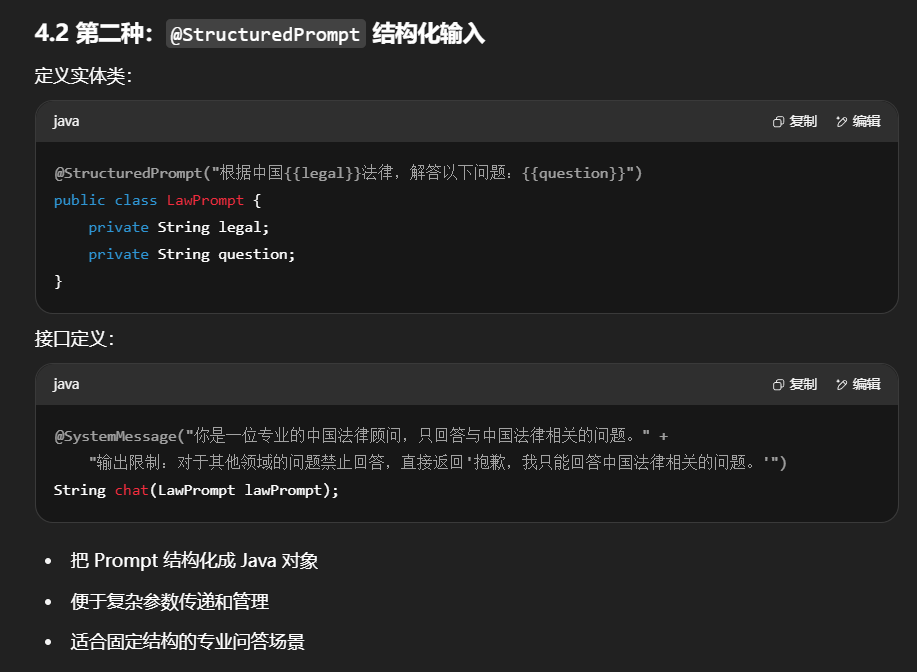
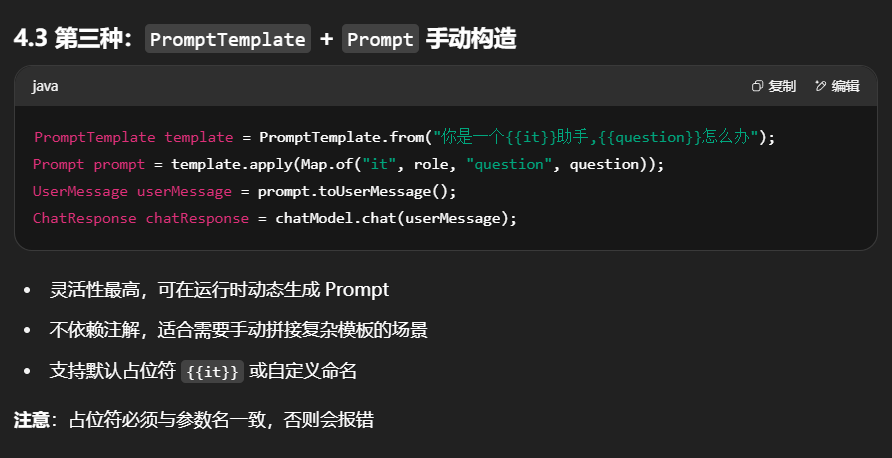
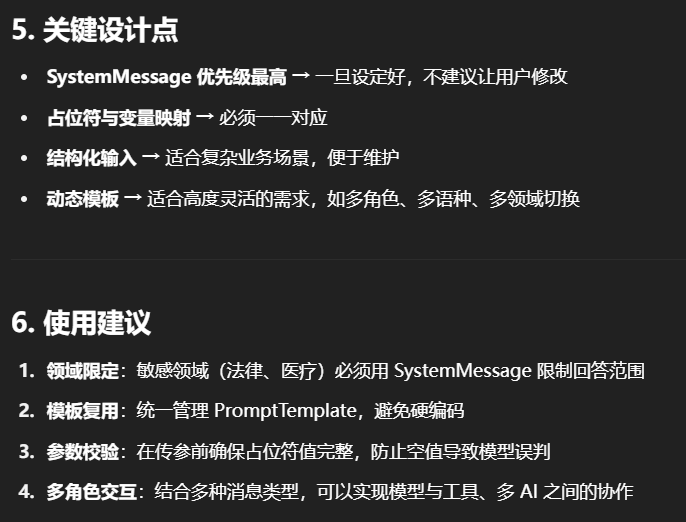
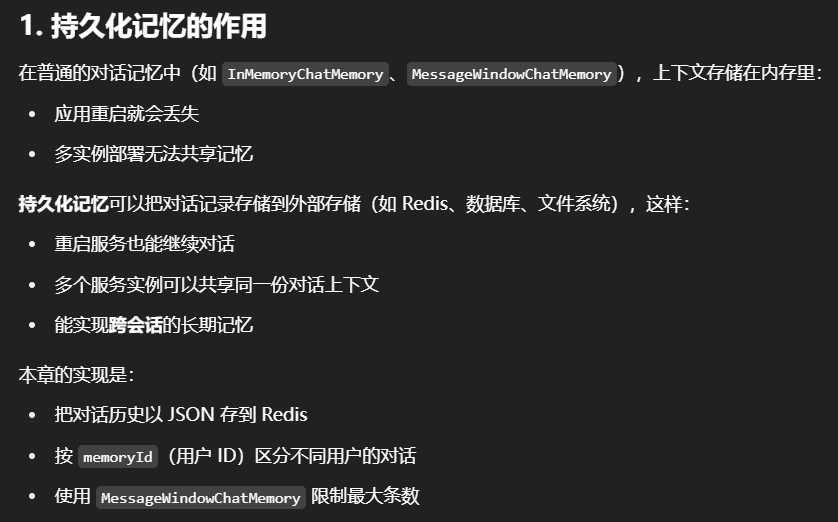
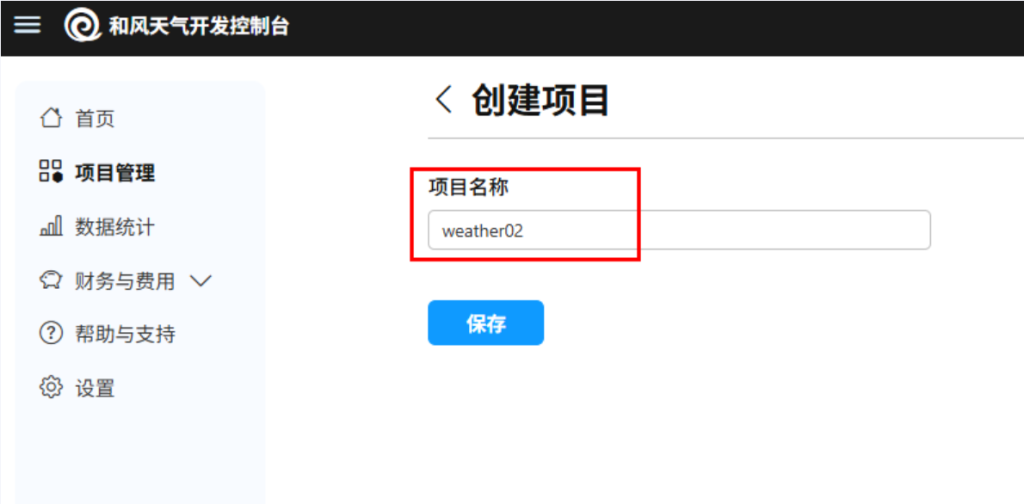
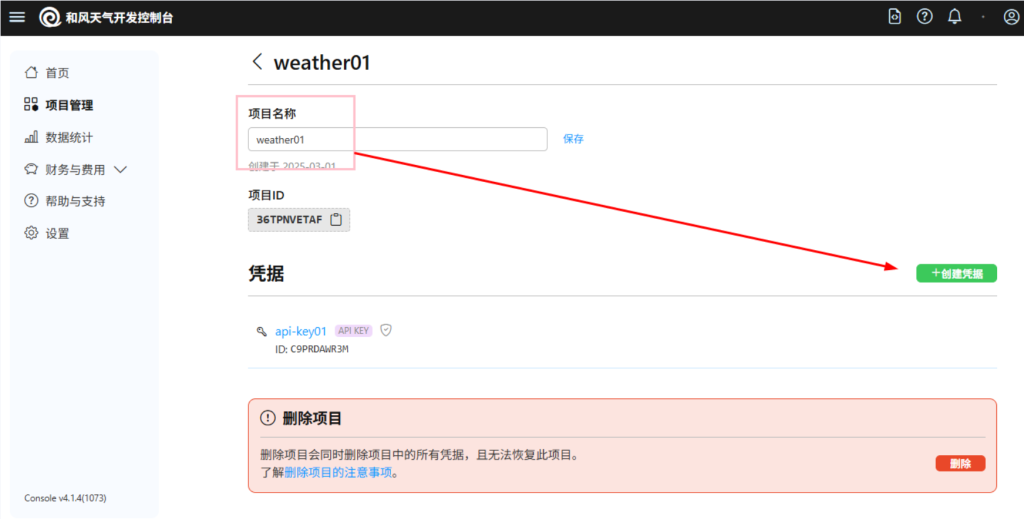
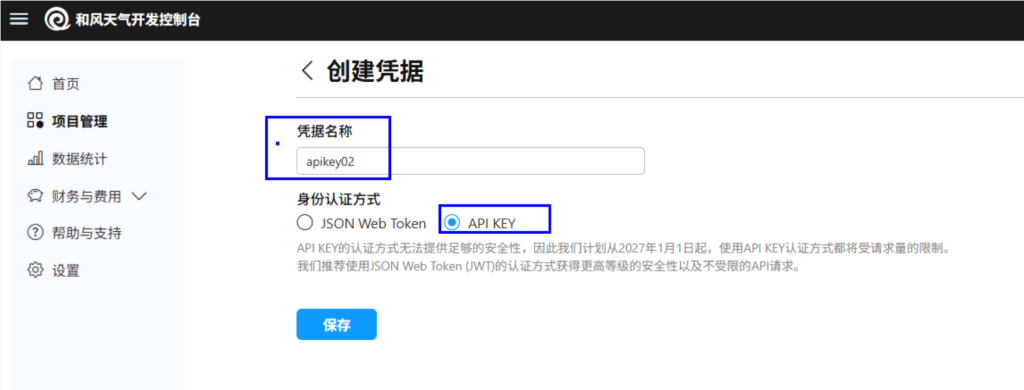
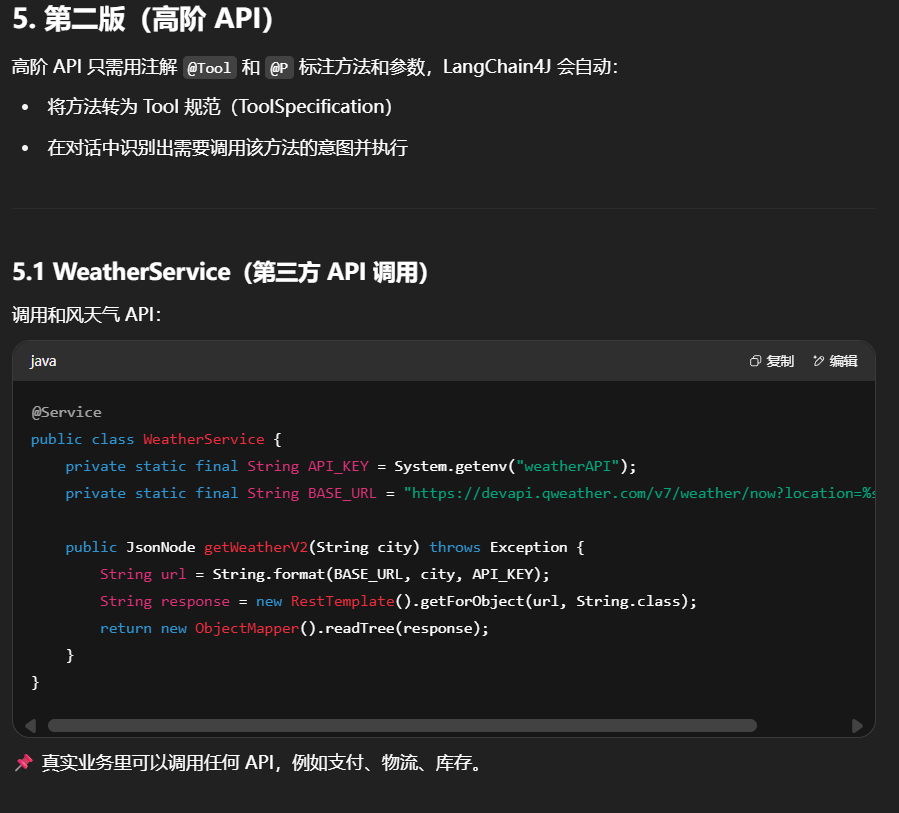
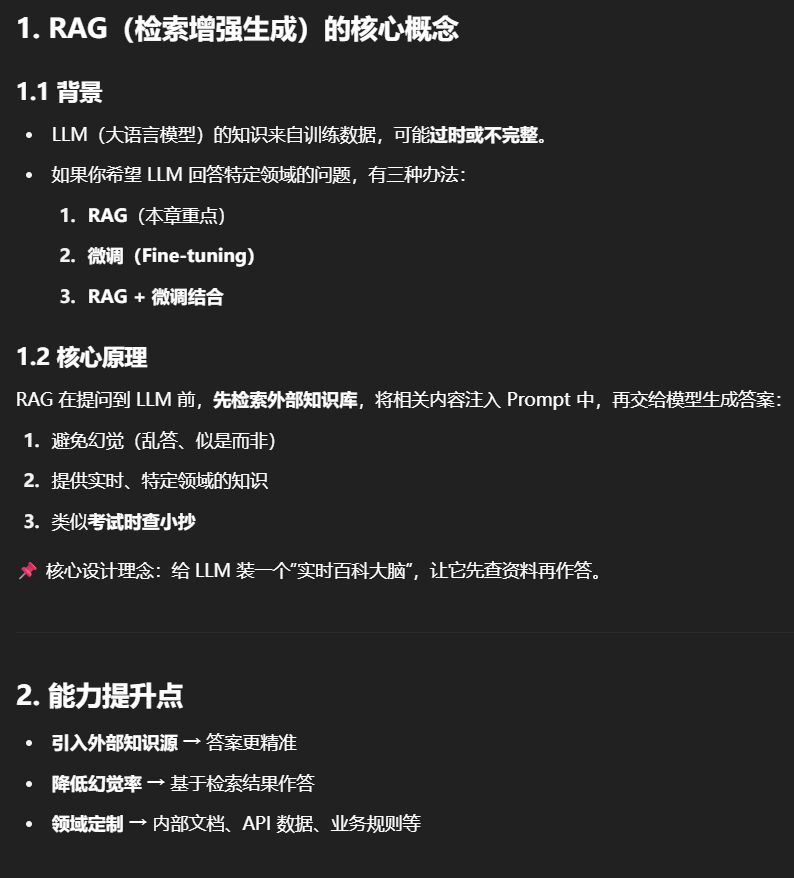
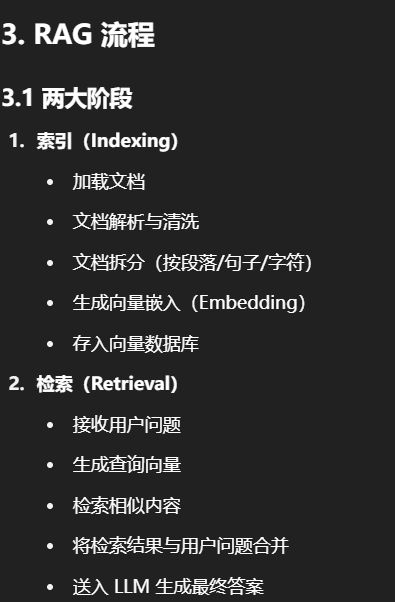
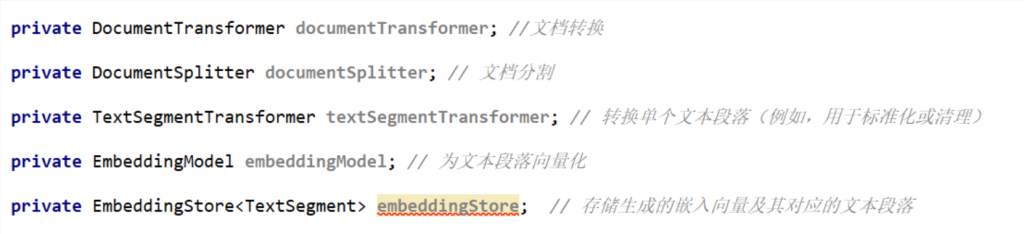
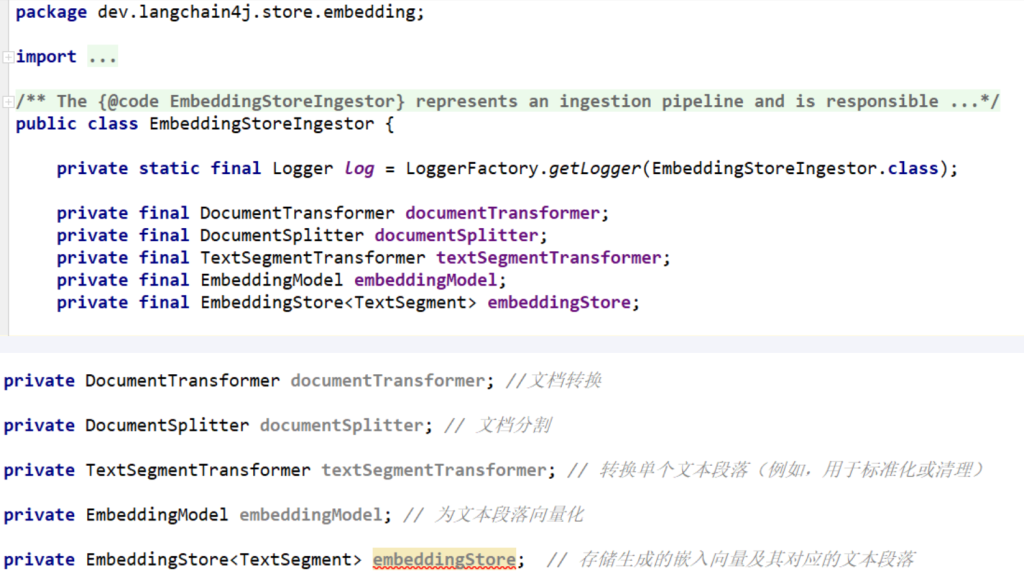
目录
一.理论概述
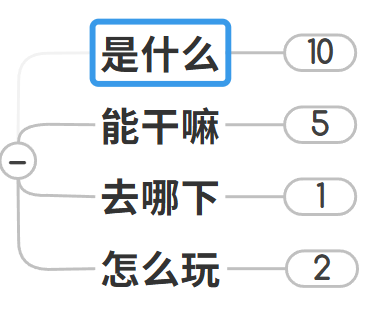
1.是什么?
一句话解释
LangChain4J等价于LangChain For Java
AB法则(Before/After)
随着人工智能(AI)技术的迅猛发展,越来越多的开发者开始将目光投向AI应用的开发。然而,目前市场上大多数AI框架和工具如LangChain、PyTorch等主要支持Python,而Java开发者常常面临工具缺乏和学习门槛较高的问题,但是不用担心,谁让Java/Spring群体强大那?,O(∩_∩)O
任何一个框架/XXX云服务器,想要大面积推广,应该不会忘记庞大的Spring社区和Java程序员
Before
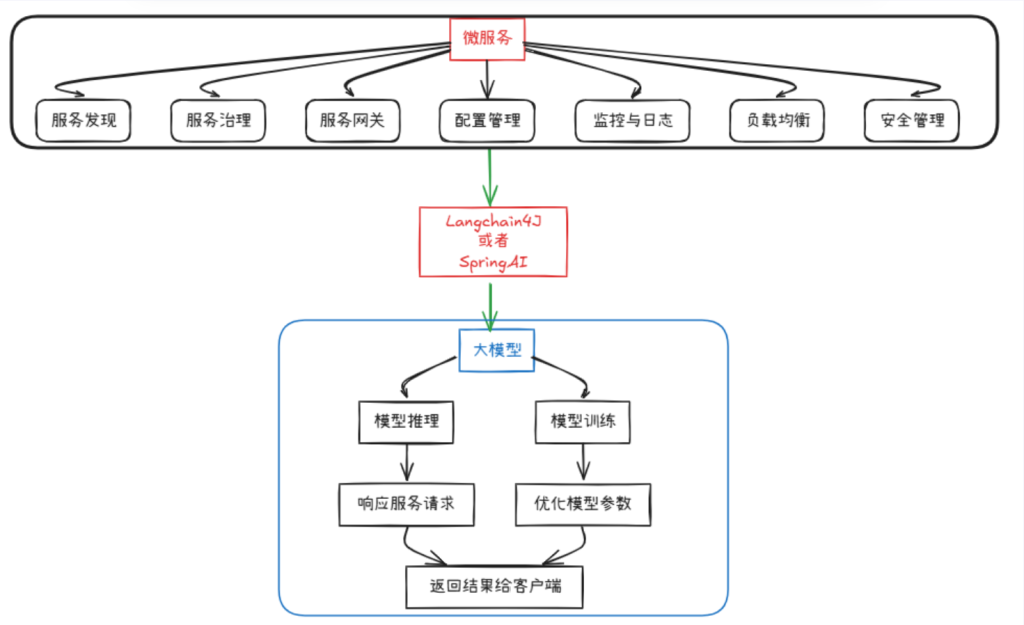
After
官网
https://docs.langchain4j.dev/
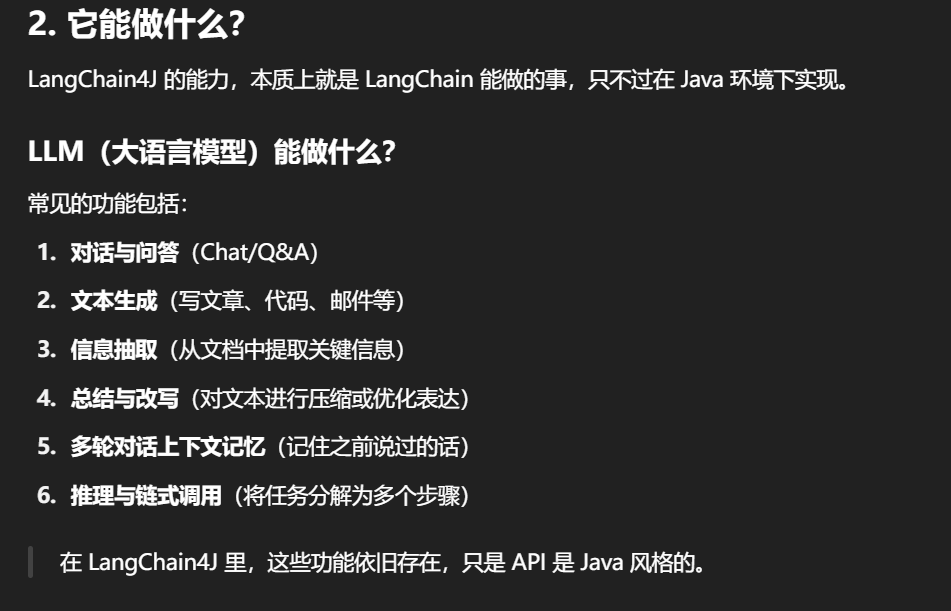
2.能干嘛
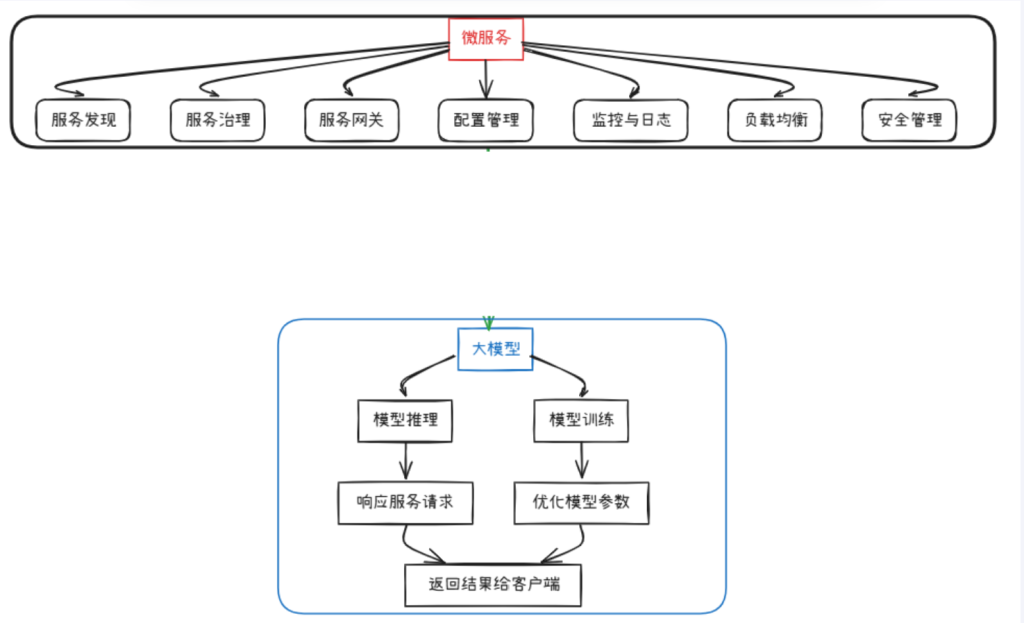
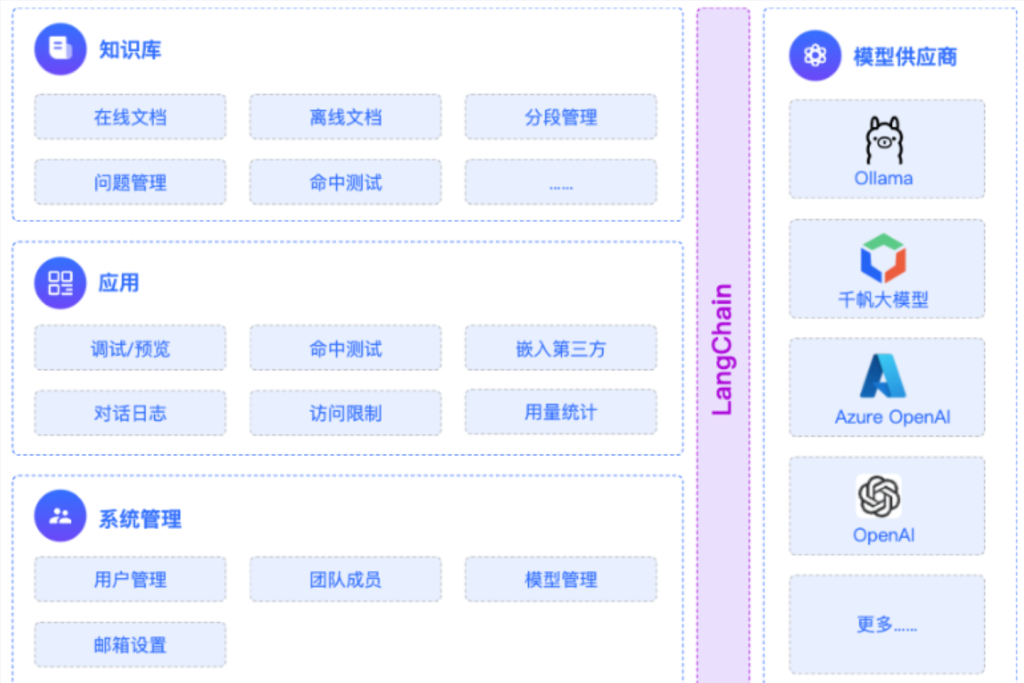
LLM大模型能干什么
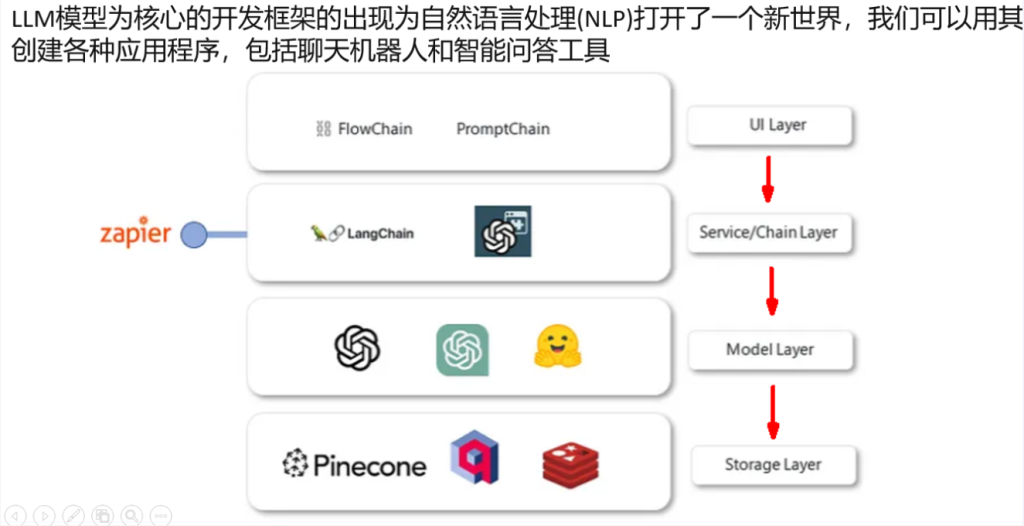
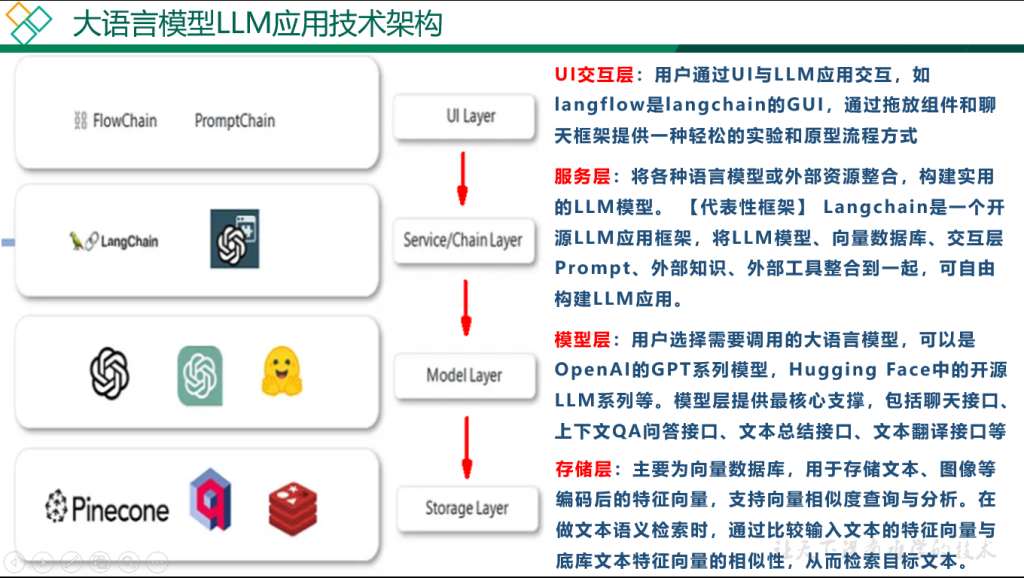
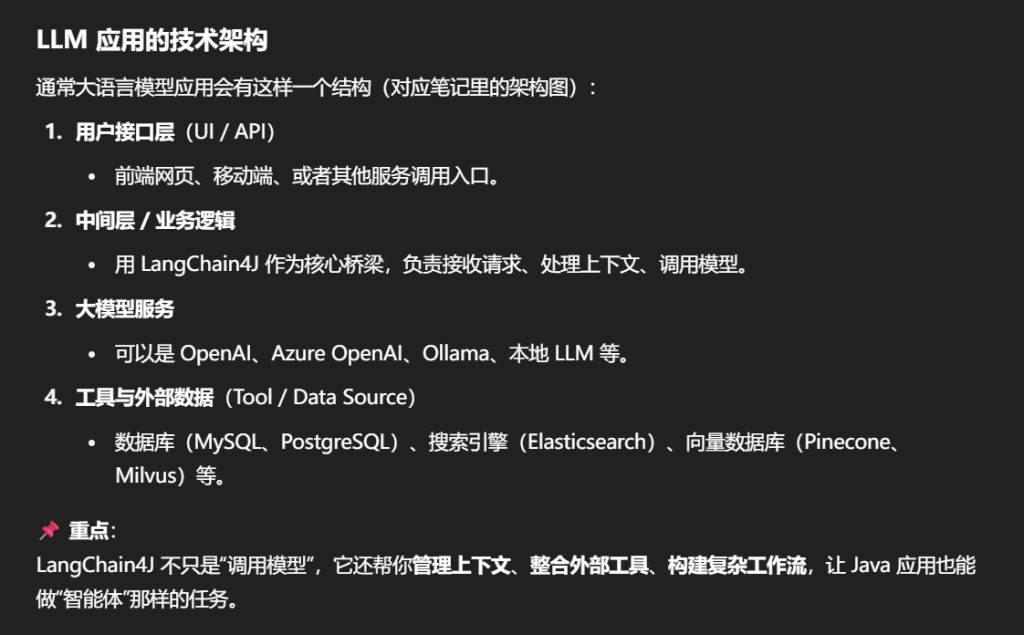
LLM大模型应用技术架构
3.去哪下
https://docs.langchain4j.dev/get-started
4.怎么玩
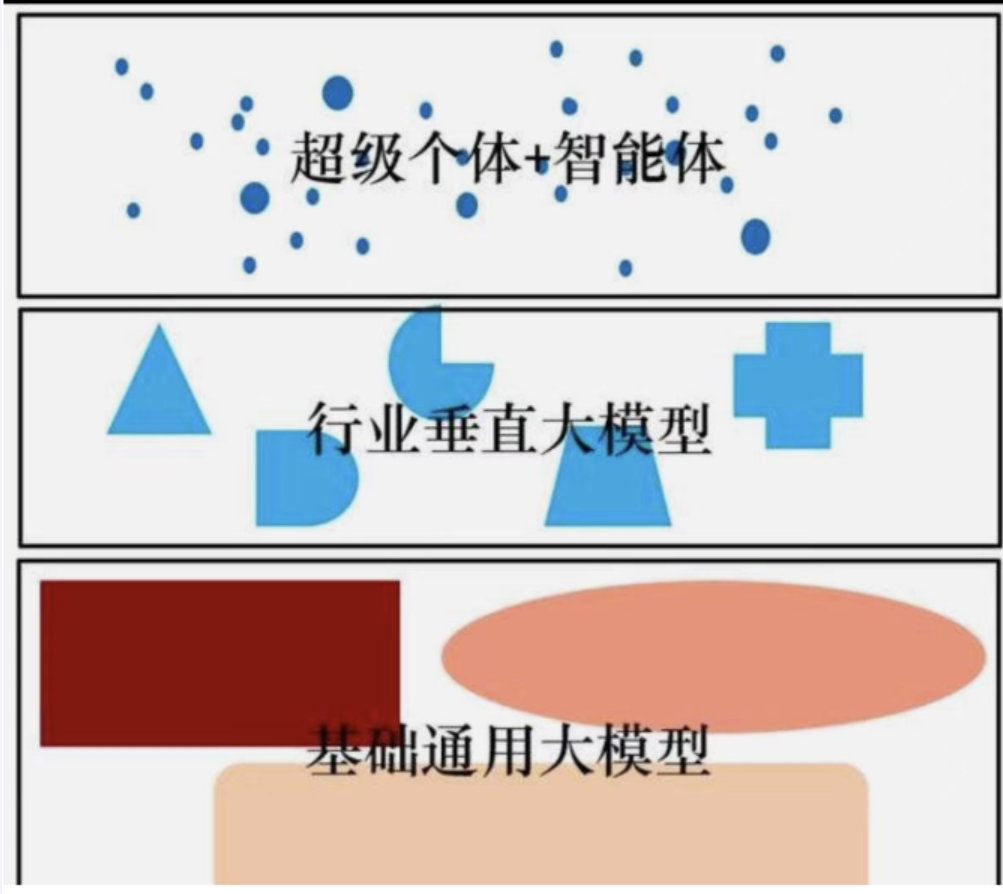
大模型开发分类
产品定位
二.LangChain4J之永远的HelloWorld
1.前置约定
本次课程以阿里百炼平台(通义千问)为主并辅以DeepSeek模型
2.永远的HelloWorldV1 --零基础入门
阿里云百炼平台入口官网
1.接入阿里百炼平台的通义模型
https://bailian.console.aliyun.com/
2.大模型调用三件套
步骤如下:
IDEA工具建project父工程
总pom.xml
1
2
3
4
5
6
7
8
9
10
11
12
13
14
15
16
17
18
19
20
21
22
23
24
25
26
27
28
29
30
31
32
33
34
35
36
37
38
39
40
41
42
43
44
45
46
47
48
49
50
51
52
53
54
55
56
57
58
59
60
61
62
63
64
65
66
67
68
69
70
71
72
73
74
75
76
77
78
79
80
81
82
83
84
85
86
87
88
89
90
91
92
93
94
95
96
97
98
99
100
101
102
103
104
105
106
107
108
109
110
111
112
113
114
115
116
117
118
119
120
121
122
123
124
125
126
127
128
129
130
131
132
133
134
135
136
137
138
139
140
141
142
143
144
145
146
147
148
149
150
151
152
153
154
155
156
157
158
159
160
161
162
163
164
165
166
167
168
169
170
171
172
173
174
175
176
177
178
179
180
181
182
183
184
185
186
187
188
189
190
191
192
193
194
195
196
197
198
199
200
201
<?xml version="1.0" encoding="UTF-8" ?> <project xmlns ="http://maven.apache.org/POM/4.0.0" xmlns:xsi ="http://www.w3.org/2001/XMLSchema-instance" xsi:schemaLocation ="http://maven.apache.org/POM/4.0.0 http://maven.apache.org/xsd/maven-4.0.0.xsd" > <modelVersion > 4.0.0</modelVersion > <groupId > com.atguigu.stduy</groupId > <artifactId > langchain4j-atguiguV5</artifactId > <version > 1.0-SNAPSHOT</version > <packaging > pom</packaging > <name > langchain4j-atguiguV5-Maven父工程POM配置</name > <modules > <module > langchain4j-01helloworld</module > <module > langchain4j-02multi-model-together</module > <module > langchain4j-03boot-integration</module > <module > langchain4j-04low-high-api</module > <module > langchain4j-05model-parameters</module > <module > langchain4j-06chat-image</module > <module > langchain4j-07chat-stream</module > <module > langchain4j-08chat-memory</module > <module > langchain4j-09chat-prompt</module > <module > langchain4j-10chat-persistence</module > <module > langchain4j-11chat-functioncalling</module > <module > langchain4j-12chat-embedding</module > <module > langchain4j-13chat-rag01</module > <module > langchain4j-14chat-mcp</module > </modules > <properties > <project.build.sourceEncoding > UTF-8</project.build.sourceEncoding > <project.reporting.outputEncoding > UTF-8</project.reporting.outputEncoding > <java.version > 17</java.version > <maven.compiler.source > 17</maven.compiler.source > <maven.compiler.target > 17</maven.compiler.target > <spring-boot.version > 3.5.0</spring-boot.version > <spring-ai.version > 1.0.0</spring-ai.version > <spring-ai-alibaba.version > 1.0.0-M6.1</spring-ai-alibaba.version > <langchain4j.version > 1.0.1</langchain4j.version > <langchain4j-community.version > 1.0.1-beta6</langchain4j-community.version > <maven-deploy-plugin.version > 3.1.1</maven-deploy-plugin.version > <flatten-maven-plugin.version > 1.3.0</flatten-maven-plugin.version > <maven-compiler-plugin.version > 3.8.1</maven-compiler-plugin.version > </properties > <dependencyManagement > <dependencies > <dependency > <groupId > org.springframework.boot</groupId > <artifactId > spring-boot-dependencies</artifactId > <version > $ {spring-boot.version} </version > <type > pom</type > <scope > import</scope > </dependency > <dependency > <groupId > org.springframework.ai</groupId > <artifactId > spring-ai-bom</artifactId > <version > $ {spring-ai.version} </version > <type > pom</type > <scope > import</scope > </dependency > <dependency > <groupId > com.alibaba.cloud.ai</groupId > <artifactId > spring-ai-alibaba-starter</artifactId > <version > $ {spring-ai-alibaba.version} </version > </dependency > <dependency > <groupId > dev.langchain4j</groupId > <artifactId > langchain4j-bom</artifactId > <version > $ {langchain4j.version} </version > <type > pom</type > <scope > import</scope > </dependency > <dependency > <groupId > dev.langchain4j</groupId > <artifactId > langchain4j-community-bom</artifactId > <version > $ {langchain4j-community.version} </version > <type > pom</type > <scope > import</scope > </dependency > </dependencies > </dependencyManagement > <build > <plugins > <plugin > <groupId > org.springframework.boot</groupId > <artifactId > spring-boot-maven-plugin</artifactId > <version > $ {spring-boot.version} </version > </plugin > <plugin > <groupId > org.apache.maven.plugins</groupId > <artifactId > maven-deploy-plugin</artifactId > <version > $ {maven-deploy-plugin.version} </version > <configuration > <skip > true</skip > </configuration > </plugin > <plugin > <groupId > org.apache.maven.plugins</groupId > <artifactId > maven-compiler-plugin</artifactId > <version > $ {maven-compiler-plugin.version} </version > <configuration > <release > $ {java.version} </release > <compilerArgs > <compilerArg > -parameters</compilerArg > </compilerArgs > </configuration > </plugin > <plugin > <groupId > org.codehaus.mojo</groupId > <artifactId > flatten-maven-plugin</artifactId > <version > $ {flatten-maven-plugin.version} </version > <inherited > true</inherited > <executions > <execution > <id > flatten</id > <phase > process-resources</phase > <goals > <goal > flatten</goal > </goals > <configuration > <updatePomFile > true</updatePomFile > <flattenMode > ossrh</flattenMode > <pomElements > <distributionManagement > remove</distributionManagement > <dependencyManagement > remove</dependencyManagement > <repositories > remove</repositories > <scm > keep</scm > <url > keep</url > <organization > resolve</organization > </pomElements > </configuration > </execution > <execution > <id > flatten.clean</id > <phase > clean</phase > <goals > <goal > clean</goal > </goals > </execution > </executions > </plugin > </plugins > </build > <repositories > <repository > <id > spring-milestones</id > <name > Spring Milestones</name > <url > https://repo.spring.io/milestone</url > <snapshots > <enabled > false</enabled > </snapshots > </repository > <repository > <id > spring-snapshots</id > <name > Spring Snapshots</name > <url > https://repo.spring.io/snapshot</url > <releases > <enabled > false</enabled > </releases > </repository > <repository > <id > aliyunmaven</id > <name > aliyun</name > <url > https://maven.aliyun.com/repository/public</url > </repository > </repositories > <pluginRepositories > <pluginRepository > <id > public</id > <name > aliyun nexus</name > <url > https://maven.aliyun.com/repository/public</url > <releases > <enabled > true</enabled > </releases > <snapshots > <enabled > false</enabled > </snapshots > </pluginRepository > </pluginRepositories > </project >
开发步骤
1.首先对Api-key配置到环境变量里去
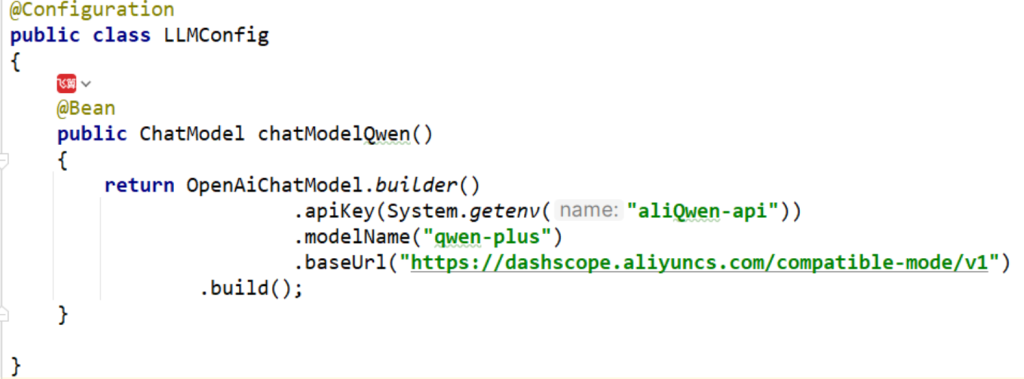
2.创建LLMConfig配置类
1
2
3
4
5
6
7
8
9
10
11
12
13
14
15
16
17
18
19
20
21
22
23
24
25
26
package com.atguigu.study.config;import dev.langchain4j.model.chat.ChatModel;import dev.langchain4j.model.openai.OpenAiChatModel;import org.springframework.context.annotation .Bean;import org.springframework.context.annotation .Configuration;@Configuration public class LLMConfig { @Bean public ChatModel chatModelQwen() { return OpenAiChatModel.builder() .apiKey(System.getenv("aliQwen-api" )) .modelName("qwen-plus" ) .baseUrl("https://dashscope.aliyuncs.com/compatible-mode/v1" ) .build(); } }
这里用的是 OpenAiChatModel,原因是阿里百炼兼容 OpenAI 接口标准。
@Bean 注解让 Spring 容器管理这个 ChatModel 对象。
定义LLMcontroller
1
2
3
4
5
6
7
8
9
10
11
12
13
14
15
16
17
18
19
20
21
22
23
24
25
26
27
28
29
30
31
32
33
34
35
36
37
38
39
40
41
42
package com.atguigu.study.controller;import dev.langchain4j.data .message.UserMessage;import dev.langchain4j.model.chat.ChatModel;import dev.langchain4j.model.openai.OpenAiChatModel;import jakarta.annotation .Resource;import lombok.extern.slf4j.Slf4j;import org.apache.tomcat.util.buf.Utf8Encoder;import org.springframework.beans.factory.annotation .Autowired;import org.springframework.web.bind.annotation .GetMapping;import org.springframework.web.bind.annotation .RequestParam;import org.springframework.web.bind.annotation .RestController;@RestController @Slf4j public class HelloLangChain4JController { @Resource private ChatModel chatModel; @GetMapping(value = "/langchain4j/hello" ) public String hello(@RequestParam(value = "question" ,defaultValue = "你是谁" ) String question) { String result = chatModel.chat(question); System.out .println("调用大模型回复: " +result); return result; } }
访问接口示例:
1 http://localhost:9001/langchain4j/hello?question=如何学习java
chatModel.chat(question) 会直接把字符串发给大模型,并返回模型的回复。
不带参数
带参数
3.HelloWorld加强版调用多个大模型
在基础版中,我们只调用了 阿里云百炼(通义千问) 一个模型。
通义千问(Qwen 系列) DeepSeek(推理 & 聊天模型)
这样就能在一个项目中按需调用不同的大模型。
Deepseek Api文档
https://platform.deepseek.com/usage
https://api-docs.deepseek.com/zh-cn/
大模型调用三件套
1.创建Api-key
2.获取模型名
3.获取baseUrl开发地址
整合通义千问和deepseek
LLMConfig为
1
2
3
4
5
6
7
8
9
10
11
12
13
14
15
16
17
18
19
20
21
22
23
24
25
26
27
28
29
30
31
32
33
34
35
36
37
38
39
40
41
42
43
44
package com.atguigu.study.config;import dev.langchain4j.model.chat.ChatModel;import dev.langchain4j.model.openai.OpenAiChatModel;import org.springframework.context.annotation .Bean;import org.springframework.context.annotation .Configuration;@Configuration public class LLMConfig { @Bean(name = "qwen" ) public ChatModel chatModelQwen() { return OpenAiChatModel.builder() .apiKey(System.getenv("aliQwen-api" )) .modelName("qwen-plus" ) .baseUrl("https://dashscope.aliyuncs.com/compatible-mode/v1" ) .build(); } @Bean(name = "deepseek" ) public ChatModel chatModelDeepSeek() { return OpenAiChatModel.builder() .apiKey(System.getenv("deepseek-api" )) .modelName("deepseek-chat" ) .baseUrl("https://api.deepseek.com/v1" ) .build(); } }
关键点解析:
@Bean(name = "xxx") 让我们在注入时用不同名字区分模型。System.getenv() 依旧从环境变量读取 API Key,保证安全性。DeepSeek 也采用 OpenAI 接口标准 ,所以可以用 OpenAiChatModel 直接对接。
MultiModelController多模型调用接口
1
2
3
4
5
6
7
8
9
10
11
12
13
14
15
16
17
18
19
20
21
22
23
24
25
26
27
28
29
30
31
32
33
34
35
36
37
38
39
40
41
42
43
44
45
46
47
package com.atguigu.study.controller;import dev.langchain4j.model.chat.ChatModel;import jakarta.annotation .Resource;import lombok.extern.slf4j.Slf4j;import org.springframework.boot.autoconfigure.SpringBootApplication;import org.springframework.web.bind.annotation .GetMapping;import org.springframework.web.bind.annotation .RequestParam;import org.springframework.web.bind.annotation .RestController;@RestController @Slf4j public class MultiModelController { @Resource(name = "qwen" ) private ChatModel chatModelQwen; @Resource(name = "deepseek" ) private ChatModel chatModelDeepSeek; @GetMapping(value = "/multimodel/qwen" ) public String qwenCall(@RequestParam(value = "prompt" , defaultValue = "你是谁" ) String prompt) { String result = chatModelQwen.chat(prompt); System.out .println("通过langchain4j调用模型返回结果:\n" +result); return result; } @GetMapping(value = "/multimodel/deepseek" ) public String deepseekCall(@RequestParam(value = "prompt" , defaultValue = "你是谁" ) String prompt) { String result = chatModelDeepSeek.chat(prompt); System.out .println("通过langchain4j调用模型返回结果:\n" +result); return result; } }
调用说明:
@Resource(name = "...") 对应 Bean 名称,确保注入到正确的模型实例。两个接口 /multimodel/qwen 和 /multimodel/deepseek 独立,不会互相干扰。
请求参数 prompt 用来传递用户的问题。
三.LangChain4J之整合SpringBoot
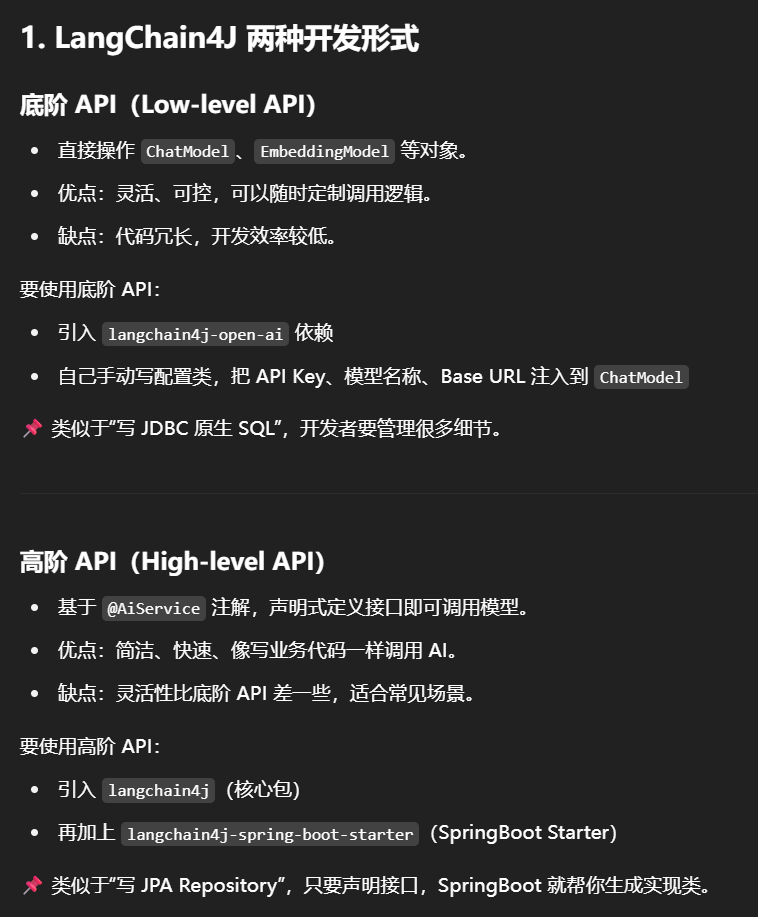
1.浅谈一个LangChain4j 两种开发形式
底阶api和高阶api
底阶API
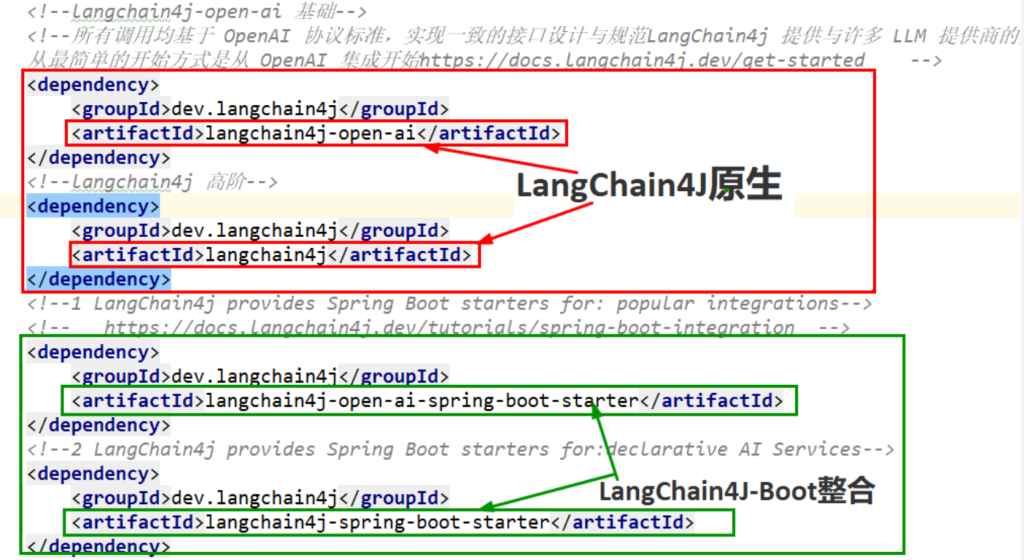
需要引入jar包和配置如下
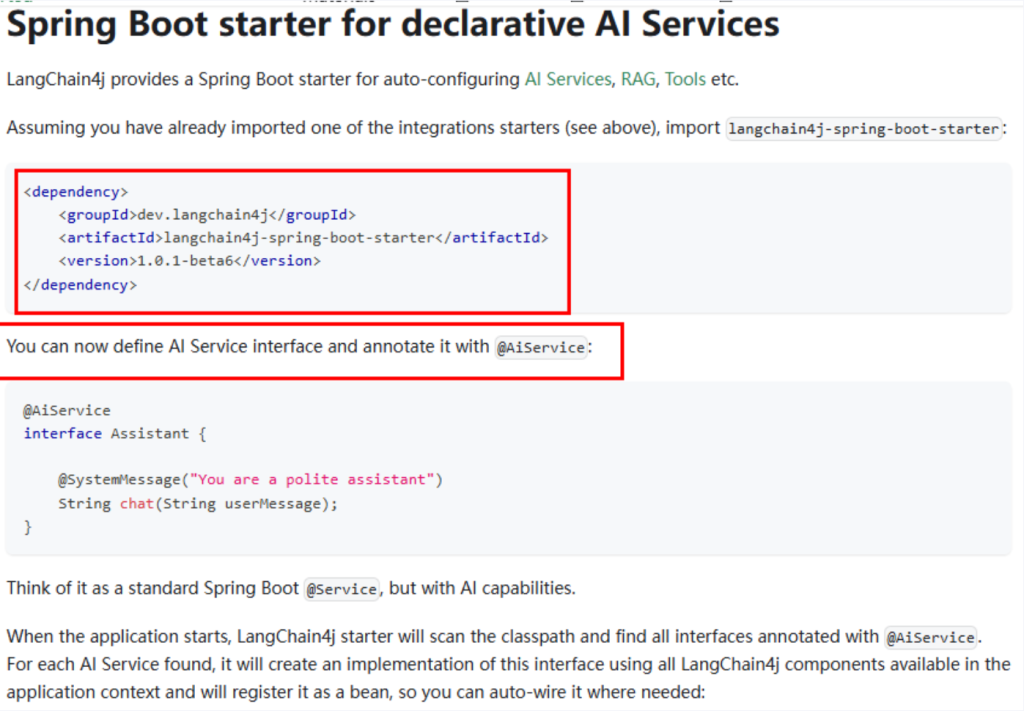
高阶API
需要引入jar包和配置如下
2.SpringBoot整合与原生整合对比
SpringBoot 整合与原生整合对比
原生整合
:
需要自己写配置类(@Configuration),手动注入 ChatModel。
配置较繁琐。
SpringBoot 整合
:
通过 application.properties 或 application.yml 配置即可完成接入。
Starter 会自动帮你生成对应的 Bean。
📌 结论:SpringBoot Starter 大幅度简化了接入步骤,更符合企业级 Java 应用习惯。
3.开发步骤
1.pom
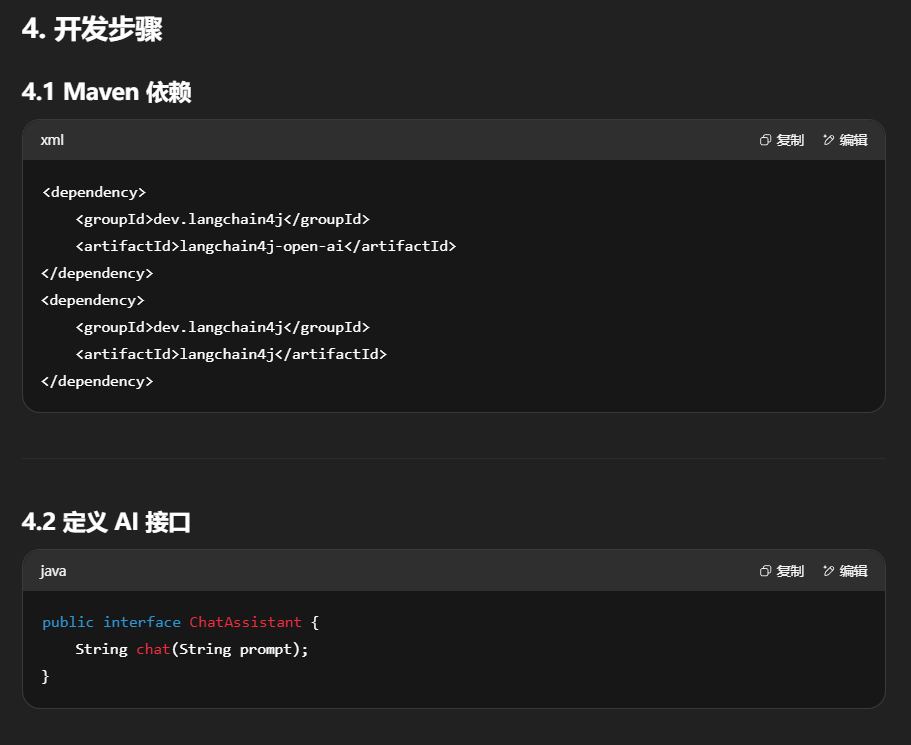
1 2 3 4 5 6 7 8 9 10 11 12 13 14 15 16 17 18 19 20 21 22 23 24 25 26 27 28 29 30 31 <dependencies > <dependency > <groupId > org.springframework.boot</groupId > <artifactId > spring-boot-starter-web</artifactId > </dependency > <dependency > <groupId > dev.langchain4j</groupId > <artifactId > langchain4j-open-ai</artifactId > </dependency > <dependency > <groupId > dev.langchain4j</groupId > <artifactId > langchain4j</artifactId > </dependency > <dependency > <groupId > dev.langchain4j</groupId > <artifactId > langchain4j-open-ai-spring-boot-starter</artifactId > </dependency > <dependency > <groupId > dev.langchain4j</groupId > <artifactId > langchain4j-spring-boot-starter</artifactId > </dependency > </dependencies >
2.application.properties
1
2
3
4
5
6
7
8
server.port =9003 spring.application.name =langchain4j-12 boot-integrationlangchain4j.open-ai.chat-model.api-key =${aliQwen-api} langchain4j.open-ai.chat-model.model-name =qwen-pluslangchain4j.open-ai.chat-model.base-url =https://dashscope.aliyuncs.com/compatible-mode/v1
注意:api-key 不能明文写在配置文件里,通常用 环境变量 代替:
application.properties:${aliQwen-api}配置类:System.getenv("aliQwen-api")
或者用java代码两种方式是一样的
3.面试题
问:大模型调用时,API Key 能不能写在配置文件里? 环境变量 或 密钥管理服务 读取。
方案 1 :在 application.properties 里写 ${aliQwen-api},从环境变量读取。方案 2 :写配置类 System.getenv("aliQwen-api")。
4.低阶API-PopularIntegrationController
1
2
3
4
5
6
7
8
9
10
11
12
13
14
15
16
17
18
19
20
21
22
23
24
25
26
package com.atguigu.study.controller;import dev.langchain4j.model.chat.ChatModel;import jakarta.annotation .Resource;import org.springframework.web.bind.annotation .GetMapping;import org.springframework.web.bind.annotation .RequestParam;import org.springframework.web.bind.annotation .RestController;@RestController public class PopularIntegrationController { @Resource private ChatModel chatModel; @GetMapping(value = "/lc4j/boot/chat" ) public String chat(@RequestParam(value = "prompt" , defaultValue = "你是谁" ) String prompt) { return chatModel.chat(prompt); } }
📌 核心点:
直接调用 chatModel.chat(prompt),就能得到模型的回复。
类似于 HelloWorld,只是简化了配置步骤。
5.高阶API-DeclarativeAIServiceController
1
2
3
4
5
6
7
8
9
10
11
12
13
14
15
16
17
18
19
20
21
22
23
24
25
26
package com.atguigu.study.controller;import com.atguigu.study.service.ChatAssistant;import jakarta.annotation .Resource;import org.springframework.web.bind.annotation .GetMapping;import org.springframework.web.bind.annotation .RequestParam;import org.springframework.web.bind.annotation .RestController;@RestController public class DeclarativeAIServiceController { @Resource private ChatAssistant chatAssistantQwen; @GetMapping(value = "/lc4j/boot/declarative" ) public String declarative(@RequestParam(value = "prompt" , defaultValue = "你是谁" ) String prompt) { return chatAssistantQwen.chat(prompt); } }
核心点:
chatAssistantQwen.chat(prompt) 会自动调用大模型。比低阶 API 更简洁,不需要写任何实现。
自定义一个接口并添加注解@AiService
定义一个接口(声明式 AI 服务)
1
2
3
4
5
6
7
8
9
10
11
12
13
14
package com.atguigu.study.service;import dev.langchain4j.service.spring.AiService;@AiService public interface ChatAssistant String chat (String prompt) ; }
@AiService 注解会让 SpringBoot 自动生成该接口的实现类。你只需要声明方法,不用写实现。
总结
底阶 API :灵活,代码量多,适合定制化需求。高阶 API :声明式,代码简洁,适合快速开发。SpringBoot Starter :极大简化集成步骤,推荐企业级应用使用。安全性 :API Key 必须通过环境变量或配置中心,不可明文写入。
四.LangChain4j之底阶和高阶API
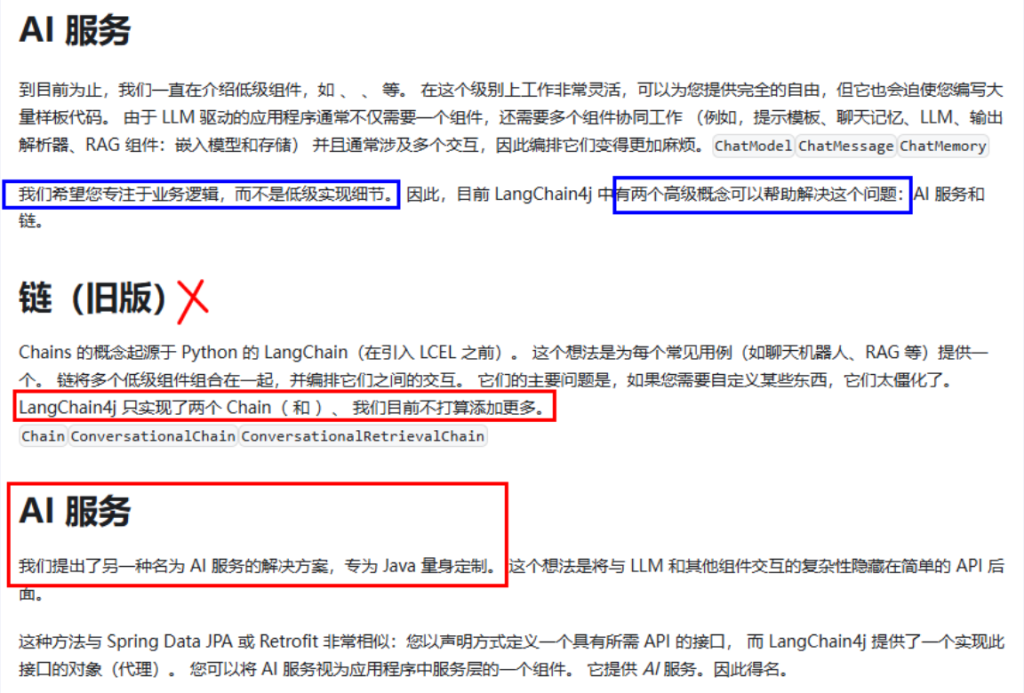
1.LangChain4j在两个抽象层提供不同的api
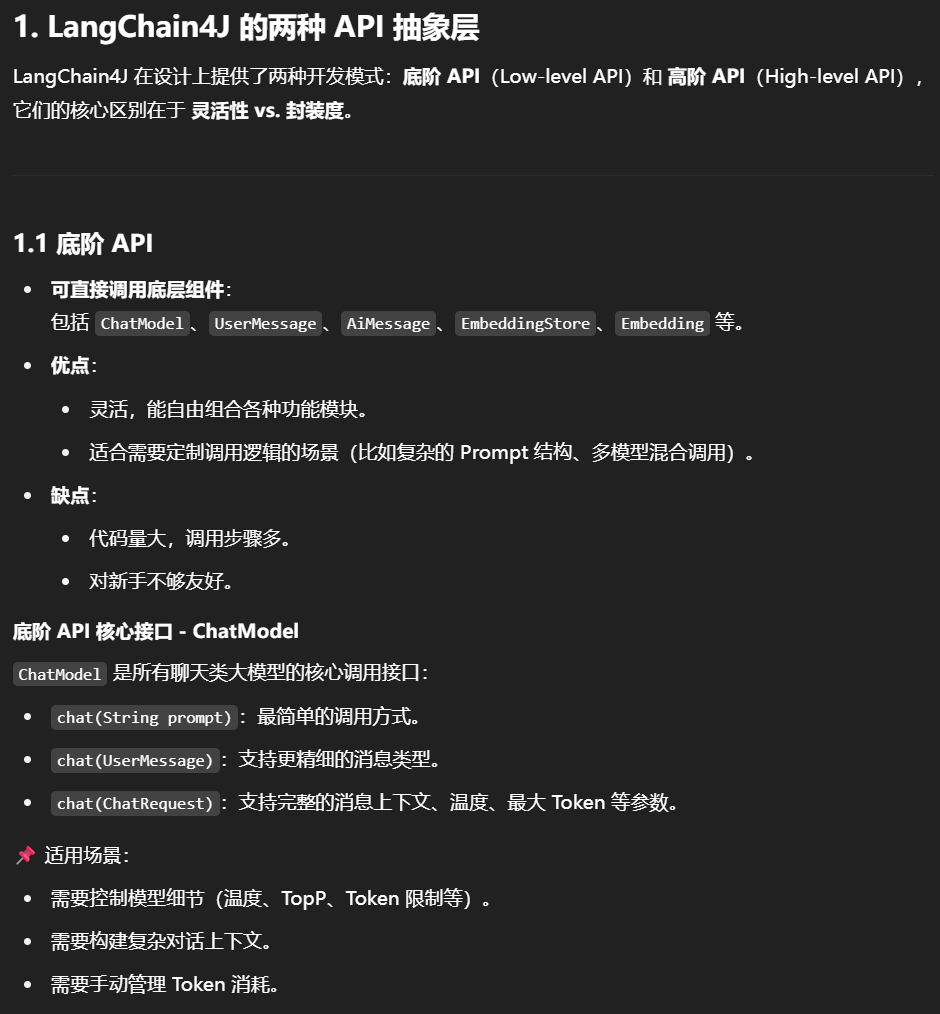
底阶
可以调用底层的api例如ChatModel、UserMessage、AiMessage、EmbeddingStore、Embedding等
优点是可以自由组合使用各个组件但编码量比较高
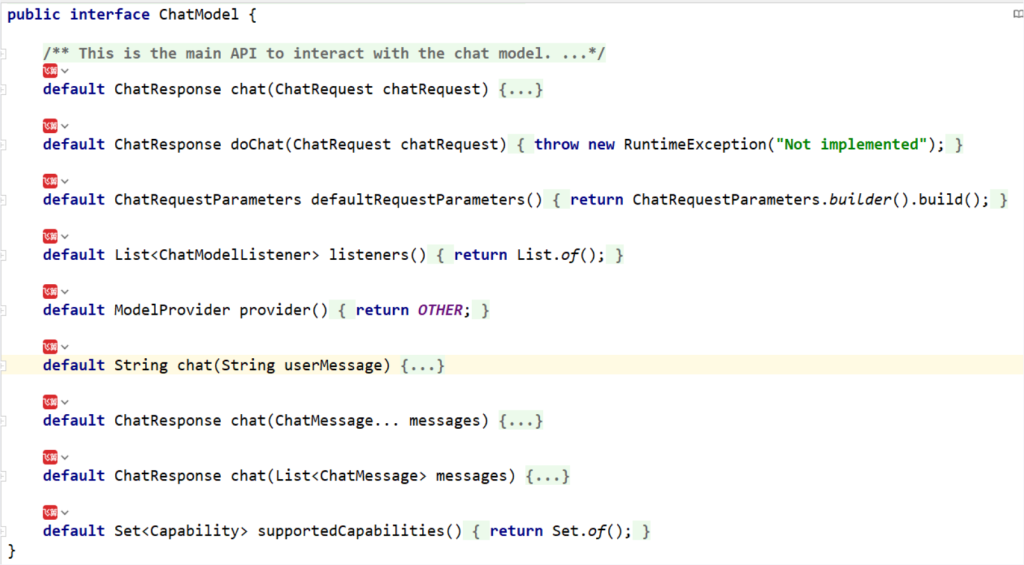
chatModel接口
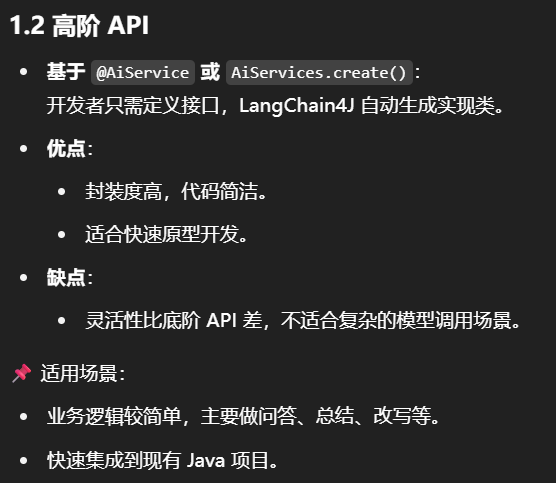
高阶
可以调用高阶的api例如Aiservice、Tools等
程序员自己定义接口,通过Aiservices类里面的方法实现,优点是aip封装度比较高,减少了代码的复杂性,但仍可以进行灵活的微调
总结
LangChian4j提供大模型接口、提示词模板、结构化输出、对话记忆、文档加载、文档分割、向量模型、向量存储等组件
对比项
底阶 API
高阶 API
代码复杂度
高
低
灵活性
高
中
开发速度
慢
快
适合场景
定制化需求多
快速原型 / 简单调用
核心对象
ChatModel 等AiService 接口
LangChain4J 除了这两类 API,还提供了提示词模板、结构化输出、对话记忆、文档加载与分割、向量模型与存储 等组件,可以组合使用。
2.开发步骤
pom
1
2
3
4
5
6
7
8
9
10
11
12
13
14
15
16
17
18
19
20
21
22
23
24
25
26
27
28
29
30
31
32
33
34
35
36
37
38
39
40
41
42
43
44
45
46
47
48
49
50
51
52
53
54
55
56
57
58
59
60
61
<?xml version="1.0" encoding="UTF-8" ?> <project xmlns ="http://maven.apache.org/POM/4.0.0" xmlns:xsi ="http://www.w3.org/2001/XMLSchema-instance" xsi:schemaLocation ="http://maven.apache.org/POM/4.0.0 http://maven.apache.org/xsd/maven-4.0.0.xsd" > <modelVersion > 4.0.0</modelVersion > <parent > <groupId > com.atguigu.stduy</groupId > <artifactId > langchain4j-atguiguV5</artifactId > <version > 1.0-SNAPSHOT</version > </parent > <artifactId > langchain4j-04low-high-api</artifactId > <properties > <maven.compiler.source > 17</maven.compiler.source > <maven.compiler.target > 17</maven.compiler.target > <project.build.sourceEncoding > UTF-8</project.build.sourceEncoding > </properties > <dependencies > <dependency > <groupId > org.springframework.boot</groupId > <artifactId > spring-boot-starter-web</artifactId > </dependency > <dependency > <groupId > dev.langchain4j</groupId > <artifactId > langchain4j-open-ai</artifactId > </dependency > <dependency > <groupId > dev.langchain4j</groupId > <artifactId > langchain4j</artifactId > </dependency > <dependency > <groupId > org.projectlombok</groupId > <artifactId > lombok</artifactId > <optional > true</optional > </dependency > <dependency > <groupId > org.springframework.boot</groupId > <artifactId > spring-boot-starter-test</artifactId > <scope > test</scope > </dependency > </dependencies > <build > <plugins > <plugin > <groupId > org.springframework.boot</groupId > <artifactId > spring-boot-maven-plugin</artifactId > </plugin > </plugins > </build > </project >
yml
1
2
3
server.port =9004 spring.application.name =langchain4j-04 low-high-api
1.低阶LLM API调用
LLMConfig配置类切换
1
2
3
4
5
6
7
8
9
10
11
12
13
14
15
16
17
18
19
20
21
22
23
24
25
26
27
28
29
30
31
32
33
34
35
36
37
38
39
40
41
42
43
44
package com.atguigu.study.config;import com.atguigu.study.service.ChatAssistant;import dev.langchain4j.model.chat.ChatModel;import dev.langchain4j.model.openai.OpenAiChatModel;import dev.langchain4j.service.AiServices;import org.springframework.beans.factory.annotation .Qualifier;import org.springframework.context.annotation .Bean;import org.springframework.context.annotation .Configuration;@Configuration public class LLMConfig { @Bean(name = "qwen" ) public ChatModel chatModelQwen() { return OpenAiChatModel.builder() .apiKey(System.getenv("aliQwen-api" )) .modelName("qwen-plus" ) .baseUrl("https://dashscope.aliyuncs.com/compatible-mode/v1" ) .build(); } @Bean(name = "deepseek" ) public ChatModel chatModelDeepSeek() { return OpenAiChatModel.builder() .apiKey(System.getenv("deepseek-api" )) .modelName("deepseek-chat" ) .baseUrl("https://api.deepseek.com/v1" ) .build(); } }
这样就可以在控制器中按需调用不同模型。
controller第一次编写
1
2
3
4
5
6
7
8
9
10
11
12
13
14
15
16
17
18
19
20
21
22
23
24
25
26
27
28
29
30
31
32
33
34
35
36
37
38
39
40
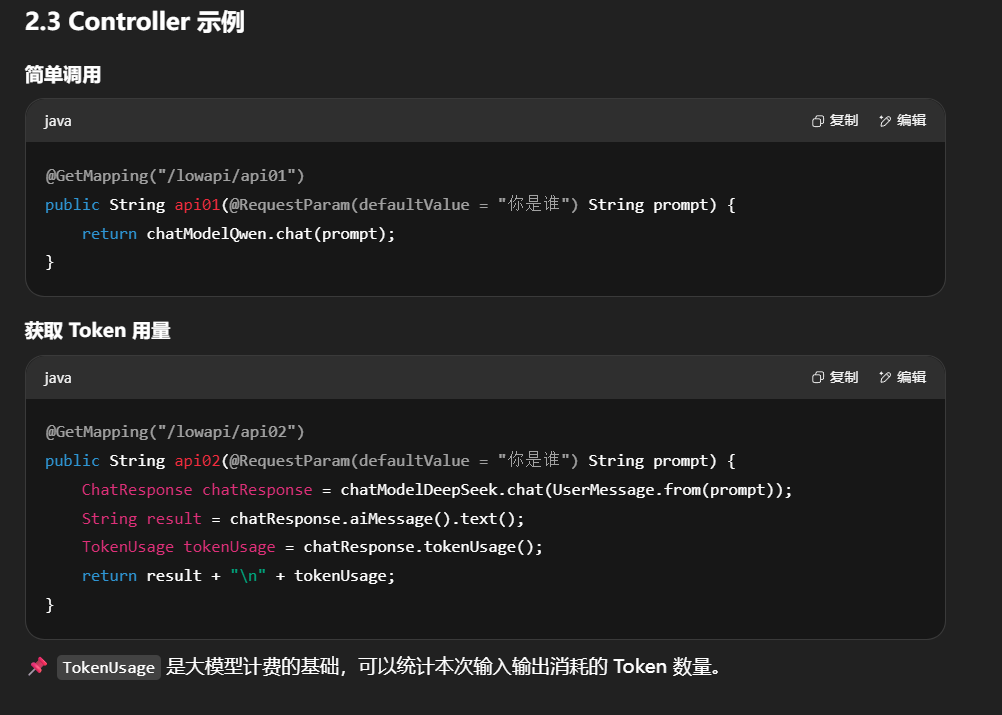
package com.atguigu.study.controller;import dev.langchain4j.data .message.ChatMessage;import dev.langchain4j.data .message.ChatMessageType;import dev.langchain4j.data .message.UserMessage;import dev.langchain4j.model.chat.ChatModel;import dev.langchain4j.model.chat.request.ChatRequest;import dev.langchain4j.model.chat.response.ChatResponse;import dev.langchain4j.model.output.TokenUsage;import jakarta.annotation .Resource;import lombok.extern.slf4j.Slf4j;import org.springframework.web.bind.annotation .GetMapping;import org.springframework.web.bind.annotation .RequestParam;import org.springframework.web.bind.annotation .RestController;@RestController @Slf4j public class LowApiController { @Resource(name = "qwen" ) private ChatModel chatModelQwen; @Resource(name = "deepseek" ) private ChatModel chatModelDeepSeek; @GetMapping(value = "/lowapi/api01" ) public String api01(@RequestParam(value = "prompt" , defaultValue = "你是谁" ) String prompt) { String result = chatModelQwen.chat(prompt); System.out .println("通过langchain4j调用模型返回结果:" +result); return result; } }
controller第二次编写
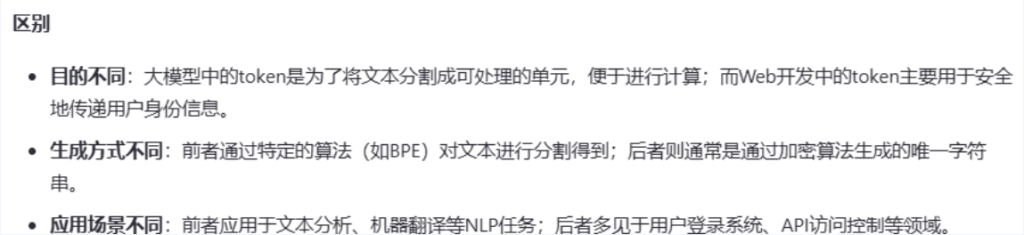
在此之前要先理解大模型里的token和web开发里的token
Token用量计算案例
LowApiController
1
2
3
4
5
6
7
8
9
10
11
12
13
14
15
16
17
18
19
20
21
22
23
24
25
26
27
28
29
30
31
32
33
34
35
36
37
38
39
40
41
42
43
44
45
46
47
48
49
50
51
52
53
54
55
56
57
58
package com.atguigu.study.controller;import dev.langchain4j.data .message.ChatMessage;import dev.langchain4j.data .message.ChatMessageType;import dev.langchain4j.data .message.UserMessage;import dev.langchain4j.model.chat.ChatModel;import dev.langchain4j.model.chat.request.ChatRequest;import dev.langchain4j.model.chat.response.ChatResponse;import dev.langchain4j.model.output.TokenUsage;import jakarta.annotation .Resource;import lombok.extern.slf4j.Slf4j;import org.springframework.web.bind.annotation .GetMapping;import org.springframework.web.bind.annotation .RequestParam;import org.springframework.web.bind.annotation .RestController;@RestController @Slf4j public class LowApiController { @Resource(name = "qwen" ) private ChatModel chatModelQwen; @Resource(name = "deepseek" ) private ChatModel chatModelDeepSeek; @GetMapping(value = "/lowapi/api01" ) public String api01(@RequestParam(value = "prompt" , defaultValue = "你是谁" ) String prompt) { String result = chatModelQwen.chat(prompt); System.out .println("通过langchain4j调用模型返回结果:" +result); return result; } @GetMapping(value = "/lowapi/api02" ) public String api02(@RequestParam(value = "prompt" , defaultValue = "你是谁" ) String prompt) { ChatResponse chatResponse = chatModelDeepSeek.chat(UserMessage.from(prompt)); String result = chatResponse.aiMessage().text(); System.out .println("通过langchain4j调用模型返回结果:" +result); TokenUsage tokenUsage = chatResponse.tokenUsage(); System.out .println("本次调用消耗Token:" +tokenUsage); result = result +"\t\n" + tokenUsage; return result; } }
2.高阶LLM API调用
介绍
AI Service编码步骤说明
具体步骤
定义AI Service接口
1
2
3
4
5
6
7
8
9
10
11
12
13
14
15
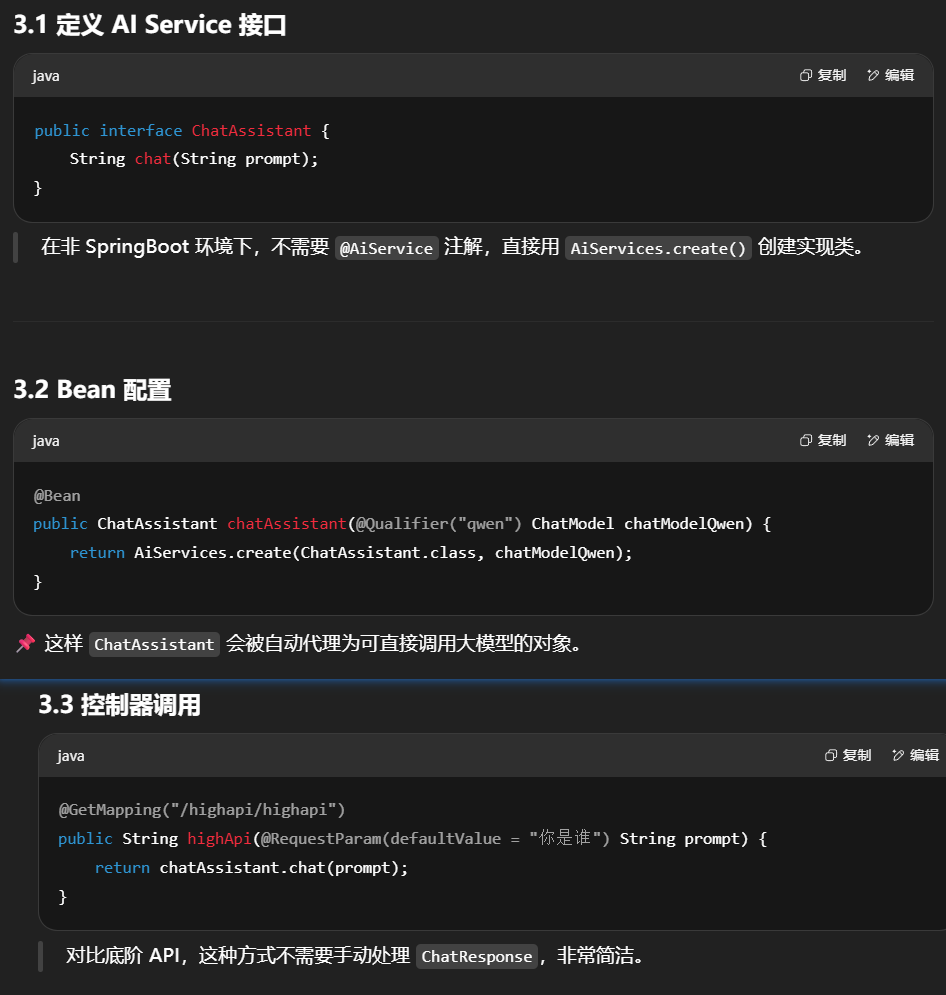
package com.atguigu.study.service;public interface ChatAssistant String chat (String prompt) ; }
LLMConfig配置类
1
2
3
4
5
6
7
8
9
10
11
12
13
14
15
16
17
18
19
20
21
22
23
24
25
26
package com.atguigu.study.config;import dev.langchain4j.model.chat.ChatModel;import dev.langchain4j.model.openai.OpenAiChatModel;import org.springframework.context.annotation .Bean;import org.springframework.context.annotation .Configuration;@Configuration public class LLMConfig { @Bean public ChatModel chatModelQwen() { return OpenAiChatModel.builder() .apiKey(System.getenv("aliQwen-api" )) .modelName("qwen-plus" ) .baseUrl("https://dashscope.aliyuncs.com/compatible-mode/v1" ) .build(); } }
AIService对应接口实现类落地
1
2
3
4
5
6
7
8
9
10
11
12
13
14
15
16
17
18
19
20
21
22
23
24
25
26
27
28
29
30
31
32
33
34
35
36
37
38
39
40
41
42
43
44
45
46
package com.atguigu.study.config;import com.atguigu.study.service.ChatAssistant;import dev.langchain4j.model.chat.ChatModel;import dev.langchain4j.model.openai.OpenAiChatModel;import dev.langchain4j.service.AiServices;import org.springframework.beans.factory.annotation .Qualifier;import org.springframework.context.annotation .Bean;import org.springframework.context.annotation .Configuration;@Configuration public class LLMConfig { @Bean(name = "qwen" ) public ChatModel chatModelQwen() { return OpenAiChatModel.builder() .apiKey(System.getenv("aliQwen-api" )) .modelName("qwen-plus" ) .baseUrl("https://dashscope.aliyuncs.com/compatible-mode/v1" ) .build(); } public interface ChatAssistant { String chat(String prompt); } @Bean public ChatAssistant chatAssistant(@Qualifier("qwen" ) ChatModel chatModelQwen) { return AiServices.create(ChatAssistant.class , chatModelQwen); } }
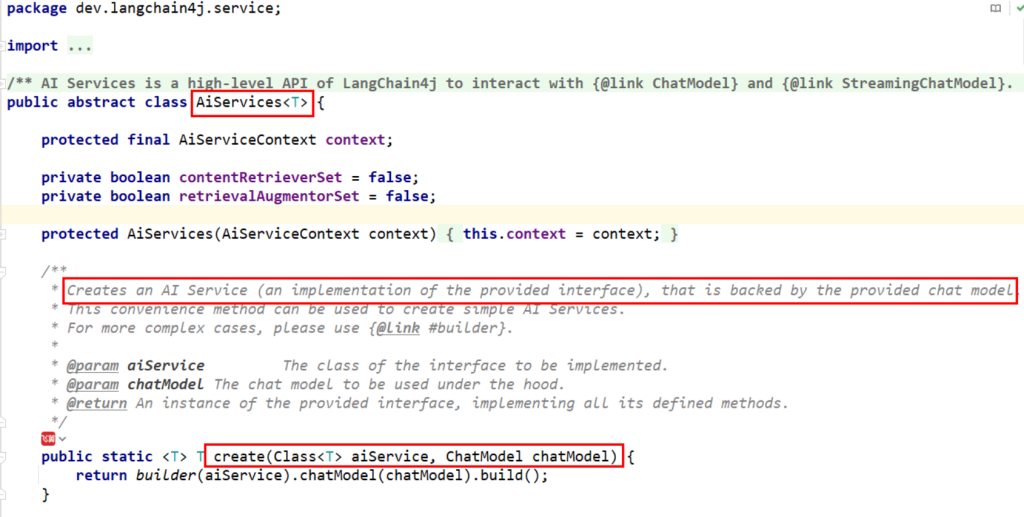
AI service是怎么工作的?
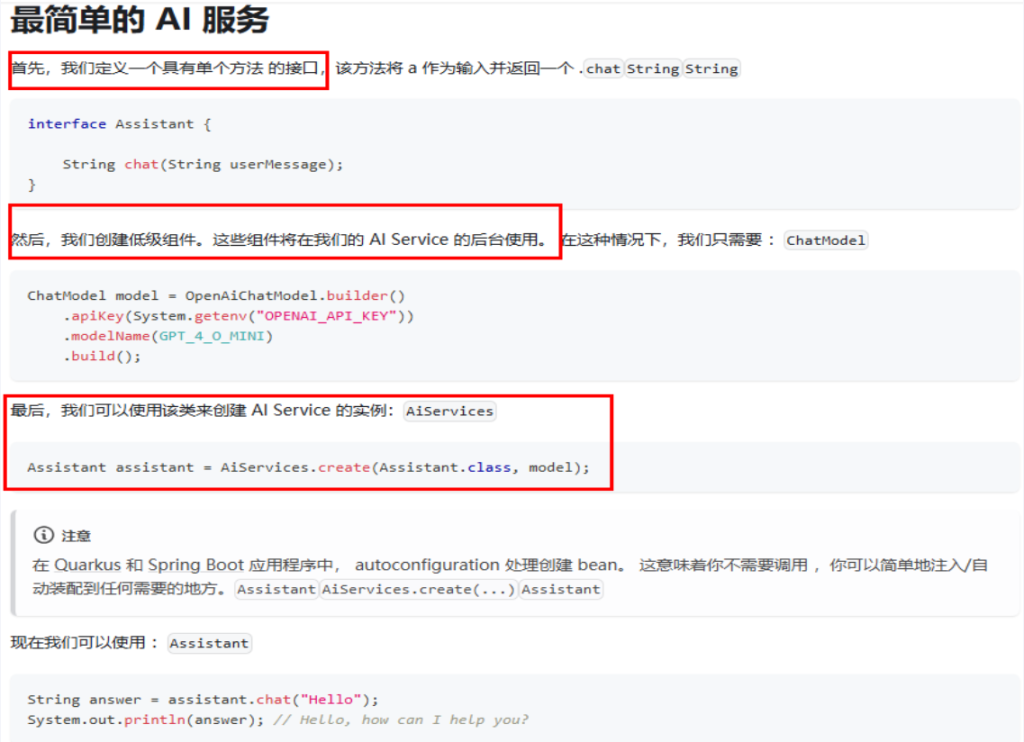
高阶 API 的 AiServices.create() 会:
动态生成接口的实现类。
在实现类内部调用 ChatModel,将参数作为 Prompt 发送给模型。
自动解析模型的回复,返回给调用方。
好处是免去了手写实现类的过程,但如果你要自定义 Prompt 模板、上下文管理,就需要回到底阶 API。
定义HighApiController
1
2
3
4
5
6
7
8
9
10
11
12
13
14
15
16
17
18
19
20
21
22
23
24
25
26
27
package com.atguigu.study.controller;import com.atguigu.study.service.ChatAssistant;import jakarta.annotation .Resource;import lombok.extern.slf4j.Slf4j;import org.springframework.web.bind.annotation .GetMapping;import org.springframework.web.bind.annotation .RequestParam;import org.springframework.web.bind.annotation .RestController;@RestController @Slf4j public class HighApiController { @Resource private ChatAssistant chatAssistant; @GetMapping(value = "/highapi/highapi" ) public String highApi(@RequestParam(value = "prompt" , defaultValue = "你是谁" ) String prompt) { return chatAssistant.chat(prompt); } }
五.LangChain4j之模型参数配置
1.官网
https://docs.langchain4j.dev/tutorials/model-parameters
https://docs.langchain4j.dev/integrations/language-models/open-ai/#spring-boot-1
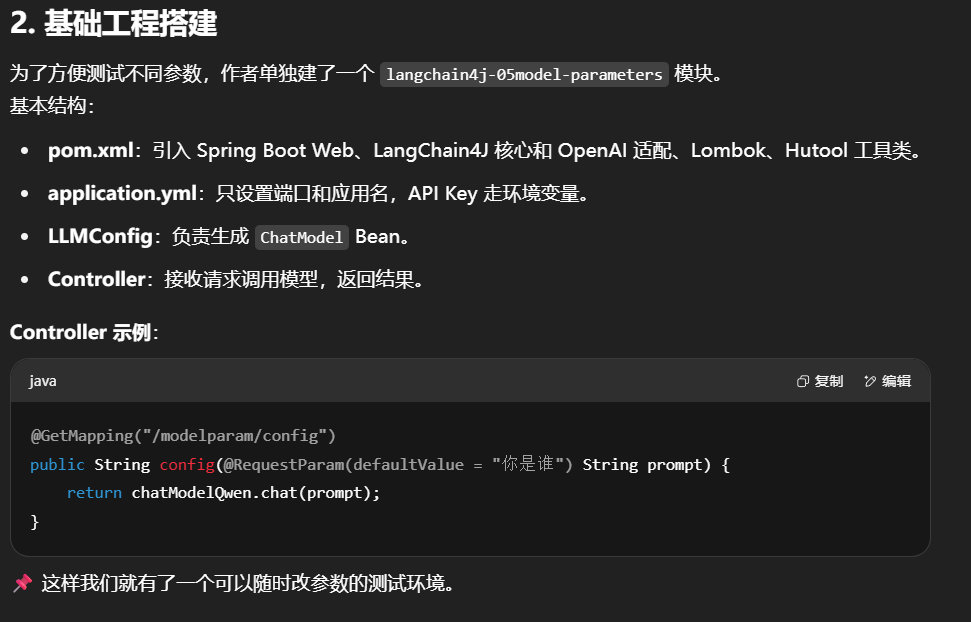
2.创建基础工程便于测试各种模型参数
pom
1
2
3
4
5
6
7
8
9
10
11
12
13
14
15
16
17
18
19
20
21
22
23
24
25
26
27
28
29
30
31
32
33
34
35
36
37
38
39
40
41
42
43
44
45
46
47
48
49
50
51
52
53
54
55
56
57
58
59
60
61
62
63
64
65
66
67
<?xml version="1.0" encoding="UTF-8" ?> <project xmlns ="http://maven.apache.org/POM/4.0.0" xmlns:xsi ="http://www.w3.org/2001/XMLSchema-instance" xsi:schemaLocation ="http://maven.apache.org/POM/4.0.0 http://maven.apache.org/xsd/maven-4.0.0.xsd" > <modelVersion > 4.0.0</modelVersion > <parent > <groupId > com.atguigu.stduy</groupId > <artifactId > langchain4j-atguiguV5</artifactId > <version > 1.0-SNAPSHOT</version > </parent > <artifactId > langchain4j-05model-parameters</artifactId > <properties > <maven.compiler.source > 17</maven.compiler.source > <maven.compiler.target > 17</maven.compiler.target > <project.build.sourceEncoding > UTF-8</project.build.sourceEncoding > </properties > <dependencies > <dependency > <groupId > org.springframework.boot</groupId > <artifactId > spring-boot-starter-web</artifactId > </dependency > <dependency > <groupId > dev.langchain4j</groupId > <artifactId > langchain4j-open-ai</artifactId > </dependency > <dependency > <groupId > dev.langchain4j</groupId > <artifactId > langchain4j</artifactId > </dependency > <dependency > <groupId > org.projectlombok</groupId > <artifactId > lombok</artifactId > <optional > true</optional > </dependency > <dependency > <groupId > cn.hutool</groupId > <artifactId > hutool-all</artifactId > <version > 5.8.22</version > </dependency > <dependency > <groupId > org.springframework.boot</groupId > <artifactId > spring-boot-starter-test</artifactId > <scope > test</scope > </dependency > </dependencies > <build > <plugins > <plugin > <groupId > org.springframework.boot</groupId > <artifactId > spring-boot-maven-plugin</artifactId > </plugin > </plugins > </build > </project >
yml
1
2
3
4
5
server.port =9005 spring.application.name =langchain4j-05 model-parameters
LLMConfig
1
2
3
4
5
6
7
8
9
10
11
12
13
14
15
16
17
18
19
20
21
22
23
24
25
26
27
package com.atguigu.study.config;import dev.langchain4j.model.chat.ChatModel;import dev.langchain4j.model.openai.OpenAiChatModel;import dev.langchain4j.service.AiServices;import org.springframework.beans.factory.annotation .Qualifier;import org.springframework.context.annotation .Bean;import org.springframework.context.annotation .Configuration;@Configuration public class LLMConfig { @Bean(name = "qwen" ) public ChatModel chatModelQwen() { return OpenAiChatModel.builder() .apiKey(System.getenv("aliQwen-api" )) .modelName("qwen-plus" ) .baseUrl("https://dashscope.aliyuncs.com/compatible-mode/v1" ) .build(); } }
Controller
1
2
3
4
5
6
7
8
9
10
11
12
13
14
15
16
17
18
19
20
21
22
23
24
25
26
27
28
29
30
31
32
package com.atguigu.study.controller;import dev.langchain4j.model.chat.ChatModel;import jakarta.annotation .Resource;import lombok.extern.slf4j.Slf4j;import org.springframework.web.bind.annotation .GetMapping;import org.springframework.web.bind.annotation .RequestParam;import org.springframework.web.bind.annotation .RestController;@RestController @Slf4j public class ModelParameterController { @Resource private ChatModel chatModelQwen; @GetMapping(value = "/modelparam/config" ) public String config(@RequestParam(value = "prompt" , defaultValue = "你是谁" ) String prompt) { String result = chatModelQwen.chat(prompt); System.out .println("通过langchain4j调用模型返回结果:" +result); return result; } }
3.常用配置
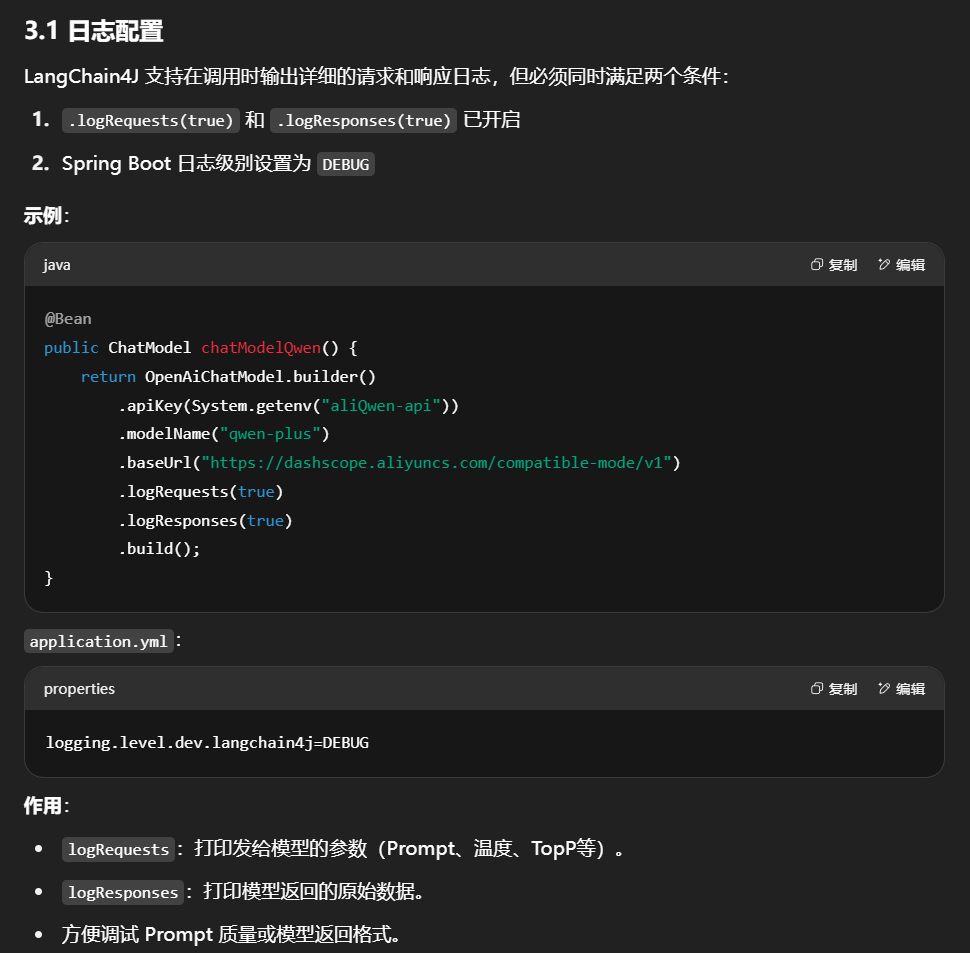
日志配置
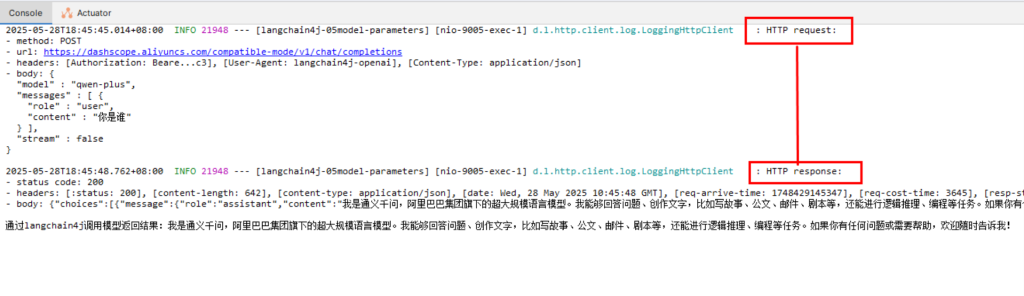
1.配置
注意:只有日志级别调整为debug级别,同时配置以上langchain日志输出开关才有效
2.LLMConfig
1
2
3
4
5
6
7
8
9
10
11
12
13
14
15
16
17
18
19
20
21
22
23
24
25
26
27
28
29
package com.atguigu.study.config;import dev.langchain4j.model.chat.ChatModel;import dev.langchain4j.model.openai.OpenAiChatModel;import dev.langchain4j.service.AiServices;import org.springframework.beans.factory.annotation .Qualifier;import org.springframework.context.annotation .Bean;import org.springframework.context.annotation .Configuration;@Configuration public class LLMConfig { @Bean(name = "qwen" ) public ChatModel chatModelQwen() { return OpenAiChatModel.builder() .apiKey(System.getenv("aliQwen-api" )) .modelName("qwen-plus" ) .baseUrl("https://dashscope.aliyuncs.com/compatible-mode/v1" ) .logRequests(true ) .logResponses(true ) .build(); } }
3.YML
1
2
3
4
5
6
server.port =9005 spring.application.name =langchain4j-05 model-parameterslogging.level.dev.langchain4j = DEBUG
4.测试
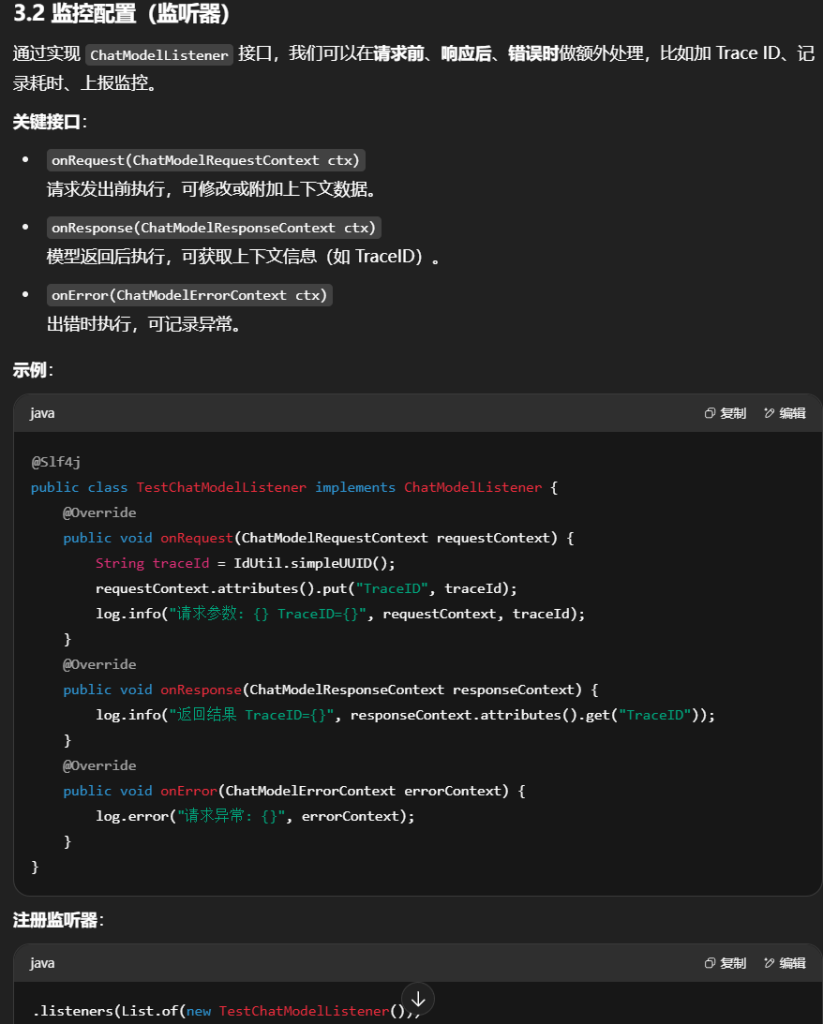
监控配置-监听器
1.chatModelListener接口中重写这3个方法
2.步骤–要implements ChatModelListener
1
2
3
4
5
6
7
8
9
10
11
12
13
14
15
16
17
18
19
20
21
22
23
24
25
26
27
28
29
30
31
32
33
34
35
36
37
38
39
40
41
package com.atguigu .study .listener ; import cn.hutool .core .util .IdUtil ;import dev.langchain4j .model .chat .listener .ChatModelErrorContext ;import dev.langchain4j .model .chat .listener .ChatModelListener ;import dev.langchain4j .model .chat .listener .ChatModelRequestContext ;import dev.langchain4j .model .chat .listener .ChatModelResponseContext ;import lombok.extern .slf4j .Slf4j ;@Slf4j public class TestChatModelListener implements ChatModelListener { @Override public void onRequest (ChatModelRequestContext requestContext { String uuidValue = IdUtil .simpleUUID (); requestContext.attributes ().put ("TraceID" ,uuidValue); log.info ("请求参数requestContext:{}" , requestContext+"\t" +uuidValue); } @Override public void onResponse (ChatModelResponseContext responseContext { Object object = responseContext.attributes ().get ("TraceID" ); log.info ("返回结果responseContext:{}" , object ); } @Override public void onError (ChatModelErrorContext errorContext { log.error ("请求异常ChatModelErrorContext:{}" , errorContext); } }
3.配置 LLMConfig
1
2
3
4
5
6
7
8
9
10
11
12
13
14
15
16
17
18
19
20
21
22
23
24
25
26
27
28
29
package com.atguigu.study.config;import com.atguigu.study.listener.TestChatModelListener;import dev.langchain4j.model.chat.ChatModel;import dev.langchain4j.model.openai.OpenAiChatModel;import dev.langchain4j.service.AiServices;import org.springframework.beans.factory.annotation .Qualifier;import org.springframework.context.annotation .Bean;import org.springframework.context.annotation .Configuration;import java.util.List;@Configuration public class LLMConfig { @Bean(name = "qwen" ) public ChatModel chatModelQwen() { return OpenAiChatModel.builder() .apiKey(System.getenv("aliQwen-api" )) .modelName("qwen-plus" ) .baseUrl("https://dashscope.aliyuncs.com/compatible-mode/v1" ) .logRequests(true ) .logResponses(true )
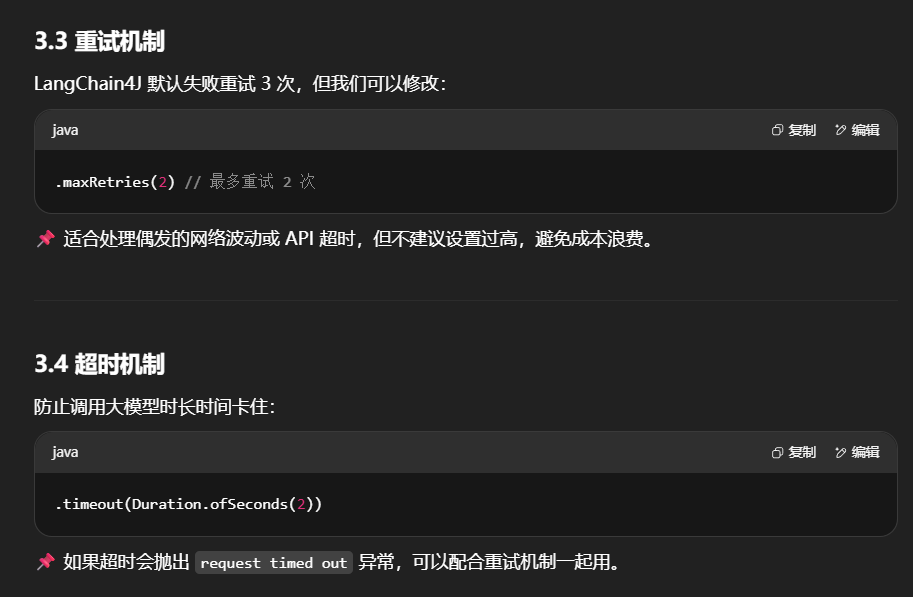
重试机制
默认重试3次
配置-maxRetries
1
2
3
4
5
6
7
8
9
10
11
12
13
14
15
16
17
18
19
20
21
22
23
24
25
26
27
28
29
30
31
32
33
34
35
package com.atguigu.study.config;import com.atguigu.study.listener.TestChatModelListener;import dev.langchain4j.model.chat.ChatModel;import dev.langchain4j.model.openai.OpenAiChatModel;import dev.langchain4j.service.AiServices;import org.springframework.beans.factory.annotation .Qualifier;import org.springframework.context.annotation .Bean;import org.springframework.context.annotation .Configuration;import java.util.List;@Configuration public class LLMConfig { @Bean(name = "qwen" ) public ChatModel chatModelQwen() { return OpenAiChatModel.builder() .apiKey(System.getenv("aliQwen-api" )) .modelName("qwen-plus" ) .baseUrl("https://dashscope.aliyuncs.com/compatible-mode/v1" ) .logRequests(true ) .logResponses(true ) .listeners(List.of(new TestChatModelListener())) .maxRetries(2 ) .build(); } }
超时机制 timeout(Duration.ofSeconds(2))
向大模型发送请求时,如在指定时间内没有收到响应,该请求将中断并报request timed out
4. 参数组合建议 常见组合场景:
调试阶段
.logRequests(true) + .logResponses(true)日志级别 DEBUG
方便验证 Prompt 输入输出
生产阶段监控
.listeners(List.of(new CustomListener()))记录 Trace ID、耗时、异常
高可用保障
.timeout(Duration.ofSeconds(3)).maxRetries(2)
5. 总结
日志配置 :帮你透明化调用过程监听器 :在调用链插入业务逻辑(监控、埋点)重试机制 :防止偶发网络/API 问题超时机制 :保证接口不会无限等待
这些参数配合使用,可以让 LangChain4J 调用更可控、可监控、可维护 。
六.LangChain4j之多模态视觉理解
1.LangChain4j进行图像理解
视觉理解是什么
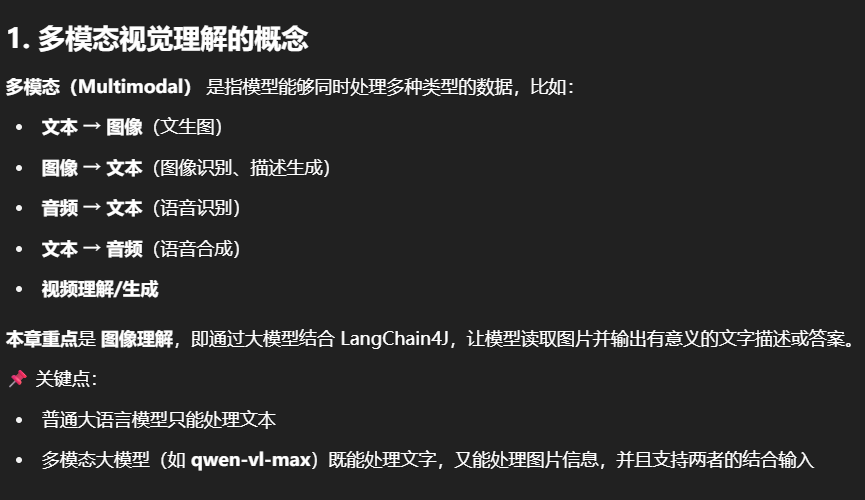
文生图,识别图/音/视频,文生音,文生视频等等
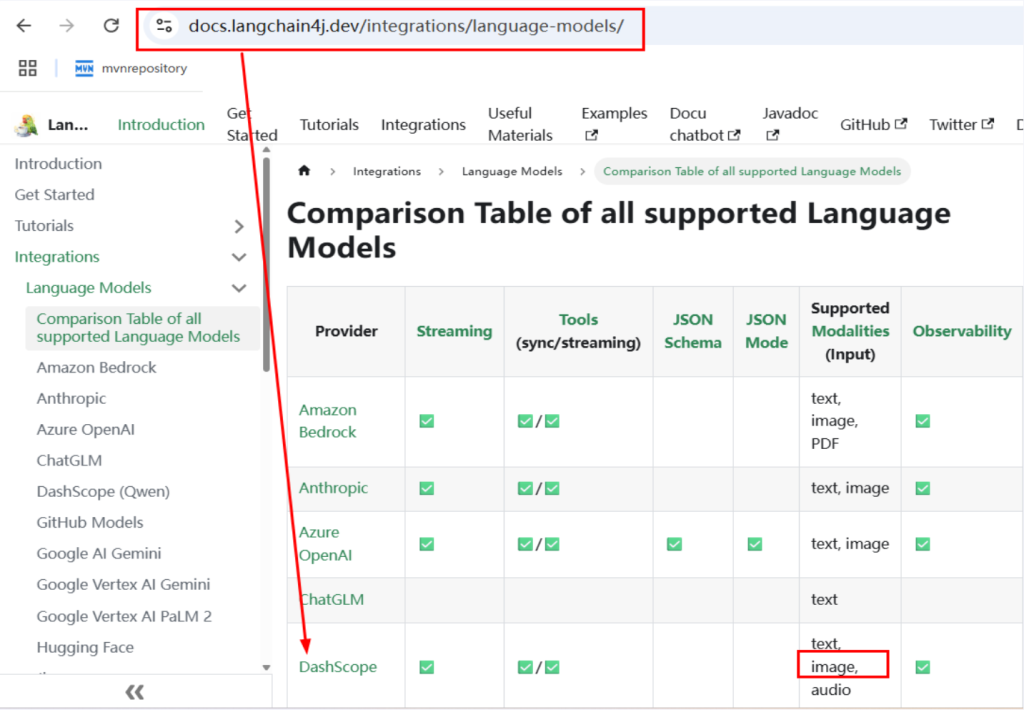
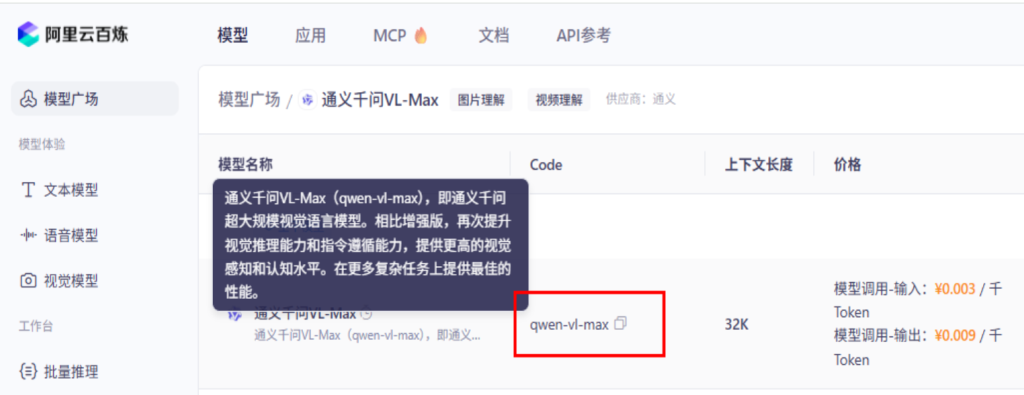
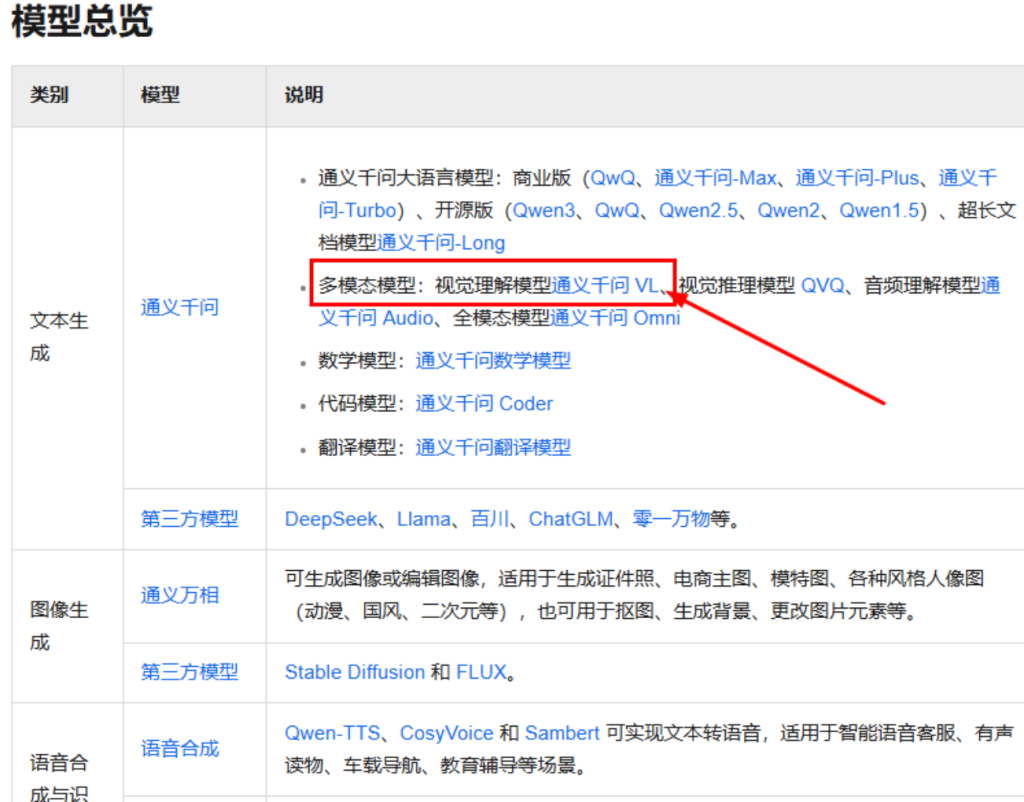
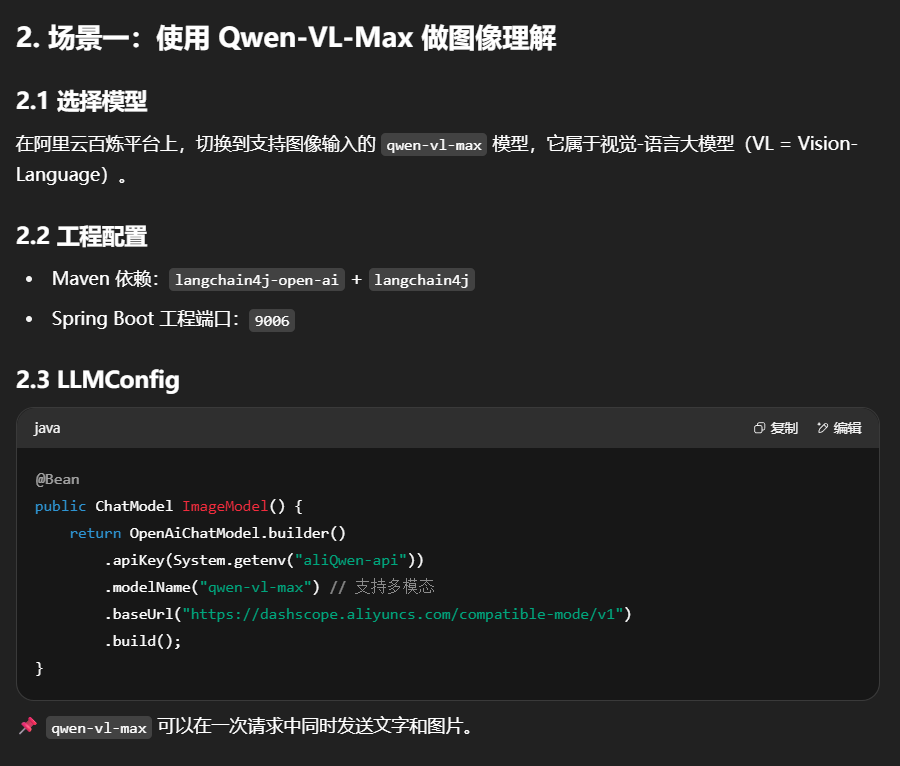
2.切换阿里云百炼大模型选择能支持图像的qwen-vl-max
3.案例开发步骤01
结合LangChain4j进行图像理解,使其支持视觉-语言的多模态任务
步骤
pom
1
2
3
4
5
6
7
8
9
10
11
12
13
14
15
16
17
18
19
20
21
22
23
24
25
26
27
28
29
30
31
32
33
34
35
36
37
38
39
40
41
42
43
44
45
46
47
48
49
50
51
52
53
54
55
56
57
58
59
60
61
62
63
64
65
66
67
<?xml version="1.0" encoding="UTF-8" ?> <project xmlns ="http://maven.apache.org/POM/4.0.0" xmlns:xsi ="http://www.w3.org/2001/XMLSchema-instance" xsi:schemaLocation ="http://maven.apache.org/POM/4.0.0 http://maven.apache.org/xsd/maven-4.0.0.xsd" > <modelVersion > 4.0.0</modelVersion > <parent > <groupId > com.atguigu.stduy</groupId > <artifactId > langchain4j-atguiguV5</artifactId > <version > 1.0-SNAPSHOT</version > </parent > <artifactId > langchain4j-06chat-image</artifactId > <properties > <maven.compiler.source > 17</maven.compiler.source > <maven.compiler.target > 17</maven.compiler.target > <project.build.sourceEncoding > UTF-8</project.build.sourceEncoding > </properties > <dependencies > <dependency > <groupId > org.springframework.boot</groupId > <artifactId > spring-boot-starter-web</artifactId > </dependency > <dependency > <groupId > dev.langchain4j</groupId > <artifactId > langchain4j-open-ai</artifactId > </dependency > <dependency > <groupId > dev.langchain4j</groupId > <artifactId > langchain4j</artifactId > </dependency > <dependency > <groupId > org.projectlombok</groupId > <artifactId > lombok</artifactId > <optional > true</optional > </dependency > <dependency > <groupId > cn.hutool</groupId > <artifactId > hutool-all</artifactId > <version > 5.8.22</version > </dependency > <dependency > <groupId > org.springframework.boot</groupId > <artifactId > spring-boot-starter-test</artifactId > <scope > test</scope > </dependency > </dependencies > <build > <plugins > <plugin > <groupId > org.springframework.boot</groupId > <artifactId > spring-boot-maven-plugin</artifactId > </plugin > </plugins > </build > </project >
yml
1
2
3
server.port =9006 spring.application.name =langchain4j-06 chat-image
业务类
1.在resources目录下放一张图片
2.LLMConfig配置
1
2
3
4
5
6
7
8
9
10
11
12
13
14
15
16
17
18
19
20
21
22
23
24
25
26
27
package com.atguigu.study.config;import dev.langchain4j.community.model.dashscope.WanxImageModel;import dev.langchain4j.model.chat.ChatModel;import dev.langchain4j.model.openai.OpenAiChatModel;import org.springframework.context.annotation .Bean;import org.springframework.context.annotation .Configuration;@Configuration public class LLMConfig { @Bean public ChatModel ImageModel() { return OpenAiChatModel.builder() .apiKey(System.getenv("aliQwen-api" )) .modelName("qwen-vl-max" ) .baseUrl("https://dashscope.aliyuncs.com/compatible-mode/v1" ) .build(); } }
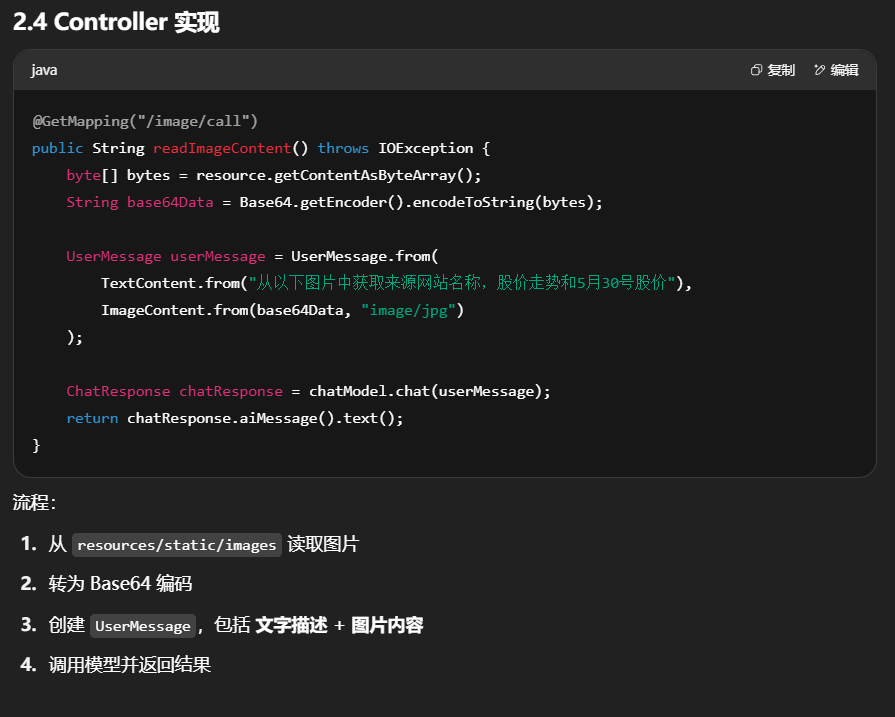
3.编码步骤
4.Controller
1
2
3
4
5
6
7
8
9
10
11
12
13
14
15
16
17
18
19
20
21
22
23
24
25
26
27
28
29
30
31
32
33
34
35
36
37
38
39
40
41
42
43
44
45
46
47
48
49
50
51
52
53
54
55
56
57
58
59
60
package com.atguigu.study.controller;import dev.langchain4j.data .message.AiMessage;import dev.langchain4j.data .message.ImageContent;import dev.langchain4j.data .message.TextContent;import dev.langchain4j.data .message.UserMessage;import dev.langchain4j.model.chat.ChatModel;import dev.langchain4j.model.chat.response.ChatResponse;import dev.langchain4j.model.output.Response;import lombok.extern.slf4j.Slf4j;import org.springframework.beans.factory.annotation .Autowired;import org.springframework.beans.factory.annotation .Value;import org.springframework.core.io.Resource;import org.springframework.web.bind.annotation .GetMapping;import org.springframework.web.bind.annotation .RestController;import java.io.IOException;import java.util.Base64;@RestController @Slf4j public class ImageModelController { @Autowired private ChatModel chatModel; @Value("classpath:static/images/mi.jpg" ) private Resource resource; @GetMapping(value = "/image/call" ) public String readImageContent() throws IOException { byte[] byteArray = resource.getContentAsByteArray(); String base64Data = Base64.getEncoder().encodeToString(byteArray); UserMessage userMessage = UserMessage.from( TextContent.from("从以下图片中获取来源网站名称,股价走势和5月30号股价" ), ImageContent.from(base64Data,"image/jpg" ) ); ChatResponse chatResponse = chatModel.chat(userMessage); String result = chatResponse.aiMessage().text(); System.out .println(result); return result; } }
4.案例开发步骤02
结合阿里巴巴通义万相进行图像理解,其支持视觉-语言的多模态任务
LangChain引入第3方平台和自己整合
对话langchain来做,生图由阿里通义万相处理
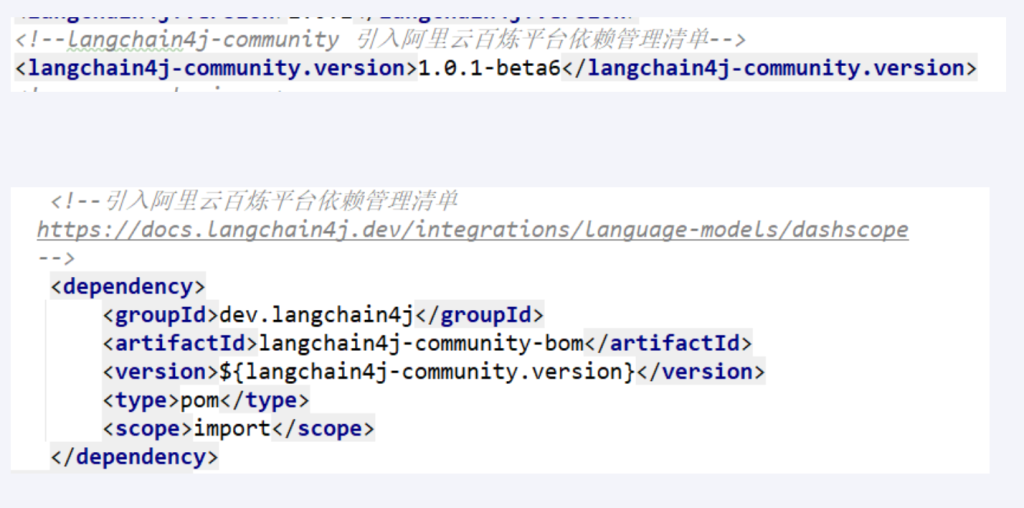
修改父工程pom文件,新增以下Maven配置
开发步骤
1
2
3
4
5
6
7
8
9
10
11
12
13
14
15
16
17
18
19
20
21
22
23
24
25
26
27
28
29
30
31
32
33
34
35
36
37
38
39
40
41
42
43
44
45
46
47
48
49
50
51
52
53
54
55
56
57
58
59
60
61
62
63
64
65
66
67
68
69
70
71
72
73
74
75
76
77
78
79
80
81
82
83
84
85
86
87
88
89
90
91
92
93
94
95
96
97
98
99
100
101
102
103
104
105
106
107
108
109
110
111
112
113
114
115
116
117
118
119
120
121
122
123
124
125
126
127
128
129
130
131
132
133
134
135
136
137
138
139
140
141
142
143
144
145
146
147
148
149
150
151
152
153
154
155
156
157
158
159
160
161
162
163
164
165
166
167
168
169
170
171
172
173
174
175
176
177
178
179
180
181
182
183
184
185
186
187
188
189
190
191
192
193
<?xml version="1.0" encoding="UTF-8" ?> <project xmlns ="http://maven.apache.org/POM/4.0.0" xmlns:xsi ="http://www.w3.org/2001/XMLSchema-instance" xsi:schemaLocation ="http://maven.apache.org/POM/4.0.0 http://maven.apache.org/xsd/maven-4.0.0.xsd" > <modelVersion > 4.0.0</modelVersion > <groupId > com.atguigu.stduy</groupId > <artifactId > langchain4j-atguiguV5</artifactId > <version > 1.0-SNAPSHOT</version > <packaging > pom</packaging > <name > langchain4j-atguiguV5-Maven父工程POM配置</name > <modules > <module > langchain4j-01helloworld</module > <module > langchain4j-02multi-model-together</module > <module > langchain4j-03boot-integration</module > <module > langchain4j-04low-high-api</module > <module > langchain4j-05model-parameters</module > <module > langchain4j-06chat-image</module > </modules > <properties > <project.build.sourceEncoding > UTF-8</project.build.sourceEncoding > <project.reporting.outputEncoding > UTF-8</project.reporting.outputEncoding > <java.version > 17</java.version > <maven.compiler.source > 17</maven.compiler.source > <maven.compiler.target > 17</maven.compiler.target > <spring-boot.version > 3.5.0</spring-boot.version > <spring-ai.version > 1.0.0</spring-ai.version > <spring-ai-alibaba.version > 1.0.0-M6.1</spring-ai-alibaba.version > <langchain4j.version > 1.0.1</langchain4j.version > <langchain4j-community.version > 1.0.1-beta6</langchain4j-community.version > <maven-deploy-plugin.version > 3.1.1</maven-deploy-plugin.version > <flatten-maven-plugin.version > 1.3.0</flatten-maven-plugin.version > <maven-compiler-plugin.version > 3.8.1</maven-compiler-plugin.version > </properties > <dependencyManagement > <dependencies > <dependency > <groupId > org.springframework.boot</groupId > <artifactId > spring-boot-dependencies</artifactId > <version > $ {spring-boot.version} </version > <type > pom</type > <scope > import</scope > </dependency > <dependency > <groupId > org.springframework.ai</groupId > <artifactId > spring-ai-bom</artifactId > <version > $ {spring-ai.version} </version > <type > pom</type > <scope > import</scope > </dependency > <dependency > <groupId > com.alibaba.cloud.ai</groupId > <artifactId > spring-ai-alibaba-starter</artifactId > <version > $ {spring-ai-alibaba.version} </version > </dependency > <dependency > <groupId > dev.langchain4j</groupId > <artifactId > langchain4j-bom</artifactId > <version > $ {langchain4j.version} </version > <type > pom</type > <scope > import</scope > </dependency > <dependency > <groupId > dev.langchain4j</groupId > <artifactId > langchain4j-community-bom</artifactId > <version > $ {langchain4j-community.version} </version > <type > pom</type > <scope > import</scope > </dependency > </dependencies > </dependencyManagement > <build > <plugins > <plugin > <groupId > org.springframework.boot</groupId > <artifactId > spring-boot-maven-plugin</artifactId > <version > $ {spring-boot.version} </version > </plugin > <plugin > <groupId > org.apache.maven.plugins</groupId > <artifactId > maven-deploy-plugin</artifactId > <version > $ {maven-deploy-plugin.version} </version > <configuration > <skip > true</skip > </configuration > </plugin > <plugin > <groupId > org.apache.maven.plugins</groupId > <artifactId > maven-compiler-plugin</artifactId > <version > $ {maven-compiler-plugin.version} </version > <configuration > <release > $ {java.version} </release > <compilerArgs > <compilerArg > -parameters</compilerArg > </compilerArgs > </configuration > </plugin > <plugin > <groupId > org.codehaus.mojo</groupId > <artifactId > flatten-maven-plugin</artifactId > <version > $ {flatten-maven-plugin.version} </version > <inherited > true</inherited > <executions > <execution > <id > flatten</id > <phase > process-resources</phase > <goals > <goal > flatten</goal > </goals > <configuration > <updatePomFile > true</updatePomFile > <flattenMode > ossrh</flattenMode > <pomElements > <distributionManagement > remove</distributionManagement > <dependencyManagement > remove</dependencyManagement > <repositories > remove</repositories > <scm > keep</scm > <url > keep</url > <organization > resolve</organization > </pomElements > </configuration > </execution > <execution > <id > flatten.clean</id > <phase > clean</phase > <goals > <goal > clean</goal > </goals > </execution > </executions > </plugin > </plugins > </build > <repositories > <repository > <id > spring-milestones</id > <name > Spring Milestones</name > <url > https://repo.spring.io/milestone</url > <snapshots > <enabled > false</enabled > </snapshots > </repository > <repository > <id > spring-snapshots</id > <name > Spring Snapshots</name > <url > https://repo.spring.io/snapshot</url > <releases > <enabled > false</enabled > </releases > </repository > <repository > <id > aliyunmaven</id > <name > aliyun</name > <url > https://maven.aliyun.com/repository/public</url > </repository > </repositories > <pluginRepositories > <pluginRepository > <id > public</id > <name > aliyun nexus</name > <url > https://maven.aliyun.com/repository/public</url > <releases > <enabled > true</enabled > </releases > <snapshots > <enabled > false</enabled > </snapshots > </pluginRepository > </pluginRepositories > </project >
yml
1
2
3
server.port =9006 spring.application.name =langchain4j-06 chat-image
业务类
LLMConfig配置-修改-测试通义万相来实现图片生成
1
2
3
4
5
6
7
8
9
10
11
12
13
14
15
16
17
18
19
20
21
22
23
24
25
26
27
28
29
30
31
32
33
34
35
36
37
38
39
40
41
42
43
package com.atguigu.study.config;import dev.langchain4j.community.model.dashscope.WanxImageModel;import dev.langchain4j.model.chat.ChatModel;import dev.langchain4j.model.openai.OpenAiChatModel;import org.springframework.context.annotation .Bean;import org.springframework.context.annotation .Configuration;@Configuration public class LLMConfig { @Bean public ChatModel ImageModel() { return OpenAiChatModel.builder() .apiKey(System.getenv("aliQwen-api" )) .modelName("qwen-vl-max" ) .baseUrl("https://dashscope.aliyuncs.com/compatible-mode/v1" ) .build(); } @Bean public WanxImageModel wanxImageModel() { return WanxImageModel.builder() .apiKey(System.getenv("aliQwen-api" )) .modelName("wanx2.1-t2i-turbo" ) .build(); } }
Controller
1
2
3
4
5
6
7
8
9
10
11
12
13
14
15
16
17
18
19
20
21
22
23
24
25
26
27
28
29
30
31
32
33
34
35
36
37
38
39
40
41
42
43
44
45
46
47
48
49
50
51
52
53
54
55
56
57
58
59
60
61
62
63
64
65
66
67
68
69
70
71
72
73
74
75
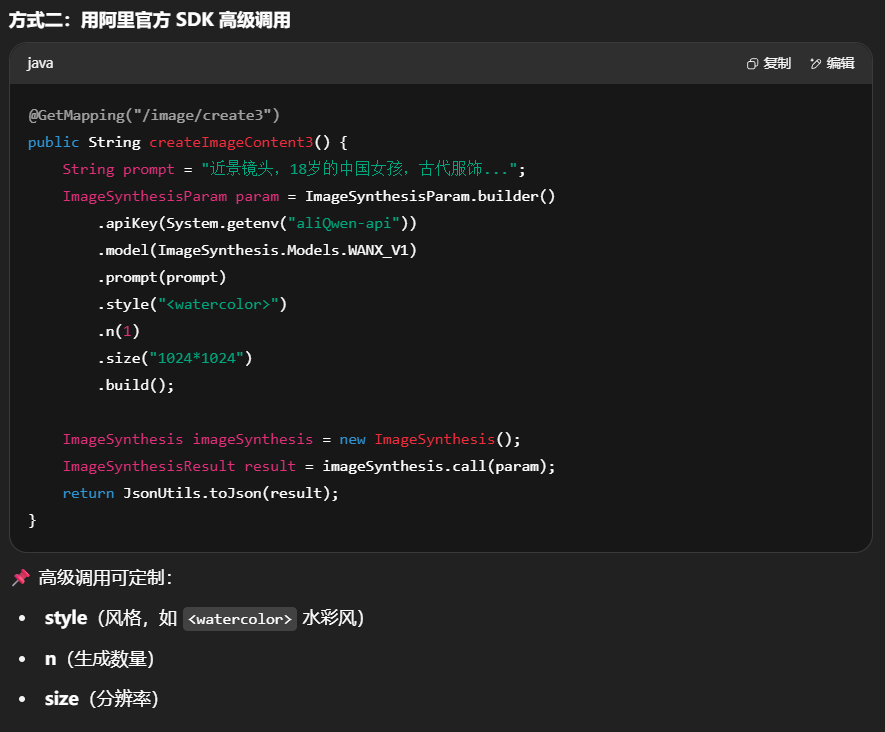
package com.atguigu.study.controller;import com.alibaba.dashscope.aigc.imagesynthesis.ImageSynthesis;import com.alibaba.dashscope.aigc.imagesynthesis.ImageSynthesisParam;import com.alibaba.dashscope.aigc.imagesynthesis.ImageSynthesisResult;import com.alibaba.dashscope.exception.ApiException;import com.alibaba.dashscope.exception.NoApiKeyException;import com.alibaba.dashscope.utils.JsonUtils;import dev.langchain4j.community.model.dashscope.WanxImageModel;import dev.langchain4j.data .image.Image;import dev.langchain4j.model.output.Response;import lombok.extern.slf4j.Slf4j;import org.springframework.beans.factory.annotation .Autowired;import org.springframework.web.bind.annotation .GetMapping;import org.springframework.web.bind.annotation .RestController;import java.io.IOException;@RestController @Slf4j public class WanxImageModelController { @Autowired private WanxImageModel wanxImageModel; @GetMapping(value = "/image/create2" ) public String createImageContent2() throws IOException { System.out .println(wanxImageModel); Response<Image> imageResponse = wanxImageModel.generate("美女" ); System.out .println(imageResponse.content().url()); return imageResponse.content().url().toString(); } @GetMapping(value = "/image/create3" ) public String createImageContent3() throws IOException { String prompt = "近景镜头,18岁的中国女孩,古代服饰,圆脸,正面看着镜头," + "民族优雅的服装,商业摄影,室外,电影级光照,半身特写,精致的淡妆,锐利的边缘。" ; ImageSynthesisParam param = ImageSynthesisParam.builder() .apiKey(System.getenv("aliQwen-api" )) .model(ImageSynthesis.Models.WANX_V1) .prompt(prompt) .style("<watercolor>" ) .n(1 ) .size("1024*1024" ) .build(); ImageSynthesis imageSynthesis = new ImageSynthesis(); ImageSynthesisResult result = null ; try { System.out .println("---sync call, please wait a moment----" ); result = imageSynthesis.call(param); } catch (ApiException | NoApiKeyException e){ throw new RuntimeException(e.getMessage()); } System.out .println(JsonUtils.toJson(result)); return JsonUtils.toJson(result); } }
功能
模型
LangChain4J 组件
输入类型
输出类型
图像理解
qwen-vl-max
OpenAiChatModel文本 + 图片
文本描述/答案
文生图
wanx2.1-t2i-turbo
WanxImageModel / 官方 SDK文本 Prompt
图片 URL / Base64
5. 适用场景建议
qwen-vl-max → 用于图像分析、内容理解(如识别产品、读取图表、分析照片)WanxImageModel → 用于生成创意图像、设计草图、商业宣传图两者结合 → 比如先理解用户上传的草图,再生成高清版本
七.LangChain4j之流式输出
1.是什么
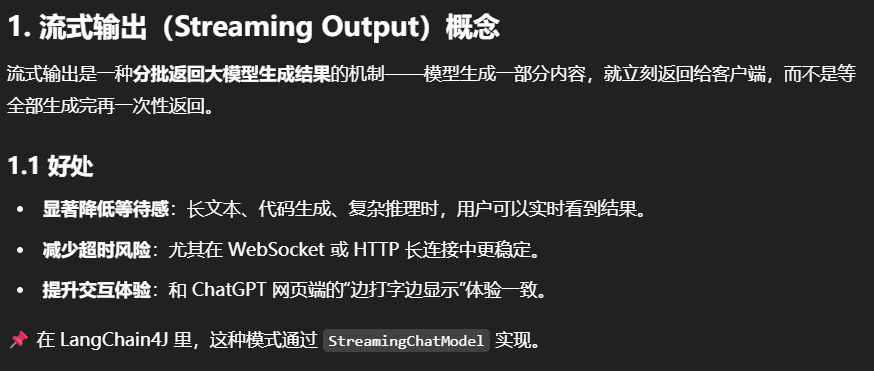
流式输出(StreamingOutput)
是一种逐步返回大模型生成结果 的技术,生成一点返回一点,允许服务器将响应内容
分批次实时传输给客户端 ,而不是等待全部内容生成完毕后再一次性返回。
这种机制能显著提升用户体验,尤其适用于大模型响应较慢的场景(如生成长文本或复杂推理结果)。
2.开发步骤
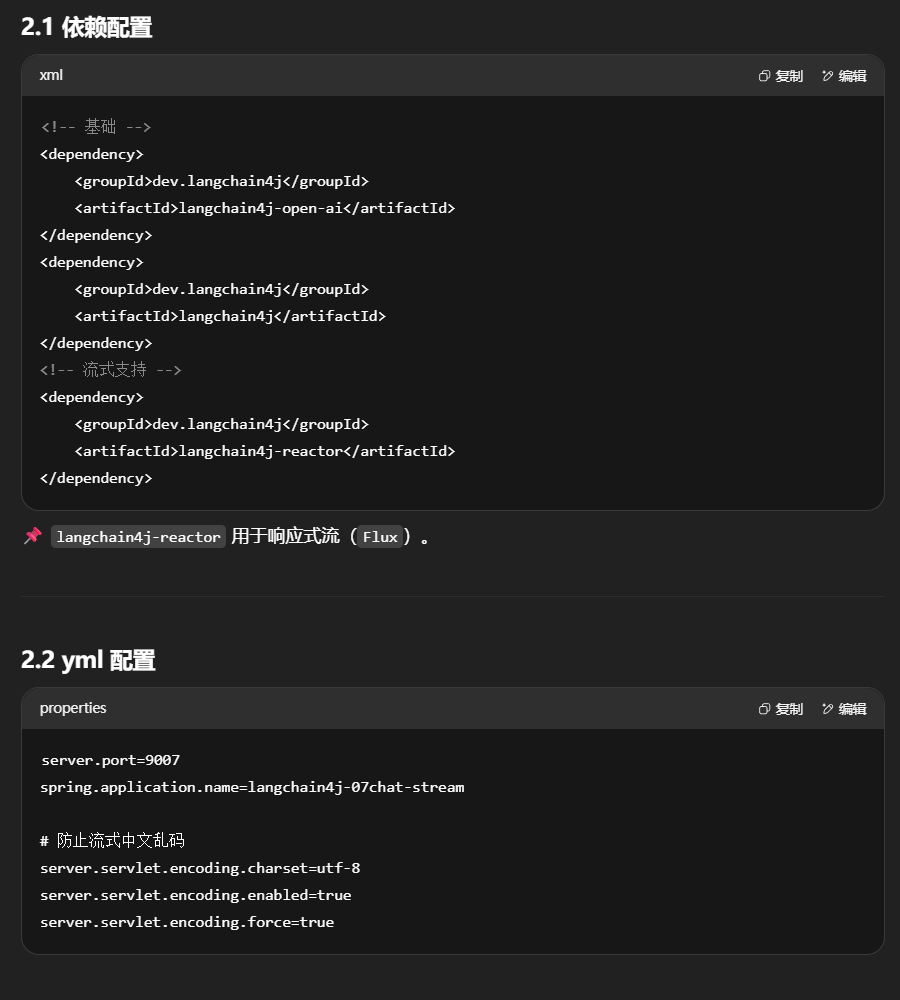
pom中加入新的maven坐标
1 2 3 4 5 6 7 8 9 10 11 12 13 <dependency > <groupId > dev.langchain4j</groupId > <artifactId > langchain4j-open-ai</artifactId > </dependency > <dependency > <groupId > dev.langchain4j</groupId > <artifactId > langchain4j</artifactId > </dependency > <dependency > <groupId > dev.langchain4j</groupId > <artifactId > langchain4j-reactor</artifactId > </dependency >
yml
1
2
3
4
5
6
7
8
server.port =9007 spring.application.name =langchain4j-07 chat-stream server.servlet.encoding.charset =utf-8 server.servlet.encoding.enabled =true server.servlet.encoding.force =true
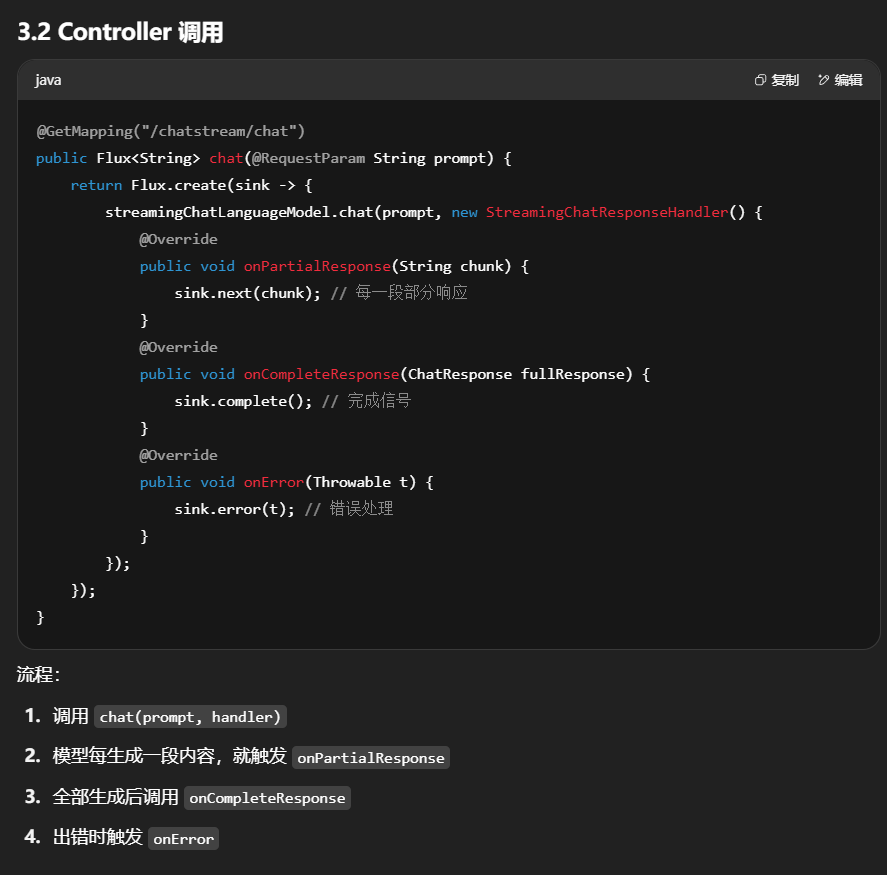
chatModel由普通对话接口ChatModel转变为StreamingChatModel
业务类
ChatAssistant接口
1
2
3
4
5
6
7
8
9
10
11
12
13
14
15
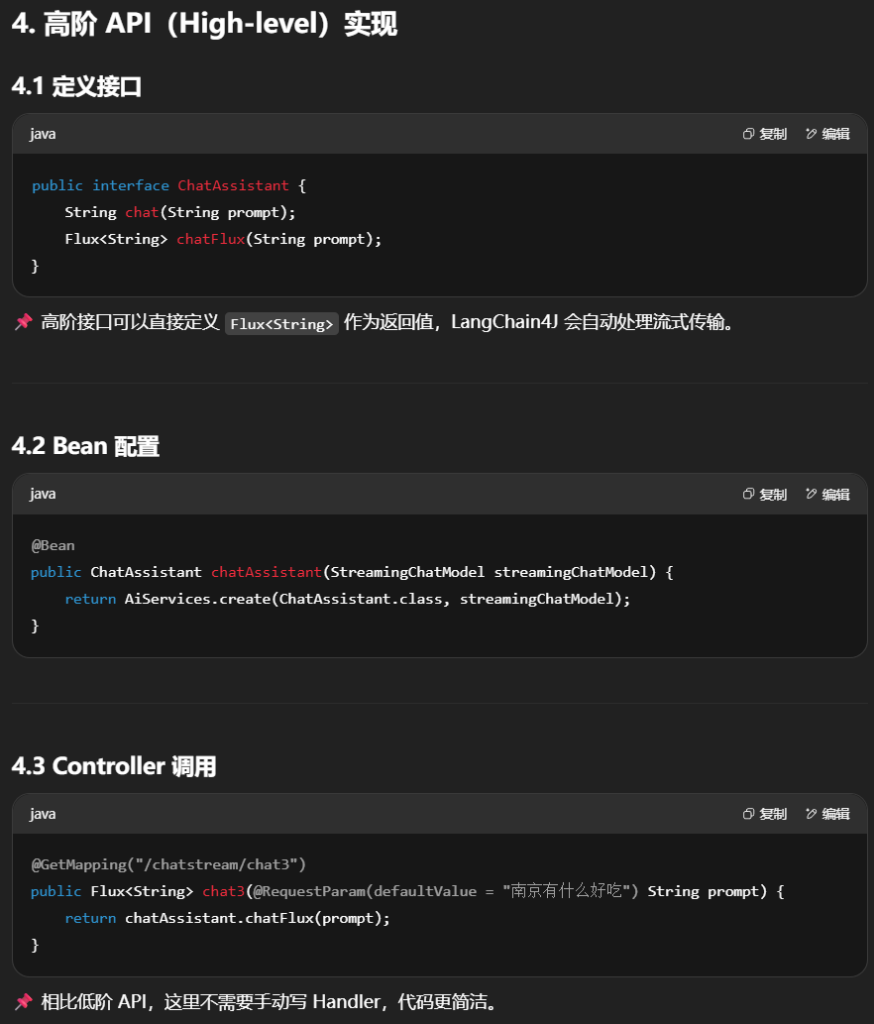
package com.atguigu.study.service;import reactor.core.publisher.Flux;public interface ChatAssistant String chat(String prompt); Flux<String > chatFlux(String prompt); }
LLMConfig配置
1
2
3
4
5
6
7
8
9
10
11
12
13
14
15
16
17
18
19
20
21
22
23
24
25
26
27
28
29
30
31
32
33
34
35
36
37
38
39
40
41
42
43
44
45
46
47
48
49
50
51
52
53
54
55
56
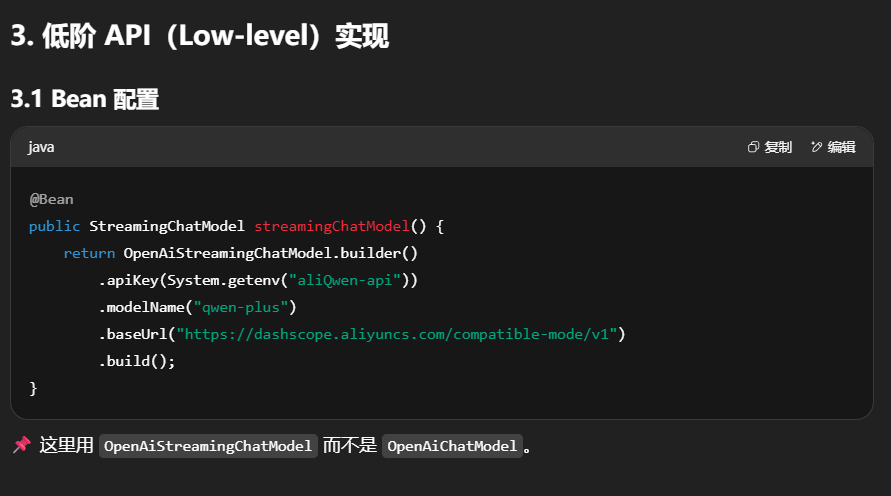
package com.atguigu.study.config;import com.atguigu.study.service.ChatAssistant;import dev.langchain4j.model.chat.ChatModel;import dev.langchain4j.model.chat.StreamingChatModel;import dev.langchain4j.model.openai.OpenAiChatModel;import dev.langchain4j.model.openai.OpenAiStreamingChatModel;import dev.langchain4j.service.AiServices;import org.springframework.context.annotation .Bean;import org.springframework.context.annotation .Configuration;import java.time.Duration;import java.util.List;@Configuration public class LLMConfig { @Bean(name = "qwen" ) public ChatModel chatModelQwen() { return OpenAiChatModel.builder() .apiKey(System.getenv("aliQwen-api" )) .modelName("qwen-plus" ) .baseUrl("https://dashscope.aliyuncs.com/compatible-mode/v1" ) .build(); } @Bean public StreamingChatModel streamingChatModel(){ return OpenAiStreamingChatModel.builder() .apiKey(System.getenv("aliQwen-api" )) .modelName("qwen-plus" ) .baseUrl("https://dashscope.aliyuncs.com/compatible-mode/v1" ) .build(); } @Bean public ChatAssistant chatAssistant(StreamingChatModel streamingChatModel){ return AiServices.create(ChatAssistant.class , streamingChatModel); } }
Controller
1
2
3
4
5
6
7
8
9
10
11
12
13
14
15
16
17
18
19
20
21
22
23
24
25
26
27
28
29
30
31
32
33
34
35
36
37
38
39
40
41
42
43
44
45
46
47
48
49
50
51
52
53
54
55
56
57
58
59
60
61
62
63
64
65
66
67
68
69
70
71
72
73
74
75
76
77
78
79
80
81
82
83
84
85
86
87
88
89
90
91
92
93
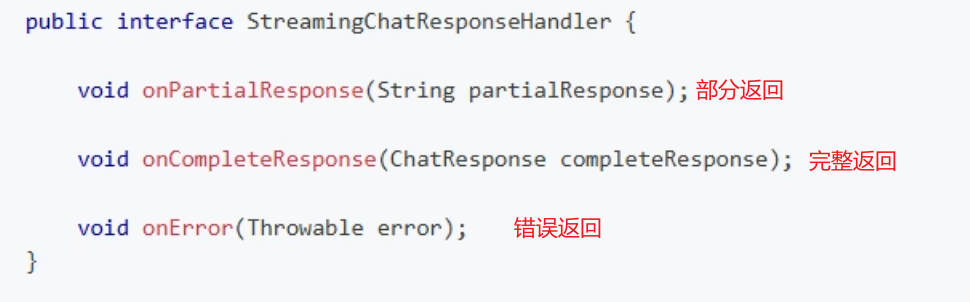
package com.atguigu .study .controller ; import com.atguigu .study .service .ChatAssistant ;import dev.langchain4j .model .chat .StreamingChatModel ;import dev.langchain4j .model .chat .response .ChatResponse ;import dev.langchain4j .model .chat .response .StreamingChatResponseHandler ;import jakarta.annotation .Resource ;import jakarta.servlet .http .HttpServletResponse ;import lombok.extern .slf4j .Slf4j ;import org.springframework .web .bind .annotation .GetMapping ;import org.springframework .web .bind .annotation .RequestParam ;import org.springframework .web .bind .annotation .RestController ;import reactor.core .publisher .Flux ;@RestController @Slf4j public class StreamingChatModelController { @Resource private StreamingChatModel streamingChatLanguageModel; @Resource private ChatAssistant chatAssistant; @GetMapping (value = "/chatstream/chat" ) public Flux <String > chat (@RequestParam ("prompt" ) String prompt { return Flux .create (stringFluxSink -> { streamingChatLanguageModel.chat (prompt, new StreamingChatResponseHandler () { @Override public void onPartialResponse (String s { stringFluxSink.next (s); } @Override public void onCompleteResponse (ChatResponse completeResponse { stringFluxSink.complete (); } @Override public void onError (Throwable throwable { stringFluxSink.error (throwable); } }); }); } @GetMapping (value = "/chatstream/chat2" ) public void chat2 (@RequestParam (value = "prompt" , defaultValue = "北京有什么好吃" ) String prompt { System .out .println ("---come in chat2" ); streamingChatLanguageModel.chat (prompt, new StreamingChatResponseHandler () { @Override public void onPartialResponse (String partialResponse { System .out .println (partialResponse); } @Override public void onCompleteResponse (ChatResponse completeResponse { System .out .println ("---response over: " +completeResponse); } @Override public void onError (Throwable throwable { throwable.printStackTrace (); } }); } @GetMapping (value = "/chatstream/chat3" ) public Flux <String > chat3 (@RequestParam (value = "prompt" , defaultValue = "南京有什么好吃" ) String prompt { System .out .println ("---come in chat3" ); return chatAssistant.chatFlux (prompt); } }
八.LangChain4j之记忆缓存
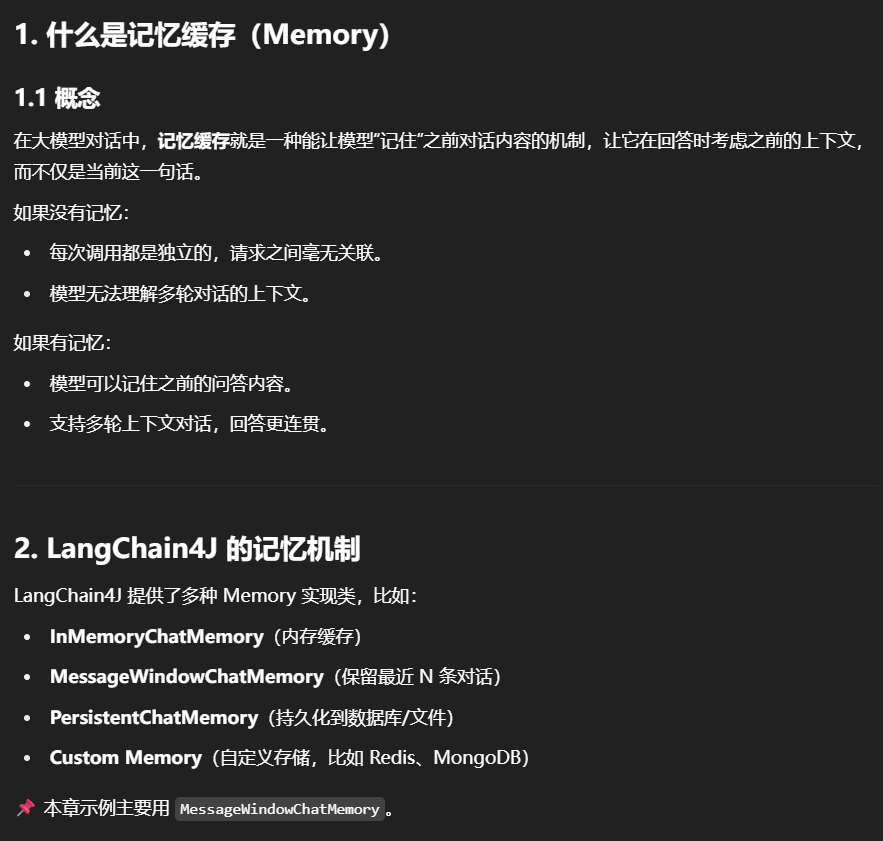
1.是什么
通俗来讲就是AI的上下文记忆功能
记忆缓存是聊天系统中的一个重要组件,用于存储和管理对话的上下文信息。它的主要作用是让AI助手能够“记住”之前的对话内容,从而提供连贯和个性化的回复
记忆与历史的区别
2.清除策略
3.两种主要的ChatMemory实现类
1.MessageWindowChatMemory
基于消息数量的简单实现。它采用滑动窗口的方式,保留最新的N条消息并淘汰旧消息
2.TokenWindowChatMemory
基于令牌数量限制,确保模型处理的上下文保持在指定范围内
需要结合TokenCountEstimator计算ChatMessage的token数量
核心原理
记忆缓存会:
在对话开始时加载之前的上下文(历史问答记录)。
把本次提问添加到缓存。
把缓存作为上下文传给大模型。
模型生成回答后,再把回答存入缓存。
下次提问时重复这个过程。
4.开发步骤
pom
1
2
3
4
5
6
7
8
9
10
11
12
13
14
15
16
17
18
19
20
21
22
23
24
25
26
27
28
29
30
31
32
33
34
35
36
37
38
39
40
41
42
43
44
45
46
47
48
49
50
51
52
53
54
55
56
57
58
59
60
61
62
63
64
65
66
67
<?xml version="1.0" encoding="UTF-8" ?> <project xmlns ="http://maven.apache.org/POM/4.0.0" xmlns:xsi ="http://www.w3.org/2001/XMLSchema-instance" xsi:schemaLocation ="http://maven.apache.org/POM/4.0.0 http://maven.apache.org/xsd/maven-4.0.0.xsd" > <modelVersion > 4.0.0</modelVersion > <parent > <groupId > com.atguigu.stduy</groupId > <artifactId > langchain4j-atguiguV5</artifactId > <version > 1.0-SNAPSHOT</version > </parent > <artifactId > langchain4j-08chat-memory</artifactId > <properties > <maven.compiler.source > 17</maven.compiler.source > <maven.compiler.target > 17</maven.compiler.target > <project.build.sourceEncoding > UTF-8</project.build.sourceEncoding > </properties > <dependencies > <dependency > <groupId > org.springframework.boot</groupId > <artifactId > spring-boot-starter-web</artifactId > </dependency > <dependency > <groupId > dev.langchain4j</groupId > <artifactId > langchain4j-open-ai</artifactId > </dependency > <dependency > <groupId > dev.langchain4j</groupId > <artifactId > langchain4j</artifactId > </dependency > <dependency > <groupId > dev.langchain4j</groupId > <artifactId > langchain4j-reactor</artifactId > </dependency > <dependency > <groupId > org.projectlombok</groupId > <artifactId > lombok</artifactId > <optional > true</optional > </dependency > <dependency > <groupId > cn.hutool</groupId > <artifactId > hutool-all</artifactId > <version > 5.8.22</version > </dependency > <dependency > <groupId > org.springframework.boot</groupId > <artifactId > spring-boot-starter-test</artifactId > <scope > test</scope > </dependency > </dependencies > <build > <plugins > <plugin > <groupId > org.springframework.boot</groupId > <artifactId > spring-boot-maven-plugin</artifactId > </plugin > </plugins > </build > </project >
yml
1
2
3
4
5
6
7
8
server.port =9008 spring.application.name =langchain4j-08 chat-memoryserver.servlet.encoding.charset =utf-8 server.servlet.encoding.enabled =true server.servlet.encoding.force =true
业务类
新建需求接口
ChatAssistant接口
1
2
3
4
5
6
7
8
9
10
11
12
13
14
15
16
17
package com.atguigu.study.service;import dev.langchain4j.service.MemoryId;import dev.langchain4j.service.UserMessage;public interface ChatAssistant String chat (String prompt) ; }
ChatMemoryAssistant接口
1
2
3
4
5
6
7
8
9
10
11
12
13
14
15
16
17
18
19
20
21
package com .atguigu .study .service ;import dev .langchain4j .service .MemoryId ;import dev .langchain4j .service .UserMessage ;public interface ChatMemoryAssistant { String chatWithChatMemory (@MemoryId Long userId, @UserMessage String prompt); }
注:更换模型为Qwen-Long
LLMConfig配置
1
2
3
4
5
6
7
8
9
10
11
12
13
14
15
16
17
18
19
20
21
22
23
24
25
26
27
28
29
30
31
32
33
34
35
36
37
38
39
40
41
42
43
44
45
46
47
48
49
50
51
52
53
54
55
56
57
58
59
60
61
62
package com.atguigu.study.config;import com.atguigu.study.service.ChatAssistant;import com.atguigu.study.service.ChatMemoryAssistant;import dev.langchain4j.memory.chat.MessageWindowChatMemory;import dev.langchain4j.memory.chat.TokenWindowChatMemory;import dev.langchain4j.model.TokenCountEstimator;import dev.langchain4j.model.chat.ChatModel;import dev.langchain4j.model.openai.OpenAiChatModel;import dev.langchain4j.model.openai.OpenAiTokenCountEstimator;import dev.langchain4j.service.AiServices;import org.springframework.context.annotation .Bean;import org.springframework.context.annotation .Configuration;@Configuration public class LLMConfig { @Bean public ChatModel chatModel() { return OpenAiChatModel.builder() .apiKey(System.getenv("aliQwen-api" )) .modelName("qwen-long" ) .baseUrl("https://dashscope.aliyuncs.com/compatible-mode/v1" ) .build(); } @Bean(name = "chat" ) public ChatAssistant chatAssistant(ChatModel chatModel) { return AiServices.create(ChatAssistant.class , chatModel); } @Bean(name = "chatMessageWindowChatMemory" ) public ChatMemoryAssistant chatMessageWindowChatMemory(ChatModel chatModel) { return AiServices.builder(ChatMemoryAssistant.class ) .chatModel(chatModel) .chatMemoryProvider(memoryId -> MessageWindowChatMemory.withMaxMessages(100 )) .build(); } @Bean(name = "chatTokenWindowChatMemory" ) public ChatMemoryAssistant chatTokenWindowChatMemory(ChatModel chatModel) { TokenCountEstimator openAiTokenizer = new OpenAiTokenCountEstimator("gpt-4" ); return AiServices.builder(ChatMemoryAssistant.class ) .chatModel(chatModel) .chatMemoryProvider(memoryId -> TokenWindowChatMemory.withMaxTokens(1000 ,openAiTokenizer)) .build(); } }
Controller
1
2
3
4
5
6
7
8
9
10
11
12
13
14
15
16
17
18
19
20
21
22
23
24
25
26
27
28
29
30
31
32
33
34
35
36
37
38
39
40
41
42
43
44
45
46
47
48
49
50
51
52
53
54
55
56
57
58
59
60
61
62
63
64
65
66
67
68
69
70
71
72
73
74
75
76
77
78
79
80
81
82
83
84
85
86
87
88
package com.atguigu.study.controller;import cn.hutool.core.date.DateUtil;import com.atguigu.study.service.ChatAssistant;import com.atguigu.study.service.ChatMemoryAssistant;import dev.langchain4j.data .message.AiMessage;import dev.langchain4j.data .message.UserMessage;import dev.langchain4j.model.chat.response.ChatResponse;import jakarta.annotation .Resource;import lombok.extern.slf4j.Slf4j;import org.springframework.web.bind.annotation .GetMapping;import org.springframework.web.bind.annotation .RestController;import java.util.Arrays;@RestController @Slf4j public class ChatMemoryController { @Resource(name = "chat" ) private ChatAssistant chatAssistant; @Resource(name = "chatMessageWindowChatMemory" ) private ChatMemoryAssistant chatMessageWindowChatMemory; @Resource(name = "chatTokenWindowChatMemory" ) private ChatMemoryAssistant chatTokenWindowChatMemory; @GetMapping(value = "/chatmemory/test1" ) public String chat() { String answer01 = chatAssistant.chat("你好,我的名字叫张三" ); System.out .println("answer01返回结果:" +answer01); String answer02 = chatAssistant.chat("我的名字是什么" ); System.out .println("answer02返回结果:" +answer02); return "success : " + DateUtil.now()+"<br> \n\n answer01: " +answer01+"<br> \n\n answer02: " +answer02; } @GetMapping(value = "/chatmemory/test2" ) public String chatMessageWindowChatMemory() { chatMessageWindowChatMemory.chatWithChatMemory(1L , "你好!我的名字是Java." ); String answer01 = chatMessageWindowChatMemory.chatWithChatMemory(1L , "我的名字是什么" ); System.out .println("answer01返回结果:" +answer01); chatMessageWindowChatMemory.chatWithChatMemory(3L , "你好!我的名字是C++" ); String answer02 = chatMessageWindowChatMemory.chatWithChatMemory(3L , "我的名字是什么" ); System.out .println("answer02返回结果:" +answer02); return "chatMessageWindowChatMemory success : " + DateUtil.now()+"<br> \n\n answer01: " +answer01+"<br> \n\n answer02: " +answer02; } @GetMapping(value = "/chatmemory/test3" ) public String chatTokenWindowChatMemory() { chatTokenWindowChatMemory.chatWithChatMemory(1L , "你好!我的名字是mysql" ); String answer01 = chatTokenWindowChatMemory.chatWithChatMemory(1L , "我的名字是什么" ); System.out .println("answer01返回结果:" +answer01); chatTokenWindowChatMemory.chatWithChatMemory(3L , "你好!我的名字是oracle" ); String answer02 = chatTokenWindowChatMemory.chatWithChatMemory(3L , "我的名字是什么" ); System.out .println("answer02返回结果:" +answer02); return "chatTokenWindowChatMemory success : " + DateUtil.now()+"<br> \n\n answer01: " +answer01+"<br> \n\n answer02: " +answer02; } }
Memory 类型对比
类型
特点
适用场景
InMemoryChatMemory全部保存在内存,简单高效
单节点应用
MessageWindowChatMemory只保留最近 N 条对话,节省 Token
多轮对话但不需完整历史
PersistentChatMemory存储到数据库或文件
需要重启后保留对话
自定义(如 Redis、MongoDB)
可分布式共享
多节点部署、集群环境
九.LangChain4j之提示词工程
从普通的提问过渡到提示词
1.是什么
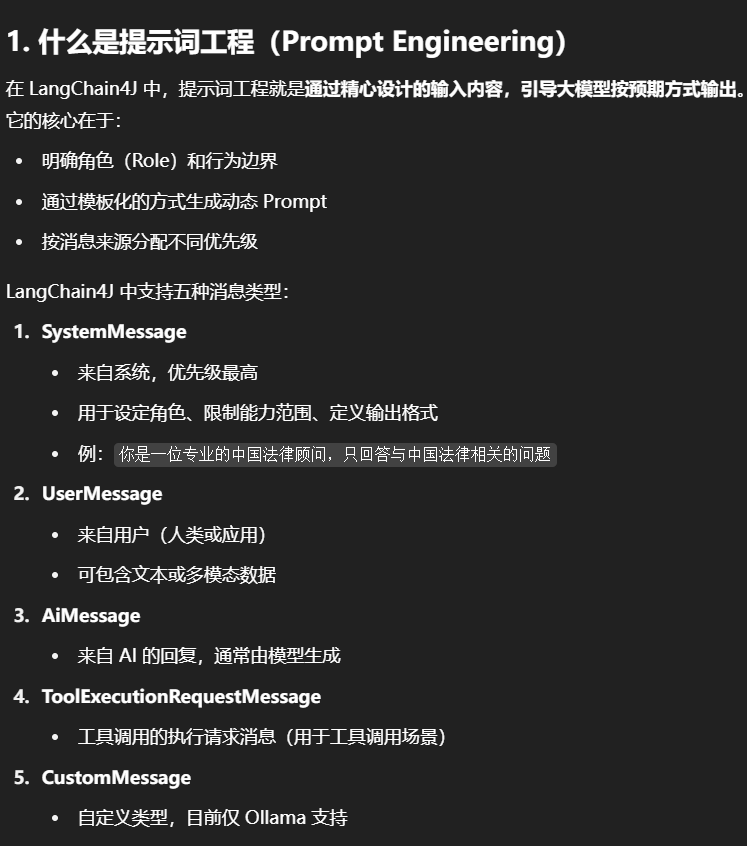
目前有五种类型的聊天消息,每个消息的来源对应一种
SystemMessage
这是来自系统的消息。通常,作为开发人员,你应该定义这条消息的内容。通常,你会在这里写关于LLM在这次对话的角色、应该如何表现、以什么风格回答等指令。LLM被训练成比其他类型的消息更关注SystemMessage,所以要小心,最好不要给最终用户自由访问权限来定义或注入一些输入到SystemMessage中。通常,它位于对话的开始
UserMessage
这是来自用户的消息。用户可以是你的应用程序的最终用户(一个人)或应用程序本身。根据LLM支持的模态,UserMessage可以只包含文本(String),或其他模态
AiMessage
这是由AI生成的消息,通常是对UserMessage的响应。如你所注意到的,generate方法返回一个包裹在Response中的AiMessage。AiMessage可以包含文本响应(String),或执行工具的请求(ToolExecutionRequest)。我们将在另一部分探讨工具。
这是ToolExecutionRequest的结果,后面详细说
CustomMessage
这是一个自定义消息,可以包含任意属性。这种消息类型只能由支持它的ChatModel1实现使用(目前只有Ollama)
2.能干嘛
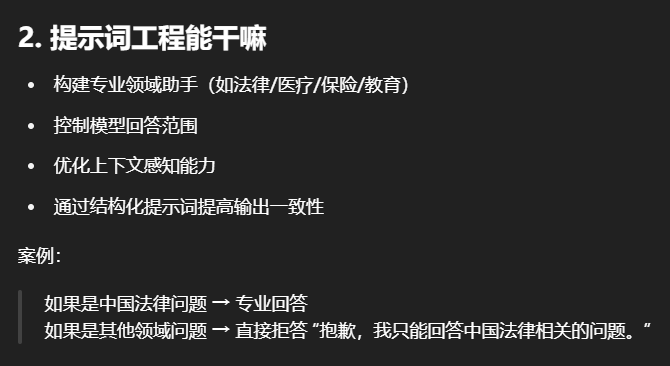
利用LangChain4J框架构建一个专业的法律/医疗/保险/教育等咨询助手。
这个助手将专注于回答中国法律相关问题,对其他领域的咨询则会礼貌地拒绝。
学习角色设定和提示词模板的使用,这是实现这个功能的两个关键要素。
3.演变过程
纯字符串提问 (简单直接,但灵活性差)引入占位符 (可复用模板,支持动态参数)多角色消息 (SystemMessage + UserMessage + AI 回复)→ 增强上下文和边界控制
4.开发步骤
设计要求
1.使用SystemMessage明确定义助手的角色和能力范围,将其限定在法律咨询领域。在LangChain4j中,我们主要利用SystemMessage来实现这一点,SystemMessage具有高优先级,能有效地指导模型的整体行为
2.利用提示词模版(如@UserMessage,@V)精确控制输入和期望的输出格式,确保问题被正确理解和回答
pom
1
2
3
4
5
6
7
8
9
10
11
12
13
14
15
16
17
18
19
20
21
22
23
24
25
26
27
28
29
30
31
32
33
34
35
36
37
38
39
40
41
42
43
44
45
46
47
48
49
50
51
52
53
54
55
56
57
58
59
60
61
62
63
64
65
66
67
<?xml version="1.0" encoding="UTF-8" ?> <project xmlns ="http://maven.apache.org/POM/4.0.0" xmlns:xsi ="http://www.w3.org/2001/XMLSchema-instance" xsi:schemaLocation ="http://maven.apache.org/POM/4.0.0 http://maven.apache.org/xsd/maven-4.0.0.xsd" > <modelVersion > 4.0.0</modelVersion > <parent > <groupId > com.atguigu.stduy</groupId > <artifactId > langchain4j-atguiguV5</artifactId > <version > 1.0-SNAPSHOT</version > </parent > <artifactId > langchain4j-09chat-prompt</artifactId > <properties > <maven.compiler.source > 17</maven.compiler.source > <maven.compiler.target > 17</maven.compiler.target > <project.build.sourceEncoding > UTF-8</project.build.sourceEncoding > </properties > <dependencies > <dependency > <groupId > org.springframework.boot</groupId > <artifactId > spring-boot-starter-web</artifactId > </dependency > <dependency > <groupId > dev.langchain4j</groupId > <artifactId > langchain4j-open-ai</artifactId > </dependency > <dependency > <groupId > dev.langchain4j</groupId > <artifactId > langchain4j</artifactId > </dependency > <dependency > <groupId > dev.langchain4j</groupId > <artifactId > langchain4j-reactor</artifactId > </dependency > <dependency > <groupId > org.projectlombok</groupId > <artifactId > lombok</artifactId > <optional > true</optional > </dependency > <dependency > <groupId > cn.hutool</groupId > <artifactId > hutool-all</artifactId > <version > 5.8.22</version > </dependency > <dependency > <groupId > org.springframework.boot</groupId > <artifactId > spring-boot-starter-test</artifactId > <scope > test</scope > </dependency > </dependencies > <build > <plugins > <plugin > <groupId > org.springframework.boot</groupId > <artifactId > spring-boot-maven-plugin</artifactId > </plugin > </plugins > </build > </project >
yml
1
2
3
4
5
6
7
8
server.port =9009 spring.application.name =langchain4j-09 chat-promptserver.servlet.encoding.charset =utf-8 server.servlet.encoding.enabled =true server.servlet.encoding.force =true
业务类
第一组
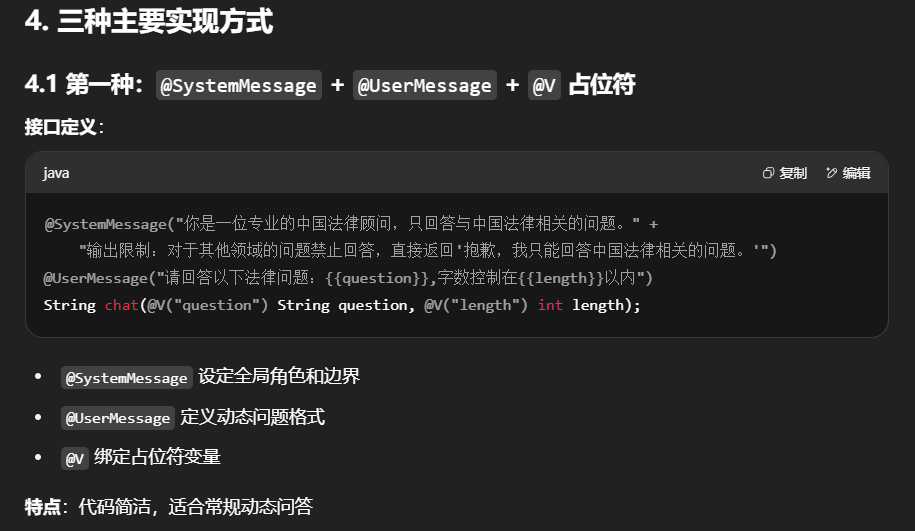
@SystemMessage+@UserMessage+@V
新建接口LawAssistant
1
2
3
4
5
6
7
8
9
10
11
12
13
14
15
16
17
18
19
20
package com .atguigu .study .service ;import com .atguigu .study .entities .LawPrompt ;import dev .langchain4j .service .SystemMessage ;import dev .langchain4j .service .UserMessage ;import dev .langchain4j .service .V ;public interface LawAssistant { @SystemMessage ("你是一位专业的中国法律顾问,只回答与中国法律相关的问题。" + "输出限制:对于其他领域的问题禁止回答,直接返回'抱歉,我只能回答中国法律相关的问题。'" ) @UserMessage ("请回答以下法律问题:{{question}},字数控制在{{length}}以内" ) String chat (@V ("question" ) String question, @V ("length" ) int length); }
LLMConfig配置
1
2
3
4
5
6
7
8
9
10
11
12
13
14
15
16
17
18
19
20
21
22
23
24
25
26
27
28
29
30
31
32
package com.atguigu.study.config;import com.atguigu.study.service.LawAssistant;import dev.langchain4j.model.chat.ChatModel;import dev.langchain4j.model.openai.OpenAiChatModel;import dev.langchain4j.service.AiServices;import org.springframework.context.annotation .Bean;import org.springframework.context.annotation .Configuration;@Configuration public class LLMConfig { @Bean public ChatModel chatModel() { return OpenAiChatModel.builder() .apiKey(System.getenv("aliQwen-api" )) .modelName("qwen-long" ) .baseUrl("https://dashscope.aliyuncs.com/compatible-mode/v1" ) .build(); } @Bean public LawAssistant lawAssistant(ChatModel chatModel) { return AiServices.create(LawAssistant.class , chatModel); } }
Controller
1
2
3
4
5
6
7
8
9
10
11
12
13
14
15
16
17
18
19
20
21
22
23
24
25
26
27
28
29
30
31
32
33
34
35
36
37
38
39
40
41
42
43
44
45
package com.atguigu.study.controller;import cn.hutool.core.date.DateUtil;import com.atguigu.study.entities.LawPrompt;import com.atguigu.study.service.LawAssistant;import dev.langchain4j.model.input.Prompt;import dev.langchain4j.model.input.PromptTemplate;import jakarta.annotation .Resource;import lombok.extern.slf4j.Slf4j;import org.springframework.web.bind.annotation .GetMapping;import org.springframework.web.bind.annotation .RestController;import java.util.Map;@RestController @Slf4j public class ChatPromptController { @Resource private LawAssistant lawAssistant; @GetMapping(value = "/chatprompt/test1" ) public String test1() { String chat = lawAssistant.chat("什么是知识产权?" ,2000 ); System.out .println(chat); String chat2 = lawAssistant.chat("什么是java?" ,2000 ); System.out .println(chat2); String chat3 = lawAssistant.chat("介绍下西瓜和芒果" ,2000 ); System.out .println(chat3); String chat4 = lawAssistant.chat("飞机发动机原理" ,2000 ); System.out .println(chat4); return "success : " + DateUtil.now()+"<br> \n\n chat: " +chat+"<br> \n\n chat2: " +chat2; } }
第二组
新建带着@StructuredPrompt的业务实体类
1
2
3
4
5
6
7
8
9
10
11
12
13
14
15
16
17
package com.atguigu.study.entities;import dev.langchain4j.model.input.structured.StructuredPrompt;import lombok.Data;@Data @StructuredPrompt("根据中国{{legal}}法律,解答以下问题:{{question}}" ) public class LawPrompt { private String legal; private String question; }
修改LawAssistant
1
2
3
4
5
6
7
8
9
10
11
12
13
14
15
16
17
18
19
20
21
22
23
24
25
package com .atguigu .study .service ;import com .atguigu .study .entities .LawPrompt ;import dev .langchain4j .service .SystemMessage ;import dev .langchain4j .service .UserMessage ;import dev .langchain4j .service .V ;public interface LawAssistant { @SystemMessage ("你是一位专业的中国法律顾问,只回答与中国法律相关的问题。" + "输出限制:对于其他领域的问题禁止回答,直接返回'抱歉,我只能回答中国法律相关的问题。'" ) @UserMessage ("请回答以下法律问题:{{question}},字数控制在{{length}}以内" ) String chat (@V ("question" ) String question, @V ("length" ) int length); @SystemMessage ("你是一位专业的中国法律顾问,只回答与中国法律相关的问题。" + "输出限制:对于其他领域的问题禁止回答,直接返回'抱歉,我只能回答中国法律相关的问题。'" ) String chat (LawPrompt lawPrompt); }
controller
1
2
3
4
5
6
7
8
9
10
11
12
13
14
15
16
17
18
19
20
21
22
23
24
25
26
27
28
29
30
31
32
33
34
35
36
37
38
39
40
41
42
43
44
45
46
47
48
49
50
51
52
53
54
55
56
57
58
59
60
61
62
63
64
65
66
package com.atguigu.study.controller;import cn.hutool.core.date.DateUtil;import com.atguigu.study.entities.LawPrompt;import com.atguigu.study.service.LawAssistant;import dev.langchain4j.model.input.Prompt;import dev.langchain4j.model.input.PromptTemplate;import jakarta.annotation .Resource;import lombok.extern.slf4j.Slf4j;import org.springframework.web.bind.annotation .GetMapping;import org.springframework.web.bind.annotation .RestController;import java.util.Map;@RestController @Slf4j public class ChatPromptController { @Resource private LawAssistant lawAssistant; @GetMapping(value = "/chatprompt/test1" ) public String test1() { String chat = lawAssistant.chat("什么是知识产权?" ,2000 ); System.out .println(chat); String chat2 = lawAssistant.chat("什么是java?" ,2000 ); System.out .println(chat2); String chat3 = lawAssistant.chat("介绍下西瓜和芒果" ,2000 ); System.out .println(chat3); String chat4 = lawAssistant.chat("飞机发动机原理" ,2000 ); System.out .println(chat4); return "success : " + DateUtil.now()+"<br> \n\n chat: " +chat+"<br> \n\n chat2: " +chat2; } @GetMapping(value = "/chatprompt/test2" ) public String test2() { LawPrompt prompt = new LawPrompt(); prompt.setLegal("知识产权" ); prompt.setQuestion("TRIPS协议?" ); String chat = lawAssistant.chat(prompt); System.out .println(chat); return "success : " + DateUtil.now()+"<br> \n\n chat: " +chat; } }
第三组
在LangChain4j中有两个对象,在PromptTemplate以及Prompt用来实现提示词相关功能
注:单个参数可以使用占位符或者“”,如果为其他字符,系统不能自动识别会报错
controller
1
2
3
4
5
6
7
8
9
10
11
12
13
14
15
16
17
18
19
20
21
22
23
24
25
26
27
28
29
30
31
32
33
34
35
36
37
38
39
40
41
42
43
44
45
46
47
48
49
50
51
52
53
54
55
56
57
58
59
60
61
62
63
64
65
66
67
68
69
70
71
72
73
74
75
76
77
78
79
80
81
82
83
84
85
86
87
88
89
90
91
92
93
94
95
96
97
98
99
100
101
102
103
104
package com.atguigu.study.controller; import cn.hutool.core.date.DateUtil; import com.atguigu.study.entities.LawPrompt; import com.atguigu.study.service.LawAssistant; import dev.langchain4j.data.message.UserMessage; import dev.langchain4j.model.chat.ChatModel; import dev.langchain4j.model.chat.request.ChatRequest; import dev.langchain4j.model.chat.response.ChatResponse; import dev.langchain4j.model.input.Prompt; import dev.langchain4j.model.input.PromptTemplate; import jakarta.annotation.Resource; import lombok.extern.slf4j.Slf4j; import org.springframework.web.bind.annotation.GetMapping; import org.springframework.web.bind.annotation.RestController; import java.util.List; import java.util.Map; /** * @auther zzyybs@126.com * @Date 2025-05-30 21:26 * @Description: TODO */ @RestController @Slf4j public class ChatPromptController { @Resource private LawAssistant lawAssistant; @Resource private ChatModel chatModel; // http://localhost:9009/chatprompt/test1 @GetMapping(value = "/chatprompt/test1") public String test1() { String chat = lawAssistant.chat("什么是知识产权?",2000); System.out.println(chat); String chat2 = lawAssistant.chat("什么是java?",2000); System.out.println(chat2); String chat3 = lawAssistant.chat("介绍下西瓜和芒果",2000); System.out.println(chat3); String chat4 = lawAssistant.chat("飞机发动机原理",2000); System.out.println(chat4); return "success : "+ DateUtil.now()+"<br > \n\n chat: "+chat+"<br > \n\n chat2: "+chat2; } /** * TRIPS协议(与贸易有关的知识产权协议): * 这是世界贸易组织(WTO)成员间的一个重要协议, * 它规定了最低标准的知识产权保护要求,并适用于所有WTO成员。 * @return */ @GetMapping(value = "/chatprompt/test2") public String test2() { LawPrompt prompt = new LawPrompt(); prompt.setLegal("知识产权"); prompt.setQuestion("TRIPS协议?"); String chat = lawAssistant.chat(prompt); System.out.println(chat); return "success : "+ DateUtil.now()+"<br > \n\n chat: "+chat; } /** * @Description: 单个参数可以使用 {{it }》”占位符或者”{{参数名}”,如果为其他字符,系统不能自动识别会报错。 * @Auther: zzyybs@126 .com */ @GetMapping(value = "/chatprompt/test3" ) public String test3() { // 默认 PromptTemplate 构造使用 it 属性作为默认占位符 String role = "外科医生" ; String question = "牙疼" ; /*String role = "财务会计" ; String question = "人民币大写" ;*/ //1 构造PromptTemplate模板 PromptTemplate template = PromptTemplate.from("你是一个{{it}}助手,{{question}}怎么办" ); //2 由PromptTemplate生成Prompt Prompt prompt = template.apply(Map.of ("it" ,role,"question" ,question)); //3 Prompt提示词变成UserMessage UserMessage userMessage = prompt.toUserMessage(); //4 调用大模型 ChatResponse chatResponse = chatModel.chat(userMessage ); //4.1 后台打印 System.out.println(chatResponse.aiMessage ().text()); //4.2 前台返回 return "success : " + DateUtil.now()+"<br> \n\n chat: " +chatResponse.aiMessage().text(); } }
十.LangChain4j之持久化
1.官网
2.开发步骤
定义高阶 AI 接口 → 用 @MemoryId 绑定用户 ID,@UserMessage 绑定用户问题实现 ChatMemoryStore → 把对话消息序列化/反序列化,读写 Redis通过 ChatMemoryProvider → 根据 memoryId 动态创建 ChatMemory 实例在 LLMConfig 中组装 → 绑定模型、Memory Provider、Redis 存储
设计要求
将客户和大模型的对话问答保存进Redis进行持久化记忆留存
pom
1
2
3
4
5
6
7
8
9
10
11
12
13
14
15
16
17
18
19
20
21
22
23
24
25
26
27
28
29
30
31
32
33
34
35
36
37
38
39
40
41
42
43
44
45
46
47
48
49
50
51
52
53
54
55
56
57
58
59
60
61
62
63
64
65
66
67
68
69
70
71
72
73
74
<?xml version="1.0" encoding="UTF-8" ?> <project xmlns ="http://maven.apache.org/POM/4.0.0" xmlns:xsi ="http://www.w3.org/2001/XMLSchema-instance" xsi:schemaLocation ="http://maven.apache.org/POM/4.0.0 http://maven.apache.org/xsd/maven-4.0.0.xsd" > <modelVersion > 4.0.0</modelVersion > <parent > <groupId > com.atguigu.stduy</groupId > <artifactId > langchain4j-atguiguV5</artifactId > <version > 1.0-SNAPSHOT</version > </parent > <artifactId > langchain4j-10chat-persistence</artifactId > <properties > <maven.compiler.source > 17</maven.compiler.source > <maven.compiler.target > 17</maven.compiler.target > <project.build.sourceEncoding > UTF-8</project.build.sourceEncoding > </properties > <dependencies > <dependency > <groupId > org.springframework.boot</groupId > <artifactId > spring-boot-starter-web</artifactId > </dependency > <dependency > <groupId > dev.langchain4j</groupId > <artifactId > langchain4j-open-ai</artifactId > </dependency > <dependency > <groupId > dev.langchain4j</groupId > <artifactId > langchain4j</artifactId > </dependency > <dependency > <groupId > dev.langchain4j</groupId > <artifactId > langchain4j-reactor</artifactId > </dependency > <dependency > <groupId > org.springframework.boot</groupId > <artifactId > spring-boot-starter-data-redis</artifactId > </dependency > <dependency > <groupId > org.projectlombok</groupId > <artifactId > lombok</artifactId > <optional > true</optional > </dependency > <dependency > <groupId > cn.hutool</groupId > <artifactId > hutool-all</artifactId > <version > 5.8.22</version > </dependency > <dependency > <groupId > org.springframework.boot</groupId > <artifactId > spring-boot-starter-test</artifactId > <scope > test</scope > </dependency > </dependencies > <build > <plugins > <plugin > <groupId > org.springframework.boot</groupId > <artifactId > spring-boot-maven-plugin</artifactId > </plugin > </plugins > </build > </project >
yml
1
2
3
4
5
6
7
8
9
10
11
12
13
14
15
16
server.port =9010 spring.application.name =langchain4j-10 chat-persistenceserver.servlet.encoding.charset =utf-8 server.servlet.encoding.enabled =true server.servlet.encoding.force =true spring.data.redis.host =localhostspring.data.redis.port =6379 spring.data.redis.database =0 spring.data.redis.connect-timeout =3 sspring.data.redis.timeout =2 s
业务类
1.新建高阶接口ChatPersistenceAssistant
1
2
3
4
5
6
7
8
9
10
11
12
13
14
15
16
17
18
19
20
21
22
package com .atguigu .study .service ;import dev .langchain4j .service .MemoryId ;import dev .langchain4j .service .UserMessage ;public interface ChatPersistenceAssistant { String chat (@MemoryId Long userId, @UserMessage String message); }
2.Redis配置类
1
2
3
4
5
6
7
8
9
10
11
12
13
14
15
16
17
18
19
20
21
22
23
24
25
26
27
28
29
30
31
32
33
34
35
36
37
38
39
40
41
42
43
44
45
46
47
48
49
50
51
package com.atguigu .study .config ; import lombok.extern .slf4j .Slf4j ;import org.springframework .context .annotation .Bean ;import org.springframework .context .annotation .Configuration ;import org.springframework .data .redis .connection .RedisConnectionFactory ;import org.springframework .data .redis .core .RedisTemplate ;import org.springframework .data .redis .serializer .GenericJackson2JsonRedisSerializer ;import org.springframework .data .redis .serializer .StringRedisSerializer ;@Configuration @Slf4j public class RedisConfig { @Bean public RedisTemplate <String , Object > redisTemplate (RedisConnectionFactory redisConnectionFactor { RedisTemplate <String ,Object > redisTemplate = new RedisTemplate <>(); redisTemplate.setConnectionFactory (redisConnectionFactor); redisTemplate.setKeySerializer (new StringRedisSerializer ()); redisTemplate.setValueSerializer (new GenericJackson2JsonRedisSerializer ()); redisTemplate.setHashKeySerializer (new StringRedisSerializer ()); redisTemplate.setHashValueSerializer (new GenericJackson2JsonRedisSerializer ()); redisTemplate.afterPropertiesSet (); return redisTemplate; } }
3.自定义客户化ChatMemoryStore接口类
1
2
3
4
5
6
7
8
9
10
11
12
13
14
15
16
17
18
19
20
21
22
23
24
25
26
27
28
29
30
31
32
33
34
35
36
37
38
39
40
41
42
43
44
45
46
47
package com.atguigu .study .config ; import dev.langchain4j .data .message .ChatMessage ;import dev.langchain4j .data .message .ChatMessageDeserializer ;import dev.langchain4j .data .message .ChatMessageSerializer ;import dev.langchain4j .store .memory .chat .ChatMemoryStore ;import jakarta.annotation .Resource ;import org.springframework .data .redis .core .RedisTemplate ;import org.springframework .stereotype .Component ;import java.util .List ;@Component public class RedisChatMemoryStore implements ChatMemoryStore { public static final String CHAT_MEMORY_PREFIX = "CHAT_MEMORY:" ; @Resource private RedisTemplate <String ,String > redisTemplate; @Override public List <ChatMessage > getMessages (Object memoryId { String retValue = redisTemplate.opsForValue ().get (CHAT_MEMORY_PREFIX + memoryId); return ChatMessageDeserializer .messagesFromJson (retValue); } @Override public void updateMessages (Object memoryId, List <ChatMessage > messages { redisTemplate.opsForValue ().set (CHAT_MEMORY_PREFIX + memoryId, ChatMessageSerializer .messagesToJson (messages)); } @Override public void deleteMessages (Object memoryId { redisTemplate.delete (CHAT_MEMORY_PREFIX + memoryId); } }
4.LLMConfig配置类
1
2
3
4
5
6
7
8
9
10
11
12
13
14
15
16
17
18
19
20
21
22
23
24
25
26
27
28
29
30
31
32
33
34
35
36
37
38
39
40
41
42
43
44
45
46
47
48
49
50
51
package com.atguigu.study.config;import com.atguigu.study.service.ChatPersistenceAssistant;import dev.langchain4j.memory.chat.ChatMemoryProvider;import dev.langchain4j.memory.chat.MessageWindowChatMemory;import dev.langchain4j.model.chat.ChatModel;import dev.langchain4j.model.openai.OpenAiChatModel;import dev.langchain4j.service.AiServices;import jakarta.annotation .Resource;import org.springframework.context.annotation .Bean;import org.springframework.context.annotation .Configuration;@Configuration public class LLMConfig { @Resource private RedisChatMemoryStore redisChatMemoryStore; @Bean public ChatModel chatModel() { return OpenAiChatModel.builder() .apiKey(System.getenv("aliQwen-api" )) .modelName("qwen-plus" ) .baseUrl("https://dashscope.aliyuncs.com/compatible-mode/v1" ) .build(); } @Bean public ChatPersistenceAssistant chatMemoryAssistant(ChatModel chatModel) { ChatMemoryProvider chatMemoryProvider = memoryId -> MessageWindowChatMemory.builder() .id(memoryId) .maxMessages(1000 ) .chatMemoryStore(redisChatMemoryStore) .build(); return AiServices.builder(ChatPersistenceAssistant.class ) .chatModel(chatModel) .chatMemoryProvider(chatMemoryProvider) .build(); } }
优化建议
Redis Key 设计 :可以加业务前缀,如 APP:CHAT:MEMORY:{userId}过期策略 :可设置 Redis Key 过期时间,自动清理长期不用的会话压缩存储 :历史记录较多时可考虑压缩 JSON分布式扩展 :多个服务节点可共用同一 Redis,实现全局共享记忆
例如我们查询当日天气时,会提示我们开启联网搜索功能
这涉及到了工具
1.是什么
用一句话说就是给大模型配一个调用其它外部Util工具类
2.能干嘛
将LLM的智能与外部工具或API无缝连接
大语言模型(LLMs)不仅仅是文本生成的能手,它们还能触发并调用第三方函数,比如查询微信/调用支付宝/查看顺丰快递单号等等
注:LLM本身并不执行函数,它只是指示应该调用哪个函数以及如何调用
3.怎么用
底阶调用与高阶调用
4.开发第一版Low-Level
pom
1
2
3
4
5
6
7
8
9
10
11
12
13
14
15
16
17
18
19
20
21
22
23
24
25
26
27
28
29
30
31
32
33
34
35
36
37
38
39
40
41
42
43
44
45
46
47
48
49
50
51
52
53
54
55
56
57
58
59
60
61
62
63
64
65
66
67
68
69
70
71
72
73
74
75
76
<?xml version="1.0" encoding="UTF-8" ?> <project xmlns ="http://maven.apache.org/POM/4.0.0" xmlns:xsi ="http://www.w3.org/2001/XMLSchema-instance" xsi:schemaLocation ="http://maven.apache.org/POM/4.0.0 http://maven.apache.org/xsd/maven-4.0.0.xsd" > <modelVersion > 4.0.0</modelVersion > <parent > <groupId > com.atguigu.stduy</groupId > <artifactId > langchain4j-atguiguV5</artifactId > <version > 1.0-SNAPSHOT</version > </parent > <artifactId > langchain4j-11chat-functioncalling</artifactId > <properties > <maven.compiler.source > 17</maven.compiler.source > <maven.compiler.target > 17</maven.compiler.target > <project.build.sourceEncoding > UTF-8</project.build.sourceEncoding > </properties > <dependencies > <dependency > <groupId > org.springframework.boot</groupId > <artifactId > spring-boot-starter-web</artifactId > </dependency > <dependency > <groupId > dev.langchain4j</groupId > <artifactId > langchain4j-open-ai</artifactId > </dependency > <dependency > <groupId > dev.langchain4j</groupId > <artifactId > langchain4j</artifactId > </dependency > <dependency > <groupId > dev.langchain4j</groupId > <artifactId > langchain4j-reactor</artifactId > </dependency > <dependency > <groupId > org.apache.httpcomponents.client5</groupId > <artifactId > httpclient5</artifactId > <version > 5.5</version > </dependency > <dependency > <groupId > org.projectlombok</groupId > <artifactId > lombok</artifactId > <optional > true</optional > </dependency > <dependency > <groupId > cn.hutool</groupId > <artifactId > hutool-all</artifactId > <version > 5.8.22</version > </dependency > <dependency > <groupId > org.springframework.boot</groupId > <artifactId > spring-boot-starter-test</artifactId > <scope > test</scope > </dependency > </dependencies > <build > <plugins > <plugin > <groupId > org.springframework.boot</groupId > <artifactId > spring-boot-maven-plugin</artifactId > </plugin > </plugins > </build > </project >
yml
1
2
3
server.port =9011 spring.application.name =langchain4j-11 chat-functioncalling
业务类
新建大模型调用的功能接口FunctionAssistant
1
2
3
4
5
6
7
8
9
10
11
12
13
14
15
package com.atguigu.study.service;public interface FunctionAssistant String chat (String message) ; }
配置类
对标官网
controller
1
2
3
4
5
6
7
8
9
10
11
12
13
14
15
16
17
18
19
20
21
22
23
24
25
26
27
28
29
30
31
32
package com.atguigu.study.controller;import cn.hutool.core.date.DateUtil;import com.atguigu.study.service.FunctionAssistant;import jakarta.annotation .Resource;import lombok.extern.slf4j.Slf4j;import org.springframework.web.bind.annotation .GetMapping;import org.springframework.web.bind.annotation .RestController;@RestController @Slf4j public class ChatFunctionCallingController { @Resource private FunctionAssistant functionAssistant; @GetMapping(value = "/chatfunction/test1" ) public String test1() { String chat = functionAssistant.chat("开张发票,公司:尚硅谷教育科技有限公司 税号:atguigu533 金额:668.12" ); System.out .println(chat); return "success : " + DateUtil.now() + "\t" +chat; } }
5.开发第二版High-Level
只修改业务类pom,yml通用
使用注解@Tool,可以更方便地集成函数调用,只需将Java方法标注为@Tool,LangChain4j就能自动将其转换为ToolSpecification
第三方接口
和风天气开发服务
创建项目
有项目后创建可以访问的该项目的api-key
API地址和参数
返回地址参数查看
新建天气查询业务类-WeatherService
1
2
3
4
5
6
7
8
9
10
11
12
13
14
15
16
17
18
19
20
21
22
23
24
25
26
27
28
29
30
31
32
33
34
35
36
37
38
39
40
41
42
43
44
45
46
package com.atguigu.study.service;import com.fasterxml.jackson.databind.JsonNode;import jakarta.annotation.Resource;import org.apache.hc.client5.http.impl.classic.HttpClients;import org.springframework.http.client.HttpComponentsClientHttpRequestFactory;import org.springframework.stereotype.Component;import org.springframework.stereotype.Service;import org.springframework.web.bind.annotation.RequestParam;import org.springframework.web.client.RestTemplate;import com.fasterxml.jackson.databind.ObjectMapper;@Service public class WeatherService { private static final String API_KEY = System.getenv("weatherAPI" ); private static final String BASE_URL = "https://devapi.qweather.com/v7/weather/now?location=%s&key=%s" ; public JsonNode getWeatherV2 (String city) throws Exception { String url = String.format(BASE_URL, city, API_KEY); var httpClient = HttpClients.createDefault(); HttpComponentsClientHttpRequestFactory factory = new HttpComponentsClientHttpRequestFactory (httpClient); String response = new RestTemplate (factory).getForObject(url, String.class); JsonNode jsonNode = new ObjectMapper ().readTree(response); return jsonNode; } }
新建类InvoiceHandler
1
2
3
4
5
6
7
8
9
10
11
12
13
14
15
16
17
18
19
20
21
22
23
24
25
26
27
28
package com.atguigu.study.service;import dev.langchain4j.agent.tool.P;import dev.langchain4j.agent.tool.Tool;import lombok.extern.slf4j.Slf4j;@Slf4j public class InvoiceHandler { @Tool("根据用户提交的开票信息进行开票" ) public String handle(@P("公司名称" ) String companyName, @P("税号" ) String dutyNumber, @P("金额保留两位有效数字" ) String amount) throws Exception { log.info("companyName =>>>> {} dutyNumber =>>>> {} amount =>>>> {}" , companyName, dutyNumber, amount); System.out .println(new WeatherService().getWeatherV2("101010100" )); return "开票成功" ; } }
配置类修改
1
2
3
4
5
6
7
8
9
10
11
12
13
14
15
16
17
18
19
20
21
22
23
24
25
26
27
28
29
30
31
32
33
34
35
36
37
38
39
40
41
42
43
44
45
46
47
48
package com.atguigu.study.config;import com.atguigu.study.service.FunctionAssistant;import com.atguigu.study.service.InvoiceHandler;import dev.langchain4j.agent.tool.ToolSpecification;import dev.langchain4j.memory.chat.MessageWindowChatMemory;import dev.langchain4j.model.chat.ChatModel;import dev.langchain4j.model.chat.request.json.JsonObjectSchema;import dev.langchain4j.model.openai.OpenAiChatModel;import dev.langchain4j.service.AiServices;import dev.langchain4j.service.tool.ToolExecutor;import org.springframework.context.annotation .Bean;import org.springframework.context.annotation .Configuration;import java.util.Map;@Configuration public class LLMConfig { @Bean public ChatModel chatModel() { return OpenAiChatModel.builder() .apiKey(System.getenv("aliQwen-api" )) .modelName("qwen-plus" ) .baseUrl("https://dashscope.aliyuncs.com/compatible-mode/v1" ) .build(); } @Bean public FunctionAssistant functionAssistant(ChatModel chatModel) { return AiServices.builder(FunctionAssistant.class ) .chatModel(chatModel) .tools(new InvoiceHandler()) .build(); } }
使用建议
如果工具方法多且逻辑清晰 → 用高阶 API + 注解
如果需要动态注册、修改 Tool → 用低阶 API
Tool 参数尽量语义化(@P 注释),方便模型理解
对接外部 API 时要做好异常处理,防止模型调用失败
十二.LangChain4j之向量数据库
1.向量
2.向量化
是什么
案例一
langchain4j-向量化三件套
1.Embedding Model模型简介
2.Embedding Store存储简介
3.EmbeddingSearchRequest查询
4.小总结
3.能干嘛
将文本、图像和视频转换为称为向量的浮点数数组在VectorStore中,查询与传统关系数据库不同。它们执行相似性搜索,而不是精确匹配。当给定一个向量作为查询时,VectorStore返回与查询向量“相似”的向量
指征特点
捕捉复杂的词汇关系(如语义相似性、同义词、多义词)超越传统词袋模型的简单技术方式
动态嵌入模型(如BERT)可根据上下文生成不同的词向量
向量嵌入为现代搜索和检索增强生成(RAG)应用程序提供支持
小总结
将文本映射到高维空间中的点,使语义相似的文本在这个空间中距离较近
例如,肯德基和麦当劳的向量可能比肯德基与大盘鸡的向量更接近
4.去哪下
https://docs.langchain4j.dev/integtations/embedding-stores/
5.怎么用
文本搜索/推荐电影/匹配图片和标题/将相似项目归类
6.开发步骤
pom
1
2
3
4
5
6
7
8
9
10
11
12
13
14
15
16
17
18
19
20
21
22
23
24
25
26
27
28
29
30
31
32
33
34
35
36
37
38
39
40
41
42
43
44
45
46
47
48
49
50
51
52
53
54
55
56
57
58
59
60
61
<?xml version="1.0" encoding="UTF-8" ?> <project xmlns ="http://maven.apache.org/POM/4.0.0" xmlns:xsi ="http://www.w3.org/2001/XMLSchema-instance" xsi:schemaLocation ="http://maven.apache.org/POM/4.0.0 http://maven.apache.org/xsd/maven-4.0.0.xsd" > <modelVersion > 4.0.0</modelVersion > <parent > <groupId > com.atguigu.stduy</groupId > <artifactId > langchain4j-atguiguV5</artifactId > <version > 1.0-SNAPSHOT</version > </parent > <artifactId > langchain4j-12chat-embedding</artifactId > <properties > <maven.compiler.source > 17</maven.compiler.source > <maven.compiler.target > 17</maven.compiler.target > <project.build.sourceEncoding > UTF-8</project.build.sourceEncoding > </properties > <dependencies > <dependency > <groupId > org.springframework.boot</groupId > <artifactId > spring-boot-starter-web</artifactId > </dependency > <dependency > <groupId > dev.langchain4j</groupId > <artifactId > langchain4j</artifactId > </dependency > <dependency > <groupId > dev.langchain4j</groupId > <artifactId > langchain4j-open-ai</artifactId > </dependency > <dependency > <groupId > dev.langchain4j</groupId > <artifactId > langchain4j-qdrant</artifactId > </dependency > <dependency > <groupId > org.projectlombok</groupId > <artifactId > lombok</artifactId > <optional > true</optional > </dependency > <dependency > <groupId > org.springframework.boot</groupId > <artifactId > spring-boot-starter-test</artifactId > <scope > test</scope > </dependency > </dependencies > <build > <plugins > <plugin > <groupId > org.springframework.boot</groupId > <artifactId > spring-boot-maven-plugin</artifactId > </plugin > </plugins > </build > </project >
yml
1
2
3
server.port =9012 spring.application.name =langchain4j-12 chat-embedding
业务类
1.Qdrant向量库存储
关于Qdrant-是一个高性能的向量数据库,用于存储嵌入并进行快速的向量搜索
使用Docker安装
1 docker run -p 6333 :6333 -p 6334 :6334 qdrant/qdrant --service web-ui.enabled=true
2.引入阿里云百炼平台向量大模型-text-embedding-v3
LLMConfig配置类
1
2
3
4
5
6
7
8
9
10
11
12
13
14
15
16
17
18
19
20
21
22
23
24
25
26
27
28
29
30
31
32
33
34
35
36
37
38
39
40
41
42
43
44
45
46
47
48
49
50
51
52
package com.atguigu.study.config;import dev.langchain4j.data .segment.TextSegment;import dev.langchain4j.model.chat.ChatModel;import dev.langchain4j.model.embedding.EmbeddingModel;import dev.langchain4j.model.openai.OpenAiChatModel;import dev.langchain4j.model.openai.OpenAiEmbeddingModel;import dev.langchain4j.store.embedding.EmbeddingStore;import dev.langchain4j.store.embedding.qdrant.QdrantEmbeddingStore;import io.qdrant.client.QdrantClient;import io.qdrant.client.QdrantGrpcClient;import org.springframework.context.annotation .Bean;import org.springframework.context.annotation .Configuration;@Configuration public class LLMConfig { @Bean public EmbeddingModel embeddingModel() { return OpenAiEmbeddingModel.builder() .apiKey(System.getenv("aliQwen-api" )) .modelName("text-embedding-v3" ) .baseUrl("https://dashscope.aliyuncs.com/compatible-mode/v1" ) .build(); } @Bean public QdrantClient qdrantClient() { QdrantGrpcClient.Builder grpcClientBuilder = QdrantGrpcClient.newBuilder("127.0.0.1" , 6334 , false ); return new QdrantClient(grpcClientBuilder.build()); } @Bean public EmbeddingStore<TextSegment> embeddingStore() { return QdrantEmbeddingStore.builder() .host("127.0.0.1" ) .port(6334 ) .collectionName("test-qdrant" ) .build(); } }
controller
1
2
3
4
5
6
7
8
9
10
11
12
13
14
15
16
17
18
19
20
21
22
23
24
25
26
27
28
29
30
31
32
33
34
35
36
37
38
39
40
41
42
43
44
45
46
47
48
49
50
51
52
53
54
55
56
57
58
59
60
61
62
63
64
65
66
67
68
69
70
71
72
73
74
75
76
77
78
79
80
81
82
83
84
85
86
87
88
89
90
91
92
93
94
95
96
97
98
99
100
101
102
103
104
105
106
107
108
109
110
111
112
113
114
115
116
117
118
119
120
121
package com.atguigu.study.controller;import dev.langchain4j.data .embedding.Embedding;import dev.langchain4j.data .segment.TextSegment;import dev.langchain4j.model.embedding.EmbeddingModel;import dev.langchain4j.model.output.Response;import dev.langchain4j.store.embedding.EmbeddingSearchRequest;import dev.langchain4j.store.embedding.EmbeddingSearchResult;import dev.langchain4j.store.embedding.EmbeddingStore;import io.qdrant.client.QdrantClient;import io.qdrant.client.grpc.Collections;import jakarta.annotation .Resource;import lombok.extern.slf4j.Slf4j;import org.springframework.web.bind.annotation .GetMapping;import org.springframework.web.bind.annotation .RestController;import static dev.langchain4j.store.embedding.filter.MetadataFilterBuilder.metadataKey;@RestController @Slf4j public class EmbeddinglController { @Resource private EmbeddingModel embeddingModel; @Resource private QdrantClient qdrantClient; @Resource private EmbeddingStore<TextSegment> embeddingStore; @GetMapping(value = "/embedding/embed" ) public String embed() { String prompt = """ 咏鸡 鸡鸣破晓光, 红冠映朝阳。 金羽披霞彩, 昂首步高岗。 """ ; Response<Embedding> embeddingResponse = embeddingModel.embed(prompt); System.out .println(embeddingResponse); return embeddingResponse.content().toString(); } @GetMapping(value = "/embedding/createCollection" ) public void createCollection() { var vectorParams = Collections.VectorParams.newBuilder() .setDistance(Collections.Distance.Cosine) .setSize(1024 ) .build(); qdrantClient.createCollectionAsync("test-qdrant" , vectorParams); } @GetMapping(value = "/embedding/add" ) public String add() { String prompt = """ 咏鸡 鸡鸣破晓光, 红冠映朝阳。 金羽披霞彩, 昂首步高岗。 """ ; TextSegment segment1 = TextSegment.from(prompt); segment1.metadata().put("author" , "zzyy" ); Embedding embedding1 = embeddingModel.embed(segment1).content(); String result = embeddingStore.add(embedding1, segment1); System.out .println(result); return result; } @GetMapping(value = "/embedding/query1" ) public void query1(){ Embedding queryEmbedding = embeddingModel.embed("咏鸡说的是什么" ).content(); EmbeddingSearchRequest embeddingSearchRequest = EmbeddingSearchRequest.builder() .queryEmbedding(queryEmbedding) .maxResults(1 ) .build(); EmbeddingSearchResult<TextSegment> searchResult = embeddingStore.search(embeddingSearchRequest); System.out .println(searchResult.matches().get (0 ).embedded().text()); } @GetMapping(value = "/embedding/query2" ) public void query2(){ Embedding queryEmbedding = embeddingModel.embed("咏鸡" ).content(); EmbeddingSearchRequest embeddingSearchRequest = EmbeddingSearchRequest.builder() .queryEmbedding(queryEmbedding) .filter(metadataKey("author" ).isEqualTo("zzyy2" )) .maxResults(1 ) .build(); EmbeddingSearchResult<TextSegment> searchResult = embeddingStore.search(embeddingSearchRequest); System.out .println(searchResult.matches().get (0 ).embedded().text()); } }
十三.LangChain4j之检索增强生成RAG
1.RAG是什么
LLM 的知识仅限于它所接受的训练数据。如果你想让一个 LLM 了解特定领域的知识或专有数据,你可以
使用 RAG,我们将在本节中介绍
使用数据微调 LLM
结合 RAG 和微调
简单来说,RAG(检索增强生成)是一种从你的数据中查找相关信息,并在将提示发送给LLM之前将其注入到提示中的方法。这样一来,LLM就能获得(希望是)相关的信息,并基于这些信息进行回答,从而降低产生幻觉的概率
关于幻觉-已读乱回/已读不回/似是而非
核心设计理念
RAG技术就像给AI大模型装上实时百科大脑,为了让大模型获取足够的上下文,以便获得更加广泛的信息源,通过先查资料后回答的机制,让AI摆脱传统模型的“知识遗忘和幻觉回复”困境
一句话来说就是类似考试有时不懂的,给你准备了小抄
2.能干嘛
通过引入外部知识源来增强LLM的输出能力,传统的LLM通常基于其训练数据生成响应,但这些数据可能过时或不够全面。RAG允许模型在生成答案之前,从特定的知识库中检索相关信息,从而提供更准确的上下文相关的回答
3.怎么用
RAG流程分为两个不同的阶段:索引和检索
Index:https://docs.langchain4j.dev/tutorials/rag/#indexing
Retrieval:https://docs.langchain4j.dev/tutorials/rag/#retrieval
4.RAG核心API
主要内容
1.EmbeddingStoreIngestor组织结构分析
2.Document Loader文档加载器
3.Document Parser文档解析器
4.DocumentTransformer文档转换器
DocumentTransformer 用于对文档执行各种转换,如清理、过滤、增强或总结。
5.Document Splitter文档拆分器
DocumentByParagraphSplitter: 按段落拆分
DocumentBySentenceSplitter: 按句子拆分
DocumentByWordSplitter: 按单词拆分
DocumentByCharacterSplitter: 按字符拆分
DocumentByRegexSplitter: 按正则表达式拆分
使用LangChain4j构建RAG的一般步骤
加载文档:使用适当的DocumentLoader和DocumentParser加载文档
转换文档:使用DocumentTransformer清理或增强文档(可选)
拆分文档:使用DocumentSplitter将文档拆分为更小的文档(可选)
嵌入文档:使用EmbeddingModel将文档片段转换为嵌入向量
存储嵌入:使用EmbeddingStoreIngestor存储嵌入向量
检索相关内容:根据用户查询,从EmbeddingStore检索最相关的文档片段
生成响应:将检索到的相关内容与用户查询一起提供给语言模型,生成最终响应
5.开发步骤
某系统涉及后续自动化维护,需要根据响应码大模型启动自迭代/自维护模式
给大模型准备《alibaba-java.docx》作为外部知识源
pom
1
2
3
4
5
6
7
8
9
10
11
12
13
14
15
16
17
18
19
20
21
22
23
24
25
26
27
28
29
30
31
32
33
34
35
36
37
38
39
40
41
42
43
44
45
46
47
48
49
50
51
52
53
54
55
56
57
58
59
60
61
62
63
64
65
66
<?xml version="1.0" encoding="UTF-8" ?> <project xmlns ="http://maven.apache.org/POM/4.0.0" xmlns:xsi ="http://www.w3.org/2001/XMLSchema-instance" xsi:schemaLocation ="http://maven.apache.org/POM/4.0.0 http://maven.apache.org/xsd/maven-4.0.0.xsd" > <modelVersion > 4.0.0</modelVersion > <parent > <groupId > com.atguigu.stduy</groupId > <artifactId > langchain4j-atguiguV5</artifactId > <version > 1.0-SNAPSHOT</version > </parent > <artifactId > langchain4j-13chat-rag01</artifactId > <properties > <maven.compiler.source > 17</maven.compiler.source > <maven.compiler.target > 17</maven.compiler.target > <project.build.sourceEncoding > UTF-8</project.build.sourceEncoding > </properties > <dependencies > <dependency > <groupId > org.springframework.boot</groupId > <artifactId > spring-boot-starter-web</artifactId > </dependency > <dependency > <groupId > dev.langchain4j</groupId > <artifactId > langchain4j</artifactId > </dependency > <dependency > <groupId > dev.langchain4j</groupId > <artifactId > langchain4j-open-ai</artifactId > </dependency > <dependency > <groupId > dev.langchain4j</groupId > <artifactId > langchain4j-qdrant</artifactId > </dependency > <dependency > <groupId > dev.langchain4j</groupId > <artifactId > langchain4j-easy-rag</artifactId > </dependency > <dependency > <groupId > org.projectlombok</groupId > <artifactId > lombok</artifactId > <optional > true</optional > </dependency > <dependency > <groupId > org.springframework.boot</groupId > <artifactId > spring-boot-starter-test</artifactId > <scope > test</scope > </dependency > </dependencies > <build > <plugins > <plugin > <groupId > org.springframework.boot</groupId > <artifactId > spring-boot-maven-plugin</artifactId > </plugin > </plugins > </build > </project >
yml
1
2
3
server.port =9013 spring.application.name =langchain4j-13 chat-rag01
业务类
新建接口ChatAssistant
1
2
3
4
5
6
7
8
9
10
11
12
13
14
15
16
package com.atguigu.study.service;public interface ChatAssistant String chat (String message) ; }
LLMConfig配置类
1
2
3
4
5
6
7
8
9
10
11
12
13
14
15
16
17
18
19
20
21
22
23
24
25
26
27
28
29
30
31
32
33
34
35
36
37
38
39
40
41
42
43
44
45
46
47
48
49
50
51
52
53
54
55
56
57
58
59
60
package com.atguigu.study.config;import com.atguigu.study.service.ChatAssistant;import dev.langchain4j.data .segment.TextSegment;import dev.langchain4j.memory.chat.MessageWindowChatMemory;import dev.langchain4j.model.chat.ChatModel;import dev.langchain4j.model.embedding.EmbeddingModel;import dev.langchain4j.model.openai.OpenAiChatModel;import dev.langchain4j.model.openai.OpenAiEmbeddingModel;import dev.langchain4j.rag.content.retriever.EmbeddingStoreContentRetriever;import dev.langchain4j.service.AiServices;import dev.langchain4j.store.embedding.EmbeddingStore;import dev.langchain4j.store.embedding.inmemory.InMemoryEmbeddingStore;import dev.langchain4j.store.embedding.qdrant.QdrantEmbeddingStore;import io.qdrant.client.QdrantClient;import io.qdrant.client.QdrantGrpcClient;import org.springframework.context.annotation .Bean;import org.springframework.context.annotation .Configuration;@Configuration public class LLMConfig { @Bean public ChatModel chatModel() { return OpenAiChatModel.builder() .apiKey(System.getenv("aliQwen-api" )) .modelName("qwen-plus" ) .baseUrl("https://dashscope.aliyuncs.com/compatible-mode/v1" ) .build(); } @Bean public InMemoryEmbeddingStore<TextSegment> embeddingStore() { return new InMemoryEmbeddingStore<>(); } @Bean public ChatAssistant assistant(ChatModel chatModel, EmbeddingStore<TextSegment> embeddingStore) { return AiServices.builder(ChatAssistant.class ) .chatModel(chatModel) .chatMemory(MessageWindowChatMemory.withMaxMessages(50 )) .contentRetriever(EmbeddingStoreContentRetriever.from(embeddingStore)) .build(); } }
controller
1
2
3
4
5
6
7
8
9
10
11
12
13
14
15
16
17
18
19
20
21
22
23
24
25
26
27
28
29
30
31
32
33
34
35
36
37
38
39
40
41
42
43
package com.atguigu.study.controller;import com.atguigu.study.service.ChatAssistant;import dev.langchain4j.data .document.Document;import dev.langchain4j.data .document.loader.FileSystemDocumentLoader;import dev.langchain4j.store.embedding.EmbeddingStoreIngestor;import dev.langchain4j.store.embedding.inmemory.InMemoryEmbeddingStore;import jakarta.annotation .Resource;import lombok.extern.slf4j.Slf4j;import dev.langchain4j.data .segment.TextSegment;import org.springframework.web.bind.annotation .GetMapping;import org.springframework.web.bind.annotation .RestController;@RestController @Slf4j public class RAGController { @Resource InMemoryEmbeddingStore<TextSegment> embeddingStore; @Resource ChatAssistant chatAssistant; @GetMapping(value = "/rag/add" ) public String testAdd() { Document document = FileSystemDocumentLoader.loadDocument("D:\\44\\alibaba-java.docx" ); EmbeddingStoreIngestor.ingest(document, embeddingStore); String result = chatAssistant.chat("错误码00000和A0001分别是什么" ); System.out .println(result); return result; } }
优化建议
存储持久化 :生产建议用 Qdrant/Milvus 代替内存库文档预处理 :去除无关或重复信息,减少噪音拆分策略优化 :按语义块拆分,保证上下文完整性多文档支持 :可批量加载不同来源的文件检索过滤 :可基于 metadata(时间、来源)过滤结果
十四.MCP(模型上下文协议Model Context Protocol)
1.为什么会有MCP出现,之前的痛点是什么
2.MCP入门概念
是什么
MCP协议自身的官网
langchain支持的MCP协议官网
一句话来说:大模型版本的OpenFeign,OpenFeign用于微服务之间通讯,MCP用于大模型之间通讯
MCP就像是AI世界的"万能适配器"。想象你有很多不同类型的服务和数据库,每个都有自己独特的"说话方式"。AI需要和这些服务交流时就很麻烦因为要学习每个服务的"语言"。MCP解决了这个问题 - 它就像一个统一的翻译官,让AI只需学一种"语言"就能和所有服务交流。这样开发者不用为每个服务单独开发连接方式,AI也能更容易获取它需要的信息。如果你是一个后端同学,那么应该接触或听说过gRPC。gRPC通过标准化的通信方式可以实现不同语言开发的服务之间进行通信,那么MCP专门为AI模型设计的"翻译官和接口管理器",让AI能以统一方式与各种应用或数据源交互。
能干嘛
1.提供了一种标准化的方式来连接LLMs需要的上下文,MCP就类似于一个Agent时代的Type-C协议,希望能将不同来源的数据、工具、服务统一起来供大模型调用
MCP 厉害的地方在于,不用重复造轮子。过去每个软件(比如微信、Excel)都要单独给 AI 做接口,现在 MCP 统一了标准,就像所有电器都用 USB-C 充电口,AI 一个接口就能连接所有工具
2.MCP就是比FunctionCalling的更高一级抽象,也是实现智能体Agent的基础
举个例子
怎么用
调用上万个通用的MCP
https://mcp.so/zh MCP.so 是一个第三方 MCP 市场,收录了 16387 个 MCP 服务器。
3.MCP框架知识
MCP遵循客户端-服务器 架构包含以下几个核心部分
MCP主机(MCP Hosts):发起请求的AI应用程序,比如聊天机器人,AI驱动的IDE等
MCP客户端(MCP Clients):在主机程序内部,与MCP服务器保持1:1的连接
MCP服务器(MCP Servers):为MCP客户端提供上下文、工具和提示信息
本地资源(Local Resources):本地计算机中可供MCP服务器安全访问的资源,如文件、数据库
远程资源(Remote Resources):MCP服务器可以连接到的远程资源,如通过API提供的数据
在MCP通信协议中,一般有两种模式
STDIO(标准输入/输出):支持标准输入和输出流进行通信,主要用于本地集成、命令行工具等场景
SSE(Server-Sent Events):支持使用Http POST请求进行服务器到客户端流式处理,以实现客户端到服务器的通信
两者对比:
4.案例实战
1.需求说明
本地调用MCPServer百度地图
https://mcp.so/zh/server/baidu-map/baidu-maps
https://mcp.so/zh/server/baidu-map/baidu-map?tab=content#工具列表
2.前置配置
下载的最新的NodeJS
注册百度地图账号+申请API-Key
https://lbsyun.baidu.com/apiconsole/key
nodejs配置编码,如下:
3.开发步骤
如何编写mcp调用程序
pom
1
2
3
4
5
6
7
8
9
10
11
12
13
14
15
16
17
18
19
20
21
22
23
24
25
26
27
28
29
30
31
32
33
34
35
36
37
38
39
40
41
42
43
44
45
46
47
48
49
50
51
52
53
54
55
56
57
58
59
60
61
62
63
64
65
66
67
68
69
70
71
72
73
74
75
76
77
78
79
80
81
<?xml version="1.0" encoding="UTF-8" ?> <project xmlns ="http://maven.apache.org/POM/4.0.0" xmlns:xsi ="http://www.w3.org/2001/XMLSchema-instance" xsi:schemaLocation ="http://maven.apache.org/POM/4.0.0 http://maven.apache.org/xsd/maven-4.0.0.xsd" > <modelVersion > 4.0.0</modelVersion > <parent > <groupId > com.atguigu.stduy</groupId > <artifactId > langchain4j-atguiguV5</artifactId > <version > 1.0-SNAPSHOT</version > </parent > <artifactId > langchain4j-14chat-mcp</artifactId > <properties > <maven.compiler.source > 17</maven.compiler.source > <maven.compiler.target > 17</maven.compiler.target > <project.build.sourceEncoding > UTF-8</project.build.sourceEncoding > </properties > <dependencies > <dependency > <groupId > org.springframework.boot</groupId > <artifactId > spring-boot-starter-web</artifactId > </dependency > <dependency > <groupId > dev.langchain4j</groupId > <artifactId > langchain4j-open-ai</artifactId > </dependency > <dependency > <groupId > dev.langchain4j</groupId > <artifactId > langchain4j</artifactId > </dependency > <dependency > <groupId > dev.langchain4j</groupId > <artifactId > langchain4j-reactor</artifactId > </dependency > <dependency > <groupId > dev.langchain4j</groupId > <artifactId > langchain4j-community-dashscope-spring-boot-starter</artifactId > </dependency > <dependency > <groupId > dev.langchain4j</groupId > <artifactId > langchain4j-mcp</artifactId > </dependency > <dependency > <groupId > org.projectlombok</groupId > <artifactId > lombok</artifactId > <optional > true</optional > </dependency > <dependency > <groupId > cn.hutool</groupId > <artifactId > hutool-all</artifactId > <version > 5.8.22</version > </dependency > <dependency > <groupId > org.springframework.boot</groupId > <artifactId > spring-boot-starter-test</artifactId > <scope > test</scope > </dependency > </dependencies > <build > <plugins > <plugin > <groupId > org.springframework.boot</groupId > <artifactId > spring-boot-maven-plugin</artifactId > </plugin > </plugins > </build > </project >
yml
1
2
3
4
5
6
7
8
9
10
11
12
13
14
15
16
17
18
19
20
21
22
23
24
25
26
27
server: port: 9014 servlet: encoding: charset: UTF-8 enabled: true force: true spring: application: name: langchain4j-14chat-mcp langchain4j: community: dashscope: streaming-chat-model: api-key: ${aliQwen-api} model-name: qwen-plus chat-model: api-key: ${aliQwen-api} model-name: qwen-plus logging: level: dev: langchain4j: DEBUG
业务类
新建接口MCPService
1
2
3
4
5
6
7
8
9
10
11
12
13
package com.atguigu.study.service;import reactor.core.publisher.Flux;public interface McpService Flux<String > chat(String question); }
controller
1
2
3
4
5
6
7
8
9
10
11
12
13
14
15
16
17
18
19
20
21
22
23
24
25
26
27
28
29
30
31
32
33
34
35
36
37
38
39
40
41
42
43
44
45
46
47
48
49
50
51
52
53
54
55
56
57
58
59
60
61
62
63
64
65
66
67
68
69
70
71
72
73
74
75
76
77
78
package com.atguigu.study.controller;import com.atguigu.study.service.McpService;import dev.langchain4j.mcp.McpToolProvider;import dev.langchain4j.mcp.client.DefaultMcpClient;import dev.langchain4j.mcp.client.McpClient;import dev.langchain4j.mcp.client.transport.McpTransport;import dev.langchain4j.mcp.client.transport.stdio.StdioMcpTransport;import dev.langchain4j.model.chat.StreamingChatModel;import dev.langchain4j.service.AiServices;import dev.langchain4j.service.tool.ToolProvider;import org.springframework.beans.factory.annotation.Autowired;import org.springframework.web.bind.annotation.GetMapping;import org.springframework.web.bind.annotation.RequestParam;import org.springframework.web.bind.annotation.RestController;import reactor.core.publisher.Flux;import java.util.List;import java.util.Map;@RestController public class McpCallServerController { @Autowired private StreamingChatModel streamingChatModel; @GetMapping("/mcp/chat") public Flux<String> chat (@RequestParam("question") String question) { McpTransport transport = new StdioMcpTransport .Builder() .command(List.of("cmd" , "/c" , "npx" , "-y" , "@baidumap/mcp-server-baidu-map" )) .environment(Map.of("BAIDU_MAP_API_KEY" , System.getenv("BAIDU_MAP_API_KEY" ))) .build(); McpClient mcpClient = new DefaultMcpClient .Builder() .transport(transport) .build(); ToolProvider toolProvider = McpToolProvider.builder() .mcpClients(mcpClient) .build(); McpService mcpService = AiServices.builder(McpService.class) .streamingChatModel(streamingChatModel) .toolProvider(toolProvider) .build(); return mcpService.chat(question); } }
测试一下
小总结
Function Calling,为了让大模型使用Util工具。RAG,为了让大模型获取足够的上下文。
MCP,为了让大模型之间的调用
MCP 与 Function Calling / RAG 对比
特性
Function Calling
RAG
MCP
目的
调用单个函数
提供外部上下文
调用整个服务/工具集
数据来源
代码实现的工具
向量数据库/外部文档
MCP Server 提供的工具或数据
应用场景
计算、API 调用
知识增强问答
跨模型/跨系统集成
总结:
Function Calling → 模型调用工具RAG → 模型获取知识MCP → 模型与模型/系统之间的交互桥梁
优化与扩展
MCP Server 可以是任何外部服务:地图、搜索引擎、业务系统
MCP Client 可同时连接多个 MCP Server,实现多服务调用
可与 Function Calling 结合,让 MCP 调用的工具内部再触发函数调用
支持流式返回(结合 langchain4j-reactor)
原理说明
完结撒花
速成LangChain4J完结